Table of Contents
This updated guide answers the question 'Why Is Brave the Best Web Browser' with clear explanations and practical context. Installing Brave used to be a fun experiment to do on the go. Now, it is a browser that many people use every day. Here's why Brave is considered the best web browser.
Always Put Privacy First
Most browsers claim to protect user privacy, but Brave actually does. It automatically blocks ads and unwanted scripts from the moment you install it. There's no need to fiddle with settings or add extensions. Web pages load faster, distractions disappear, and the browsing experience is cleaner and more seamless.
Then there's Brave Shield, which acts as a personal firewall for your browser. It blocks cookies and other methods of tracking your activity on the web. Brave also blocks intrusive scripts that slow down pages or collect data about you. If a site isn't loading properly, you can disable specific protections for that site without compromising your overall privacy.
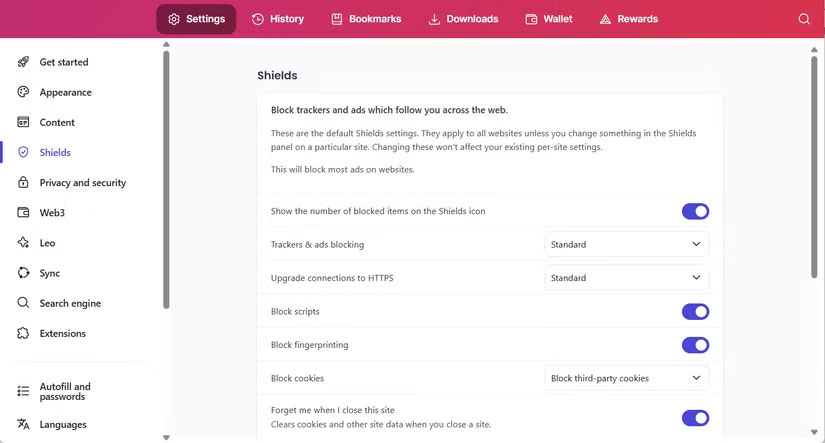
Most importantly, Brave avoids Google 's surveillance ecosystem. Unlike Chrome, it does not ping Google when you type in the address bar or open a new tab. There are no hidden data channels silently tracking your activity in the background.
Built - in Tor Mode
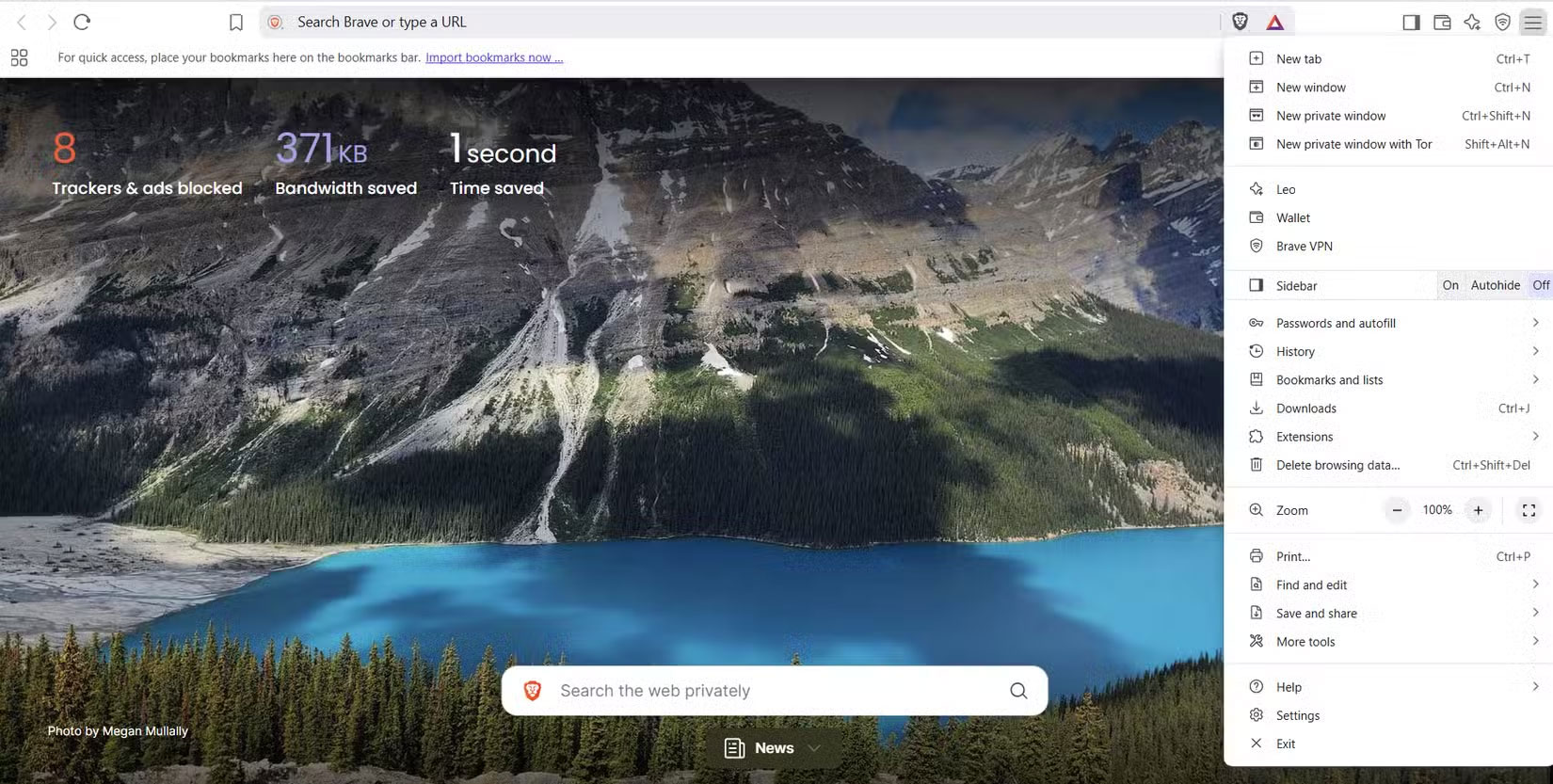
Sometimes private browsing just isn't enough. Maybe you're trying to access content that is restricted in your region, or you're searching for something you want to keep anonymous. For those times when standard protections aren't enough, Brave includes a more advanced option powered by the Tor network, built right into the browser.
Unlike regular private browsing, which simply hides your activity from other people using your device, Brave's Tor window hides your identity online. It routes your traffic through multiple layers of encryption before it reaches the website you're visiting. Your IP address remains hidden, and your connection is protected from websites, your ISP, and even network surveillance.
Fast and Light by Design
Once you switch to Brave, you'll be amazed at how lightweight it is. No lag, no slowness, and nothing secretly eating up memory in the background. Just fast, uninterrupted browsing right from the start.
Compared to Chrome, which is notorious for hogging RAM and straining the CPU, Brave is light and efficient. Even with multiple tabs open or media streaming, it does not crank up the fan too much. It runs quietly without slowing down your system or draining your battery. That difference is especially noticeable on older laptops, where every bit of performance counts.
But it is not just about using fewer resources. Brave speeds things up by blocking ads, trackers, and unnecessary scripts before they load. With all that junk removed, web pages load much faster and more responsive. And this isn't just in theory; you'll notice it when you scroll through pages, open tabs, or switch between sites.
Sync Across Multiple Devices Without an Account
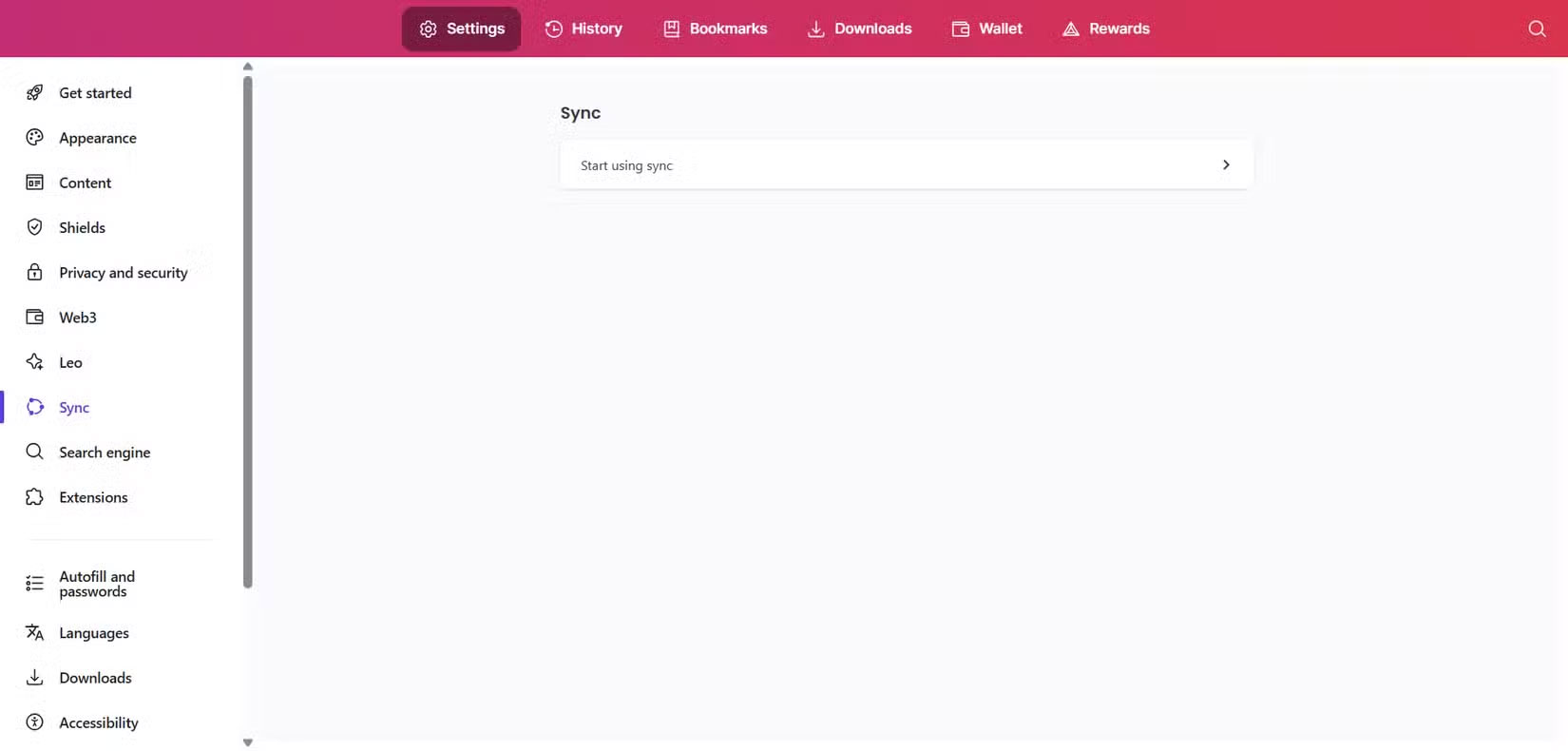
Most browsers sync with an account, which usually means transferring your data to their servers. Brave bypasses all that and keeps your devices connected.
Instead of a traditional sign-in process, you simply scan a QR code or enter a one-time sync code to link them. Your bookmarks, browsing history, passwords, and open tabs sync seamlessly across your phone, laptop, and tablet. And because the data is encrypted before it leaves your device, not even Brave can see what you're syncing.
Open Source with Native IPFS Support
Brave isn't just focused on privacy; it is also open source. Its entire codebase is public so anyone can check, audit, or contribute. Unlike closed-source browsers, where you have to trust everything running in the background, Brave shows everything. Developers and security researchers can verify exactly how it works, confirming there are no hidden trackers, unexpected data collection, or backdoors.
It also comes with built-in support for the InterPlanetary File System (IPFS), a decentralized way to store and access content online. Instead of pulling data from a single server like most other websites, IPFS pulls data from multiple partners that already have copies. Think of it like torrenting: Instead of relying on a central source, you ask the entire network who has the file, and any node will send it to you.
Play YouTube in Background - No Premium Plan
YouTube often stops playing when you exit the app or lock your screen, unless you're a premium subscriber. This is an annoying limitation, especially if you just want to listen while doing other things on your phone.
But if you're using Brave on your phone, there's a way around this. This feature isn't enabled by default, but once enabled, Brave allows YouTube videos to continue playing in the background even if you switch apps or lock your phone.
To enable this feature, open Brave's settings, scroll to DISPLAY , tap Media and turn on Enable Background Audio .
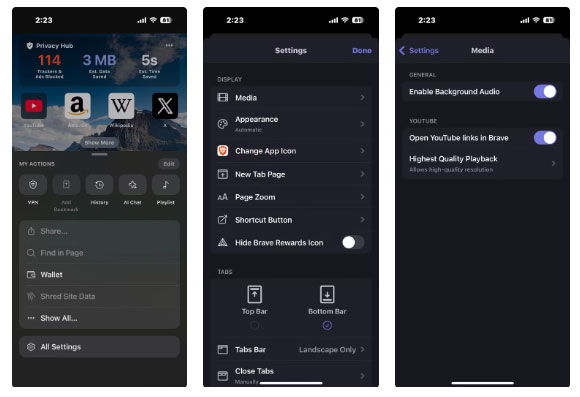
Once turned on, press play and continue whatever you were doing. You can reply to messages, take notes, or even turn off your screen. The audio will continue playing without interruption.
BAT Rewards for Viewing Non - annoying Ads
Instead of flooding your screen with loud, distracting ads, Brave takes a cleaner approach. It displays small, privacy-friendly pop-ups, and if you choose to interact with them, you can earn BAT (Basic Attention Tokens) as a reward for your attention.
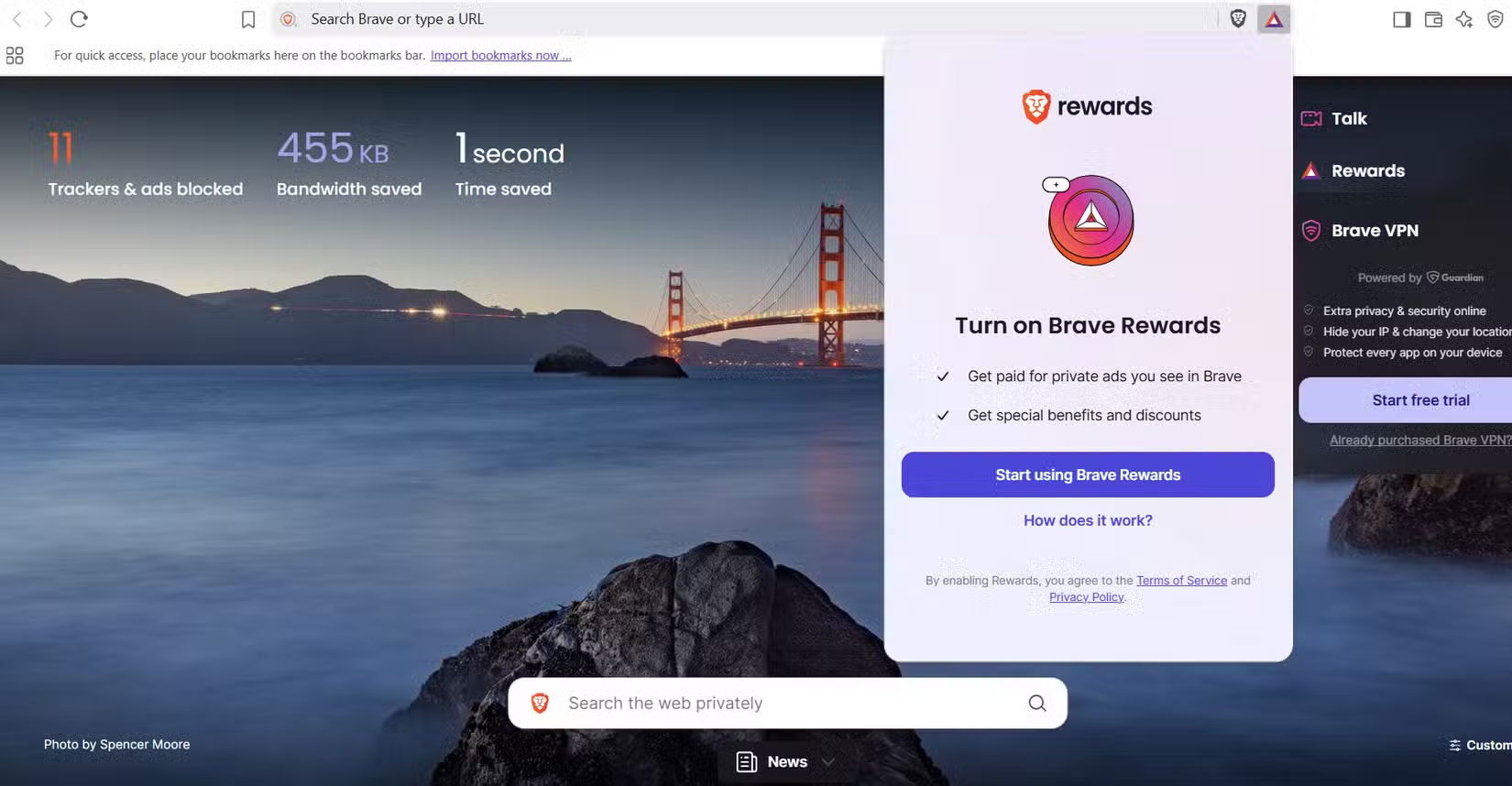
You will not be tracked, your browsing history will be private, and you'll stay in control at all times. You can even adjust how many ads you see per hour, or turn them off completely if you do not care.
Over time, your BAT rewards will grow. You can use them to support your favorite sites or content creators directly through Brave or just let them sit in your wallet; it is entirely up to you.
These are the reasons people stick with Brave. It respects user privacy, is responsive, and simply feels more comfortable to use. After experiencing all of that in one place, everything else seems too cumbersome.
FAQ
What is the main takeaway about Why Is Brave the Best Web Browser?
The key is to understand the core idea, compare the available options, and apply the practical guidance that matches your situation.
What should beginners know about Why Is Brave the Best Web Browser?
Start with the essential steps and terminology. Avoid changing advanced settings until you understand how they affect performance, privacy, cost, or compatibility.
How can I use this information in practice?
Follow the relevant section in order, test one change at a time, and confirm the result before moving to the next step or recommendation.
Related Articles
 Learn Brave Browser, What Makes Brave Special?9 minutes read
 Brave - Fast and Secure Personal Web Browser: What You Need to Know16 minutes read
 Brave Search Will Now Let Users 'Downvote' Bad Website Results6 minutes read
 Learn Brave Search, a Formidable Competitor of Google4 minutes read
 Brave Browser Is Enough to Beat Chrome6 minutes read
 Brave Vs Chrome Comparison: Which Browser Is Better?6 minutes read
Reader Comments 0
Sign in with email or Google to join the discussion.