Table of Contents
DNS over HTTPS (DoH) is designed to enhance your privacy and security online and is a feature that almost all operating systems and browsers today support out of the box.
The internet is full of three-letter acronyms, and as you know, there are too many to remember them all. But there is one you should pay attention to, for a couple of reasons.
DNS over HTTPS (DoH) is designed to enhance your privacy and security online and is a feature that almost all operating systems and browsers now support out of the box. Sounds great, right? But not everyone is excited about it, and many are completely ignoring it. So, what exactly is DNS over HTTPS?
- List of good and fastest DNS of Google, VNPT, FPT, Viettel, Singapore
- Top 10 Best Public DNS Servers You Should Know Today
- 11 Solutions to Fix DNS Resolution Problems
What is DNS over HTTPS?
Before we really dig into DNS over HTTPS, let's talk about DNS.
The Domain Name System (DNS) is often referred to as the "phone book of the Internet." This is a useful comparison, but it doesn't capture the full importance of DNS to the functioning of the Internet.
Basically, when you type a website name like TipsMake.com into your browser, your computer doesn't actually understand the text. It asks a DNS server to translate the domain into a numeric IP address to help route your request to the right server that hosts the information.
Traditionally, those DNS lookups are sent in plain text. That means anyone monitoring your connection—your ISP, your network administrator, even other users on the same Wi-Fi network—can see what websites you're requesting, even if the rest of your traffic is encrypted using HTTPS.
But there is a way to change that and protect your DNS requests from prying eyes: DNS over HTTPS.
Instead of broadcasting your Domain Name System requests in plain text, DNS over HTTPS encrypts your requests so they can't be read by outside sources. DoH uses the same encryption standards that protect your web traffic, as part of the HTTPS standard that secures most websites.
Most modern browsers support DoH, and in some cases, it's enabled automatically. Additionally, if you use a third-party DNS provider, it will most likely come with DNS over HTTPS by default. Changing your DNS settings is a convenient way to increase your privacy, and you may also notice a slight speed increase.
If DNS over HTTPS is so good, why isn't everyone using it?
That's a good question. Online privacy is something everyone lacks, so surely everyone should jump at the chance to use DNS over HTTPS? To be fair, most people turn on DoH once they know what it is, but here's the problem: Not everyone really knows what it is or why it's there.
The problem isn't that DNS over HTTPS is ignored; it's just that many people don't know it exists in the first place. Furthermore, many people don't realize that sending DNS requests in plain text is a problem; it doesn't affect how they use the internet, so why change?
|
Why people love DoH |
Why do people hate DoH |
|---|---|
|
Protect your privacy . Encrypting DNS queries hides the websites you visit from your ISP, your workplace, and anyone monitoring public Wi-Fi. |
Centralization . Many browsers use a few large providers (Cloudflare, Google), concentrating power in the hands of a few. |
|
Improved security . Prevents DNS hijacking and manipulation, reducing the risk of fake redirects and phishing sites. |
Circumvents filters and parental controls . DoH bypasses local DNS resolvers, so school, home, or corporate filters often stop working. |
|
Automatic setup . Most browsers now handle DoH automatically. You don't need to adjust your network settings or install anything extra. |
Troubleshooting headaches . Network administrators cannot inspect encrypted DNS traffic, making it harder to diagnose problems or block malicious domains. |
|
Anti-censorship. Encrypted DNS makes it harder for ISPs or governments to block websites at the DNS level. |
Performance and reliability issues. Encryption introduces a small amount of latency, and relying on a single resolver can create a single point of failure. |
|
User Control . Power You can choose a privacy-focused resolver or even run their own encrypted DNS server. |
Trade-off of trust . Instead of trusting your ISP, you're trusting another third-party DNS provider that can still handle your queries. |
When you first enable DoH in Chrome, the difference isn't obvious—websites don't suddenly load faster or look different. But your ISP can no longer see which domain you're visiting. It's a small but valuable privacy improvement that anyone can make.
Enable DNS over HTTPS in your browser to regain privacy
Enabling DoH in your browser is simple
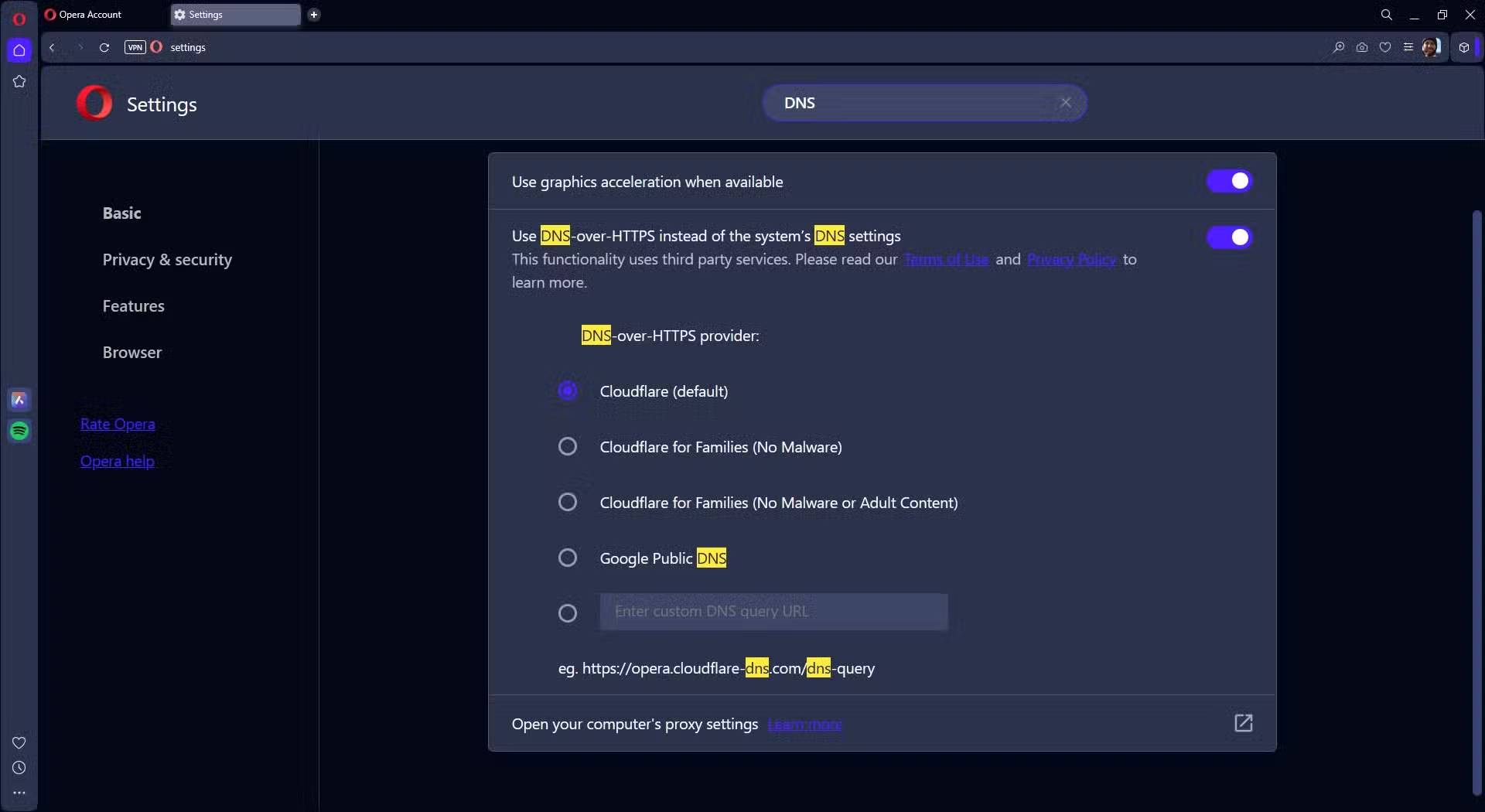
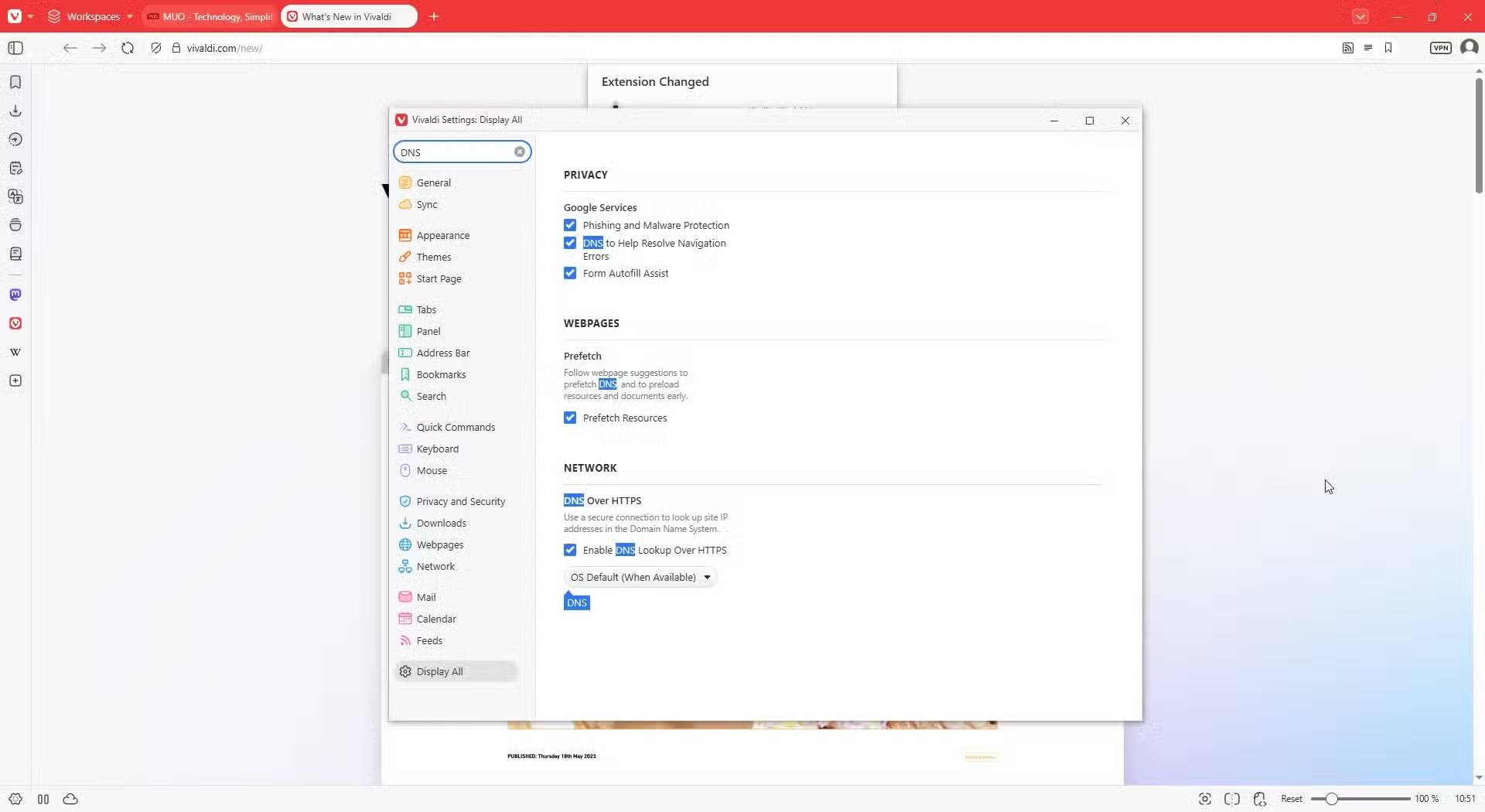
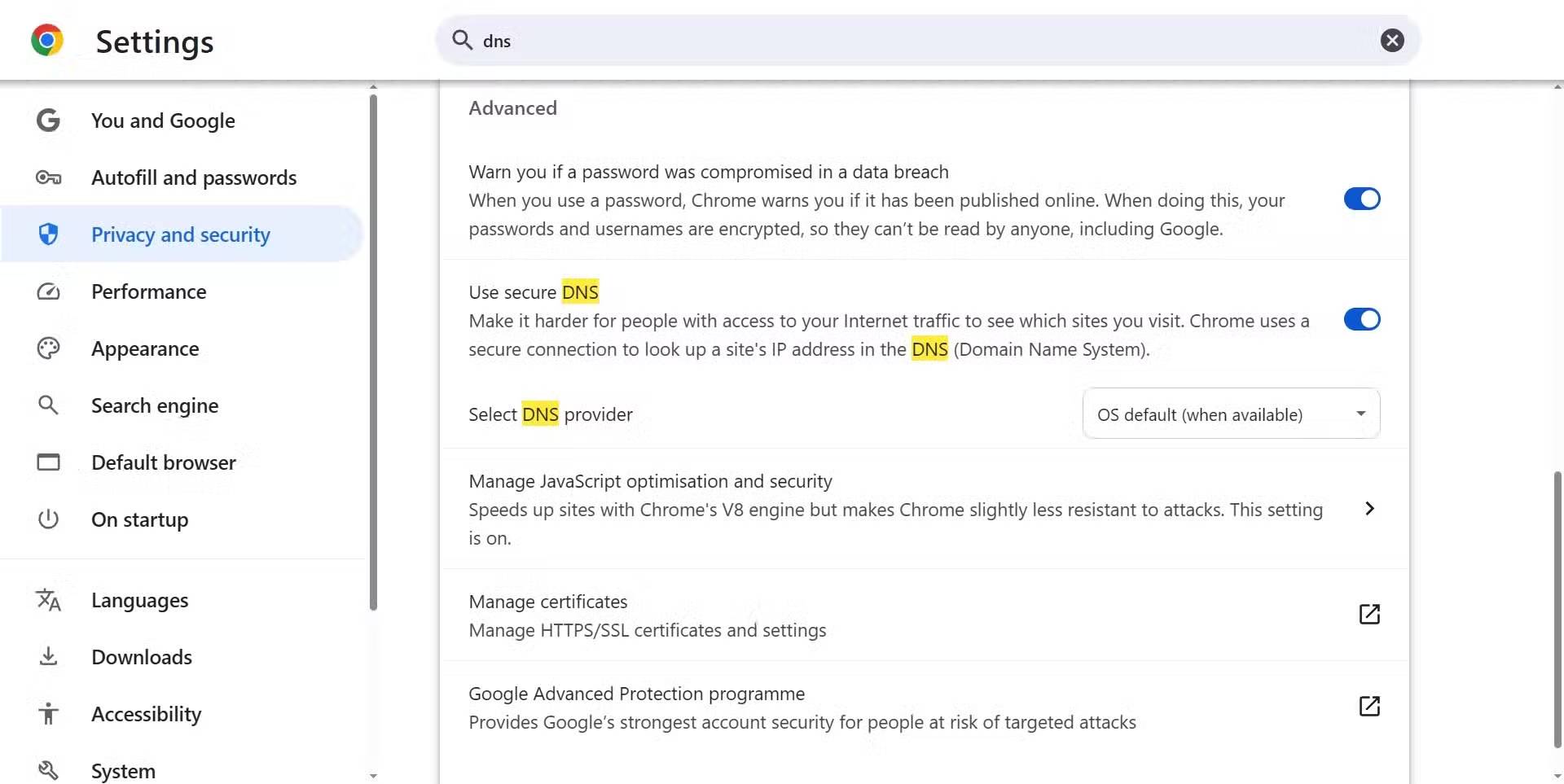
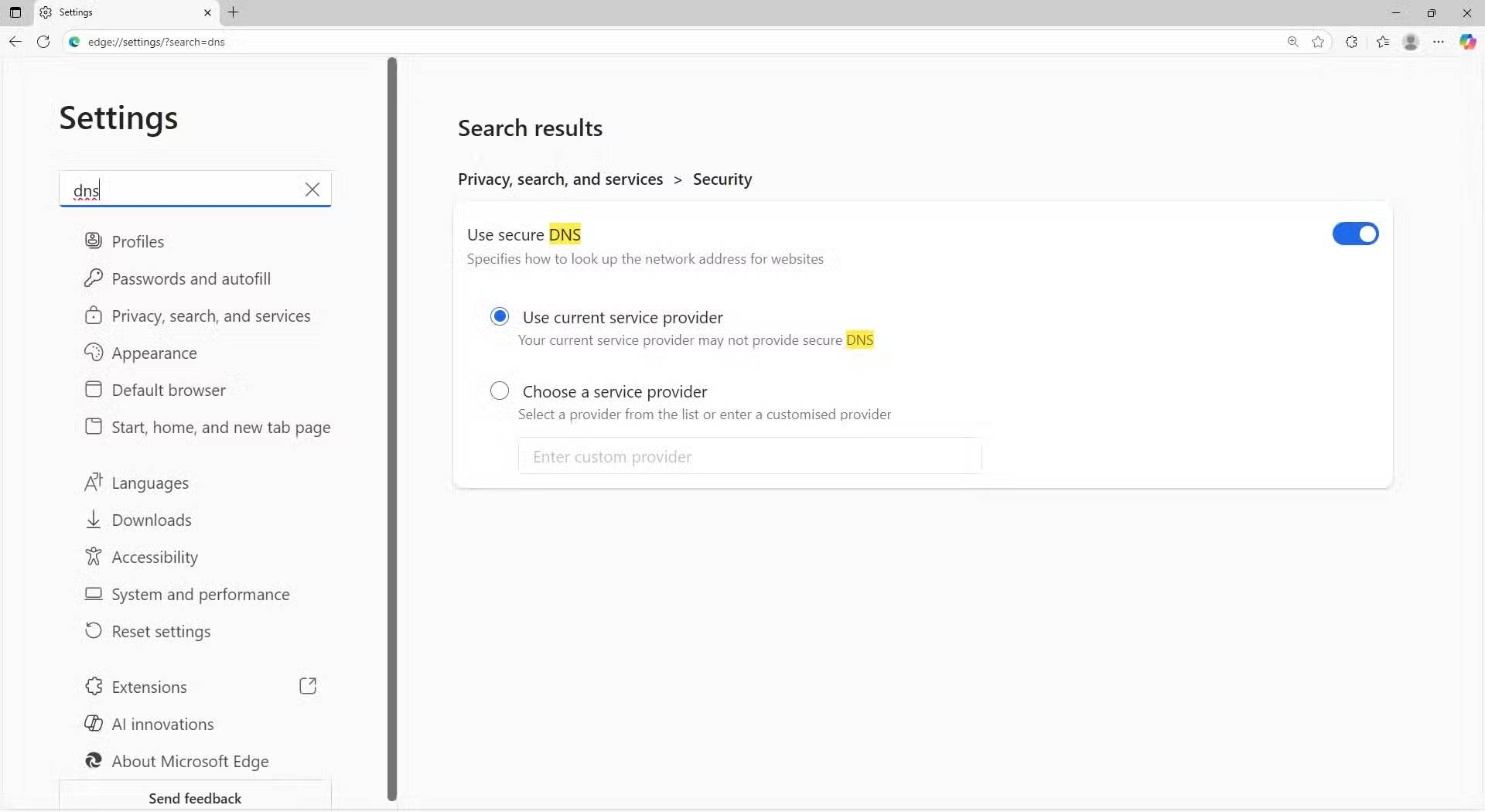
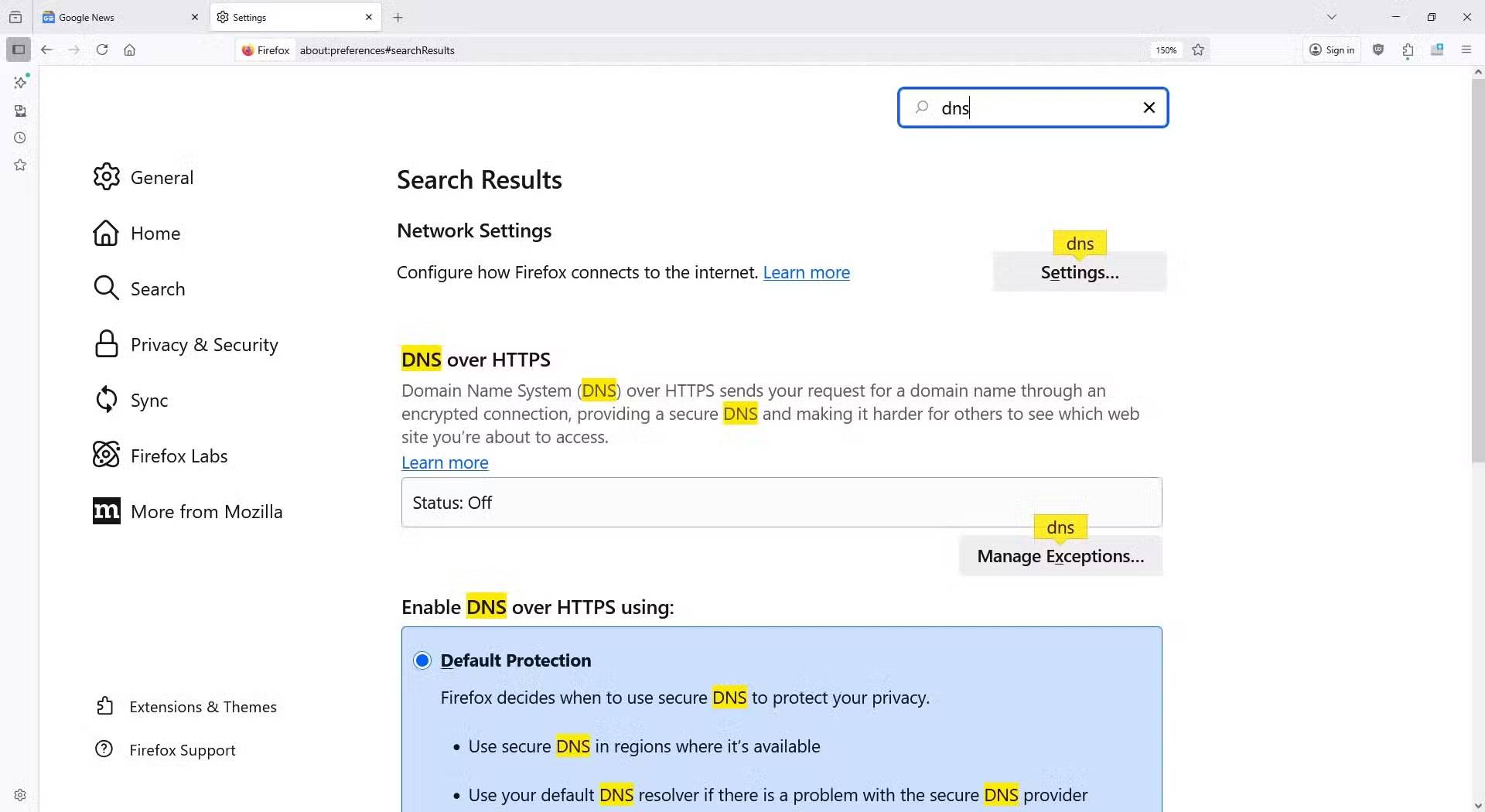
Changing your browser settings to use DoH by default is a simple process, but it goes by different names. For example, in Chrome and Edge it's called Secure DNS , while in Firefox it's called DNS over HTTPS .
We won't be giving you step-by-step instructions on how to find DNS over HTTPS settings in every browser. However, we did try to find DoH settings in the most popular browsers, including Chrome, Edge, Firefox, Opera, and Vivaldi (Safari doesn't support DoH at the browser level, but it does in macOS), and the following steps worked:
- Open your browser and go to the Settings Menu.
- Type DNS Into the search bar.
- Scroll down and find the highlighted DNS sections, then select Secure DNS Or DNS over HTTPS .
Your browser will now protect all DNS requests.
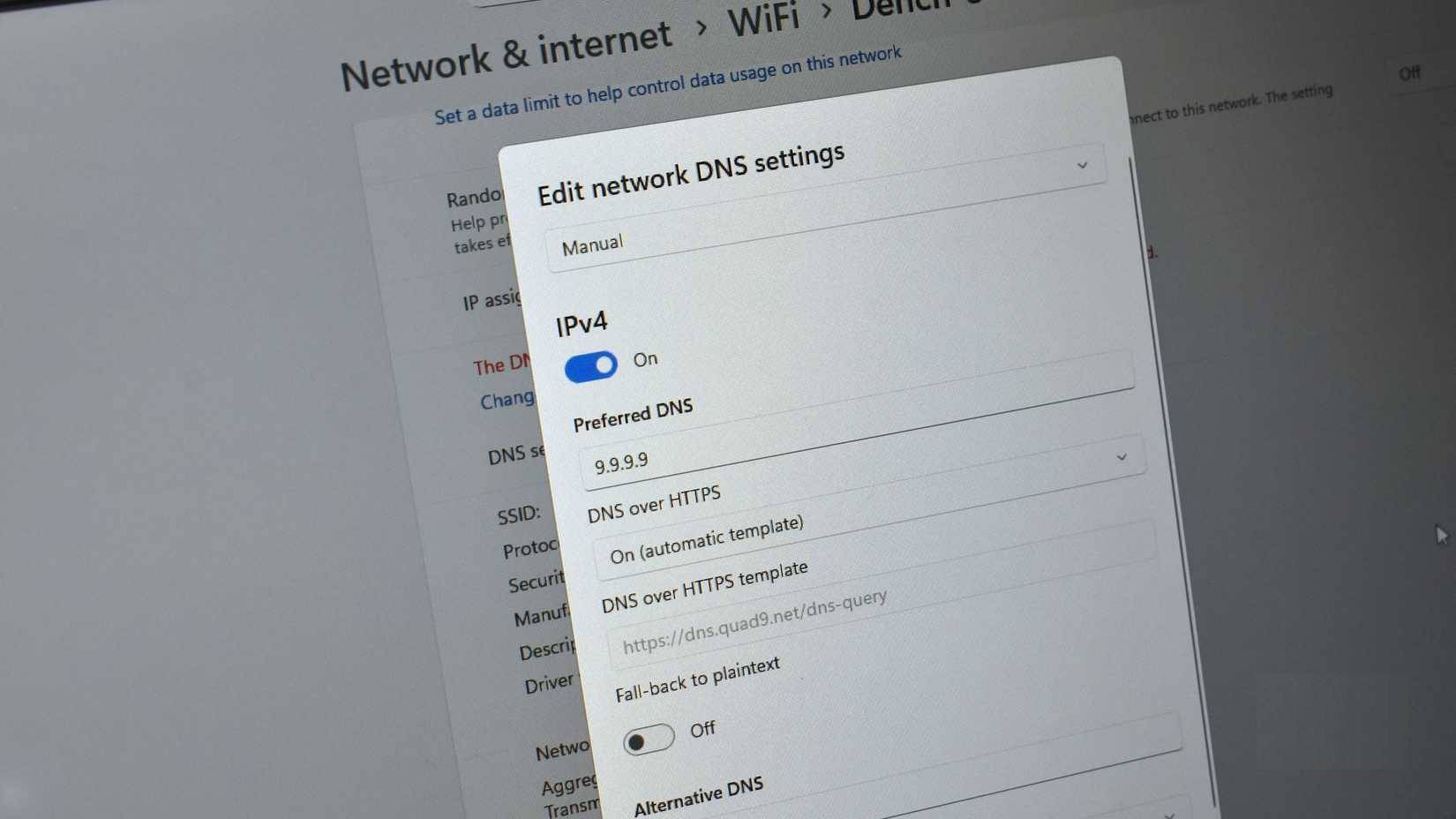
You can also enable DNS over HTTPS in your operating system.
This protects the entire system, not just the browser.
To go a step further than just protecting DNS requests in your browser, you can also enable DoH for your entire operating system. The process for doing this varies by operating system, but it's available on Windows, macOS, most Linux distributions, and Chrome OS.
Start by choosing a secure DNS provider that offers DNS over HTTPS; we recommend Quad 9 and use Cloudflare for backup.
|
Supplier |
IPv4 DNS address |
IPv6 DNS address |
|---|---|---|
|
Cloudflare |
|
|
|
Quad9 |
|
|
Then You should go to the Internet connection settings in your operating system.
Given the benefits of DoH and the lack of any real downsides, switching to DNS over HTTPS right away is definitely worth considering. Well, there are some caveats. You're transferring trust from your ISP to a third party, and for some, this is just blaming someone else.
That said, when considering the overall benefits of DNS over HTTPS, it's a simple choice.
- How to enable blocking redirects to malicious websites on Google Chrome
- 4 Big Security Risks Cloudflare DNS Can Solve
- How to change DNS to surf the web faster, increase Internet speed
FAQ
What Is DNS Over HTTPS? Why Is Everyone Arguing About It: Explained?
In practical terms, DNS over HTTPS (DoH) is designed to enhance your privacy and security online and is a feature that almost all operating systems and browsers today support out of the box.
Why does what is DNS over HTTPS matter?
The article highlights that if DNS over HTTPS is so good, why isn't everyone using it.
What is the main takeaway?
The main takeaway is that online privacy is something everyone lacks, so surely everyone should jump at the chance to use DNS over HTTPS.
Related Articles
 What Is DNS over HTTPS: Learn About DNS over HTTPS6 minutes read
 Find Out What Is HTTPS? Why Should You Use HTTPS Instead10 minutes read
 Instructions for Setting up HTTPS for Simple Websites10 minutes read
 What Is HTTPS? and Why Is It Needed for Your Site5 minutes read
 How Does Setting HTTPS Affect SEO?11 minutes read
 Connecting over HTTPS Is Not Necessarily Safe6 minutes read
Reader Comments 0
Sign in with email or Google to join the discussion.