Table of Contents
Bit rot is an informal name for data that changes or becomes unreadable without an intentional edit. It can affect files on hard drives, SSDs, optical discs, memory cards, and storage systems. The practical defense is not to “wake up” one drive occasionally; it is to keep independent copies, verify them with checksums, and replace a damaged copy from a known-good one.
What bit rot actually means
A file is stored as bits, but many layers sit between those bits and the document or photo you open: the physical medium, drive electronics, cable, controller, memory, file system, and software. Corruption can enter at any layer. Possible causes include an unreadable sector, charge loss in flash cells, a faulty controller or cable, memory errors, software bugs, or an interrupted write.
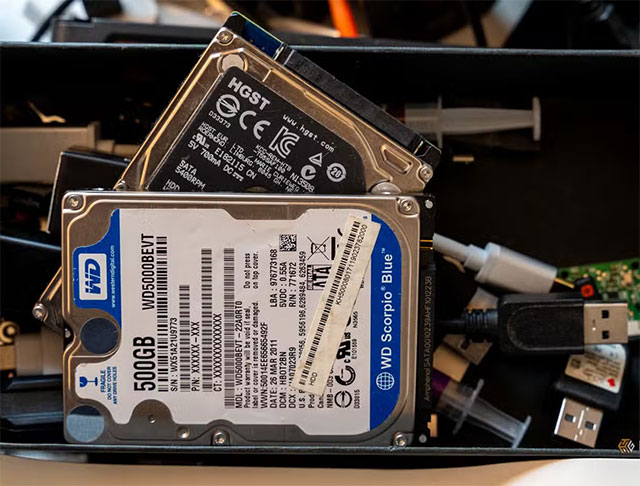
Modern drives use error-correcting codes and remap some failing sectors. File systems may also detect structural errors. These protections reduce risk, but they do not make one storage device an archive. Some errors exceed the available correction, while ordinary file systems may return corrupted data without knowing what the original bytes should have been.
Why silent corruption is hard to notice
The file name, date, and size can remain unchanged even when its contents differ. Damage may create a colored block in one photo, break part of a video, alter a compressed archive, or prevent a file from opening. A small change in a critical header can have a much larger effect than a change in unused or redundant data.
Opening a few files can reveal obvious failures, but it cannot prove that every byte is intact. A checksum is more useful: calculate a hash such as SHA-256 when the archive is known to be good, store the manifest separately, and recalculate it during later audits. A mismatch tells you the file changed. TipsMake explains the basic process in its guide to verifying checksums in Windows.
HDDs and SSDs fail in different ways
Hard disk drives
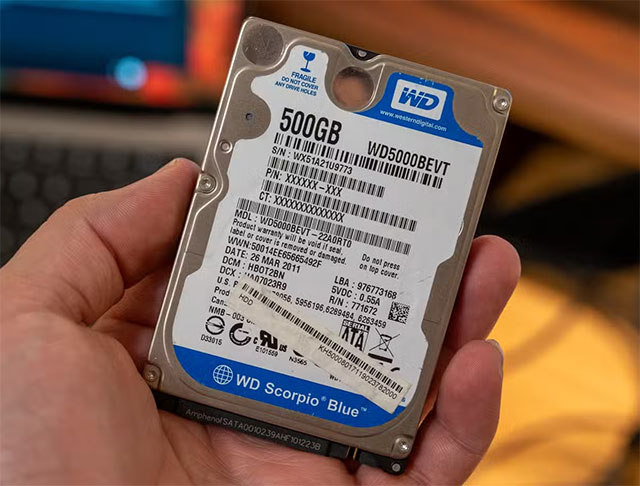
An HDD stores data in magnetic patterns on rotating platters and has mechanical parts that can wear, stick, or suffer shock damage. Media defects and weak sectors can become unreadable over time. Temperature, moisture, vibration, contamination inside the sealed drive, manufacturing variation, and simple component failure all influence the outcome; there is no universal safe shelf-life.
Solid-state drives
An SSD stores charge in NAND flash cells. Retention while unpowered depends on the flash type, previous wear, controller behavior, and storage temperature. A lightly used consumer SSD stored under suitable conditions may retain data for a long time, but an old or heavily worn drive is a poor choice for the only archival copy. Product endurance ratings describe write wear and do not guarantee indefinite offline retention.
Neither medium is automatically “safe forever.” Optical media, tapes, USB drives, and cloud services introduce their own failure modes and operational risks.
Simply plugging in a drive does not repair an archive
Connecting a drive and browsing folders does not necessarily rewrite every file or refresh every storage cell. Reading all files may expose unreadable sectors, but detection alone cannot restore the original data. Some storage systems perform scheduled scrubbing and can repair a bad block when a redundant good copy exists; a lone external drive normally cannot.
The National Digital Stewardship Alliance's Levels of Digital Preservation treats integrity checking and the ability to replace damaged data as separate capabilities. That distinction is essential: checksums detect change, while another verified copy provides the repair source.
A practical preservation routine
- Keep at least three copies. Maintain the working copy plus two backups, with at least one stored in a different physical location or a reputable cloud service. The Library of Congress also recommends copies on separate media in its personal digital archiving guidance.
- Do not leave every backup connected. An offline or otherwise isolated copy limits the damage from ransomware, accidental deletion, power faults, and theft.
- Create and retain a SHA-256 manifest. Recheck important collections on a schedule appropriate to their value. If a checksum changes, compare other copies before overwriting anything.
- Test restores. Confirm that a sample of files can be restored from each backup and that encrypted archives still have accessible keys or passwords.
- Watch drive-health evidence. SMART warnings, reallocated or pending sectors, media errors, repeated disconnects, unusual noises, or slow reads justify an immediate verified backup. TipsMake's drive-health checklist explains the limits of these signals.
- Migrate before the hardware or interface becomes obsolete. Copy the collection to new, supported media while the old drive and its connector still work.
For a simple starting workflow, follow TipsMake's guide to backing up important files. If a drive clicks, disappears, repeatedly reports read errors, or contains the only copy of irreplaceable data, stop stressing it with repeated scans and consider professional recovery.
Related Articles
 Defragment the Hard Drive with Disk Defragment2 minutes read
 Dti Surface Scanner: Quickly Detect Bad Sectors for Hard Drives3 minutes read
 3 How to Check the Working Status of the Hard Drive4 minutes read
 5 Ways to Check Hard Drive Effectively to Help Periodically Check11 minutes read
 Know About Bad Sectors on Your Hard Drive8 minutes read
 3 Ways to Check the Operating Status of Your Hard Drive Most Accurately4 minutes read
Reader Comments 0
Sign in with email or Google to join the discussion.