Table of Contents
Ubuntu 25.04 Officially Released with GNOME 48 and Linux Kernel 6.14 is easier to approach with a clear overview and reliable steps. This guide organizes the essential information, highlights practical details, and explains what to check along the way.
Key Takeaways
- Follow the recommended steps in order to avoid common mistakes with ubuntu 25.04 officially released with GNOME 48 and linux kernel 6.14.
- Review compatibility, settings, or requirements before making changes.
- Use the troubleshooting notes to confirm the final result.
The main highlight of this update is GNOME 48, which brings features like notification stacking, digital well-being, triple buffering fixes for smoother performance (contributed by Canonical), and many other improvements. This version of Ubuntu also includes a new application called Papers – a modern and user-friendly PDF reader.
Weather forecasts, and night light on the desktop, Ubuntu 25.04 integrates the BeaconDB location service. This helps you support time zone recognition. Canonical made this change because Mozilla discontinued the previous location service they relied on.
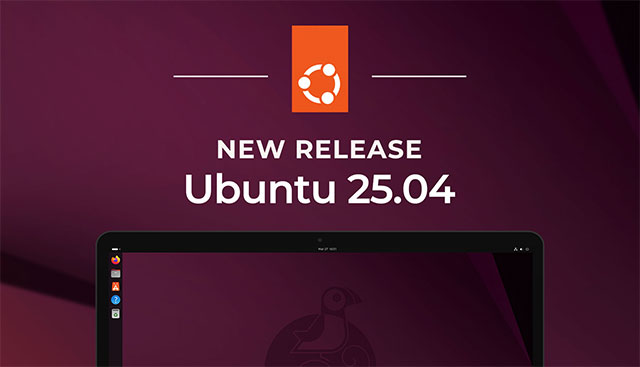
Another big change in the update is the integration of Linux kernel 6.14. Canonical says the kernel includes a new NTSYNC driver that emulates WinNT syncs, potentially improving performance for Windows games running on WINE and Proton (Steam Play). Canonical also says:
Kernel developers can now use the new scheduling system sched_ext, which provides a mechanism for implementing scheduling policies as eBPF programs. This allows them to defer scheduling decisions to regular user-space programs and implement a fully functioning, hot-swappable Linux scheduler using any language, tool, library, or resource accessible from user-space.
In terms of hardware support, Canonical has provided a new ISO image with 25.04 for compatibility with ARM64 devices. This can be considered a policy to pave the way for Ubuntu to run on Snapdragon chips. Ubuntu 25.04 also brings full support for the Intel Core Ultra 200V series with integrated Arc GPUs and the Intel Arc B580 and B570 "Battlemage" discrete GPUs, according to Canonical:
New additions include improved ray tracing rendering performance on GPUs and CPUs in Intel Embree-enabled applications, such as Blender (version 4.2+). Hardware ray tracing acceleration on GPUs improves frame rendering by 20-30%, thanks to a 2-4x increase in ray tracing component speed. These GPUs also now enable hardware video encoding support for AVC, JPEG, HEVC, and AV1, providing improved performance when using these formats compared to software encoding.
The new update is available for download now on Ubuntu.com. You can upgrade to this version too if you already have Ubuntu installed.
Final Thoughts
The most reliable way to handle ubuntu 25.04 officially released with GNOME 48 and linux kernel 6.14 is to follow the process in order, verify each important setting, and test the result before moving on. Use the guidance above as a practical reference, then adjust the details for your device, software version, or specific goal.
FAQ
What should I know first about Ubuntu 25.04 Officially Released with GNOME 48 and Linux Kernel 6.14?
Canonical has just released Ubuntu 25.04 (codenamed Plucky Puffin) to the general public.
How do I get the best results with Ubuntu 25.04 Officially Released with GNOME 48 and Linux Kernel 6.14?
Use current software or equipment, follow the steps in order, review the recommended settings, and test one change at a time so you can identify what improves the result.
What should I do if Ubuntu 25.04 Officially Released with GNOME 48 and Linux Kernel 6.14 doesn't work as expected?
Check compatibility, permissions, connectivity, and version-specific settings. Restart the relevant device or app, then repeat the process carefully before trying a more advanced fix.
Related Articles
 Canonical Releases Ubuntu 21.10 with Kernel 5.13 and GNOME4 minutes read
 Linux Kernel 5.16 Officially Released with Great Features for Gamers4 minutes read
 Update Linux Kernel on Ubuntu via Ukuu6 minutes read
 Build a Custom Kernel: How to Create a Custom Kernel on Ubuntu7 minutes read
 What's New in Linux Kernel 5.14?6 minutes read
 How to Install GNOME on Ubuntu 20.04 LTS Focal Fossa3 minutes read
Reader Comments 0
Sign in with email or Google to join the discussion.