Table of Contents
This guide provides a clear, practical overview of "Here's What Hackers Hope You Never Do with Your Email". It organizes the most useful details, explains important considerations, and highlights the steps or choices that matter most.
Passwords Aren't Enough: Multi-Factor Authentication (MFA) Can Protect You From Hackers!
Believe it or not, passwords are the bane of the Internet. Easy-to-remember passwords that the average person might use for their accounts aren't very secure, while secure passwords are often not so easy to remember. This leaves us with a situation where most of the passwords we use every day, like passwords for our email inboxes, aren't very secure.
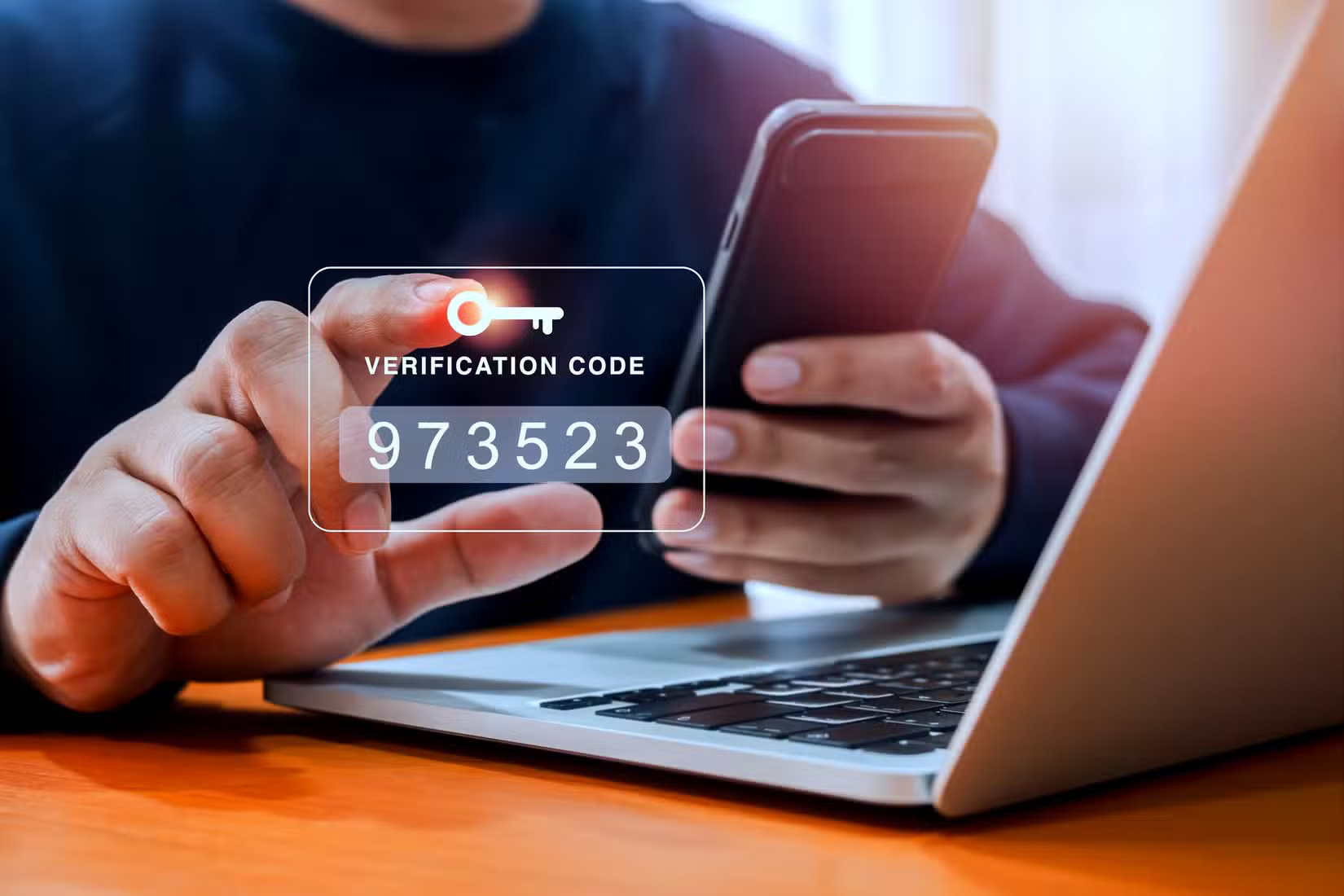
With computers getting faster and faster, brute-force attacks are less of a problem. Hackers often research their targets, making it easier to guess passwords. Account passwords are also often leaked in data breaches, and since people tend to use the same password for multiple online accounts, this puts multiple accounts at risk from a single breach.
We can't eliminate passwords completely. However, they're also not the most secure authentication method and require additional verification. This is where Multi-Factor Authentication (MFA) comes in. MFA typically works by sending a one-time password (OTP) code to another account or device you own. Authenticator apps can generate these codes and are better protected against SIM swapping attacks, while SMS Two-Factor Authentication (2FA) is popular but not considered secure.
Essentially, it locks down your account using multiple 'factors.' In most cases, these factors are 'something you know,' such as a password, and 'something you have,' such as a phone that receives or generates OTPs. This is called two-factor authentication, or 2FA, and is the most common form of MFA you'll encounter online.
Having to enter a secondary code during login that only you have access to significantly reduces the risk of hackers getting your password. Whether they steal your password from a data breach or a phishing attack, they will still ask for an OTP. These codes are much harder to get unless the hacker has physical access to your phone.
How to enable MFA on email accounts
Most email services either require MFA or will prompt you to set it up. The steps to enable MFA vary depending on the email provider you're using, but you'll generally find the MFA settings hidden in your account's security and privacy settings.
TipsMake.com has covered how to secure your Gmail, Outlook, and other accounts with 2FA before, but here's a quick guide on how to enable the feature on some of the most popular email services.
Gmail
Enabling 2FA on Gmail is as simple as updating your Google account settings.
- Go to your Google account, sign in and select the Security tab.
- Scroll down and click 2-Step Verification . You may be prompted to sign in again.
- Choose the login option that best suits your needs.
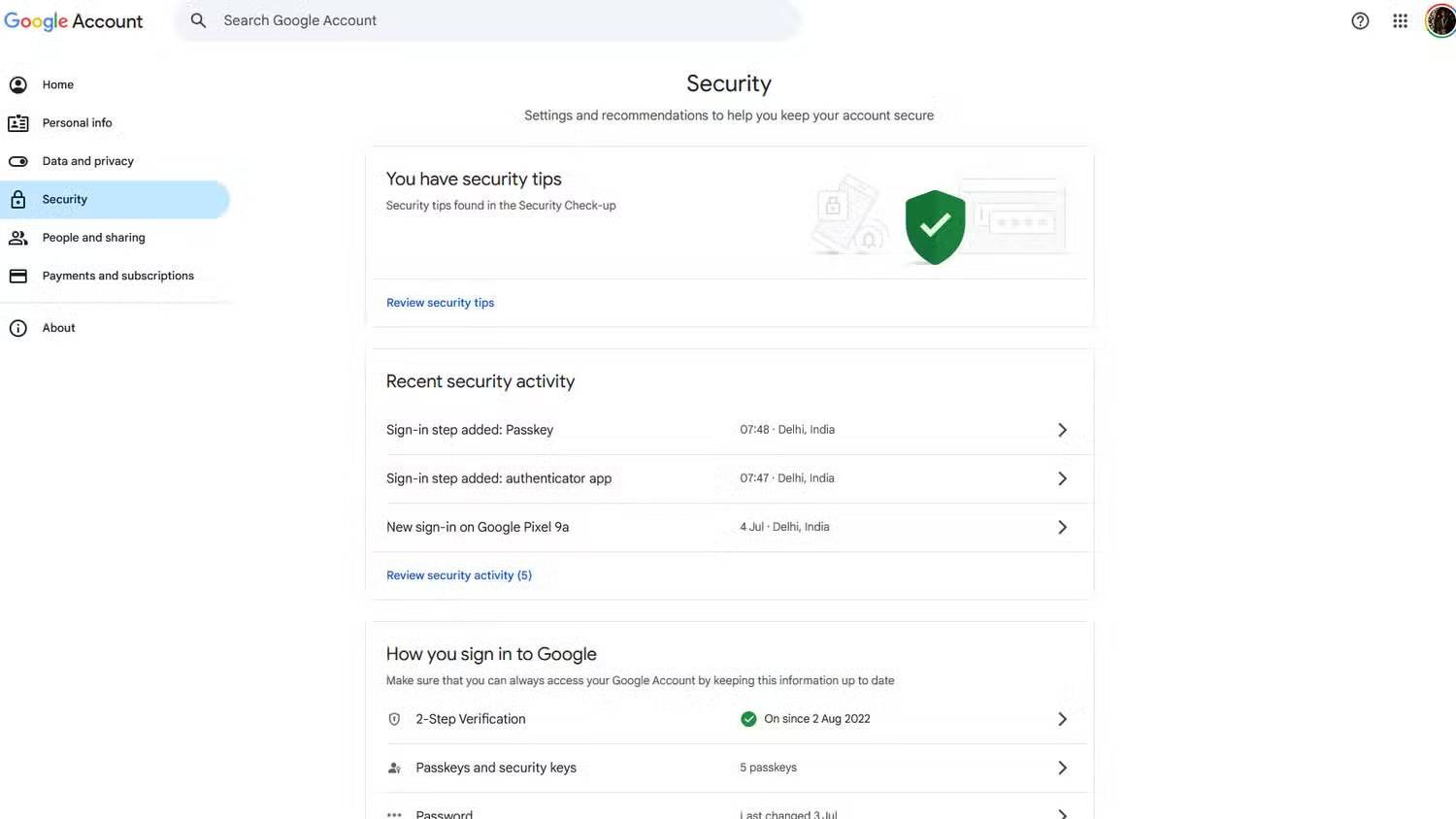
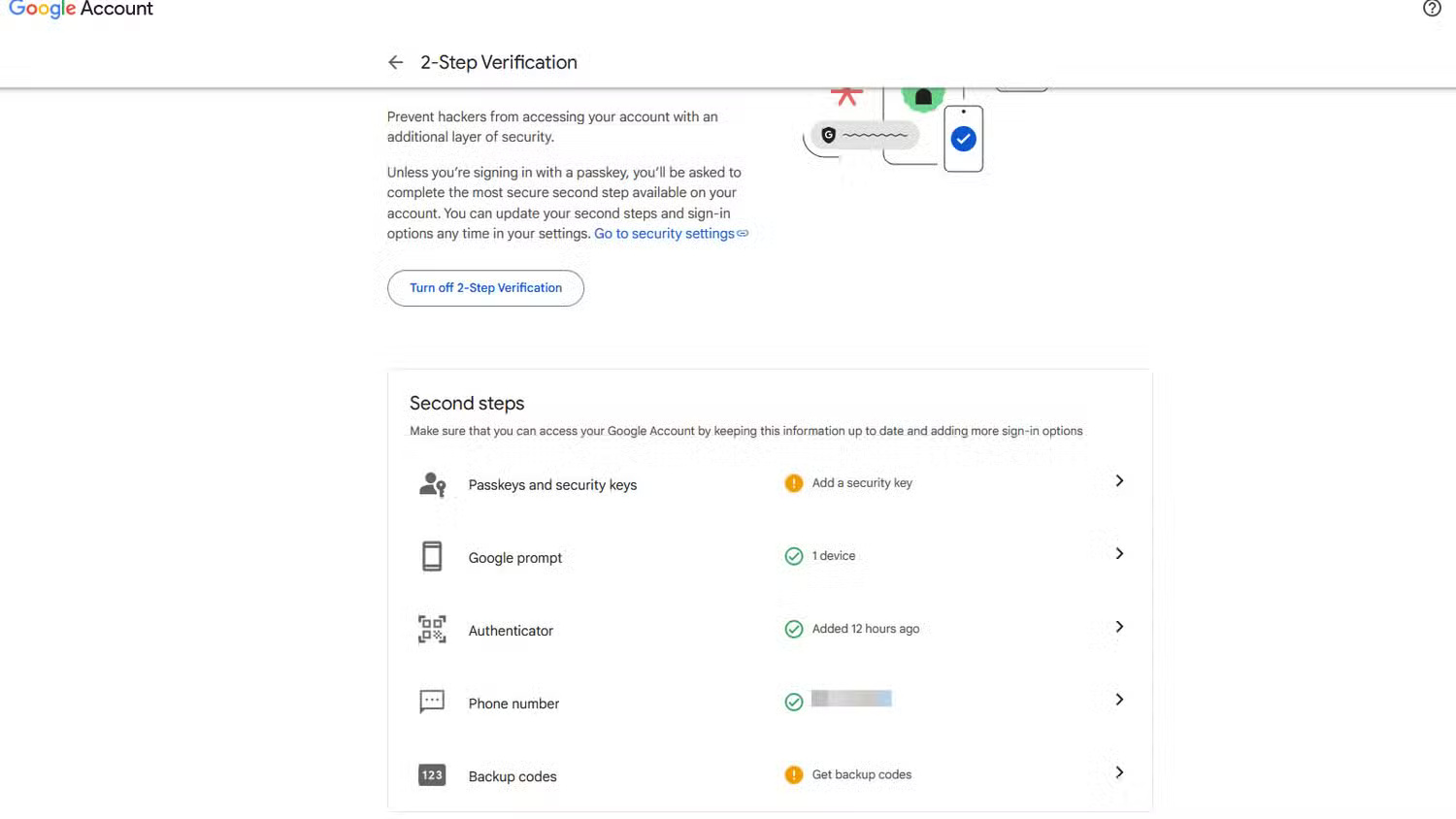
While Google can send OTPs via SMS, you should install Google Authenticator to generate OTPs locally on your device. The app is available on both Android and iOS and can also work with other services.
Outlook.com
You can also set up 2FA protection on Outlook.com. Note that this option is different from the Outlook desktop client.
- Go to your Microsoft account page, then go to Security .
- Select the Two-step Verification option, then select Turn on two-step verification and click Next to continue.
- From here, you can set up your authenticator app to work with Outlook.com.
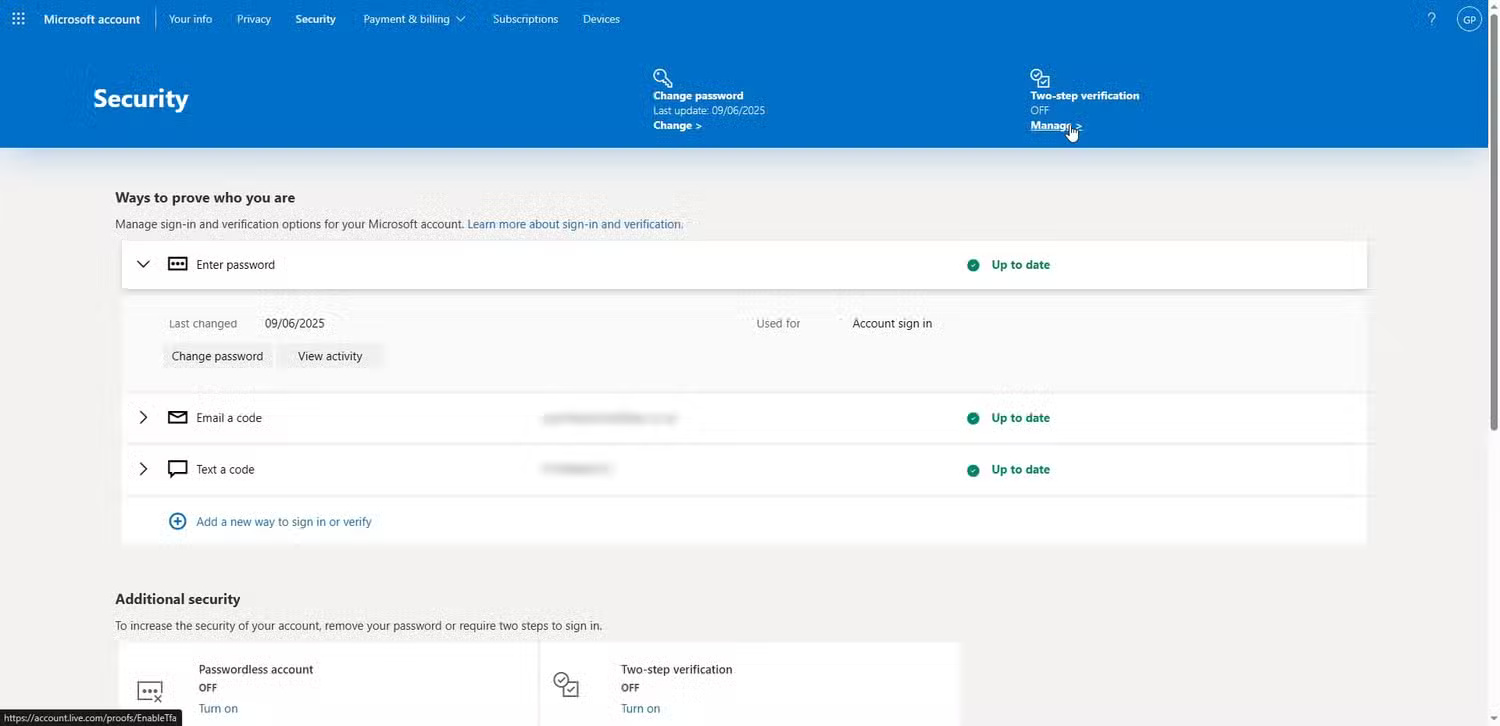
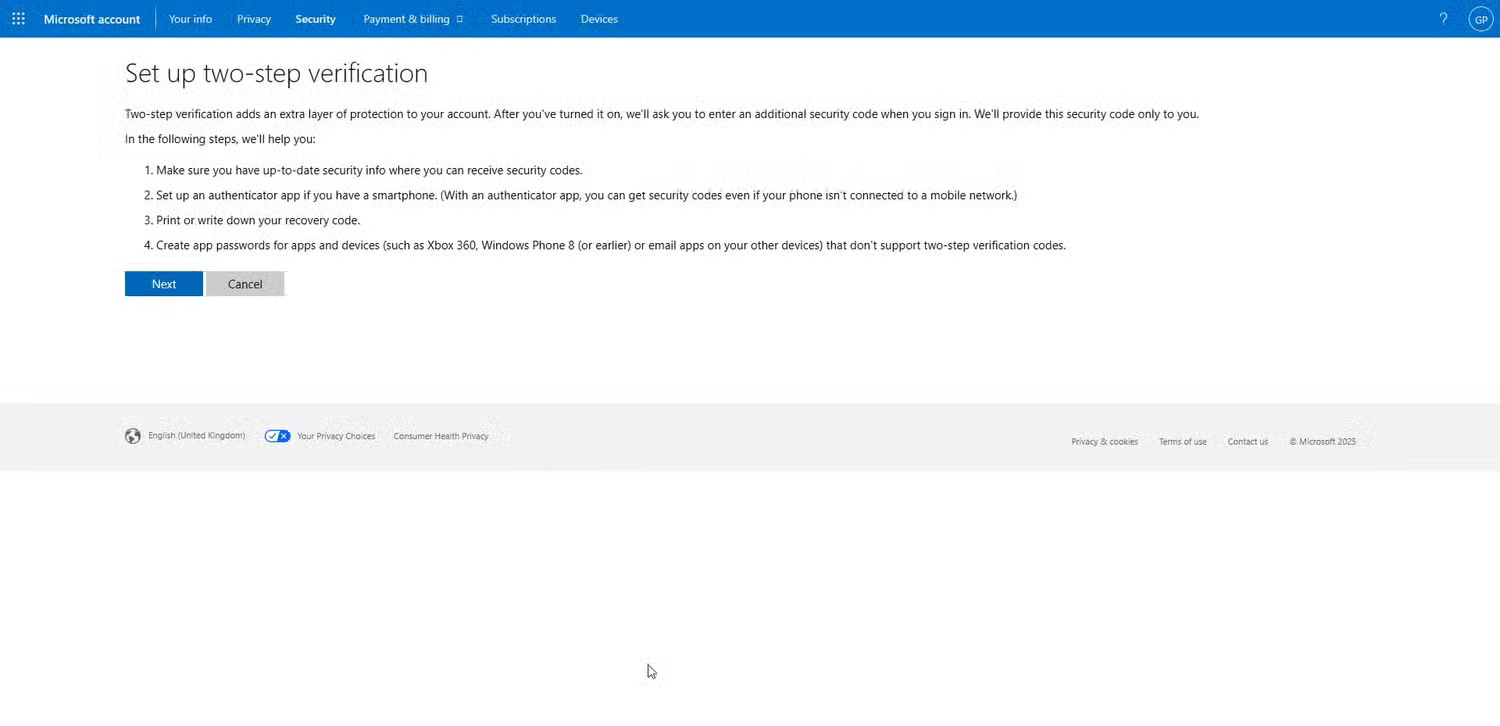
Other 2FA methods are set up using the email account and phone number associated with your account.
Proton Mail
Follow these steps to enable 2FA on Proton Mail.
- Go to your Proton Mail dashboard, log in and select the Account and Password tab.
- Under Two-factor authentication, turn on the Authenticator app slider.
- You will see a QR code. Scan the code with Google Authenticator to enable 2FA.
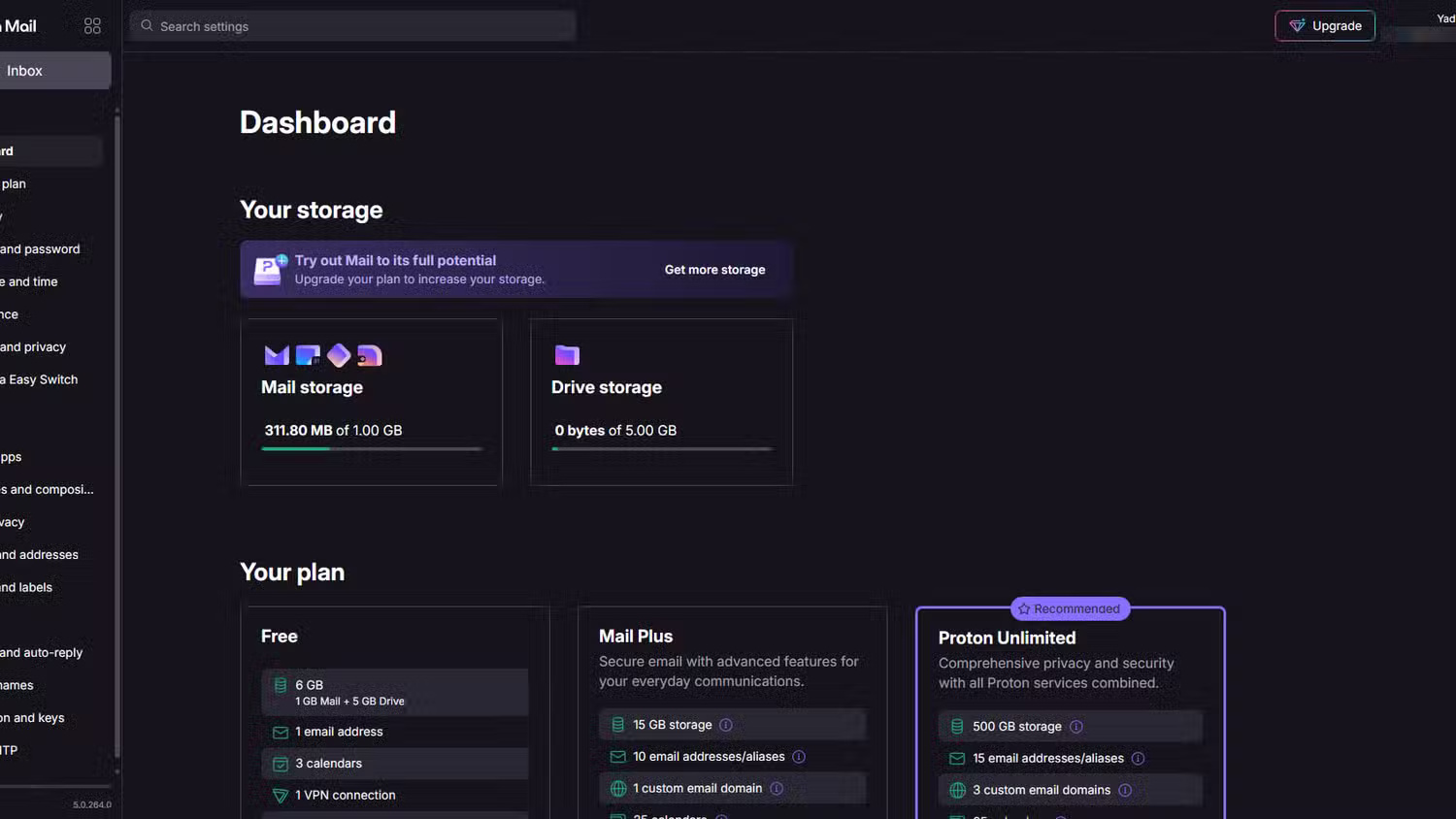
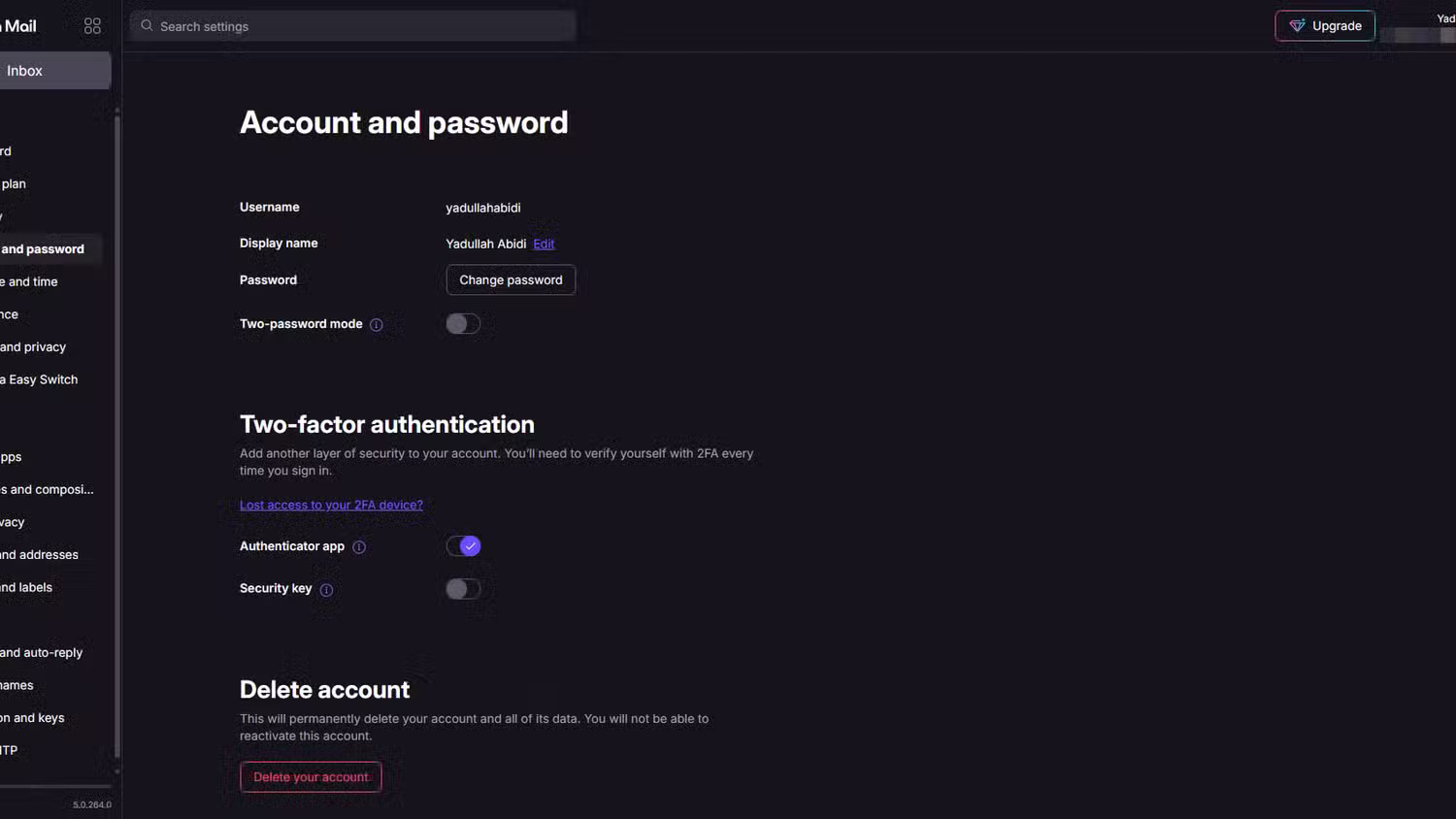
We have more online accounts than ever before, which means we're at greater risk of having our information exposed. With data breaches happening all the time, taking the time to secure your accounts with multi-factor authentication is a quick and easy way to add extra protection to your accounts.
FAQ
What should you know about passwords Aren't Enough: Multi-Factor Authentication (MFA) Can Protect You From Hackers!?
Believe it or not, passwords are the bane of the Internet. Easy-to-remember passwords that the average person might use for their accounts aren't very secure, while secure passwords are often not so easy to remember. This leaves us with a situation where most of the passwords we use every day, like passwords for our email.
How to enable MFA on email accounts?
Most email services either require MFA or will prompt you to set it up. The steps to enable MFA vary depending on the email provider you're using, but you'll generally find the MFA settings hidden in your account's security and privacy settings.
What should you know about gmail?
Enabling 2FA on Gmail is as simple as updating your Google account settings.
What should you know about outlook.com?
You can also set up 2FA protection on Outlook.com. Note that this option is different from the Outlook desktop client.
Related Articles
 Hackers Hate These 6 Email Settings! Turn Them on Now!8 minutes read
 Microsoft Admits Hackers May Have Read Outlook Email and Warned Users to Change Their Passwords3 minutes read
 What Is Email Encryption? Why Does It Play an Important Role in8 minutes read
 Classify Hackers and Career Opportunities for True Hackers10 minutes read
 4 Seemingly Harmless Email Habits That Hackers Use Against You5 minutes read
 When All Hope Is Lost What Do You Need to Do?12 minutes read
Reader Comments 0
Sign in with email or Google to join the discussion.