windows powershell
-
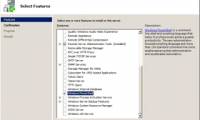
 Instructions on how to use PowerShell in Windows Server 2012
what is powershell? windows powershell is a command-line shell language interpreter and scripting language specifically designed for system administrators. built on the .net framework, windows powershell helps it professionals control and automate windows operating system administration tasks as
Instructions on how to use PowerShell in Windows Server 2012
what is powershell? windows powershell is a command-line shell language interpreter and scripting language specifically designed for system administrators. built on the .net framework, windows powershell helps it professionals control and automate windows operating system administration tasks as
-
Use PowerShell to create EventLog
in the following article, i will show you how to use powershell to create log records on the system, namely the write-eventlog cmdlet command. the basic syntax of this command takes the form ...
-
10 PowerShell commands help you manage the remote computer most effectively
windows powershell is a command executive command system and script scripting language that you can use to manage your system. in the following article, network administrator will show you 10 powershell commands to manage your computer remotely effectively.
-
Windows PowerShell - Automate system administration tasks
powershell is windows' new command line interface, providing a very effective interactive environment for the operating system. powershell is great for automating system administration tasks. powershell can be run on windows xp sp2, windows server 2003 and windows vista, windows server 2008.
-
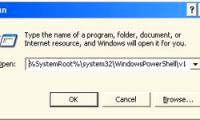
How to open PowerShell with Admin rights on Windows 10
windows 10 comes with windows powershell 5.0.
-
Test SQL Server with Windows PowerShell - Part 7
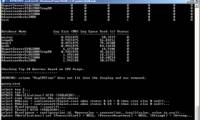
in this section, i will show you how to get that information in top 10 queries based on cpu performance.
-
Test SQL Server with Windows PowerShell - Part 1
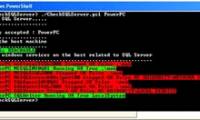
instead of using vbscript, bat files, or sql client implementations, ... we'll show you the power of windows powershell in checking sql servers status.
-
Test SQL Server with Windows PowerShell - Part 2
this part 2 will show you how to access the windows service on the remote computer using windows powershell and wmi-object.
-
Test SQL Server with Windows PowerShell - Part 3
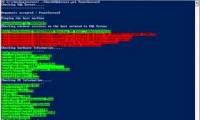
in part 3, i will show you how to find some hardware and operating system information from the host machine.
-
Test SQL Server with Windows PowerShell - Part 4
in this next section, i will show you the information about network card and hard drive from the server.
-
Test SQL Server with Windows PowerShell - Part 5
in this part 5, we will check whether we can connect to sql server and see if we can query some properties related to sql server.
-
Test SQL Server with Windows PowerShell - Part 6
part 6 will show you how to check all existing databases in the sql server instance and query the database properties.
 Home
Home
 Wifi Tips
 Fix Computer
 Windows 10
 Windows 11
 Artificial Intelligence
 Space Science
 Strange story