Table of Contents
This guide provides a clear, practical overview of "Copilot Has Visual Expressions with Real-time Emotions". It organizes the most useful details, explains important considerations, and highlights the steps or choices that matter most.
Voice chat has been available on Copilot for a long time, but it lacks visual cues or non-verbal communication. Users only see abstract visual effects. With Copilot Appearance, Microsoft is improving voice conversations with real-time visual expressions.
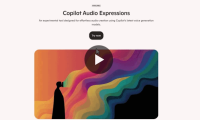
Note that Copilot Appearance is not Clippy 2.0. In its current form, it will simply be an abstract block with a face that can morph into different shapes, express emotions, nod in agreement, etc. The concept is similar to what xAI offers with Grok AI — its $300/month subscription virtual assistant — but Microsoft's approach is much more subtle (and you can't change the AI's appearance). On the official Copilot Labs website, Microsoft describes Copilot Appearance as "an experiment to incorporate a more intuitive and engaging experience into Copilot ."
"What would it be like to see Copilot react and speak as you chat? With this experiment, we're bringing more non-verbal communication to Copilot, enhancing voice conversations with real-time visual expressions. The initial prototype allows you to chat, interact, seek advice, or simply interact with Copilot in a more engaging and expressive way."

Copilot Appearance is rolling out to a limited group of users in select countries. Microsoft is taking a cautious approach to rolling out more personalized AI experiences. If you're lucky, you can try Copilot Appearance by launching Voice Mode (click the microphone button in the compose pane) and turning it on in the Voice Mode settings.
Microsoft emphasizes that this is an early test, and that it's continuing to refine the experience. With Copilot Appearance, Microsoft is turning AI from a text tool into a multi-dimensional "communication partner" — though it's still very early days compared to expectations.
FAQ
What does this guide cover?
This guide explains copilot has visual expressions with real-time emotions, including the main steps, important details, and practical considerations.
Who is this guide for?
It is designed for readers who want a clear, practical overview and a reliable process they can follow without unnecessary complexity.
What should you check before getting started?
Review the requirements, confirm that your software or device is up to date, and save any important data before changing settings.
Related Articles
 Guide to Converting Text to Expressive Speech in Copilot4 minutes read
 It Turns Out Cats Also Have Facial Expressions, But Not All5 minutes read
 11 Signs to Let You Know That Person Is Trying to Hide His Feelings6 minutes read
 GPT-5 Is Officially Integrated into Visual Studio4 minutes read
 How Is Copilot Pro Different from Copilot? Should I Upgrade Explained7 minutes read
 How to Use Real Time Text (RTT) on Mac and iPhone8 minutes read
Reader Comments 0
Sign in with email or Google to join the discussion.