Article on the subject of "ipconfig command"
-
How to use ipconfig command to refresh, reset IP address for the computer
instructions on how to use the ipconfig command to refresh, reset the ip address of the computer in the command prompt, introduce advanced ipconfig commands. click watch now!
-
How to use ipconfig command
this article will show you how to find the ip address in windows using the ipconfig command.
-
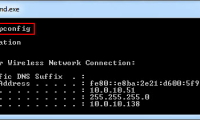
10 useful commands in Windows you should know
command prompt is used to execute batch files, perform tasks quickly, help you troubleshoot and solve some windows problems when the system crashes. however, not all commands in windows are useful and must be done regularly. with the 10 command lines in the following article it is very useful even
-
How to use ipconfig command to refresh, reset IP address for the computer
instructions on how to use the ipconfig command to refresh, reset the ip address of the computer in the command prompt, introduce advanced ipconfig commands. click watch now!
-
How to use ipconfig command
this article will show you how to find the ip address in windows using the ipconfig command.
-
How to reset IP address using Ipconfig command
using the ipconfig command is one of the simplest ways to find your device's ip address.
-
How to use the ipconfig command to refresh and reset IP address
this article will show you how to use ipconfig to find ip addresses, reset ip addresses as well as allocate new ip addresses.
-
10 useful commands in Windows you should know
command prompt is used to execute batch files, perform tasks quickly, help you troubleshoot and solve some windows problems when the system crashes. however, not all commands in windows are useful and must be done regularly. with the 10 command lines in the following article it is very useful even
-
10 commands Windows 7 network administrators need to know
in this tutorial we will show you 10 basic commands that can be performed on the command line tool in windows 7.
-
Del command in Windows
the del command deletes one or more files. this command is the same as the eraser command.
-
How to use the Net Use command in Windows
the `net use` command is a command prompt command used to connect to, remove, and configure connections to shared resources, such as mapped drives and network printers.
-
How to fix Cannot renew IP address error on Windows
to get a new ip address, users often use the ipconfig/renew command on command prompt. but on some computers, the ip cannot be renewed and the error cannot renew ip address appears on windows. if you encounter this situation, you need to fix the error cannot renew ip address on windows in the
-
How to use the command history function in Command Prompt
command prompt is an extremely familiar command for anyone using windows operating system. besides, a lot of current software also supports the command line to perform actions on the command prompt window, instead of on the screen.
-
Set command in Windows
the set command helps show, set or remove cmd.exe environment variables.
-
Cmd command in Windows
the cmd command starts a new version of the command interpreter, cmd.exe. if used without parameters, cmd will display copyright information and the version of the operating system.
-
Bitsadmin getdisplayname and bitsadmin geterror command in Windows
the bitadmin getdisplayname command takes the display name of the specified task. the bitsadmin geterror command retrieves detailed error information for the specified job.
-
The echo command in Windows
the echo command displays the message or turns on / off the command repeat feature. if used without parameters, the echo command will display the current echo setting.
-
Fc command in Windows
the fc command compares two files or a collection of files and displays the differences between them.
-
Command at in Windows
the at command schedules commands and programs to run on a computer at a specified time with a specific date. you can only use the command at when schedule service is running.
-
Doskey command in Windows
the doskey command calls doskey.exe (which reminds of previously entered command lines), modifies the command line and creates macros.
-
How to use the which command in Linux
the which command in linux determines the executable binary, which will execute when you issue a command to the shell. if you have different versions of the same program on your computer, you can use which to find out which shell will use.
-
The command reg add in Windows
the reg add command adds new subkeys or entries to the registry.
-
Exit command in Windows
the exit command exits the cmd.exe program (command interpreter) or the current batch script. to learn how to use this command, please see the example below.