Article on the subject of "computer"
-

Which company CPU should I choose: Intel or AMD?
the choice of components and the assembly of a pc has never been a simple task. even if you have removed hundreds of machines, the selection of components for compatibility and stable operation has never been an easy task. not only that, factors like cost, performance and demand also need to be
-
Control remote computers with Chrome web browser
to access and control remote computers, you will think of teamviewer, vnc software ... but with chrome remote desktop, all you need is a running chrome browser to be able to control and share your screen. the following article will guide you through the basic steps to do this.
-
Instructions to connect the computer to other devices via bluetooth
bluetooth is a wireless connection - with bluetooth, you can connect devices such as phones, mice, headsets, printers, keyboards ... to your computer. you can copy data, use wireless devices (mouse, keyboard ...) or even play music from your phone via computer speakers ...
-
Why do the F and J keys on the computer keyboard have horizontal lines?
many people believe that floating edges are born to help visually impaired people interact with computers better, but this is not its original purpose.
-
[Infographic] Selecting a suitable messaging application for Enterprises
currently there are many famous messaging applications. so how do you choose the most suitable application to develop your business? follow the infographic that quantum has compiled below to troubleshoot your questions.
-
Top 3 best free messaging applications in Vietnam today
thanks to these free messaging apps, we just need to connect to the network to chat with friends, without spending money on phone porridge. if you are in vietnam, you must be using one of these 3 extremely popular messaging applications.
-
'Eyes glued' to the screen before going to bed is not harmful to the mental health of the bar, teenager!
with the wide coverage to every village road, the lane of the internet, and the booming smartphone development, this device becomes an isolated object of many people, especially young people.
-
Keep the spray to clean your computer away from boiling water to ensure safety
you will be amazed to know that if you pour a cleaning spray on a computer that we still use in a pot of boiling water, it will create an explosion with extremely terrifying destructive power.
-
There are 10 million self-build PC's while playing good games and learning
self-assembling computers, build pcs is not difficult. if there are about 10 million, then these are the parts for you to build your computer while learning and playing games smoothly.
-
See the 'monster' Hewlett Packard J2300, what are the 90s laptops and what can be done that cost up to $ 20,000
as a laptop-oriented device, hewlett packard j2300 has a mouse device attached to the device, called pop-up mouse. the mouse can work even if you don't put it on a flat surface.
-
Intel will soon get rid of the corporate cover focused on personal computers?
intel has been trying to reduce its dependence on the personal computer business by moving to a business focused on the internet of things, including auto-driving technology.
-
Did you know: High-end computers are actually slower than Apple IIe computers released 30 years ago
at a particular parameter, our modern computer is actually slower than the previous generation computer, which is the speed of computer interaction with commands from humans.
-
Things on Windows 10 make users disappointed
recently, windows 10 has officially surpassed its windows 7 sibling to become the most commonly used computer operating system in the world, so through this we can confirm this is a system. great onions?
-
Researchers use computer vision to better understand optical illusion
optical illusion (optical illusions) - images that can fool the human eye, is a fascinating research topic for scientists for many years.
-
Acer unveiled information about new high-end ConceptD laptops, exclusively for creative people
acer has just officially announced the conceptd product line, a new premium brand of taiwanese laptop manufacturer, designed specifically for those who do creative work.
-
Razer launches a special collection for Valentine's Day gamers: Full pink is pink
valentine's day is coming and razer will hold an early celebration for his fans by launching a collection of new products, and especially all will be pink.
-
Revealing Apple's latest invention: The keyboard is made of glass and can be bent
recently, apple insider has discovered a new patent of the world's largest technology company, showing a glass keyboard and feedback (as described) quite well.
-
Researchers are getting closer to creating a complete human brain simulation chip
we are getting closer to bicentennial man (a two-hundred-year-old, a famous american science fiction film) thanks to the breakthrough of neuron chip technology.
-
Many computers in Vietnam have been hijacked due to virus infection
according to bkav, hundreds of thousands of computers in vietnam are hijacked due to virus infection.
-
The new AI platform can learn from experience like people
scientists are developing a new platform for artificial intelligence (ai) that can teach experienced learning computers like humans. paul rad of the university of texas at san antonio (utsa) in the us said.
-
Learn to use lesson computer 15 - Keep the computer clean
in addition to being able to cause cosmetic problems as well as health for us, dirt can potentially damage or even destroy computer components.
-
Learn to use lesson 9 computer - Set up a computer
you just bought a new computer, the first thing you have to do is set up your computer to suit your purpose.
-
Learn to use lesson computer 16 - Protect your computer
what can you do to protect your computer system as much as your important data from potential external threats?
-
Self-assembling computers, build desktop computers (P1): Choose hardware
self-assembling computers can be quite difficult for inexperienced personal users, but not impossible. you want to build your own computer to play games, save money, be curious or simply want to create a computer that suits you. whatever the purpose of building your own computer, this tutorial
-
How to set up a USB-only computer, increase safety
it will be dangerous if strange usb devices contain a virus or malicious code that is arbitrarily connected to the computer when you are not sitting in front of the computer. do not worry, we will guide you how to set up the computer to receive only the secured usb.
-
Test on computer network with answer P9
computer network is a group of computer devices connected to each other through twisted cables, electromagnetic waves ... to share data for each other. today day computer networks are widely used. in the article below, network administrator will help you find out more about this topic through
-
Things to know about a computer engineer
in the era of information technology as today, the demand for recruitment for positions in technology sector is increasing, and jobs in this field are becoming the dream of very many young people.
-
8 Ways to Clean Up Computer Junk to Speed Up Computer 2024
when using a computer for a very long time, your computer will become slow and sluggish. to make your computer run faster and smoother, you need to clean up the junk on your computer.
-
2 How to change the name displayed on the computer
during use, you may want to change your computer's display name to a new name, possibly due to a transfer of the rights to use the computer or you do not like the old name installed by the installer. but the problem is that you do not know how to change? therefore, today, tipsmake.com will guide
-
Speed up your computer - 12 steps to have a computer that always looks like new
guide to speeding up the most effective computer. share 12 tips to help your computer work as stable as new, without jerks, lag when using. sharing computer knowledge is extremely effective
-
The best computer acceleration tools
computer accelerator tool is a great way to improve the speed of computer operation without hardware upgrade.
-
How to check if the computer is running well or not?
instructions on how to do a general check to know if the computer is running well or not
-
How to Format a Computer
formatting a computer involves erasing all of the data on the computer's hard drive, and then reinstalling the operating system so that the computer is restored to factory defaults. this can be useful if your computer is malfunctioning, or...
-
Test about computer architecture P6
computer architecture is to design the basic concept and operational structure of a computer system. please join the network administrator to learn about this topic through multiple choice questions below.
-
Your computer is not as secure as you think
just because you have active antivirus software and a password doesn't mean your computer is invulnerable. you could be leaving your computer vulnerable without even realizing it!
-
How to Boot a Computer from a CD
this wikihow teaches you how to start a computer from a cd rather than from the computer's internal hard drive. this is useful if you're trying to install a different operating system on your computer. insert the cd into your computer. to...
-
7 risks can affect computer life
when using computers, in addition to performance and processing speed, users are also interested in their life. after all, to invest in a good computer, the price is not cheap. there are many factors that affect the lifespan of a computer and you can refer to the following article of tipsmake.com
-
These factors determine the speed of the computer
if you want to improve the speed of your computer system, the first thing you need to pay attention to is to arrange and select components that are reasonable so that they can interact with each other effectively. best.
-
Test about computer architecture P4
to check your knowledge, the following article network administrator will send you a series of tests on computer architecture.
-
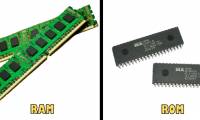
RAM and ROM are two concepts that are easily confused
if you have used a computer, then more or less you have heard of two familiar terms: ram and rom and know they are related to computer memory. however, not everyone knows how different rom and ram are?
 Home
Home Tech info
 Technology
 Science
 Life
Life Application
 Electric
 Program
 Mobile
 System


![[Infographic] Selecting a suitable messaging application for Enterprises](https://tipsmake.com/data/thumbs_200x120/[infographic]-selecting-a-suitable-messaging-application-for-enterprises_thumbs_200x120_teY9FSCJb.jpg)