Article on the subject of "check computer configuration"
-
How to check computer configuration in Windows 11
checking the computer configuration on windows 11 will help you know the specific parameters and see if it is suitable for the software and games you want to use.
-
Guide 3 ways to check configuration, computer information fast and simple
if you want to know if the hardware in your computer is the same as the external information, the easiest way for you is to check the configuration. this article of techz will guide you through 3 simple ways to check your device's configuration.
-
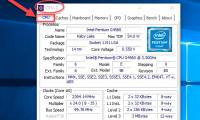
How to check the computer configuration with CPU-Z, View computer hardware information using CPU-Z
the following article contains detailed instructions how to check the computer configuration with cpu-z, view computer hardware information using cpu-z.
-
Check the power of the computer before playing the Game
computer games are not as simple as on consoles. if you own a laptop with weak graphics hardware or an old computer, you have to check carefully whether the computer has good support for the game you are about to play or not, before having to spend time downloading or spend less to buy an
-
4 simple ways to check the configuration and hardware information of computers and laptops
to check the computer configuration information on windows xp, vista, 7, 8 / 8.1 and windows 10 you can use the dxdiag command on cmd, look at the pc's properties or use support software. in the article below, tipsmake.com will guide you how to check, see the hardware configuration on the computer
-
Steps to check computer configuration on Windows 11
checking the configuration of your windows 11 computer will help you know the specific parameters and see if they are suitable for the software and games you want to use.
-
Top 10 tools to check computer configuration
check your computer's configuration to see if your device is suitable for playing games or running software that requires high configuration.
-
Shortcut keys to check computer configuration, check PC hardware
when you need to determine your computer configuration to install software or upgrade your system, keyboard shortcuts will be a powerful support tool. learn the shortcuts to check your computer configuration in just a few steps.
-
Check Android phone configuration
if you are using your android phone daily, you still do not know its detailed configuration and specifications. or in case you buy a phone that needs to check the device configuration, the instructions in this article are definitely useful to you. let's network administrators point through a few
-
How to check computer configuration on Windows, MAC OS in detail
you are looking for a way to check your computer configuration on windows and mac os operating systems. so what are you waiting for? click on this simple way to check your computer configuration.
-
Guide 3 ways to check configuration, computer information fast and simple
if you want to know if the hardware in your computer is the same as the external information, the easiest way for you is to check the configuration. this article of techz will guide you through 3 simple ways to check your device's configuration.
-
Check your computer's configuration without software
quickly check your computer's configuration: see chip parameters, ram memory, screen parameters, sound card ... without installing any software. with these simple and quick steps, you will know all of your computer configuration.
-
How to check laptop computer configuration Windows 11, 10, 8, 7
by checking your computer configuration, you can know detailed parameters such as cpu, gpu, ram capacity, bios type, etc. this will help you evaluate performance, as well as configuration of the computer you are using.
-
Instructions on how to check the configuration of a Macbook computer
the configuration of the computer, laptop provides useful information related to the device you are using. so if you are using a macbook but still do not know how to check the configuration of this computer, what to do?
-
How to Check Computer Configuration
today's wikihow teaches you how to view your computer's hardware configuration, such as processing speed or memory capacity.
-
How to check computer configuration in Windows 11
checking the computer configuration on windows 11 will help you know the specific parameters and see if it is suitable for the software and games you want to use.
-
5 Fastest Ways to Check Computer Configuration for Windows 10, 7
you want to check your computer configuration but don't know how? here is the easiest way to check your windows 10, 7 computer configuration!
-
Tips for checking your computer configuration are easy and complete
posts just like pocket tips, very compact but fully guarantee what you need to check the computer configuration.
-
How to check Linux computer configuration
there are many ways to check linux computer configuration, of which the simplest way is to use commands. the article below tipsmake will guide you how to check linux computer configuration through commands.
-
4 How to check Windows 11 computer configuration with commands and software
checking the configuration of your windows 11 computer can help you understand the specifications and understand your computer so that you can easily upgrade and replace components, ensuring the machine runs stably and quickly. and better.
-
How to easily read smartphone specifications
if you're on the hunt for a new smartphone, the first thing you'll naturally look at is the specs sheet. it's packed with clues about performance, battery life, and display quality.
-
How to check the configuration of the MacBook
there are many users who want to know exactly what components are in their computer, mac users are no exception.
-
How to check the computer configuration with CPU-Z, View computer hardware information using CPU-Z
the following article contains detailed instructions how to check the computer configuration with cpu-z, view computer hardware information using cpu-z.
-
Use the Run dialog box to check the computer configuration
instructions for using the run dialog box to check the computer configuration with the dxdiag command.