
Improve Quiet Windows Audio with Volume Checks and FxSound
Check low-volume settings, try Loudness Equalization when available, and use audio effects without stacking excessive gain.

32-Bit vs 64-Bit Windows: Differences and How to Check
Check Windows System type and understand how x86 and x64 affect RAM, applications, drivers, and a clean installation.
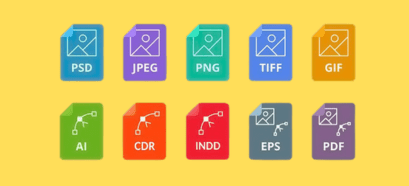
How to Show File Extensions in Windows 11, 10, and Older Versions
Show complete filenames in File Explorer, find the Folder Options setting, and understand why changing an extension does not convert a file.

Show Hidden USB Files in Windows and Check Suspicious Shortcuts
Reveal hidden USB files with Explorer or attrib, scan suspicious shortcuts, and distinguish attribute changes from deleted-file recovery.

Restore a Windows System Image on a UEFI/GPT Computer
Check a UEFI backup, inspect the GPT destination, map required partitions in Acronis, and verify the recovered Windows startup.

Windows Has No Sound: Check Outputs, Settings, and Drivers
Troubleshoot sudden sound loss by checking connections, playback routing, app volume, enhancements, and the correct audio driver.
Add, Change, or Remove a Windows Login Password
Manage Windows account passwords, distinguish local and Microsoft accounts, and understand how PINs and automatic sign-in differ.

Fix an IP Address Conflict in Windows
Check DHCP, renew a lease, and correct duplicate static addresses or router settings when Windows reports an IP address conflict.
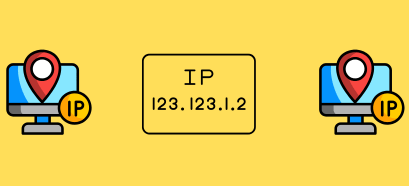
How to Find Your Local and Public IP Address in Windows
Find the active adapter's IP address with ipconfig, Settings, or adapter details, and distinguish it from the public address websites see.

Geometer's Sketchpad Keyboard Shortcuts and Selection Tips
Use Sketchpad shortcuts for files, construction, labels, and animation, with corrected actions and notes on selection and version differences.
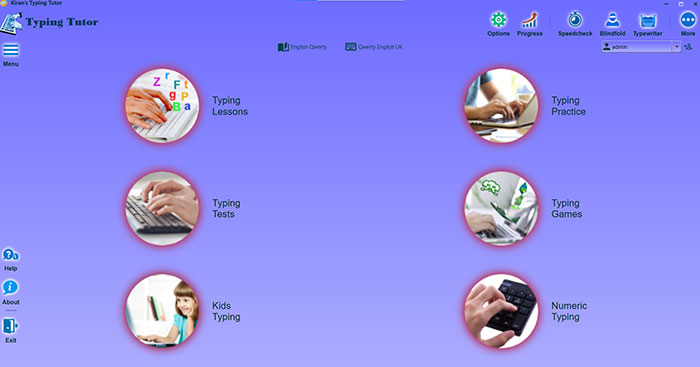
Kiran's Typing Tutor: Beginner Lessons, Practice, and Tests
Set the keyboard layout, follow Typing Lessons, practice difficult keys, and use tests and games to track typing progress.

Create Vocabulary Flashcards in Wayground (Formerly Quizizz)
Create and review vocabulary cards in Wayground, understand older Quizizz screenshots, and prepare clear prompts before sharing with learners.

How to Sign In to taphuan.csdl.edu.vn Teacher Training
Use your training account to sign in, recover a forgotten password, and resolve missing courses through the appropriate administrator.

GeoGebra Keyboard Shortcuts for Objects, Views, and Input
Find GeoGebra shortcuts for editing, views, symbols, and navigation, with notes on desktop, web, Mac, and focus differences.

How to Use IOE Self-Practice for English Exercises
Find IOE self-practice rounds, follow each activity's instructions, save results, and use mistakes to guide English revision.

How to Access IOE Mock Tests and Check Your Practice Package
Open IOE mock tests, select the correct grade and package, check attempts, and distinguish paid practice from free experience events.

Earn More Duolingo XP While Keeping Lessons Useful
Use available boosts, quests, and targeted review efficiently, while checking current reward rules and keeping XP separate from proficiency.

Use a Whiteboard in Google Meet After Jamboard's Retirement
Present a whiteboard app in Meet, grant editing access separately, and understand why older Jamboard instructions no longer work.

Learn Minecraft Block Coding with Code.org Hour of Code
Choose a Minecraft coding activity, connect blocks, run the program, and debug movement and loops using the illustrated workspace.
Install ClassPoint for PowerPoint on a Windows PC
Check ClassPoint compatibility, install the PowerPoint add-in, sign in, and troubleshoot a missing ribbon or class code.