Recover permanently deleted files on Windows with AnyRecover
Check Windows recovery options, scan the correct location with AnyRecover, and save recovered files without overwriting the source.
Recover files from the Recycle Bin or scan with iMyFone D-Back
Restore files still in the Windows Recycle Bin, or use D-Back to scan for missing files after it has been emptied.

Why deleted files can sometimes be recovered from HDDs and SSDs
Understand how deletion differs from erasure, why HDD and SSD recovery can differ, and what to do immediately after losing files.

How to recover deleted files from the Windows Recycle Bin
Restore files still in the Recycle Bin, check backups after emptying it, and understand when an AnyRecover scan may help.
Recover lost Mac files with iBoysoft Data Recovery
Set up the required Mac permissions, scan the correct device, preview results and recover files to separate storage with iBoysoft.

Recover deleted photos with iFinD Data Recovery
Select a photo source, scan with iFinD, preview the results and export recovered images to another drive.

Recover Google Drive files after deleting or emptying Trash
Restore files from Google Drive Trash, check account ownership, and find the appropriate recovery request or Workspace administrator route.

How to check whether a Windows disk uses GPT or MBR
Read a disk's partition style with Disk Management, PowerShell or DiskPart, and check UEFI boot mode separately.

Windows system partition vs boot partition: What each contains
Understand Windows' confusing system and boot labels, the EFI System Partition, and which disk partitions should be left alone.

How to disable Fast Boot in BIOS or UEFI
Turn off firmware Fast Boot on an ASUS example, save the change, and distinguish it from Windows Fast Startup when troubleshooting.

Create or repair EFI, MSR and recovery partitions on a GPT disk
Distinguish a clean Windows deployment from EFI boot repair, identify the correct disk, and understand why partition creation alone is not enough.

How to check whether Windows is booting in UEFI or Legacy mode
Read BIOS Mode in Windows System Information, distinguish boot mode from GPT/MBR, and check UEFI support without changing settings.

Convert Windows from Legacy BIOS to UEFI without reinstalling
Plan a backed-up Legacy-to-UEFI migration, validate the Windows system disk, and avoid changing firmware before the disk is ready.

Add recovery boot tools to an external HDD while protecting your data
Plan separate recovery and data partitions, use a supported creation method, and test an external boot drive without relying on no-loss guarantees.
Windows 10 April 2018 Update (1803): Features and support status
Review what Windows 10 version 1803 introduced, identify its build, and understand why old download and upgrade instructions are historical.

Set up a laptop with preinstalled Windows 10 and check activation
Complete the first-start Windows setup, choose account and privacy options, and confirm that the preinstalled edition is activated.
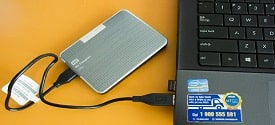
Install portable Windows on an external drive with WinToUSB
Create a portable Windows drive with WinToUSB, choose a compatible boot layout, and understand the hardware, licensing and support limits.

Windows Setup cannot see an SSD on an Intel 11th-gen laptop
Load the correct Intel RST/VMD storage driver during Windows Setup and distinguish a missing-drive problem from a later boot error.
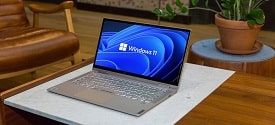
How to install Windows 11 from a USB drive
Prepare compatible hardware and a backup, boot the Windows 11 installer, choose the correct disk, and complete account, privacy and activation checks.
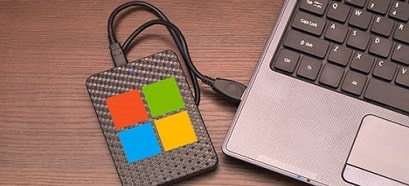
How to Run Windows 11 or 10 from an External USB Drive
Create a portable Windows drive with WinToUSB or Rufus, choose the right boot mode, and avoid erasing the wrong disk.