Table of Contents
No VPN is the fastest on every connection. Speed changes with your location, ISP, device, protocol, server distance, and congestion. NordVPN, Proton VPN, Surfshark, TunnelBear, ExpressVPN, and IPVanish can all be fast under the right conditions, but they serve different priorities. Choose a short list by features and trust, then test each service on the network where you will use it.

A VPN encrypts traffic between your device and a VPN server. That extra route normally adds some latency and may reduce throughput. A good service minimizes the slowdown; it cannot guarantee that streaming, gaming, or every website will become faster. It also does not make you anonymous or replace antivirus, secure passwords, and software updates.
Six popular VPNs at a glance
| Service | Strong fit | Performance-oriented option | Main consideration |
|---|---|---|---|
| NordVPN | Broad feature set and users who want many server choices | NordLynx protocol | Extra security tools and plan bundles can make comparison more complicated |
| Proton VPN | A usable free tier and open-source apps | WireGuard; paid plans offer broader server choice | Free users have restricted server selection and fewer streaming features |
| Surfshark | Households with many devices | WireGuard and unlimited simultaneous connections | Long-term promotional prices and renewal terms need careful review |
| TunnelBear | Beginners who want a simple trial experience | WireGuard in supported apps | The free tier is intended for limited testing, not heavy streaming |
| ExpressVPN | Consistent, approachable apps across many platforms | Lightway protocol | Device allowances now vary by subscription tier |
| IPVanish | Many-device households and users who like protocol controls | WireGuard in supported apps | Features differ by platform and plan |
NordVPN: broad features with NordLynx
NordVPN uses NordLynx as its performance-focused protocol and offers features such as split tunneling on supported platforms, multi-hop routing, and additional threat-protection tools. It is a good candidate when you want a full suite rather than only a basic encrypted tunnel.
Good reasons to try it:
- You want a large choice of regions and specialty connection options.
- You need split tunneling on a supported Windows or Android device.
- You prefer a polished app but still want protocol and security controls.
Check first: the exact plan, renewal price, platform feature list, and whether add-on security tools duplicate software you already use. See NordVPN's current feature overview.
Proton VPN: the strongest free starting point
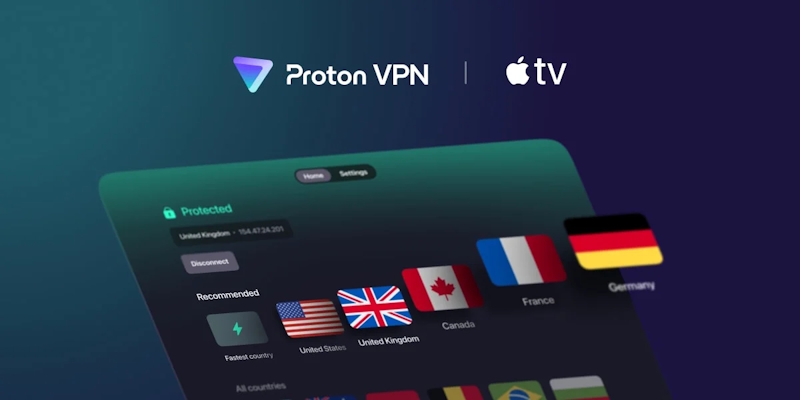
Proton VPN's free plan is useful for basic private browsing because it does not impose a monthly data cap, but it limits server choice and excludes some paid features. Current documentation lists free server locations in ten countries and assigns a server rather than letting the user freely select any free endpoint.
Good reasons to try it:
- You need a legitimate free tier for routine browsing rather than a short data allowance.
- You value open-source applications and detailed technical documentation.
- You may later need Secure Core multi-hop routing or broader paid server access.
Check first: free-tier server selection, streaming restrictions, simultaneous connection allowance, and whether the nearest available server performs well. Proton explains the current tiers in its plan guide.
Surfshark: useful for many devices
Surfshark's defining practical advantage is unlimited simultaneous connections under one subscription. It supports common protocols including WireGuard, IKEv2, and OpenVPN, plus split tunneling and filtering features on supported systems.
Good reasons to try it:
- You need to cover a large household without counting active devices.
- You want WireGuard for a fast default connection.
- You prefer one subscription across phones, computers, and compatible TVs.
Check first: which features work on each operating system, the regular renewal cost after an introductory offer, and performance from your closest server. Surfshark documents its unlimited-device policy.
TunnelBear: simple testing for beginners
TunnelBear emphasizes an approachable interface and lets new users test the service with a limited free allowance. Its current free plan provides 2 GB of encrypted data per month, which is enough to evaluate browsing but not a realistic amount for regular high-definition streaming.
Good reasons to try it:
- You want a simple connection process with minimal configuration.
- You need a small free allowance to test VPN compatibility.
- You value published security audits and a clearly explained product.
Check first: platform-specific feature differences, streaming support, the free data limit, and the refund policy. See TunnelBear's current plan comparison.
ExpressVPN: consistent apps and Lightway
ExpressVPN uses its Lightway protocol and offers apps for major desktop, mobile, TV, and router platforms. It is often straightforward for beginners because the connection controls and server selection are presented consistently across devices.

Good reasons to try it:
- You want similar apps across several device types.
- You need a router option to cover devices that cannot run a VPN app.
- You prefer Lightway with automatic protocol selection.
Check first: price, supported platforms, and the device count included with your chosen tier. As of August 2026, ExpressVPN documents different simultaneous-connection limits for Basic, Advanced, and Pro tiers, so the older blanket limit of eight devices is no longer accurate. See its connection-limit guide.
IPVanish: unlimited connections and configuration options
IPVanish supports unlimited simultaneous connections, which makes it practical for homes with many active devices. Its apps expose protocol controls and include WireGuard on supported platforms; additional security tools depend on the selected plan.
Good reasons to try it:
- You do not want to count simultaneous devices.
- You prefer visible protocol and connection settings.
- You use several desktop, mobile, or TV platforms.
Check first: the renewal terms, exact app features on each operating system, and server performance in the regions you need. Review the current details on the official IPVanish site.
How to test VPN speed fairly
- Measure the baseline. Run three tests without the VPN and record download, upload, and latency.
- Use the nearest VPN server. Let the app choose automatically, then note the city and protocol.
- Repeat at least three times. Test at the same time of day and use the median result rather than the single best run.
- Try one alternative protocol. WireGuard, NordLynx, or Lightway often performs differently from OpenVPN, but the result depends on the network.
- Test the real task. Start the streaming service, video call, game, or large download you actually care about.
- Check stability. A slightly slower connection with no dropouts is more useful than a high peak speed with frequent reconnects.
For gaming, record latency, jitter, and packet loss to the game region; throughput alone is not enough. TipsMake's guide to testing network latency can help separate VPN slowdown from Wi-Fi or ISP problems.
Privacy and security checks before subscribing
- Read the provider's current privacy policy and identify what connection metadata is retained.
- Look for recent independent audits, but remember that an audit covers a defined product and time period—not every future claim.
- Confirm that a kill switch is available on the exact platform you use.
- Test for DNS and IP leaks after connecting.
- Check the company's jurisdiction, ownership, payment options, and history of security disclosures.
- Use a trial or refund window before committing to a multi-year plan.
A VPN can protect traffic on untrusted networks and change the public IP address seen by websites, but a provider still becomes a trusted intermediary. Avoid unknown “free unlimited” services with unclear ownership or data practices. For mobile-specific options, see TipsMake's VPN app guide for phones; for a shorter desktop comparison, see five established VPN services.
Which VPN should you try first?
- Choose Proton VPN Free when you need a no-cost starting point and its assigned free servers meet your needs.
- Compare NordVPN and ExpressVPN when app polish, server choice, and a broad platform range matter most.
- Compare Surfshark and IPVanish when unlimited device connections are the deciding factor.
- Try TunnelBear when simplicity matters more than advanced controls and 2 GB is enough for evaluation.
Do not buy solely from a “fastest VPN” label. Test the nearest servers, confirm required apps and features, read the renewal terms, and keep the service only if it performs reliably on your connection.
Related Articles
 What Are Vpns and How to Use Them to Your Advantage7 minutes read
 Should I Use 2 VPNs at the Same Time?9 minutes read
 Can Free Vpns Be Trusted?: Can Free VPN Be Trusted6 minutes read
 Top 2021 Best Free Vpns for Computers, Phones12 minutes read
 Top 5 Best Free VPNs for Windows7 minutes read
 List of the Best Free Vpns Currently Available for Computers and Phones5 minutes read
Reader Comments 0
Sign in with email or Google to join the discussion.