Table of Contents
To show file extensions in Windows 11, open File Explorer and select View > Show > File name extensions. On Windows 10, open the View ribbon and select File name extensions.
Extensions such as .docx, .jpg, and .exe help identify how Windows treats a file. Showing them is separate from displaying hidden files or protected operating-system files.
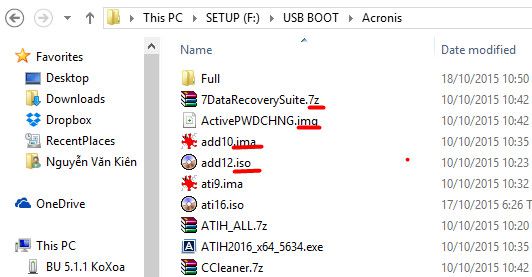
Windows 11: use the View menu or Folder Options
- Press Windows + E to open File Explorer.
- Choose View > Show > File name extensions.
- Check a familiar file to confirm that its extension is visible.
You can also open the three-dot menu, select Options, and use the older Folder Options method shown below.
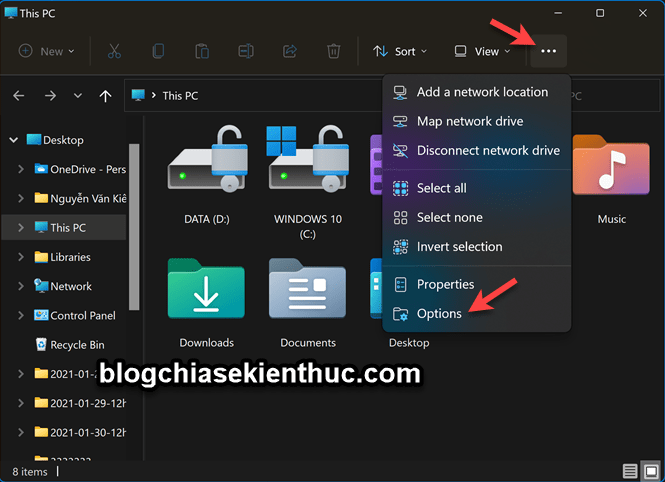
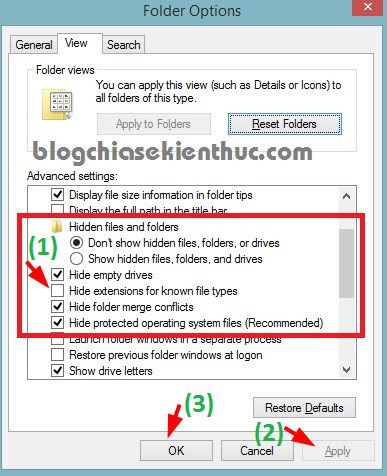
On the View tab, clear Hide extensions for known file types, then click Apply and OK.
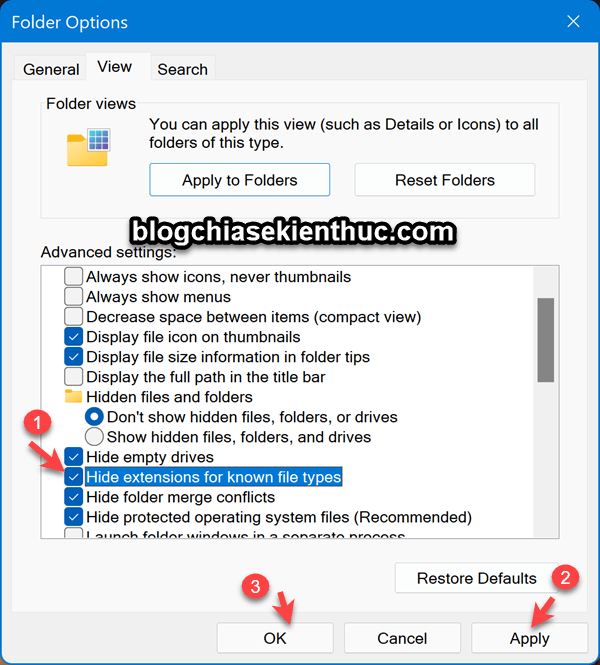
Windows 10 and Windows 8/8.1
Open File Explorer, select the View ribbon, and enable File name extensions. If using Folder Options instead, open Options, switch to View, and clear Hide extensions for known file types.
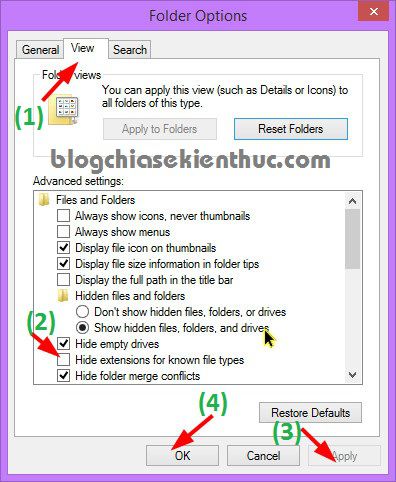
Windows 7
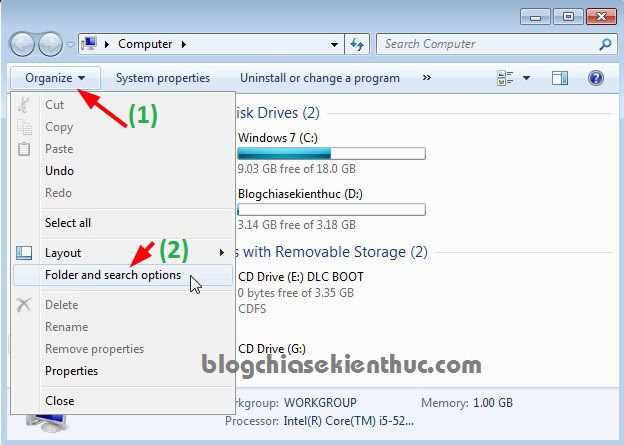
- Open Computer or a folder.
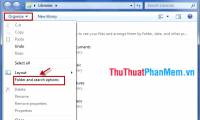
- Select Organize > Folder and search options.
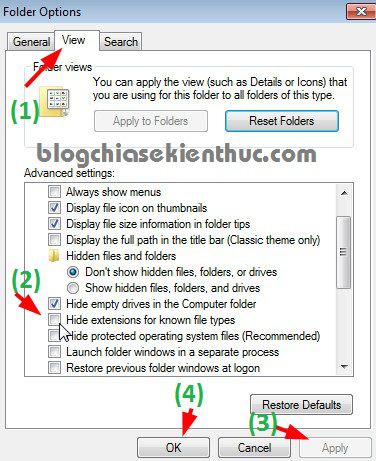
- Open the View tab.
- Clear Hide extensions for known file types, then apply the change.
Windows XP: older interface
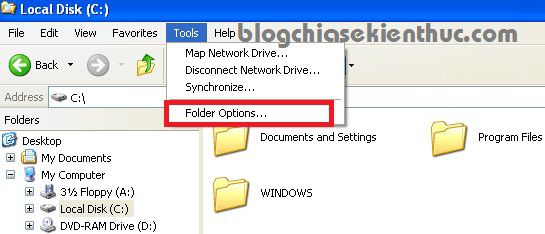
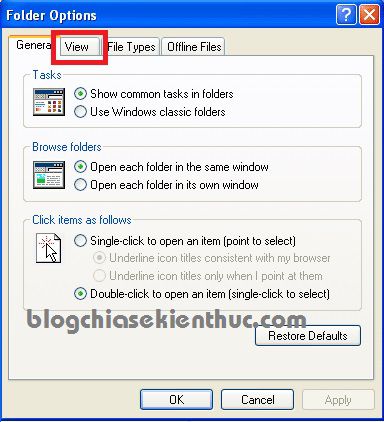
For a legacy XP system, open My Computer > Tools > Folder Options. On the View tab, clear Hide extensions for known file types and click Apply, then OK. These screenshots are retained for older machines; XP is outside standard support.
Quick access to Folder Options
On supported Windows desktop versions, press Windows + R, enter the following, and press Enter:
control foldersOpen View and clear the extension-hiding checkbox. This changes how names are displayed; it does not convert or alter file contents.
Check the final extension before opening or renaming a file
A name such as invoice.pdf.exe ends in .exe, even though it contains “pdf.” Visible extensions make this easier to spot, but an expected extension alone does not prove that a file is safe.
Changing photo.jpg to photo.png by renaming it does not convert the image format. Use an application's export or conversion function when you need a different format.
For more context, see understanding file types and extensions and checks before opening a downloaded file. Microsoft's extension reference lists common formats.
Related Articles
 How to show file extensions in Windows 11 and Windows 10
 How to set up full file extensions display on a Mac
 Display file extensions (file extensions) in Windows
 How to display file extensions and view file extensions on Windows 11/10/7/8
 List of some types of files that are potentially dangerous on Windows
 How to hide files, show hidden files, view hidden folders and file extensions on Windows 7/8/10?
Reader Comments 0
Sign in with email or Google to join the discussion.