How to Sign In to Gmail on a Computer, iPhone, or Android
Sign in to Gmail from a web browser or the mobile app, add an account on iPhone or Android, and troubleshoot common login problems.
Fix Windows problems, troubleshoot devices, understand AI, secure your accounts and get more from your technology with tested step-by-step guides.

Sign in to Gmail from a web browser or the mobile app, add an account on iPhone or Android, and troubleshoot common login problems.

Create an additional Gmail account, switch between accounts, and choose safer alternatives to bulk account creation or verification workarounds.

Install BlueStacks, sign in to Google Play inside the emulator, download Android apps, and understand when Google's official PC games app is the better option.

Enable Gmail's Reading pane on a computer, place message previews beside or below the inbox, and turn the split view off when you no longer need it.

Use Mailvelope and OpenPGP with Gmail: create or import a key pair, exchange public keys, encrypt a message, and avoid common security mistakes.
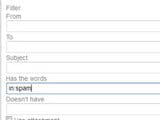
Clear Gmail's Spam folder, understand its automatic 30-day deletion, and create targeted filters for unwanted messages that keep reaching the inbox.

Use quotes, exclusions, site and filetype operators, Google Lens, date filters, conversions, calculations, flight lookups, and other practical search tools.

Build a Locate32 filename database, search by name, size, or date, refresh the index, and understand the limitations of this older Windows utility.

Create search-engine shortcuts in Chrome or Firefox, repeat one query across separate tabs, and compare results without relying on obsolete search aggregation sites.

Use Google Advanced Search to combine exact phrases, exclusions, number ranges, languages, regions, dates, domains, file types, and usage-rights filters.
Search from the taskbar or File Explorer, narrow the folder and file type, sort by date or size, adjust indexing, and troubleshoot files that do not appear.

Install Everything from its official source, search by partial filename, use match options and wildcards, sort results, and understand what the index can and cannot find.

Compare Bing, DuckDuckGo, Brave Search, Startpage, Mojeek, Ecosia, Qwant, and WolframAlpha by privacy model, index source, features, and ideal use case.

Copy a Google Maps embed for a business location, add it to a website safely, make it responsive, and know when a Maps API is required for customization.

Reverse-search an image with Google Lens or TinEye, compare their strengths, sort and verify matches, and avoid mistaking search results for proof of ownership.

Change Maxthon's default search provider, add a custom engine, reorder or remove entries, and troubleshoot settings that differ between browser versions.
Import a GPX route or track into Google My Maps, organize it in a map layer, and open the finished custom map from Google Maps on your devices.

Create or claim a Google Business Profile, enter an accurate address or service area, place the map pin, and complete Google's verification process.

Use Google Lens to search with an uploaded photo, image URL, webpage image, phone camera, or gallery file—and interpret the matches correctly.
Compare five maintained Windows file finders for instant filename search, document-content search, precise filters, Explorer integration, and portable use.