Table of Contents
Windows Search is adequate for many everyday tasks, but a dedicated file finder can be faster or more precise when you have several drives, millions of filenames, network folders, or documents whose contents must be searched. The five tools below solve different problems: some build a fast filename index, while others scan file contents or offer detailed date, size, and attribute filters.
Quick comparison
| Tool | Best for | Main limitation |
|---|---|---|
| Everything | Instant local filename and folder-name searches | Its core index focuses on names, not full document contents |
| WizFile | Fast name, path, size, and date filtering | Best suited to local drives; check support for your storage type |
| Agent Ransack | Searching text inside documents and network locations | Content searches can take longer because files must be examined |
| Listary | Finding files while working in Explorer and launching apps | Some workflow features require the paid edition |
| SearchMyFiles | Portable, highly specific searches and duplicate-file reports | Functional interface with more settings than casual users may need |
1. Everything: best for instant filename searches
Everything by voidtools creates a compact index of file and folder names and updates results as the filesystem changes. Type part of a name and results appear as you type. It is especially useful when you remember a fragment of a filename but not its folder.
- Fast initial indexing of local NTFS volumes.
- Filters, wildcards, regular expressions, sorting, bookmarks, and export options for advanced searches.
- Can add folders and file lists to its indexes, including scenarios beyond the default local-volume setup.
- Small, simple interface and low overhead for routine filename lookups.
Choose Everything when speed matters and the filename is the main clue. Do not assume a missing result means the text is absent from a document: filename indexing and document-content indexing are different jobs.
2. WizFile: best for fast size and date filtering
WizFile is another fast Windows file finder. It updates results as you type and exposes file size, allocated size, dates, and paths, making it useful for locating recently changed files or large items consuming storage.
- Searches names and full paths quickly.
- Supports size and date expressions for narrowing large result sets.
- Offers installer and portable downloads from the developer.
- Can sort or filter results to identify large files without opening every folder.
WizFile is a practical choice for questions such as “Which ISO files are larger than 4 GB?” or “What changed in this folder this week?” Before relying on it for a NAS, cloud-mounted drive, or unusual filesystem, confirm that the current version can index that storage in the way you expect.
3. Agent Ransack: best for searching inside files
Agent Ransack searches filenames and the text inside supported files on a PC or network drive. Matching lines can be shown with the search terms highlighted, so you can judge a result without opening every document.
- Content search with Boolean operators such as AND, OR, and NOT.
- Filename, folder, date, and size criteria for narrowing the scan.
- Useful for source code, logs, configuration files, and document collections.
- A free Lite mode is available for personal and commercial use; paid features are optional.
Use this when you remember a phrase inside a file rather than its name. Content scanning is inherently slower than consulting a filename index, especially across a large network share. Limit the search folder and file types whenever possible.
4. Listary: best Explorer-integrated search and launching
Listary combines file search with an application launcher and File Explorer workflow shortcuts. It is aimed at people who frequently jump between project folders, open files from Save or Open dialogs, and prefer a keyboard-driven interface.
- Searches files and folders from a compact launcher.
- Integrates with common file-management workflows.
- Opens applications as well as files.
- Provides a free personal-use edition, with additional features in paid plans.
Listary is the closest current match to launchers in the original version of this roundup. Choose it for navigation and workflow integration, not because it necessarily offers the deepest document-content search.
5. SearchMyFiles: best portable advanced filter
SearchMyFiles by NirSoft is a small utility for precise searches without a conventional installation. It can filter by wildcard, size, file attributes, created or modified time, and text or binary content. It also includes duplicate-search modes.
- Searches one or more specified base folders and optional subfolders.
- Supports exact time windows and size ranges.
- Can inspect text or binary content without building a permanent filename index.
- Exports result lists for later review.
This is a strong troubleshooting tool when the request is highly specific—for example, files created within a narrow time window or read-only files containing a particular string. Its many fields make it less approachable than Everything for a simple filename lookup.
Which search tool should you install?
- Pick Everything for the fastest general filename search.
- Pick WizFile when file sizes and dates are central to the task.
- Pick Agent Ransack to search phrases inside documents or network folders.
- Pick Listary for an Explorer-friendly launcher and folder-navigation workflow.
- Pick SearchMyFiles for portable, forensic-style filters without maintaining an index.
You do not need all five. Start with the built-in Windows search if it meets your needs, then add the one tool that addresses its limitation. For more Windows utilities, see TipsMake's list of useful Windows apps that are not preinstalled. Once you locate an item, this guide explains how to copy or inspect a file's full path.
What happened to Launchy, Wox, Executor, Keybreeze, and FARR?
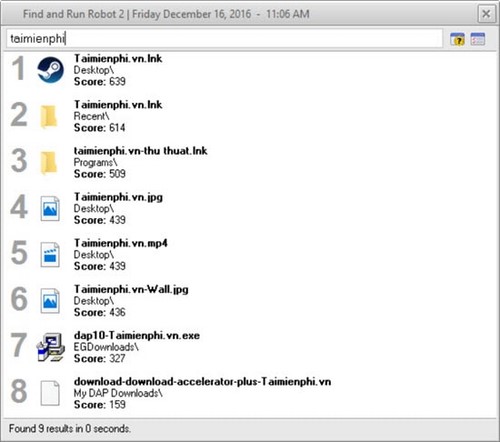
The original roundup mixed file finders with application launchers. Those tools can still be useful in an existing setup, but they are not the clearest five recommendations for modern file and folder searches. Their screenshots are retained below for readers identifying an older installation.
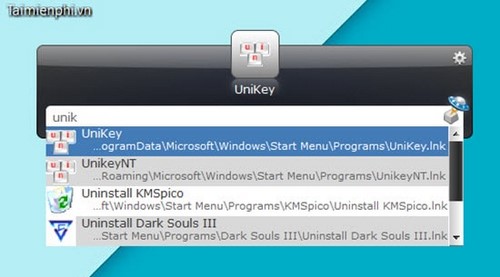
Launchy
Launchy opens applications, documents, and configured items from a keyboard-driven prompt. It is primarily a launcher rather than a comprehensive file-content search tool.
Wox
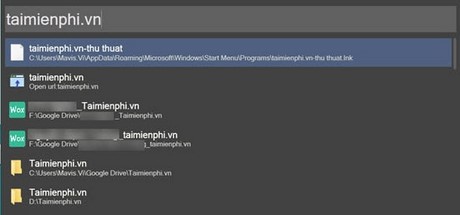
Wox is an extensible launcher with plugins and keyboard shortcuts. Users who want this category should compare its current maintenance status and plugin compatibility with modern options such as Listary or Microsoft PowerToys Command Palette.
Executor
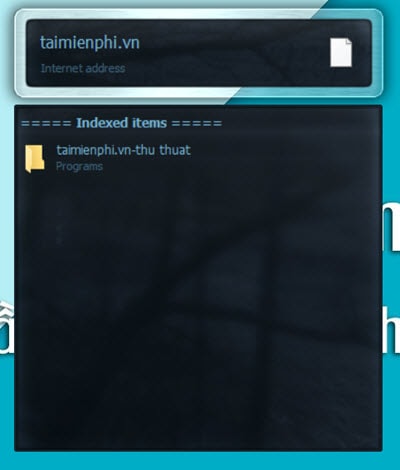
Executor uses custom keywords to open programs and perform actions. That is useful automation, but different from indexing every file or searching document contents.
Keybreeze
Keybreeze combines launching, shortcuts, and custom keywords. Its role overlaps with Listary and other command palettes more than with Agent Ransack or SearchMyFiles.
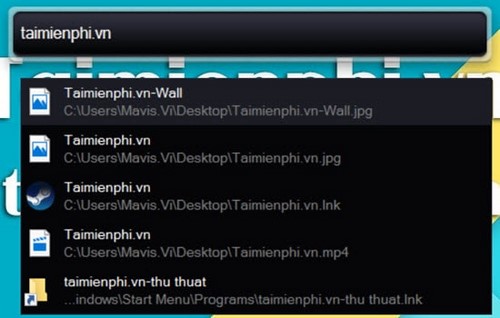
Find and Run Robot
Find and Run Robot, or FARR, is designed to launch applications and locate configured items quickly. It remains a specialist launcher, not the default recommendation for searching inside files.
Installation and privacy checks
- Download each tool from the developer's official site, not a repackaged download portal.
- Review which drives, folders, and network shares will be indexed or scanned.
- On a managed work computer, follow company policy before installing utilities that index filenames or read document contents.
- Exclude sensitive or irrelevant locations when the tool provides that option.
- Do not delete files merely because a size-based search identifies them as large; confirm what owns the file and whether it is required.
Related Articles
 How to Hide a File or Folder from Search Results in Microsoft6 minutes read
 How to Set Password for Folder and File in Windows9 minutes read
 What Is a Folder the Concept of a File (File) and a Folder (Folder) in a5 minutes read
 File Search: 10 Free Search Tools for Windows 109 minutes read
 Faster Search Tips in Windows 10: What You Need to Know3 minutes read
 How to Make Windows 7 Search File Contents5 minutes read
Reader Comments 0
Sign in with email or Google to join the discussion.