Table of Contents
To sign in to Gmail, open Gmail in a web browser or the Gmail mobile app, enter your Google Account email address or phone number, select Next, and enter your password. The steps below cover computers, iPhone and iPad, and Android devices.
If you do not yet have an account, follow TipsMake's guide to create a Gmail account first.
Sign in to Gmail on a computer
Step 1: Go to mail.google.com. If another account is already open, select the profile picture in the upper-right corner and choose Add another account.
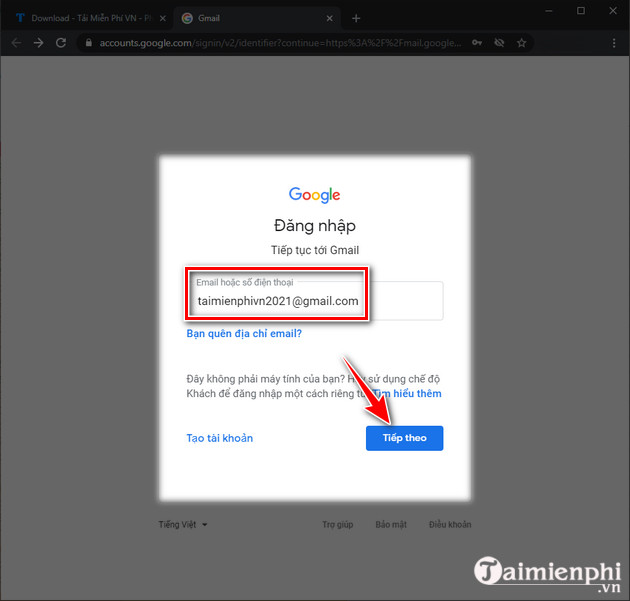
Step 2: Enter the email address or phone number associated with your Google Account, then select Next.
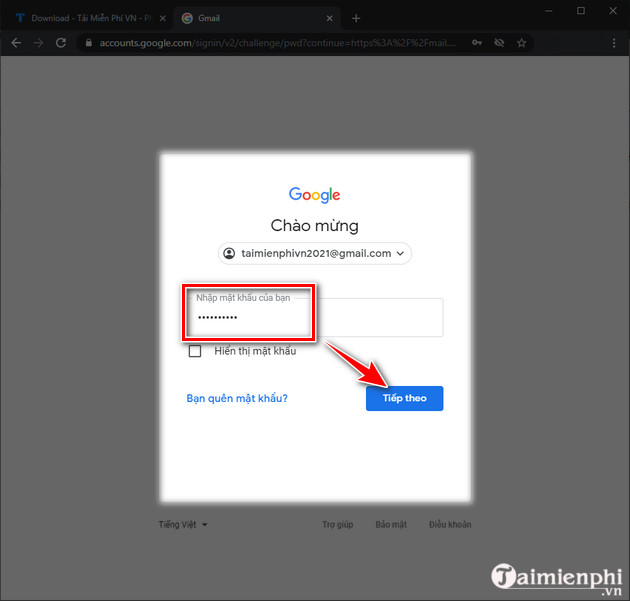
Step 3: Enter your password and select Next. Complete any verification prompt that appears for your account.
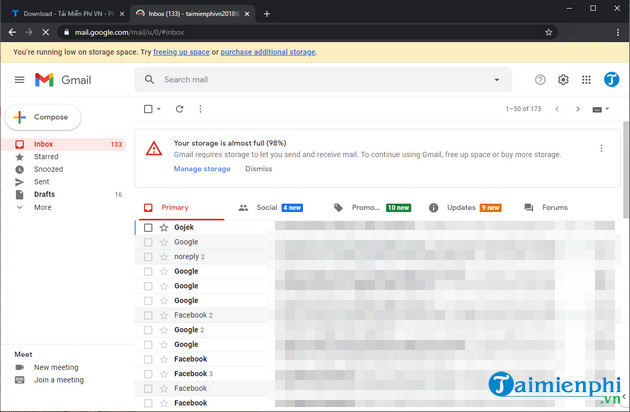
Step 4: Gmail opens your inbox after the credentials are verified. On a shared computer, sign out when you finish and avoid allowing the browser to save your password.
Sign in to Gmail on iPhone or iPad
You can add a Google Account in the Gmail app without removing accounts that are already connected.
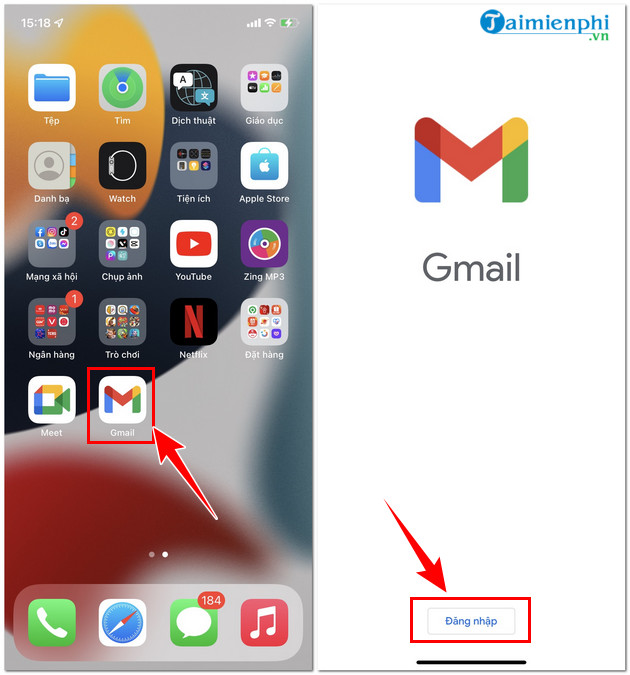
Step 1: Install or open the Gmail app. Tap Sign in; if an inbox is already open, tap the profile picture and choose Add another account.
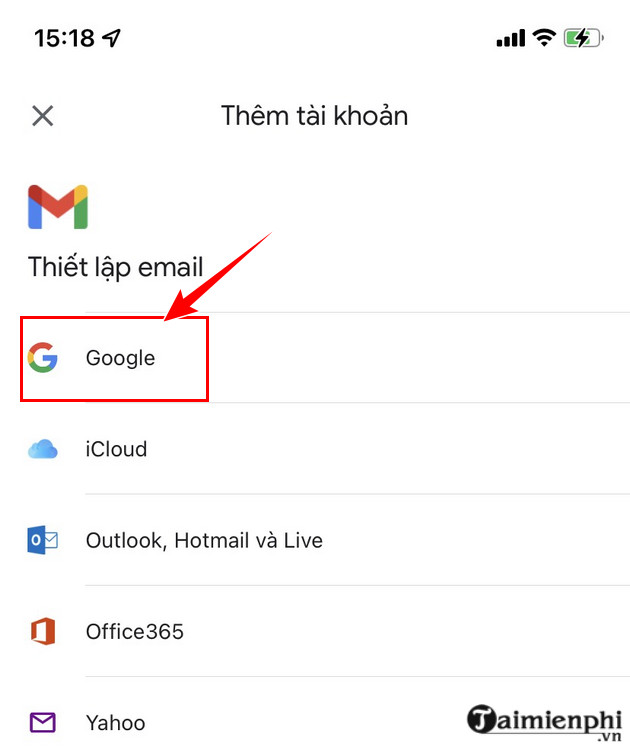
Step 2: Choose Google as the account type. iOS may ask for permission to open Google's sign-in page.
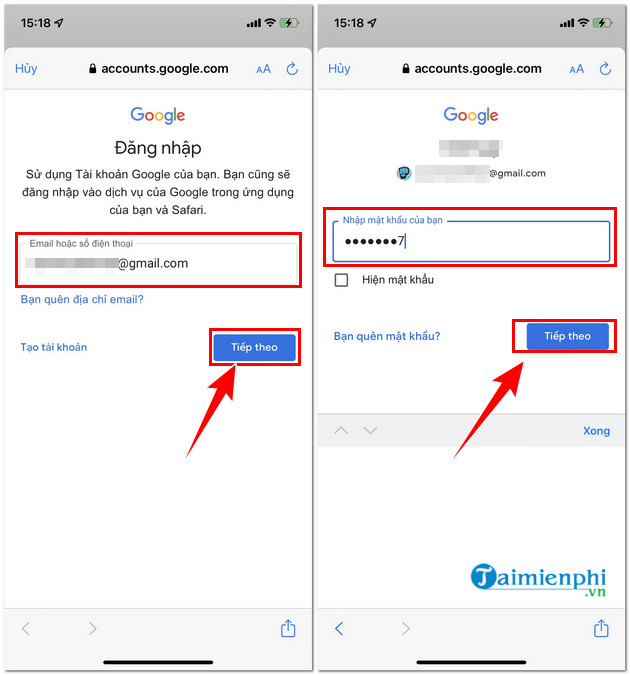
Step 3: Enter your Google Account email address or phone number, select Next, and enter your password. Follow any account-verification instructions shown on screen.
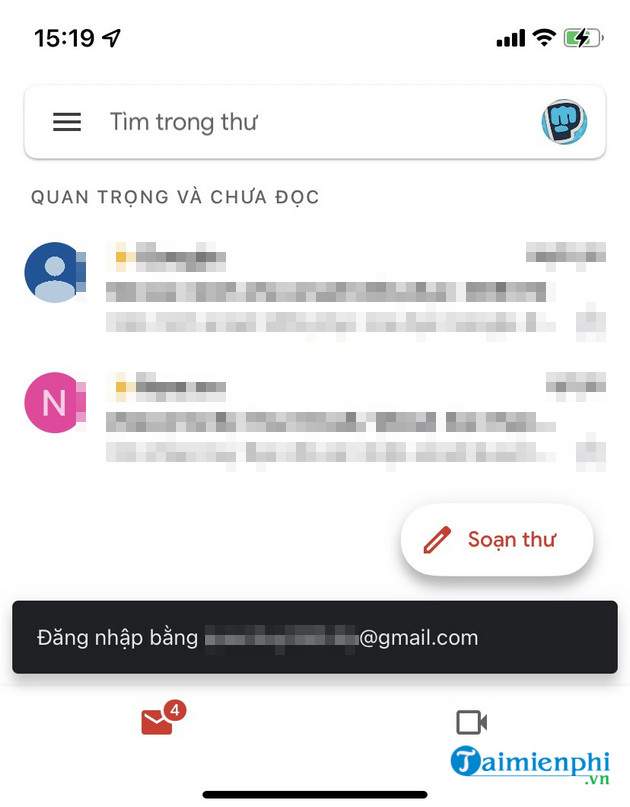
Step 4: Select the account in Gmail to open its inbox. You can switch accounts later by tapping the profile picture.
Sign in to Gmail on Android
Most Android phones include Gmail. If your Google Account is already connected to the device, it may appear in Gmail automatically.
Step 1: Open Gmail. Tap the profile picture, choose Add another account, and select Google.
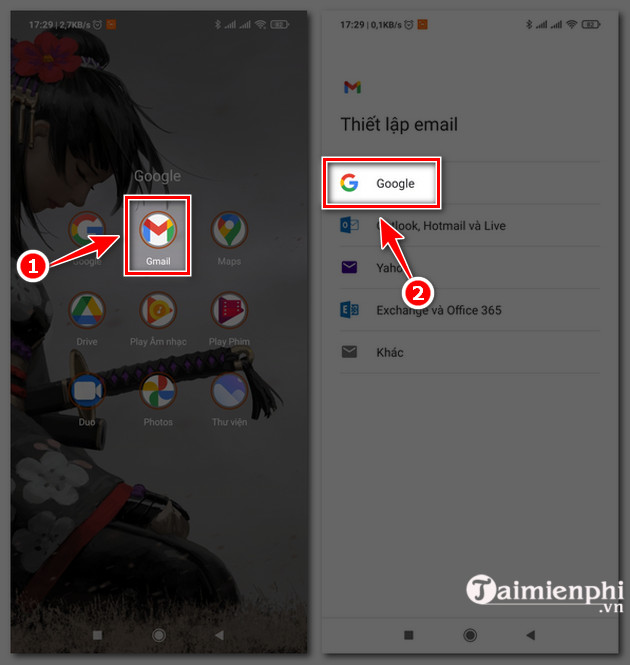
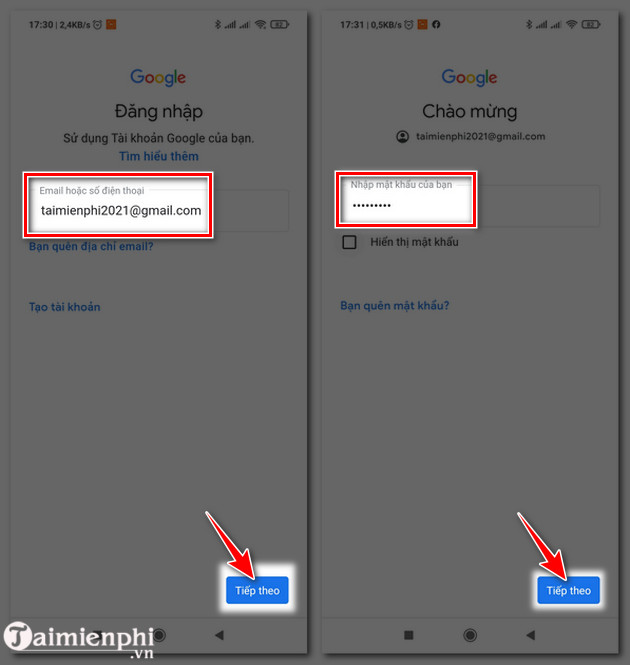
Step 2: Enter your email address or phone number and password, selecting Next after each. Complete any verification prompt, then choose the account to view its inbox.
Fix common Gmail sign-in problems
- The password is rejected: Check Caps Lock and confirm that you selected the intended account. If necessary, use Google's account recovery page.
- Your phone number does not work: A phone number can be used only when it is associated with the Google Account. Try the full Gmail address instead.
- A verification prompt does not arrive: Use another verification option displayed on the sign-in page. Never share a verification code with anyone.
- The app keeps returning to the sign-in screen: Confirm the device has a working internet connection, then update Gmail and restart the app before trying again.
After you reach the inbox, you can also change Gmail's display language if the current interface is difficult to use.
Related Articles
 Tips to Help You Master Gmail on Android: Gmail Android7 minutes read
 How to Set up Gmail on iPhone?10 minutes read
 How to Adjust Gmail Android Swipe Gestures3 minutes read
 How to Create Labels in the Gmail App: Clear Instructions6 minutes read
 Gmail 4.7 Can Answer Automatically, Attach All Files3 minutes read
 Customize the Swipe to Manage Gmail on Android Easier3 minutes read
Reader Comments 0
Sign in with email or Google to join the discussion.