How to Reduce or Remove YouTube Ads: Official Options and Safe Settings
Learn which YouTube settings affect ad personalization, how to block or report a specific ad, and which supported plans provide ad-free viewing.
Fix Windows problems, troubleshoot devices, understand AI, secure your accounts and get more from your technology with tested step-by-step guides.

Learn which YouTube settings affect ad personalization, how to block or report a specific ad, and which supported plans provide ad-free viewing.

Use YouTube's official offline features or download your own uploads, and understand the copyright, privacy, and malware risks of online converter sites.

Restore missing YouTube audio by checking the player, output device, per-app volume, browser settings, Bluetooth, and audio drivers in the right order.
Follow or unfollow YouTube channels on desktop and mobile, choose the right notification setting, and manage subscription privacy and alerts.
Save eligible YouTube videos for offline viewing, export your own uploads, choose the right quality, and avoid unsafe or unauthorized downloader tools.
Download your own YouTube upload, convert it to MP3 locally with VLC or FFmpeg, choose sensible audio quality, and avoid unsafe converter sites.

Understand what a 320kbps MP3 label means, why conversion cannot restore lost quality, and how to encode authorized video audio locally without unsafe converter sites.
Fix missing YouTube audio by checking the player, tab, system mixer, output device, browser settings, drivers, and Windows audio troubleshooter.

Understand when YouTube audio can be saved, use official offline options, download your own uploads, and avoid risky converter sites.

Check mobile live-stream eligibility, configure visibility and chat, start or schedule a broadcast, and improve video, audio, and connection quality.
Create a shareable YouTube Clip, link to an exact timestamp, or trim a video file you own with an online editor while preserving quality and permissions.

Post a YouTube link from your Facebook Page or Meta Business Suite, check the link preview, schedule the post, and troubleshoot missing thumbnails.
Turn on Gmail keyboard shortcuts, open the built-in shortcut reference, use essential navigation and message commands, and fix shortcuts that do not respond.
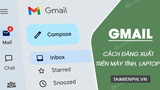
Sign out of Gmail in the current browser, remove saved account choices, end sessions on another device, and secure a lost or unfamiliar login.
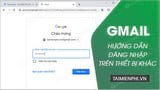
Access Gmail from a borrowed computer or phone using a private window, avoid saved credentials and synced data, then sign out and verify the device session.
Choose a built-in Gmail theme, set a personal photo as the desktop background, adjust readability, or switch the mobile app between light and dark modes.
Set a desktop Gmail theme, choose a Google Photos image, and use text background, vignette, and blur controls to keep the inbox readable.

Keep work and personal inboxes open with account switching, browser profiles, private windows, separate browsers, or a desktop email client.

Write clear English emails with a focused subject, appropriate greeting, concise request, useful context, deadline, closing, and polished signature.

When setting up an email client or application, you might encounter the terms POP and IMAP. But what are they? How do they affect your email?