Table of Contents
This TV solved all the display problems that many people struggled with and added a few features that people didn't expect.
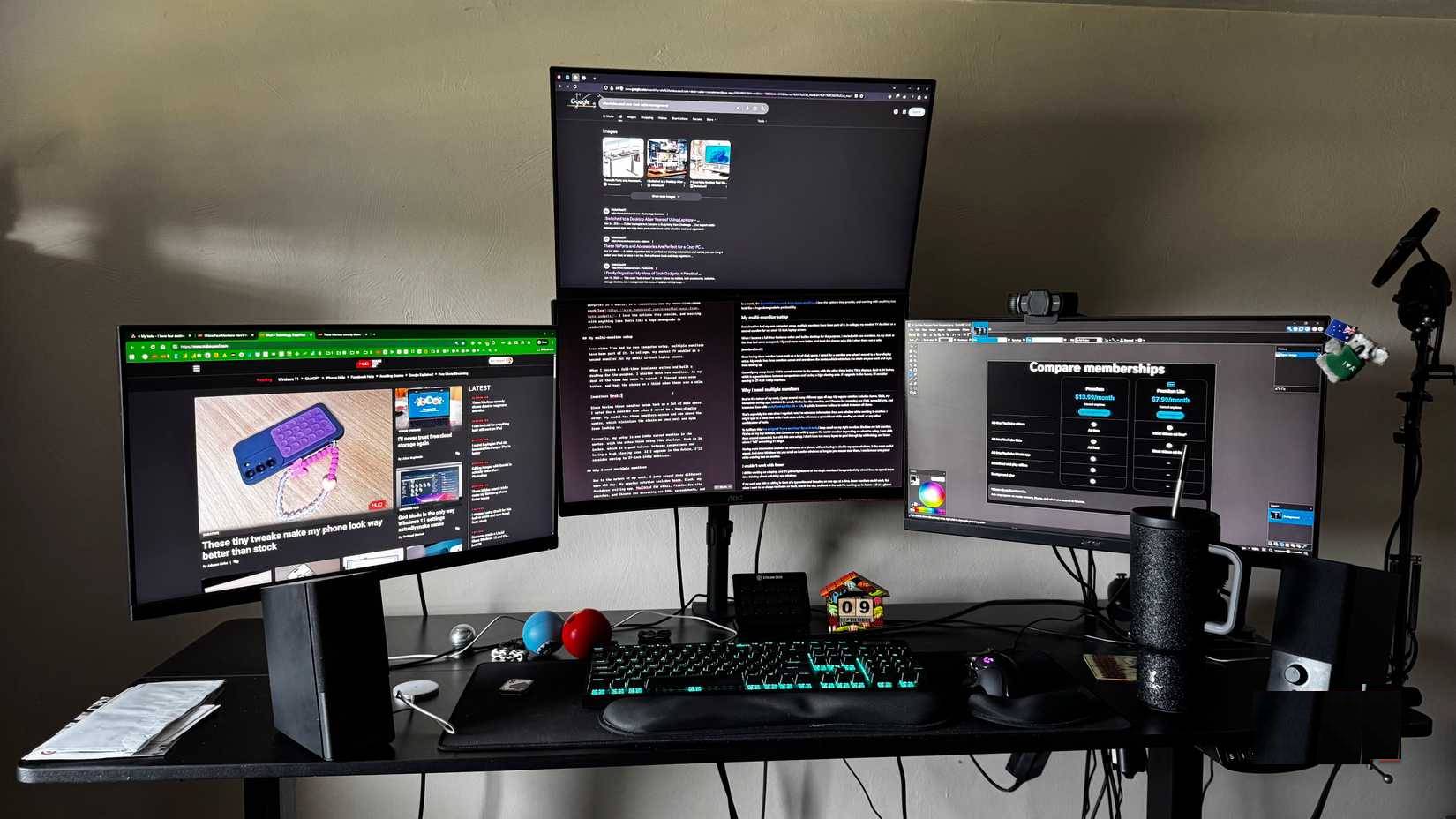
Many people believe that more screens equals more productivity. Some people have four, sometimes five, monitors hooked up to their MacBook Pros. They have email on one screen, Slack on another, Google Docs on a third, and a search window on a fourth. It sounds perfect, but the stand takes up the entire desk; the cables get tangled, and the laptop fan runs at full blast.
On a business trip, I needed to get some work done before dinner and simply connected my laptop to the room's TV—a large 65-inch TV. About an hour later, I noticed my Mac was actually silent for the first time, and finding windows was easier. Everything seemed faster. Turns out that random hotel TV offered a different perspective on multitasking. After that experience, I switched my four 27-inch monitors to a single 55-inch Samsung Frame TV.
Multiple monitors cause more problems than they solve
4 monitor setup makes things worse

Some people have four or five external monitors on their MacBook Pros, and they think that's a pretty efficient way to work. Email gets its own screen, writing gets another, Slack gets a third, and documents get a fourth. Sometimes people even use the fifth screen just to check Spotify or system stats.
But the problems kept piling up. The MacBook Pro's fan was constantly running at full blast. Not just during heavy workloads, but all the time. It was working so hard to push pixels to all those screens that you could feel the heat radiating off it even when just reading emails. Performance suffered badly during video calls or when running multiple apps, which was basically all the time.
The cabling situation quickly became absurd. Every monitor needed power; every monitor needed video connections—a DisplayPort here, an HDMI there, and adapters for everything. A USB hub could be used just to connect them all. The power cord behind the desk became an impossible knot to repair. Between all the stands, it was nearly impossible to fit a keyboard and coffee mug on the desk.
A big TV will change everything
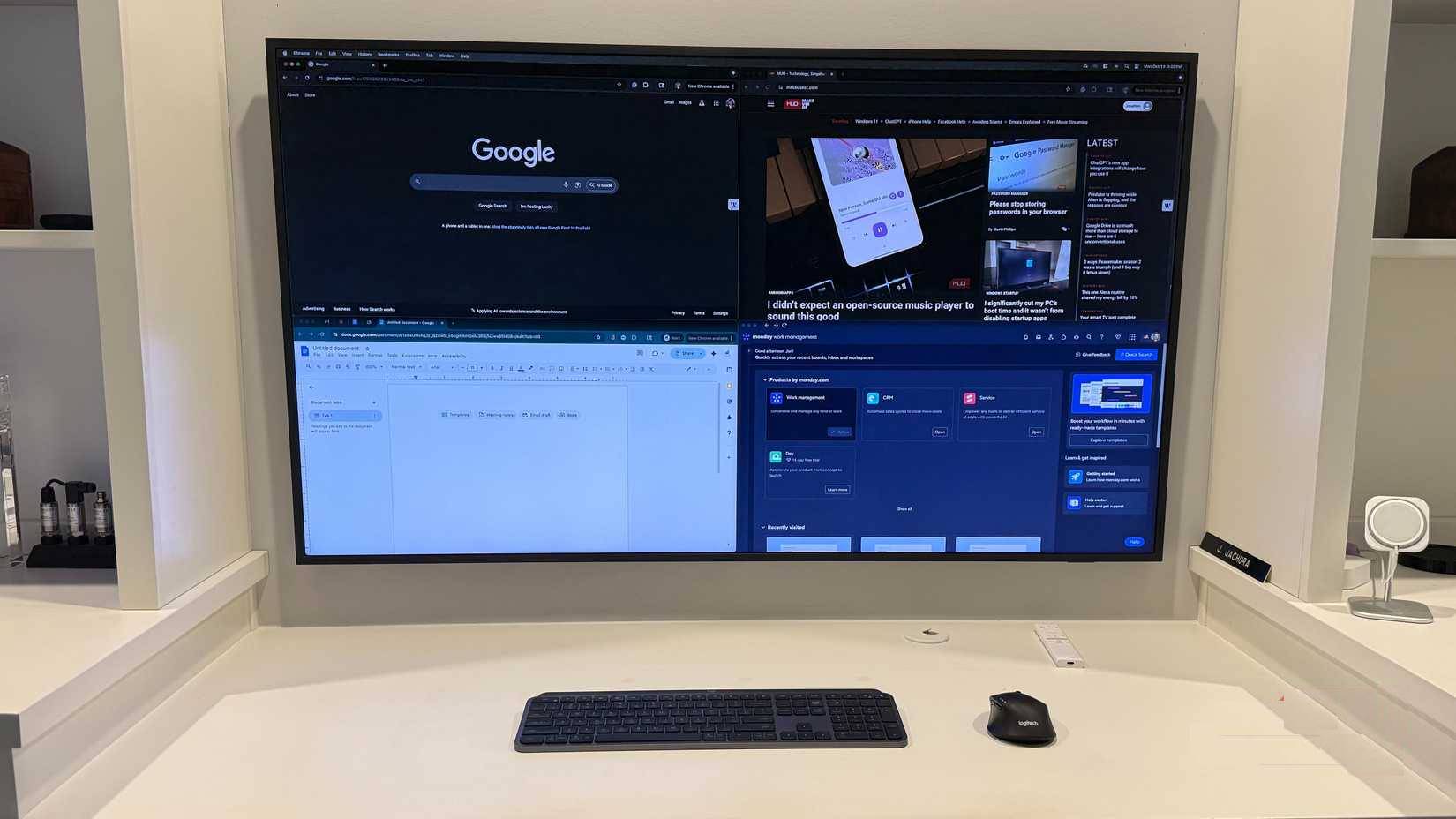
A person has a deadline on a business trip, and the hotel room has a large LCD TV mounted on the wall. It's probably 65 inches or larger. The person doesn't initially expect much from it—just more space than a laptop screen.
The first thing that changed was that the Mac was very quiet. The fan still ran, but at a normal noise level instead of the familiar jet engine sound. People had everything they normally used open—a browser with too many tabs, Google Docs, a spreadsheet, Slack, and Gmail. It all worked better. There was no lag when switching between apps, and no waiting for things to catch up.
Finding windows feels weird at first, but it gets a lot easier. You can see everything at once without having to think, 'Okay, email is on the left,' or 'Slack is on the right monitor.' There are no borders cutting off your workspace. You can actually see how all your windows relate to each other without having to turn around.
Why is a single large screen better than multiple screens?
Window management gives you the same layout with better performance
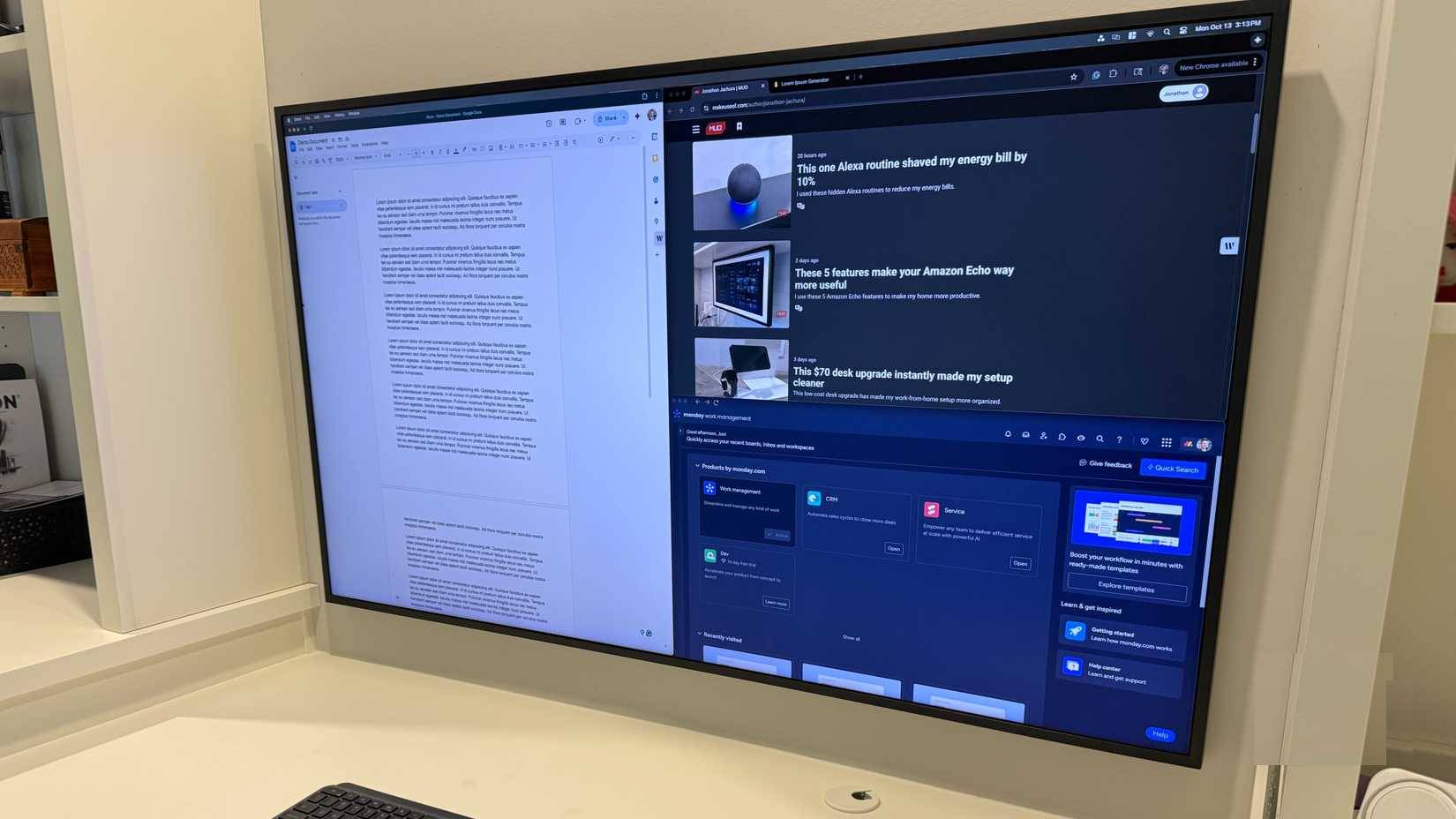
Here's something many people miss: macOS window docking works on a large monitor as well as arranging windows on separate monitors. The window can be divided into four sections—top left for writing, top right for email, bottom left for browsing, and bottom right for Slack. It's almost identical to a regular four-monitor arrangement.
The difference is that you're not limited by this arrangement. If you need larger windows to do something complex, just drag them to make them bigger. If you want to focus on something, switching to full screen mode takes just half a second, and you can exit at any time. There are also options to split left/right, top/bottom, or split into 3 vertical sections. This is much more flexible than physical screens of the same size.
The computer only has to handle one monitor instead of 4-5. The MacBook Pro becomes much quieter once you stop forcing it to handle all those monitors.
Samsung Frame TV is the perfect home office monitor
Hanging the monitor on the wall frees up all the desk space.
It was time to change things up. The person in the example above sold all four of his 27-inch monitors and bought a single 55-inch Samsung Frame TV. It sounds crazy, but it turned out to be the smartest desk upgrade he ever made.
The Frame TV is hung on the wall like a painting. It completely occupies the desk space. The desk is almost completely cleared, except for the keyboard and mouse. The room looks much more spacious without the stacked monitors. When turned off, the TV looks like a picture frame on the wall.
This TV solved all the display problems that many people struggled with and added a few features that people didn't expect.
FAQ
What should you know about not multiple monitors?
In practical terms, this TV solved all the display problems that many people struggled with and added a few features that people didn't expect.
Why does not multiple monitors matter?
The article highlights that after that experience, I switched my four 27-inch monitors to a single 55-inch Samsung Frame TV.
What is the main takeaway?
The main takeaway is that multiple monitors cause more problems than they solve 4 monitor setup makes things worse Some people have four or five external monitors on their MacBook Pros, and they think that's a pretty efficient way to work.
Related Articles
 How to Use Multiple Computer Monitors at the Same Time7 minutes read
 How to Use 2 Screens on a Computer13 minutes read
 How to Configure Multiple Monitors in Windows 118 minutes read
 How to Use Multiple External Monitors on Ubuntu6 minutes read
 5 Main Notes When Using Multiple Screens with a Laptop: Expert Selection Guide10 minutes read
 How to Adjust the Light of Multiple Screens with the Twinkle Tray4 minutes read
Reader Comments 0
Sign in with email or Google to join the discussion.