Table of Contents
This guide provides a clear, practical overview of "Microsoft 365 Is About to Disable Outdated File Access". It organizes the most useful details, explains important considerations, and highlights the steps or choices that matter most.
According to the official information posted on Microsoft 365 Admin Center. Starting in mid-July 2025, the company will disable legacy authentication protocols used to access files on Microsoft 365, Office applications, SharePoint, and OneDrive.
Specifically, applications or services that use Relying Party Suite (RPS) or FrontPage Remote Procedure Call (FPRPC) to perform browser authentication to open Office files will no longer be able to do so. As expected, this move is mainly to improve the security of Microsoft services.
Microsoft says RPS is vulnerable to brute-force and phishing attacks due to its age. Similarly, FPRPC (used for remote web page editing) is vulnerable to multiple vulnerabilities. As a result, both protocols will be disabled by default starting in mid-July 2025, with the implementation expected to be completed by August 2025.
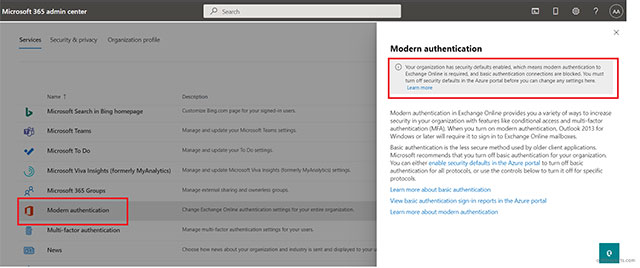
The Redmond tech giant will update the default protocol standard without requiring customers to change any licensing terms. Additionally, after the changes are rolled out, Microsoft 365 will require admin consent to allow third-party access to files and sites. System administrators can view instructions here to configure admin consent workflows.
Microsoft says these changes are in line with the principles of the Secure Future Initiative (SFI). Earlier in the day, they also announced the rollout of enhanced security defaults for Windows 365 for the same reason.
FAQ
What does this guide cover?
This guide explains Microsoft 365 is about to disable outdated file access, including the main steps, important details, and practical considerations.
Who is this guide for?
It is designed for readers who want a clear, practical overview and a reliable process they can follow without unnecessary complexity.
What should you check before getting started?
Review the requirements, confirm that your software or device is up to date, and save any important data before changing settings.
Related Articles
 7 Most Popular Email Security Protocols Today10 minutes read
 Google Now Allows G Suite Administrators to Disable Unsafe 2FA Authentication7 minutes read
 Popular Network Protocols Today7 minutes read
 Two-Factor Authentication Is the Worst Thing We Have to Endure: Key Facts8 minutes read
 How to Disable Office File Viewer in Microsoft Edge3 minutes read
 What Is HTTP Authentication? 5 Stages of HTTP Authentication8 minutes read
Reader Comments 0
Sign in with email or Google to join the discussion.