Table of Contents
This updated guide explores meet rawtherapee: the free lightroom alternative with practical details, clear explanations, and useful takeaways. While Adobe's Lightroom is popular, its subscription model can quickly burn a hole in your pocket. People want a free alternative that does not compromise on features— RawTherapee —and it will completely change the way you edit your photos.
6. Cost Advantages
If you're a new photographer and do not want to spend hundreds of dollars on editing software right away, RawTherapee is a great place to start. While Lightroom is a subscription-based solution, costing at least $11.99/month, RawTherapee is open source and free to download and use.
If you're on a tight budget, RawTherapee's free price is a huge plus. Using Lightroom and Photoshop can be overkill for most photographers, so you might as well save yourself some money. Not being tied to a subscription for photo editing means you have more money to spend on things like lenses and other camera gear that will help you out more in the long run.
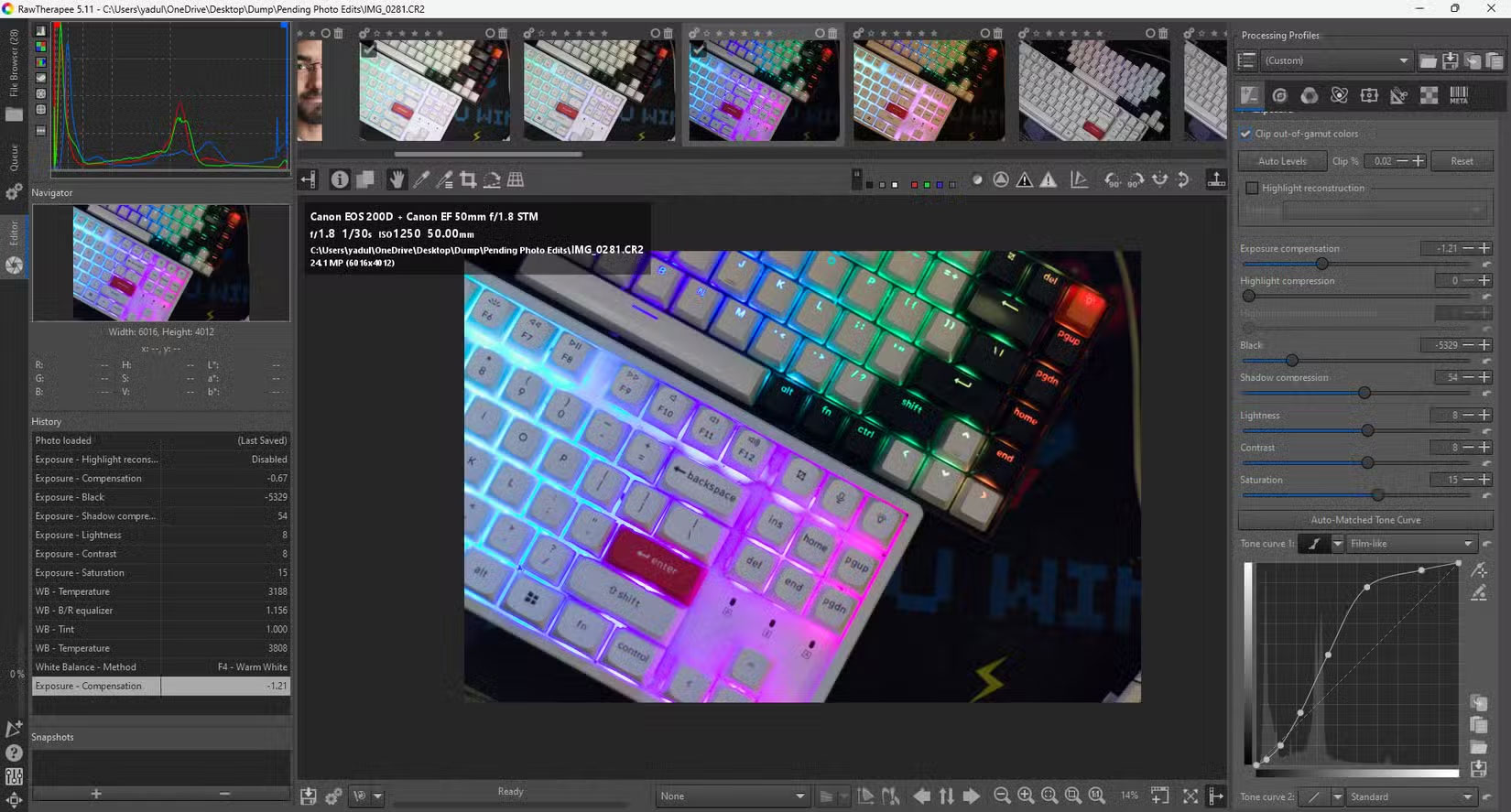
Also, since the program is open source, it comes with the benefits of this type of software. Contributors are constantly working to add new features or solve existing problems.
5. Get More Detail When Editing
Another big advantage that RawTherapee brings is the detail it can extract from images. The program offers better sharpening than Lightroom, meaning you'll be able to get more detail out of your images without as much noise or halos.
If you shoot in RAW, RawTherapee offers more granular control over RAW processing parameters. Lightroom, on the other hand, simplifies many the process with sliders and presets that, while user-friendly, take away some of your control.
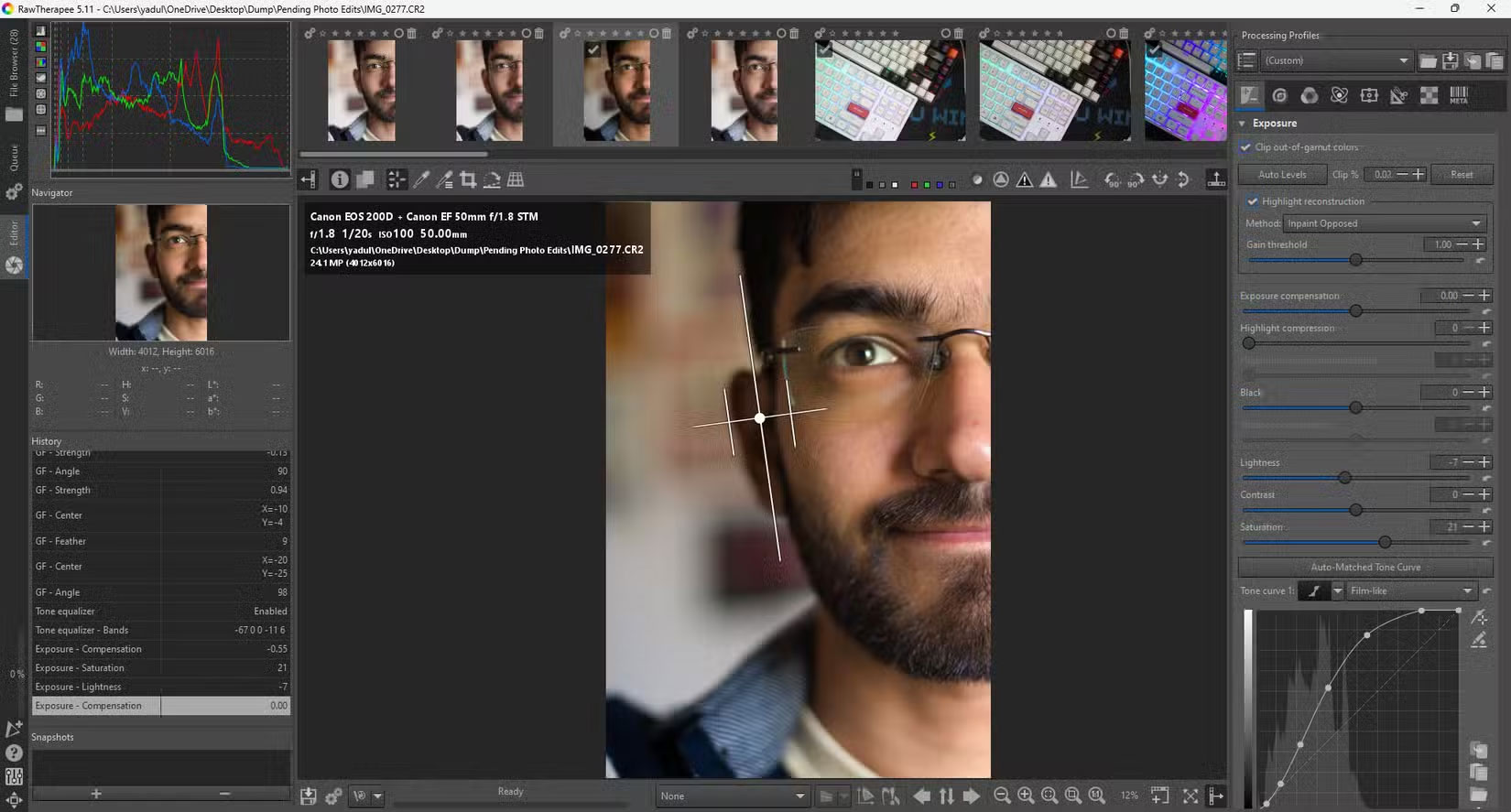
Many settings in Lightroom, like shadow and highlight settings, are better handled with curves in RawTherapee. The entire program is broken down into individual modules that control a specific parameter of the image. Figuring out which module changes which parameter can be a bit confusing, but ultimately it gives you more control over the final image.
You'll also get slightly better noise reduction. This is especially useful for beginner photographers, as they'll likely have cameras with lower ISOs and dynamic range. So if you take a particular photo in challenging conditions and crank up the ISO, chances are RawTherapee will be better able to salvage that photo.
You may need to use the Brush tool in Lightroom to edit certain parts of your image with more precision. RawTherapee often has area controls for specific modules by default, meaning that instead of having to make edits to a single area, you can simply apply the effect there.
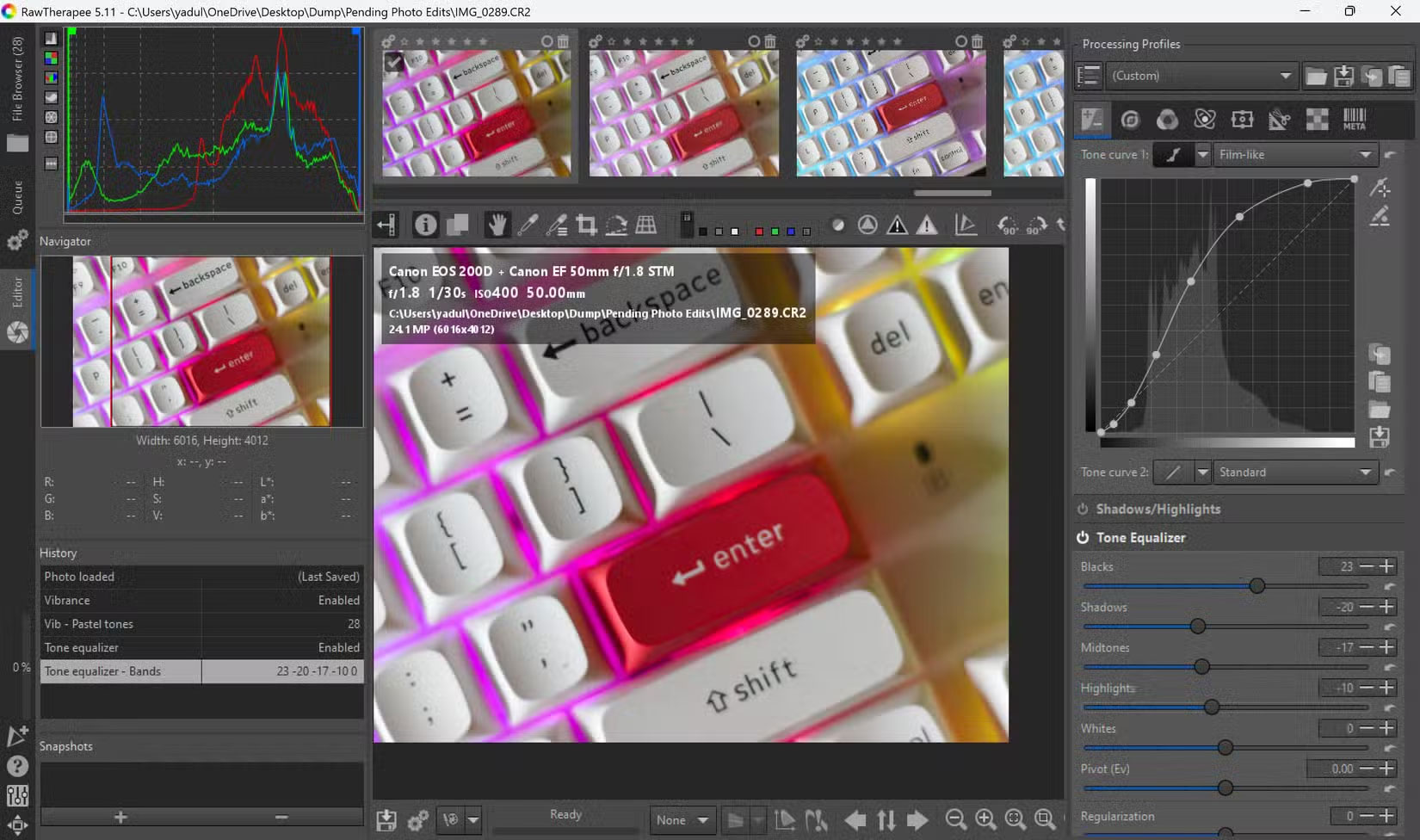
You will find also some specialized tools that you will not find in Lightroom. RawTherapee, for instance, has pretty detailed wavelet-based processing options that give you more control over the texture and detail of your images. In Lightroom, you'll have to use third-party extensions or other workarounds.
remember that this does make the program take a bit longer to learn, meaning you'll have to watch quite a few tutorials when you first get started. Thankfully, the user interface is simple enough for beginners, and if you're coming from Lightroom, you'll feel right at home right away, as many of the controls have the same layout, albeit with more complex names. There's also extensive documentation on the RawTherapee website, as well as a RawTherapee forum where you can ask for help if you get stuck.
4. Non - destructive Editing Process
Both Lightroom and RawTherapee offer non-destructive workflows. This means you'll be able to preserve the original image data no matter how many edits you make. If you mess something up and want to reset the image, you can easily go back.
You can view your entire editing history in the handy History section and switch back and forth between all the changes you've made with just one choose. The program automatically adds or removes any settings you may have made in this section.
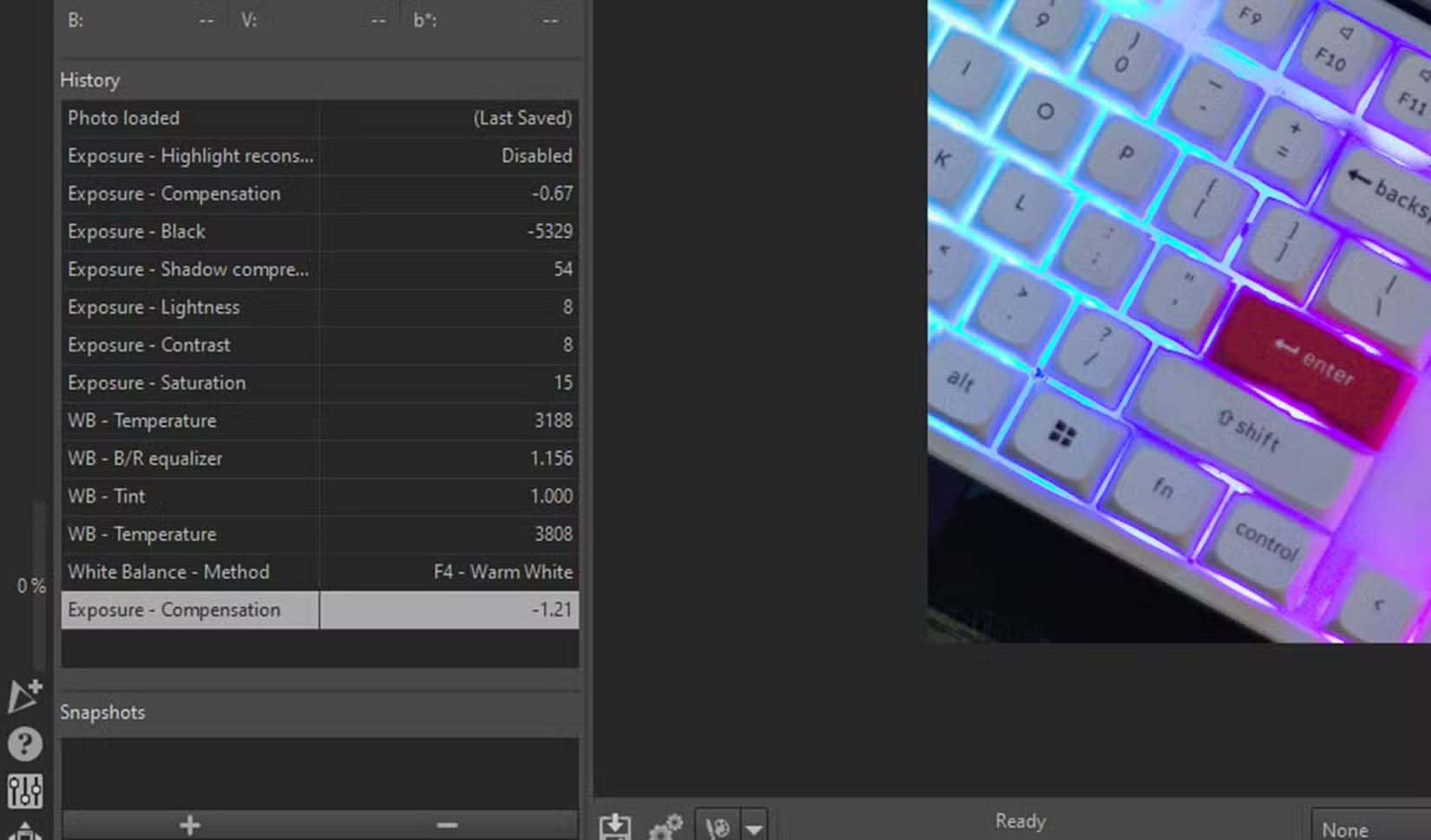
RawTherapee also has a snapshot feature that lets you save edits to your image without having to export it. That means instead of completely resetting your image if you mess up, you can just go back to a previous snapshot.
3. Better Publishing Capabilities
How your final image looks after editing will be influenced by your own perception of color, the monitor you're working on, and naturally the conditions in which you shot the image. Still, in my experience, RawTherapee's output looks much cleaner and noise-free compared to Lightroom. Lightroom does, Still, make images look sharper by default, but you can fix this with the right modules in RawTherapee.
RawTherapee produces more natural-looking results, while Lightroom produces sharper results that can bring out the colors in your photos. Which output you prefer is subjective, but if you want a realistic look for your photos, you may want to use RawTherapee.
2. Better Performance on Every System
If you're a Linux user, you're out of luck when it comes to Adobe software. Even if you manage to run Lightroom on your Linux machine using an emulator or tweaks, you'll still run into performance issues.
RawTherapee is available on Windows, macOS, and Linux, and is free on all three operating systems (and in over 15 languages). Since the program is built with cross-platform support, it also tends to perform better on a wider range of hardware, meaning if you're running a low- or mid-spec machine, you'll get better performance with RawTherapee.
1. Integration with Other Programs
RawTherapee does not support any third-party extensions or add-ons. Still, it can work well with other programs, including Lightroom. When converting from Lightroom to RawTherapee, you can use Lightroom as an image browser before sending selected files to the latter program for editing.
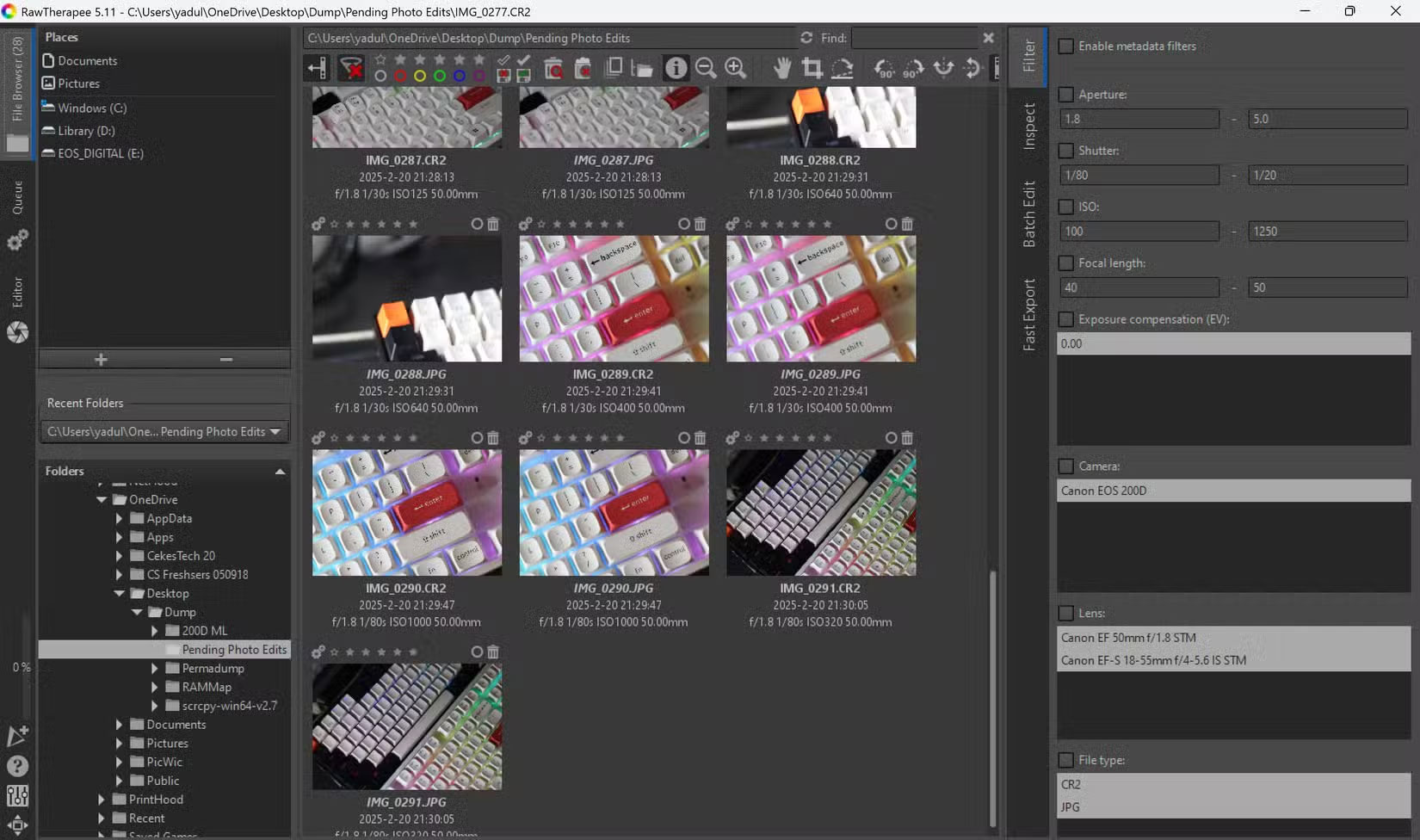
This is largely because RawTherapee's image browser, while perfectly functional, isn't as simple to use as Lightroom's. You'll find most of the tools like grading, selection, and color coding, but Lightroom's interface when browsing through images is still preferred for its simplicity and visibility.
Lightroom makes better use of space on a small screen. If you're looking through hundreds of photos after you've taken them, that screen space will save you time and effort.
Switching to RawTherapee to get rid of your Adobe subscription will completely change the way you edit your photos. It takes a fair amount of tutorials and reading to get there, but afterwards your edits will be much better quality and more free, thanks to the extra control you have over your final image.
FAQ
What is the main takeaway about Meet RawTherapee: the Free Lightroom Alternative?
The key is to understand the core idea, compare the available options, and apply the practical guidance that matches your situation.
What should beginners know about Meet RawTherapee: the Free Lightroom Alternative?
Start with the essential steps and terminology. Avoid changing advanced settings until you understand how they affect performance, privacy, cost, or compatibility.
How can I use this information in practice?
Follow the relevant section in order, test one change at a time, and confirm the result before moving to the next step or recommendation.
Related Articles
 8 Creative Ways to Use Lightroom to Transform Photos on Desktop7 minutes read
 Open Lightroom Photos in Photoshop Quickly and Simply: Step-by-Step Guide8 minutes read
 10 Lightroom Mistakes That Can Ruin Your Photos14 minutes read
 How to Post Photos to Instagram Directly from Adobe Lightroom4 minutes read
 A Set of Video Tutorials on How to Edit Photos with Lightroom3 minutes read
 Instructions on How to Pair HDR Photos on Lightroom5 minutes read
Reader Comments 0
Sign in with email or Google to join the discussion.