Table of Contents
This article will be a comprehensive guide for those who want to explore the modding world of Hollow Knight: Silksong. We will explore why mods are important, how they can transform your gaming experience. All will be in the content below.
What is a Mod and Why is it Important to Players?
If you're not familiar with the concept, mods are software or files created by the player community to change or add content to a game. In the world of Silksong, mods are more than just patches or updates. They are creative tools that help you make the game your own.
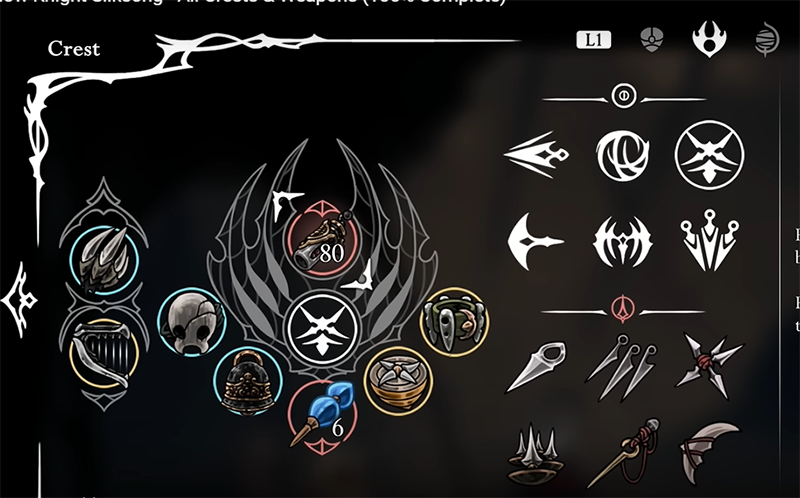
Imagine you're up against a tough boss, but you want to know how much health it has left so you can plan your strategy? Mods can help you show enemy health bars. Or maybe you want a more detailed map, or even change Hornet's appearance with a cool new skin. All of these are possible with mods.
That said, one important thing to remember is that Hollow Knight: Silk song is already a complete and wonderful experience from the get-go. Mods are just an option for further customization, and A practical option is to playing through the game once without mods to fully appreciate the vision of developer Team Cherry. And if you want to experience the game modded later,
How to install Hollow Knight: Silksong mod
Backup game data
Before starting any modding adventure, it is important to protect your original game files. This will help you avoid unwanted risks such as game crashes, corrupted save files, or mod conflicts. Backing up is simple and only takes a few minutes:
For Steam: Open your Steam library, find Hollow Knight: Silksong. Right-click, select "Manage", then select "Browse local files". The game folder window will appear, you just need to copy all the contents in it and paste it into another folder on your computer.
For Xbox PC App: Similarly, go to the Silksong game page, select the three dots next to the "Store" button, select "Manage". In the "Files" tab, select "Browse" and copy all the files to a safe place.
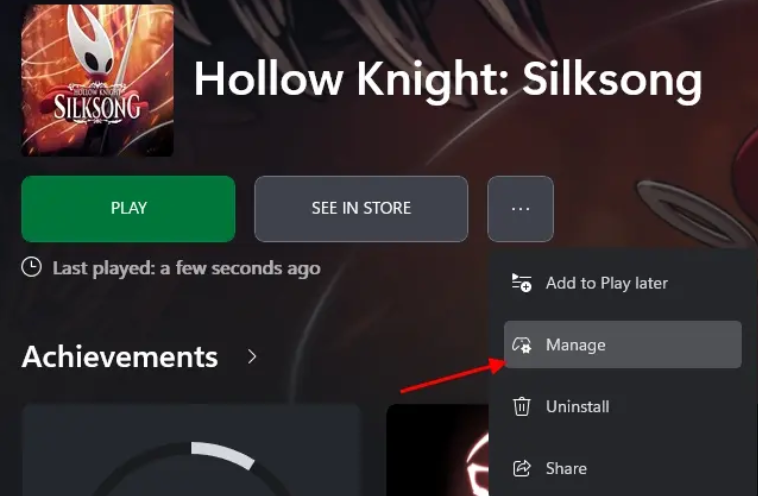
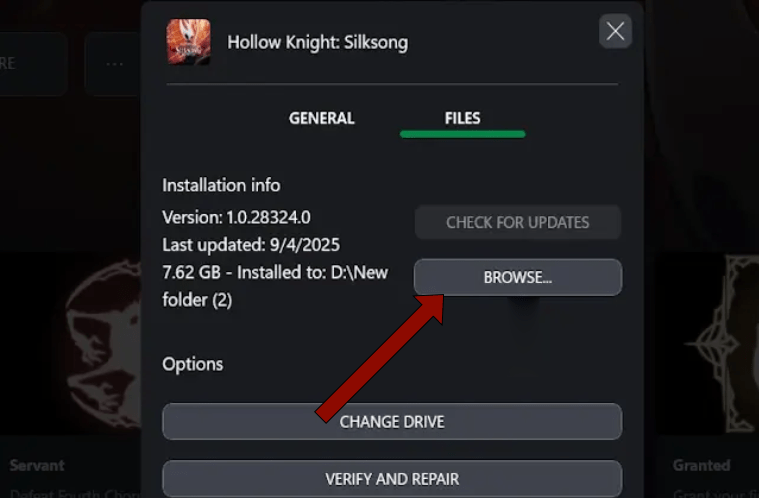
It's like keeping a safe backup before you go on an adventure. If anything goes wrong, you can always go back to the original.
How to install mod
Now, let's get to the main part: how to install mods? There are two popular and most trusted methods by the community.
1. Manual installation
This method is suitable for those who want to control everything themselves. You will need to download a basic tool called BepInEXPack (or a version that supports Melonloader).
Download BepInEXPack for PC
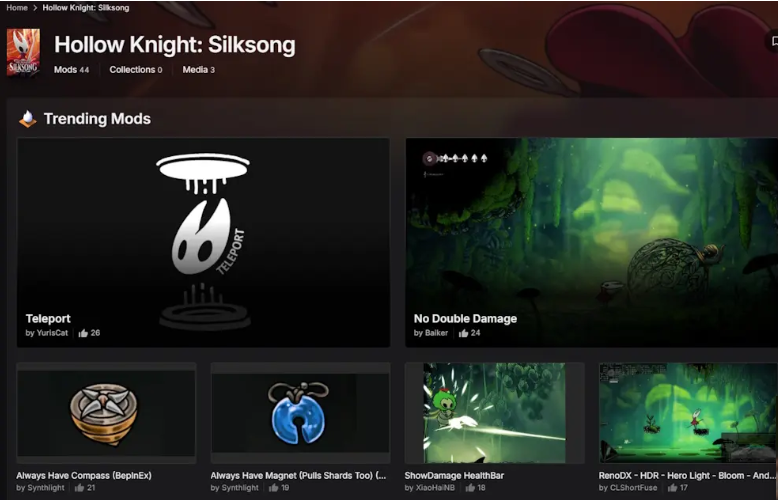
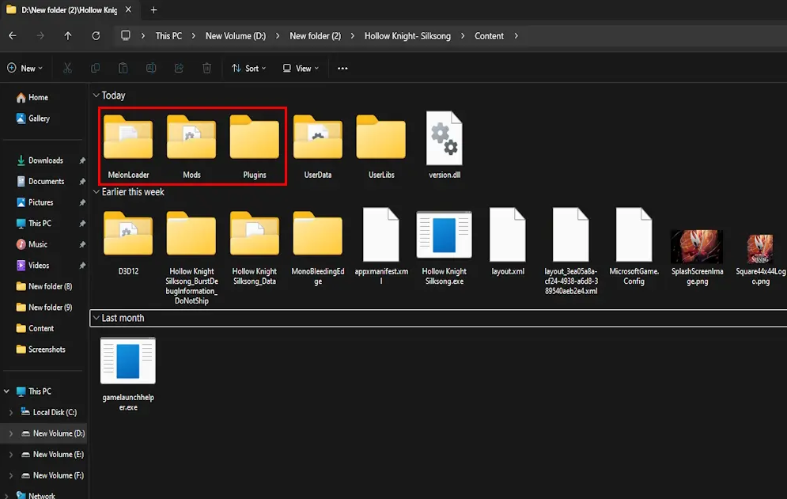
- Step 1: Download the BepInEXPack zip file from the link above and unzip it to the root folder of the Silksong game. This folder usually has a path similar to D:. Hollow Knight- SilksongContent.
- Step 2: In the root folder of the game, create a new folder named 'Mods'.
- Step 3: Download the mod files you want (usually.dll files) and copy them into the newly created 'Mods' folder. (If your mod only uses BepInEXPack, put the files into the plugin folder).
- Step 4: Restart Silksong and your mod will be activated. This method is quick and simple, but requires you to manage the mod files yourself.
2. Using Thunderstore Mod Manager
Download Thunderstore Mod Manager
This is the recommended method for beginners as it automates almost the entire process.
- Step 1: Visit the Thunderstore Mod Manager website and download the installer to your computer.
- Step 2: Open Thunderstore Mod Manager, search for "Hollow Knight Silksong" and create a new profile for the game. The manager will automatically find the game folder for you.
- Step 3: Go to the "Get mods" tab, you will see a list of available mods. BepInEXPack is usually pinned at the top of the list, just select it and select "Download".
- Step 4: After downloading the mods you want, go to the "My Mods" tab and press the "Modded" button to launch the game with the mods installed.
Thunderstore not only helps you install but also manages mods very efficiently, automatically updates and handles conflicts between them, making your experience much smoother.
Some notes when using mod
Only download mods from reputable sources: Sites like Thunderstore are safe places to download mods. Avoid downloading from unknown sources to avoid the risk of malware.
Beware of "cheating" mods: Some mods can make the game easier (e.g. immortality, unlimited money). While this can help you get through difficult parts, it can also reduce the challenge and appeal of the game.

Check Compatibility: Sometimes, some mods may not be compatible with each other or with the current game version. Please read the mod description carefully before installing.
With this knowledge, you are ready to customize Hollow Knight: Silksong in your own way. Dive into the world of mods and make Hornet's adventure more unique and memorable than ever!
Final Thoughts
Following the steps in order and checking version-specific settings should make it easier to Install Hollow Knight. If an option looks different, verify the device, app, or operating-system version before changing additional settings.
FAQ
What is the best way to Install Hollow Knight?
Start with the requirements described in the article and follow the steps in order. This article will be a comprehensive guide for those who want to explore the modding world of Hollow Knight: Silksong. We will explore why mods are important, how they can transform your gaming experience. All will be in the content below.
What should you know about What is a Mod and Why is it Important to Players??
If you're not familiar with the concept, mods are software or files created by the player community to change or add content to a game. In the world of Silksong, mods are more than just patches or updates.
What should you do if the instructions do not match your screen?
Check the device, software version, account permissions, and regional settings. Interfaces can change after updates, so use the closest matching option and consult the official support documentation when necessary.
Related Articles
 How to Find Crafting Kit in Hollow Knight: Silksong6 minutes read
 Decoding the Appeal of Hollow Knight: Silksong8 minutes read
 How to Get and Use Swift Step in Hollow Knight Silksong7 minutes read
 Games Like Hollow Knight: Silksong: Complete Guide9 minutes read
 Hollow Knight Tips for Beginners4 minutes read
 Top Most Effective Knights Squad for the Arena of Truth 9.205 minutes read
Reader Comments 0
Sign in with email or Google to join the discussion.