Table of Contents
If you enjoy exploring Minecraft's underground spaces, dungeon mods can add larger structures, tougher encounters and more reasons to prepare before descending. The five options below target different experiences. They are Java Edition projects; do not assume their files work with Bedrock Edition or with every Java version.
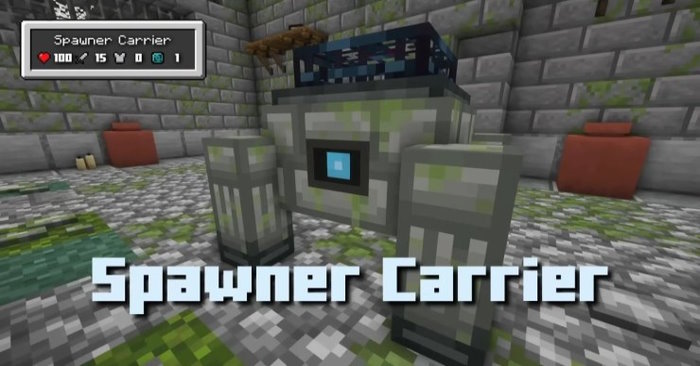
Dungeon Now Loading
Dungeon Now Loading adds themed dungeons and challenging encounters. It suits players who want purpose-built structures and boss fights, rather than simply more small monster-spawner rooms.
Check the description for the release you install. The older datapack releases and newer mod releases are not interchangeable, and their structures and features can differ. The project lists Forge and Fabric files, but a file must match both your loader and Minecraft version.
Dungeon Difficulty
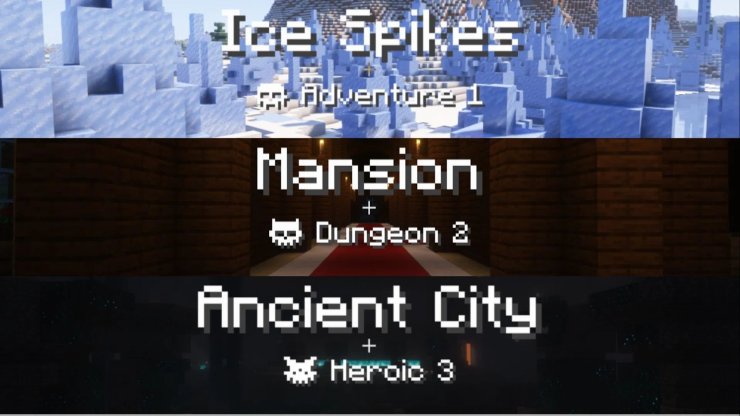
Dungeon Difficulty changes encounters according to location, including the dimension, biome or structure. Its purpose is difficulty scaling rather than generating an entirely new set of dungeons.
Its default categories include Adventure, which increases mob attributes; Dungeon, which also changes the power of looted items; and Heroic, which adds further encounter features. Rules are configurable, so a modpack can behave differently from a default installation. Choose it when you like your existing world generation but want selected areas to feel more demanding.
YUNG's Better Dungeons
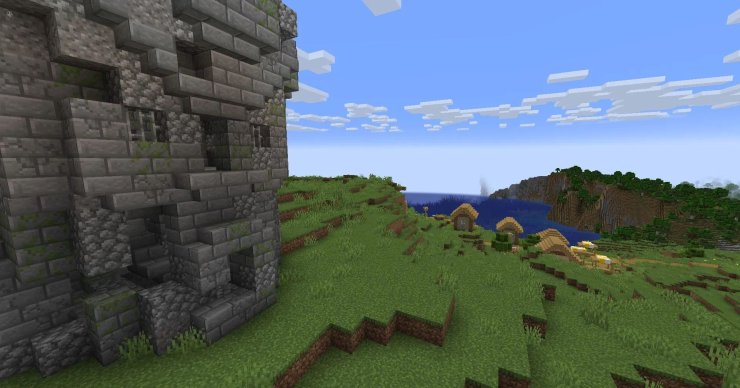
YUNG's Better Dungeons expands the idea of Minecraft's simple spawner rooms into more substantial underground structures, including spider caves, catacombs and undead fortresses. It is a good fit for exploration that remains recognizable as Minecraft.
Check the project's required dependencies, including YUNG's API where listed, and select the correct loader edition. World-generation compatibility is a design goal, but you should still test the particular mod combination in your pack.
Roguelike Dungeons
Roguelike Dungeons generates large underground complexes with procedural layouts and loot. Descending through connected floors gives it a different rhythm from finding isolated rooms.
This is a legacy choice. The original project author explains that it was not updated after Minecraft's 1.13 structure-generation changes; the published files include 1.12-era releases. Use it in a matching older instance or modpack rather than attempting to load it into a current installation. Do not confuse the original with similarly named forks.
Stalwart Dungeons
Stalwart Dungeons focuses on dungeon content in the Nether and End, with additional enemies, bosses and equipment. Choose it if your exploration has moved beyond the Overworld and you want more reasons to visit those dimensions.
The listed releases include a Forge build for Minecraft 1.20.1. That is a compatibility detail, not a promise of support for later versions. Check the file page before choosing your modpack's base version.
Set up a separate instance and test first
- Choose a Minecraft version and loader supported by every mod you intend to combine.
- Download from the author's project page and install its listed dependencies. These Minecraft mod installation basics provide background, but use current loader instructions for your version.
- Back up your world and test a new world before changing an important save. New structures usually require newly generated terrain.
- Prepare food, lighting, armor and a route back out. Refer to the Minecraft crafting reference for basic supplies.
Adding all five at once is unnecessary. Start with the structure or difficulty change you want, then test additional mods one at a time.
Related Articles
 How to Install Minecraft PE Mods: Practical Guide8 minutes read
 The Most Detailed Gun Mods in Minecraft5 minutes read
 15 Scary Minecraft Horror Mods for a Terrifying Survival Run11 minutes read
 How to Install Mods for Minecraft: Step-by-Step Guide12 minutes read
 Instructions to Download and Install Mods for Minecraft Pocket Edition7 minutes read
 Top Powerful Weapon Mods in Minecraft21 minutes read
Reader Comments 0
Sign in with email or Google to join the discussion.