Table of Contents
Explore dust is 'killing' your sound —— how to clean speakers properly.
Why should you clean your speakers?
A light layer of dust won't immediately ruin a speaker's sound, but when dust, pet hair, and other debris build up on the grille, diaphragm, or tweeter, they create a layer of resistance that muffles the highs, reduces detail, and even affects the bass. Dust on contact points like the plug or speaker terminals can also cause a rattling sound and make the signal go from good to bad.
Trust me, every time I bring my dusty speakers in for maintenance, the technician immediately reminds me: 'Just wipe them down regularly.' Cleaning speakers is simple, but doing it properly still requires a little attention.
Prepare the right tools
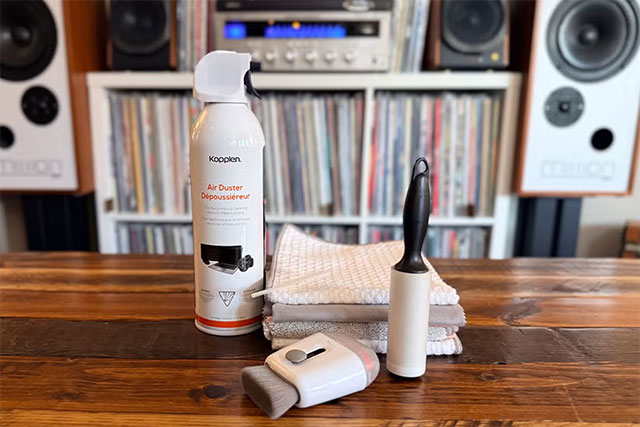
Speakers are sensitive devices, so cleaning them should be done gently. Typically, you will need a few clean microfiber cloths, a soft brush for keyboards or makeup, a few cans of compressed air, a mild wood cleaner if the speaker has a wooden cabinet, a lint roller for the cloth grille, and an electrical contact cleaner such as Deoxide. It is important to avoid alcohol or ammonia-based cleaners, and do not use paper towels, as they can scratch the surface. Also, never spray the cleaner directly onto the speaker membrane.
How to clean speaker boxes
Cleaning the speaker cabinets is pretty simple. Just use a damp cloth to gently wipe them in the direction of the wood grain, then immediately wipe them again with a dry cloth. This is a basic way to remove dust and keep the cabinet clean. If you want to get a little deeper into the wood, you can always look into specialized wood care kits—but that's another story.
How to clean speakers (drivers)
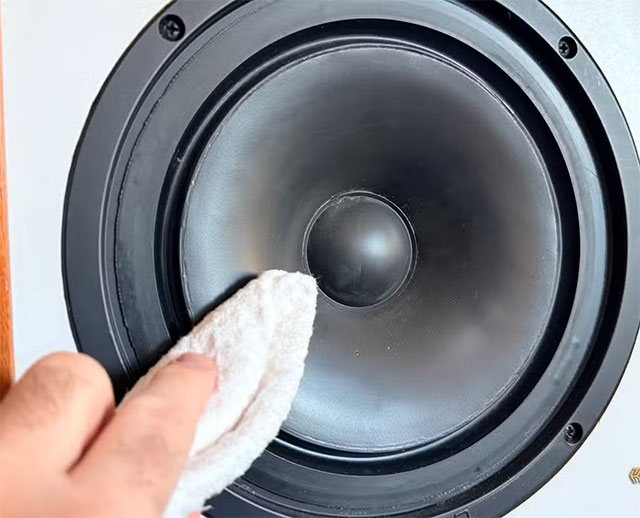
The driver is the most important part of the speaker and is usually made from a variety of materials such as paper, plastic, metal, polymer, wood or Kevlar. For thin paper drivers, you should not use a damp cloth; just blow lightly with compressed air and use a soft brush to dust around it. For more durable types such as plastic or metal, you can wipe it lightly with a damp microfiber cloth and then dry it like the speaker box. If the speaker has a paper center cone, use only a brush or compressed air to avoid distortion or punctures. The rubber or foam ring around the driver can be wiped gently with a damp cloth or a solution specifically for rubber materials.
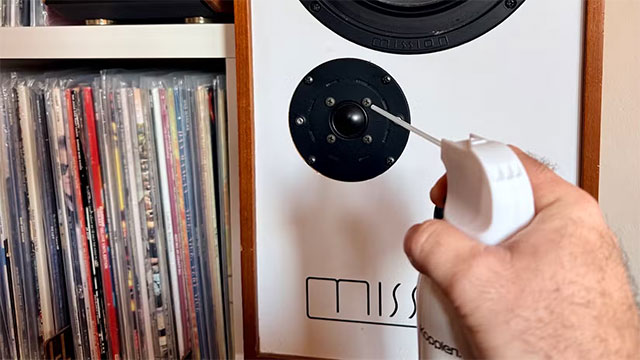
The tweeter is the most delicate part of the speaker. You should not touch or place anything on the surface of the tweeter. The safest way to clean it is to use compressed air from a distance of a few centimeters and use a soft brush to remove the fine dust on the surface. That is enough.
Clean the speaker grille
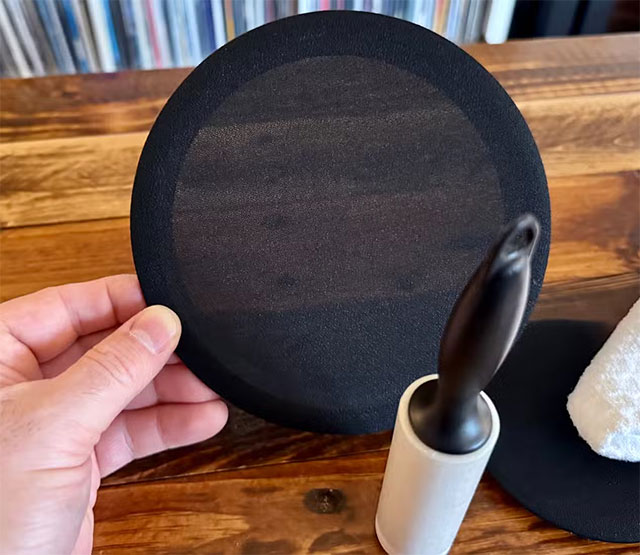
The grille is an extremely important layer of protection for the speaker cones to keep out dust, pet hair, and other debris. With a cloth grille, you can simply use a lint roller to remove dust and hair. If it gets really dirty, remove the grille, lay it flat, and wipe it down with a damp cloth and a little mild soap, then wipe it down with a clean damp cloth before letting it air dry. Plastic or metal grilles are easier—a damp cloth will do, as long as you don't scrub too hard.
Mistakes when cleaning speakers
Many people easily fall into the habit of spraying the solution directly onto the speaker, but this can cause the liquid to seep into the speaker cabinet or diaphragm and leave streaks. You should also not use a vacuum cleaner on the driver because the strong suction can damage the diaphragm. The tweeter is an area that should absolutely not be touched. Finally, do not place the speaker in places prone to grease or near a heater or humidity because this will make the speaker dirty much faster.
Cleaning your speakers regularly will keep your equipment looking great and ensure long-lasting sound quality. A pair of clean speakers will always produce more accurate and authentic sound.
Final Thoughts
Use this guide as a practical checklist for dust is 'killing' your sound —— how to clean speakers properly. Work through the steps in order, verify each result, and adjust the options to match your needs.
FAQ
What do you need before following this Dust Is 'Killing' Your Sound —— How to Clean Speakers Properly guide?
Review the required tools, accounts, settings, or materials mentioned in the article. Explore dust is 'killing' your sound —— how to clean speakers properly.
What are the main steps for dust is 'killing' your sound —— how to clean speakers properly?
Follow the sections in order, especially Why should you clean your speakers?, Prepare the right tools, How to clean speaker boxes. Complete each step before continuing and verify the result as you go.
What should you do if the process does not work as expected?
Recheck the prerequisites, update the relevant app or service, review the settings, and repeat the step that caused the issue. Use any troubleshooting notes included in the guide.
Related Articles
 How to Clean iPhone Speaker: Step-by-Step Guide10 minutes read
 Clean Your Computer Mouse Properly, Remove Dust, Increase Lifespan5 minutes read
 How to Test Surround Speakers on Windows 104 minutes read
 How to Clean iPhone Speakers6 minutes read
 How to Arrange 5. 1 Speakers for Perfect Sound Quality6 minutes read
 3 Sample 5. 1 Speaker for Sound Quality9 minutes read
Reader Comments 0
Sign in with email or Google to join the discussion.