Table of Contents
Explore stop buying 1tb ssds.
SSDs fill up faster than you think
Let's say a user just bought a 1TB SSD. It sounds like a lot, but in reality, you don't have a full 1TB of storage to use.
Manufacturers measure 1TB in decimal units (1 trillion bytes), while operating systems display it in binary units, so the actual capacity is only about 931GB after formatting. Furthermore, SSDs reserve about 7% for overprovisioning – space reserved for internal tasks such as reducing write amplification, garbage collection, replacing faulty blocks, and a host of other background operations.
In theory, that's the case, but in practice, performance decreases even further. Filling an SSD to 80–90% capacity can significantly reduce performance. When the drive is nearly full, the SSD has to work harder: copying valid data to a new block, deleting the old block, and then writing to it—this process creates write amplification and noticeably slows down the machine.
Typically, users should keep about 10–20% of their SSD capacity free for more stable operation. This means that the actual capacity of a 931GB SSD will be reduced to around 740GB if the safe 80% usage is maintained.
Operating systems, drivers, updates, and utility software alone can consume 50–100GB over time. This leaves only about 650GB of free space—and it will shrink rapidly as you install more games or process large files like videos.
In an era where AAA games exceed 100GB and software is constantly expanding, 1TB SSDs fill up much faster than users realize.
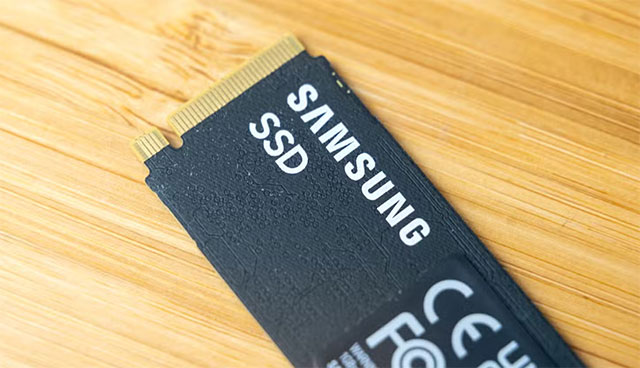
In terms of value, a new 2TB SSD is a worthwhile choice
A 2TB SSD is naturally more expensive than a 1TB SSD, but the value per terabyte is significantly better.
A 1TB PCIe 4.0 SSD costs between $90 and $150. Meanwhile, a 2TB SSD costs only $130 to $150 — meaning it's cheaper per terabyte, even for high-end models.
Up to 4TB is expensive, but when calculated per storage unit, it's still cheaper than 1TB. Some 4TB PCIe 4.0 SSDs are only around $279, or $70 per TB, which is significantly cheaper than lower capacities.
Should you buy a large SSD (4TB or more)?
From an economic standpoint, large SSDs are well worth the money. But for most people, 4TB is a bit excessive – like buying a high-end GPU and then not fully utilizing its potential.
Larger SSDs have a longer lifespan thanks to their TBW (terabytes written) rating, which increases with capacity. For example, the 1TB Samsung 990 Pro has a TBW of 600, while the 2TB version has 1,200. This is a very large number, and most users never reach the TBW limit before replacing their SSD for other reasons.
However, some groups should still opt for a large SSD: content creators, those handling heavy files, video editors, or those with continuous workloads. Even so, they may sometimes need a separate drive for storage or even a full NAS setup to optimize costs.
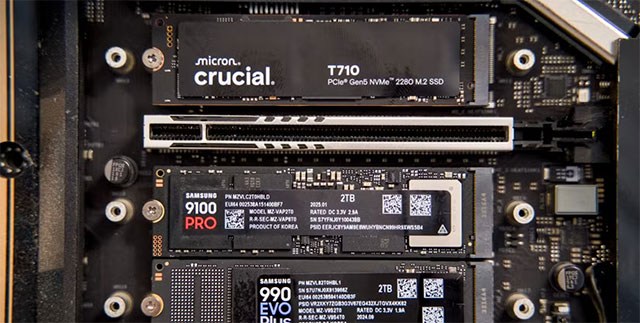
When is a 1TB SSD still a good choice?
If you're not ready to upgrade to 2TB, 1TB is still useful in some situations:
- The user only browses the web, watches movies, and does office work — their needs are light, and they don't install many applications.
- Thin and light laptops typically come with less than 1TB of storage, and they aren't designed for playing demanding games.
- When using a 1TB SSD as the drive for Windows and applications, data is stored on a secondary drive.
- With a limited budget, upgrading to 2TB meant cutting back on other, more important components.
However, it's worth noting that SSD prices can increase over time. Buying now might be cheaper than buying in a few months.
How to choose the right SSD capacity?
When buying an SSD, users should think beyond just read/write speeds. For most users, capacity is more important than speed, unless they frequently handle large files.
Gamers should prioritize at least 2TB of storage, as AAA games these days quickly exceed 100GB. Adding patches, DLC, and mods will cause storage to increase dramatically. If most of your data is software, investing in a large SSD as the system drive is recommended for smooth performance. Conversely, if you only store files, a smaller primary SSD and a larger secondary drive for data storage might suffice.
Final Thoughts
Understanding stop buying 1tb ssds makes it easier to evaluate the information and apply the most relevant recommendations. Focus on the key points above and verify details that may change over time.
FAQ
What is stop buying 1tb ssds?
Explore stop buying 1tb ssds.
What key points does this article cover?
The article focuses on SSDs fill up faster than you think, In terms of value, a new 2TB SSD is a worthwhile choice, Should you buy a large SSD (4TB or more)?, with practical explanations and examples.
How can you use this information in practice?
Use the explanations to compare options, verify important details, and make a more informed decision. Apply the recommendations that best match your goals and situation.
Related Articles
 Attendance of 20 Things Is Wasting Your Money: What Is Wasting Money7 minutes read
 4 Habits to Help You Stop Wasting Time on Your Phone6 minutes read
 Stop Buying Regular USB Flash Drives: USB SSDs Are a Better Choice in 20267 minutes read
 Don't Buy a Portable SSD Just Because of the Speed Rating Printed on the Box7 minutes read
 4 Things to Consider Before Paying for Canva Pro5 minutes read
 7 Tips to Help You Stop Wasting Time on PowerPoint: Practical Guide7 minutes read
Reader Comments 0
Sign in with email or Google to join the discussion.