Table of Contents
Explore the newly released system76 rust-based desktop cosmic for Linux is fantastic.
If you've been following Pop!_OS, you may know that the development team has been working on their own Rust-based desktop environment since 2021, and now that it's finally launched, COSMIC looks like a strong option for many.
COSMIC marks a turning point for System76 from GNOME
It's similar to both the kernel and the desktop environment
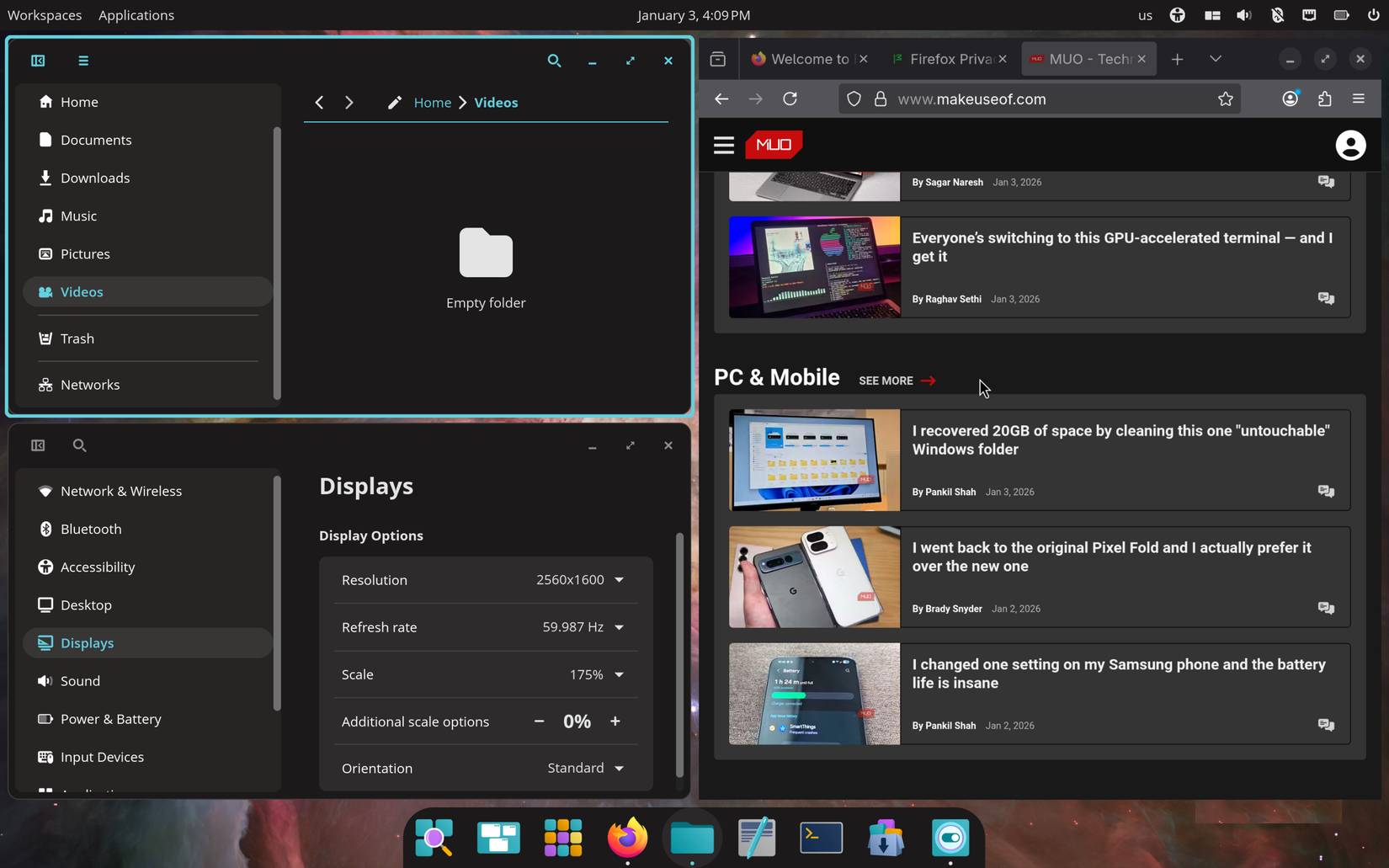
On Linux, the desktop environment is essentially what you interact with every day. It's the software that controls the entire user interface and the overall look of the system. When experimenting with different distributions, you've probably encountered the most popular choices, primarily KDE and GNOME.
If you've ever used Pop!_OS before, you've probably noticed that it uses GNOME, similar to what Fedora uses by default. However, System76, the developer of Pop!_OS, never actually ran GNOME natively. They added their own tweaks, particularly around features like window management and customization.
COSMIC is a brand new desktop environment written in Rust by the same people. It retains the familiar GNOME-style layout, but adds features like window tiling, configurable panels, and you'll be surprised to find it's quite similar to previous versions of GNOME.
Note : It's also worth noting that COSMIC isn't exclusive to Pop!_OS. While it's the default operating system there, you can install and use it on other distributions.
Many people have used it with the COSMIC version of Fedora, and it's also an option with CachyOS, one of the best lightweight distributions you can try. Obviously, you can even install it yourself on any other distribution.
You'll find it familiar right away if you've used Pop!_OS before
It's not very different (in terms of appearance)
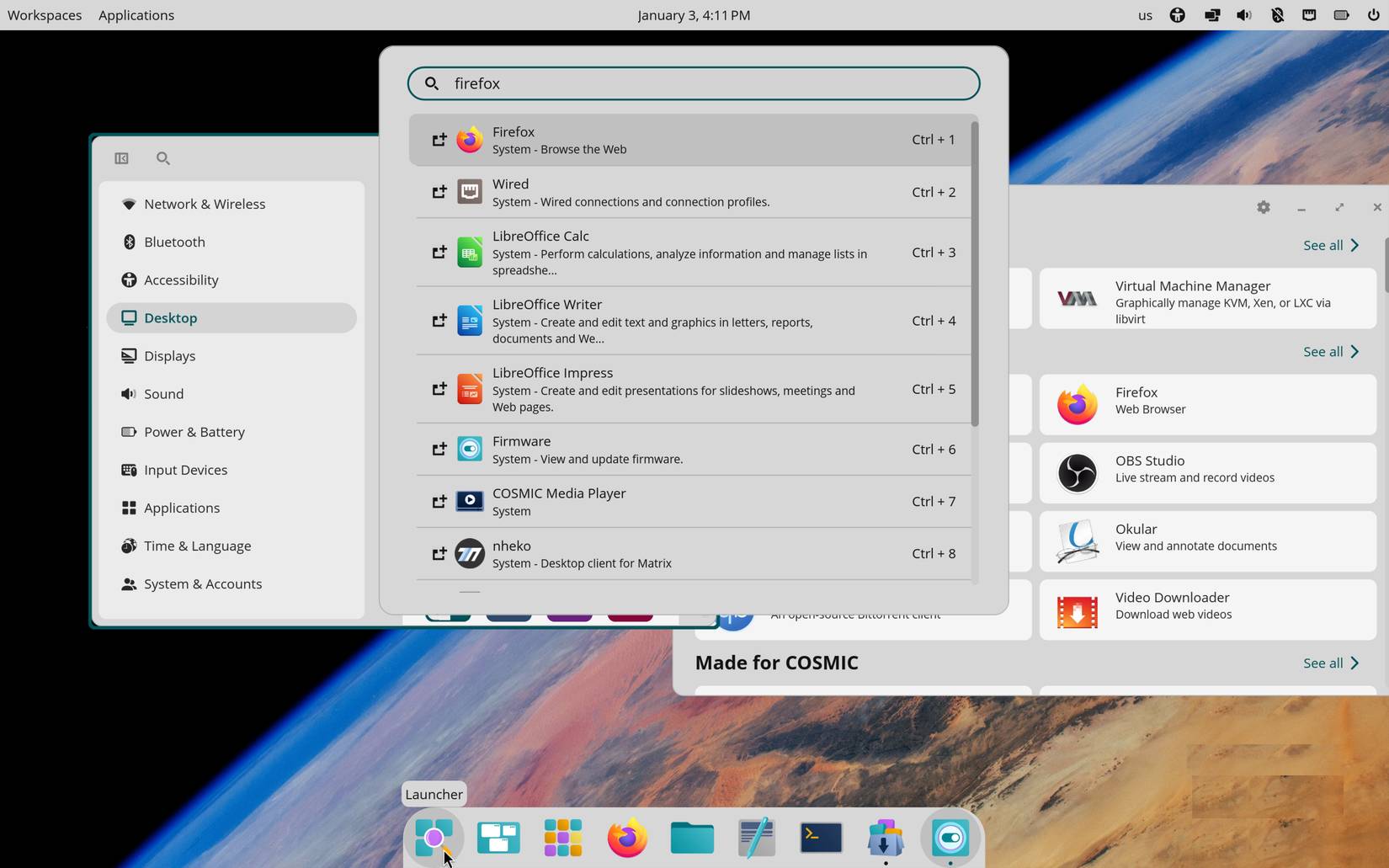
If you've used Pop! OS before, COSMIC won't be much different when you first start it. The overall layout and workflow remain quite similar, which is intentional. COSMIC isn't trying to create an entirely new design language; GNOME has already done that quite well. The focus is on performance, not on overwhelming the user.
Instead of adding numerous extensions on top of an already cumbersome GNOME operating system, COSMIC provides all those features natively. Previous versions of Pop!_OS relied heavily on extensions to add features like window tiling and other workflow tweaks, which worked well, but were certainly resource-intensive by Linux standards.
The same applies to things like the dock. You still have all the familiar options, such as moving it to the left side of the screen or allowing it to stretch across the entire screen. Nothing new if you've used Pop!_OS before, but it's now much faster and more responsive.
You have countless customization options
You can make it look great. or terrible
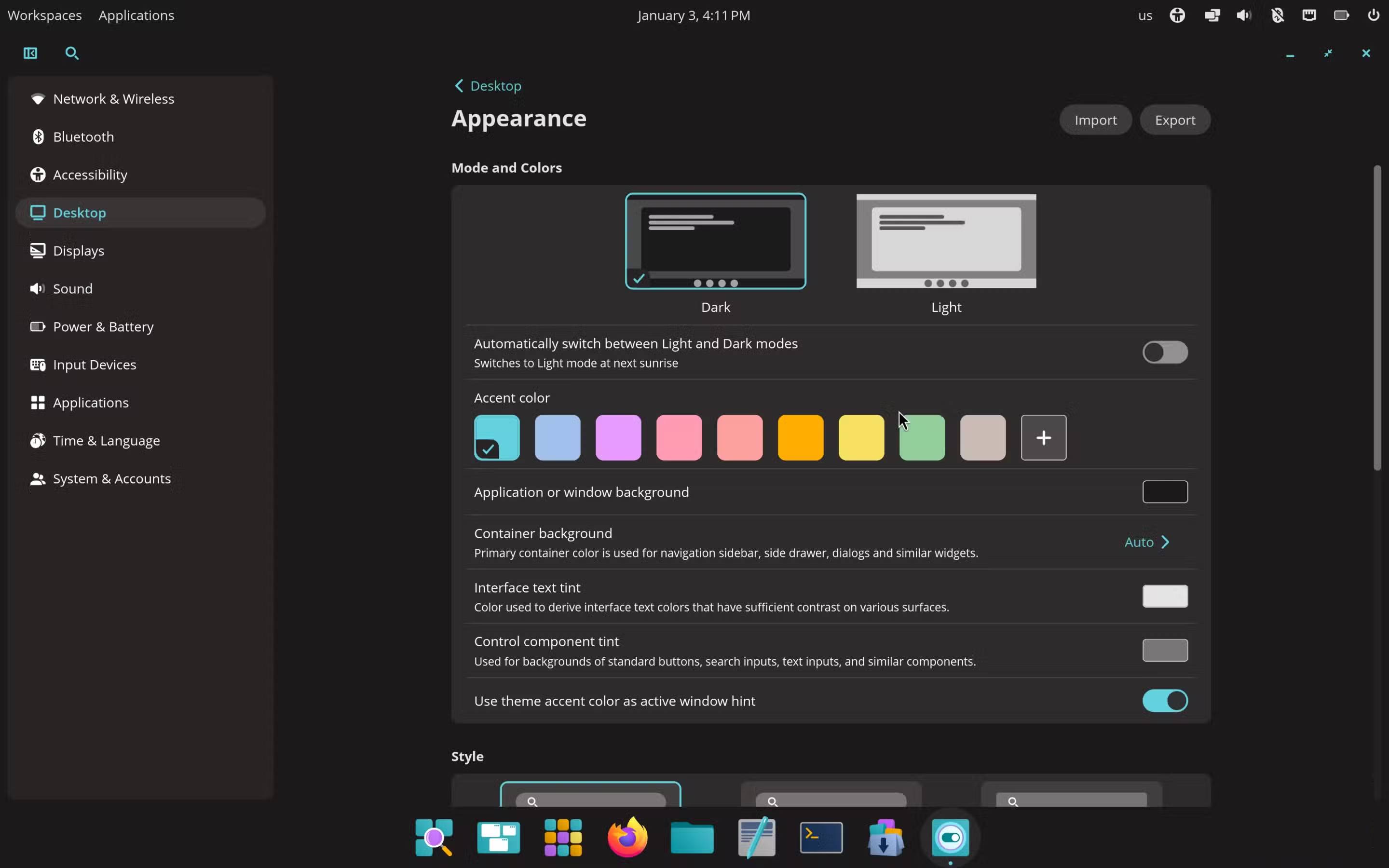
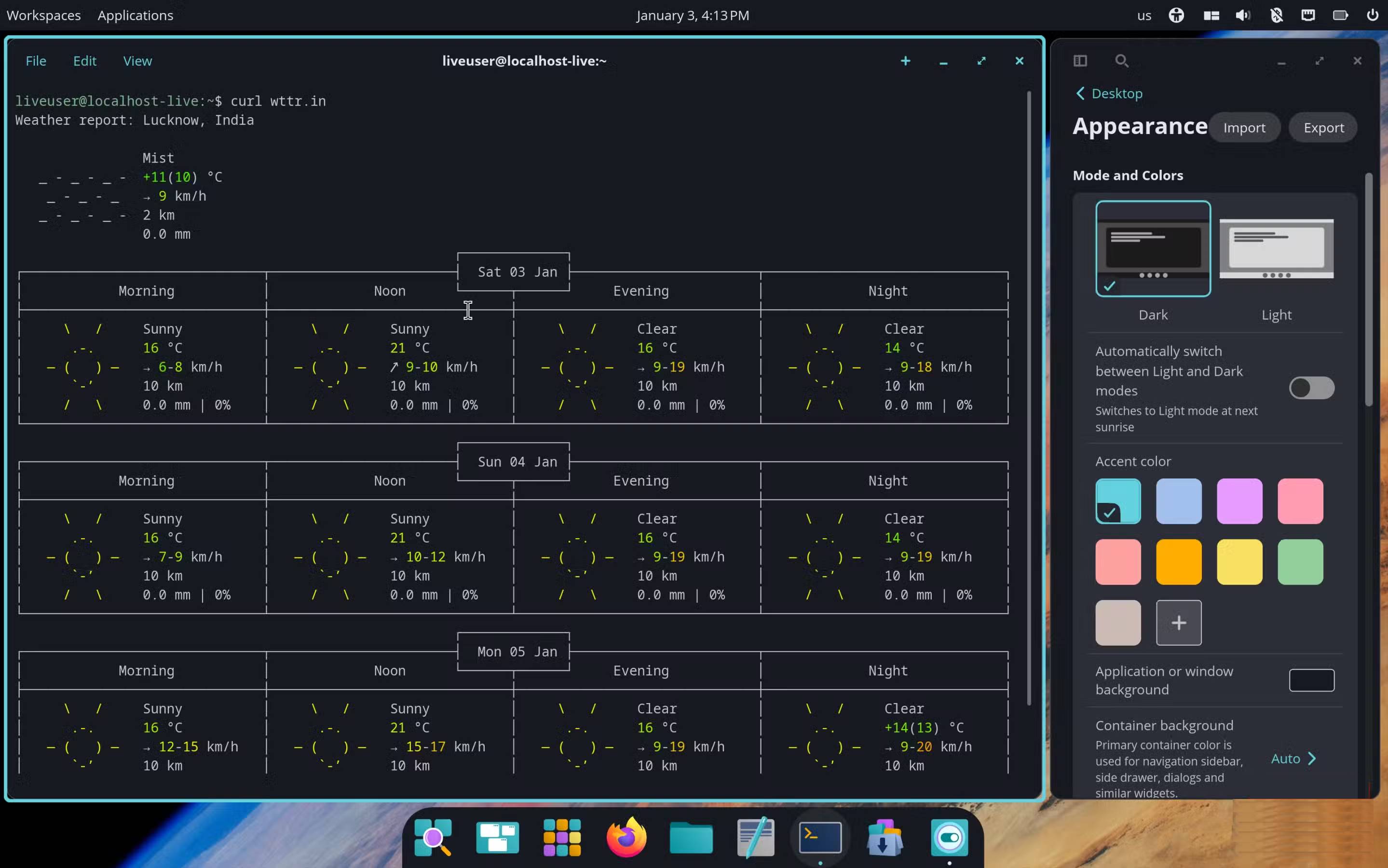
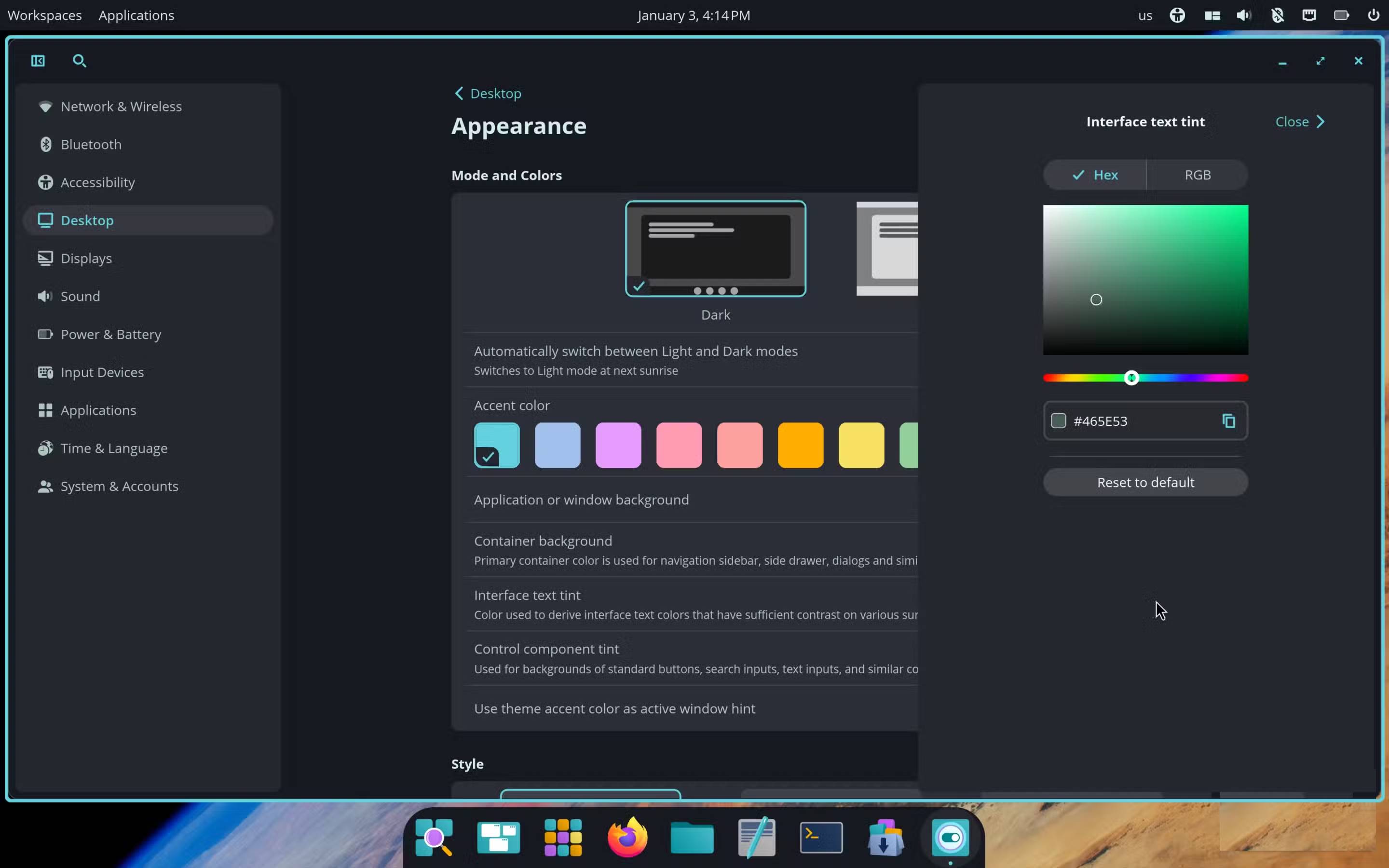
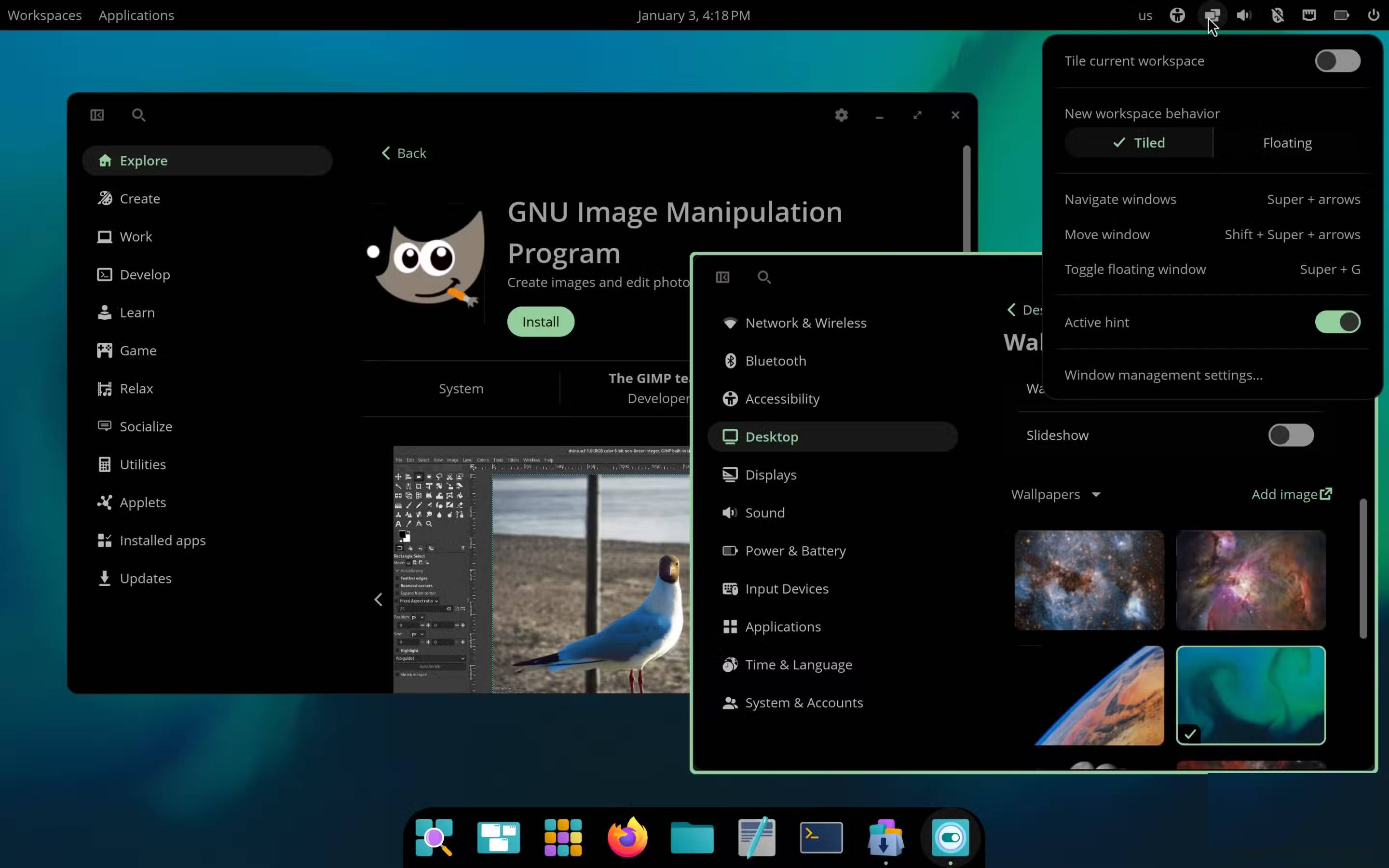
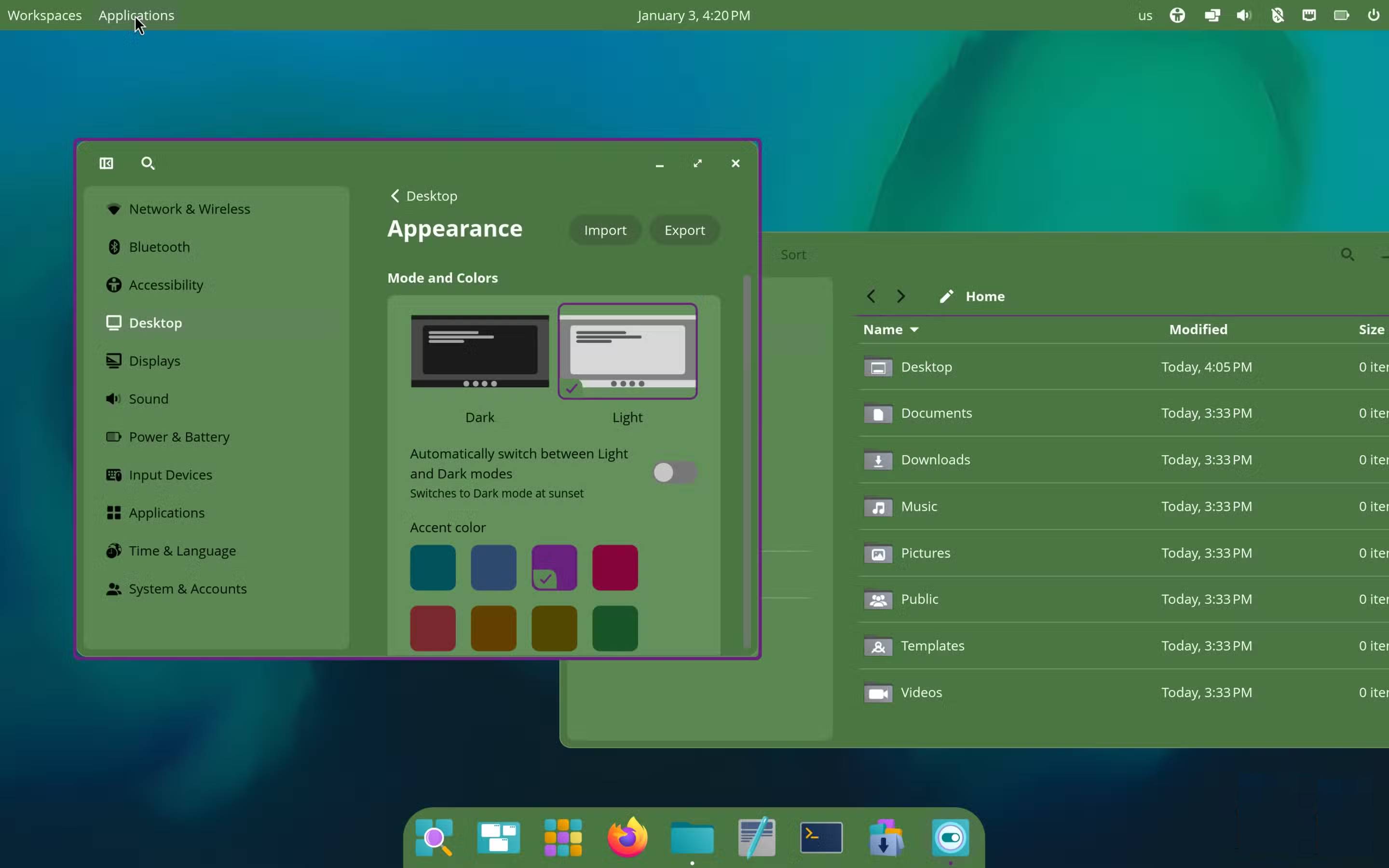
This is definitely one of the best parts of COSMIC. You can change the colors of most of the main UI elements, similar to how Google 's Material Design works or how you can add app icon colors on iOS. And no, it's not limited to just choosing accent colors.
Along with the usual accent color options, you can also choose distinct colors for window backgrounds, interface text, buttons, input fields, etc. Once these changes are applied, they will automatically be applied to all COSMIC applications. However, keep in mind that it does not work with most third-party applications.
Remember, it's easy to get carried away and end up creating a disaster like the fifth image above.
Tip : However, one thing many people will definitely change is the default font. COSMIC uses Open Sans, a font that isn't very suitable for the whole system. Replacing it with a more modern font is definitely worth doing in the first place.
Final Thoughts
Understanding the newly released system76 rust-based desktop cosmic for linux is fantastic makes it easier to evaluate the information and apply the most relevant recommendations. Focus on the key points above and verify details that may change over time.
FAQ
What is the newly released system76 rust-based desktop cosmic for linux is fantastic?
Explore the newly released system76 rust-based desktop cosmic for Linux is fantastic.
What key points does this article cover?
The article focuses on COSMIC marks a turning point for System76 from GNOME, It's similar to both the kernel and the desktop environment, You'll find it familiar right away if you've used Pop!_OS before, with practical explanations and examples.
How can you use this information in practice?
Use the explanations to compare options, verify important details, and make a more informed decision. Apply the recommendations that best match your goals and situation.
Related Articles
 How to Set Up a Rust Environment on Linux5 minutes read
 The Fantastic Four: First Steps: 'Pleasant Enough' but Lacks Tension8 minutes read
 5 Beautiful and Modern Linux Desktop Environments with macOS Styling9 minutes read
 Things to Know About Fearless Concurrency in Rust8 minutes read
 What's Remarkable About the Newly Released GNOME 42?4 minutes read
 How to Check the Desktop Environment You Are Using on Linux5 minutes read
Reader Comments 0
Sign in with email or Google to join the discussion.