Table of Contents
This updated guide examines Instructions: Basic Operations to Remove Fake Security Software and organizes the essential facts, background, and practical takeaways in clear American English.
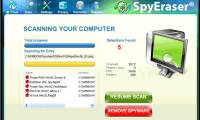
XP Antispyware 2012 XP Antivirus 2012 XP Security 2012 XP Home Security 2012 XP Internet Security 2012
Vista Antispyware 2012 Antivirus Vista 2012 Vista Security 2012 Vista Home Security 2012 Vista Internet Security 2012
Win 7 Antispyware 2012 Win 7 Antivirus 2012 Win 7 Security 2012 Win 7 Home Security 2012 Win 7 Internet Security 2012
However, the process of recognizing and destroying such destructive software is not as difficult and complicated as many people think. Basically, this entire work will be conducted in the following order:
- Fix errors in Registry.
- 'Destroy' processes that are silently active and constantly generated by malware.
- Use tools that are capable of reviewing, detecting and recovering errors and vulnerabilities in the operating system.
Some tools you should use like:
- FixNCR is used to fix Registry errors.
- RogueKiller software to destroy automated processes generated by counterfeit software.
- Software supports Malwarebytes.
The first step is to make sure that the Windows 'Registry' system works correctly with the *.exe files working normally. If you have not completed this step, the infected files will continue to spread and affect other files in the system, so using future support programs will become meaningless.
The next step is to turn off the operation of automated processes generated by these fake programs using the RogueKiller tool mentioned above. Specifically, we conducted another test on Microsoft Windows XP SP3 and Windows 7 Ultimate SP1 operating systems, the results were very positive, the program detected most of the symptoms of the following fake software. when infecting the system, it is also easy to fix all the errors (mostly related to hosts files, proxies, dns.). First, download the RogueKiller.exe file to your computer, operating under Administrator in Windows Vista or 7:
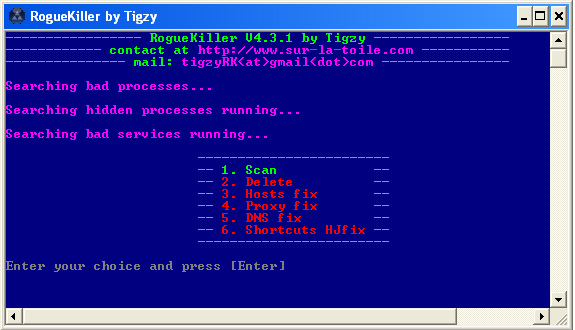 The main interface of the program with 6 different options
Start with the first option - Scan to perform a system check and check, then refer to the information generated in the report file:
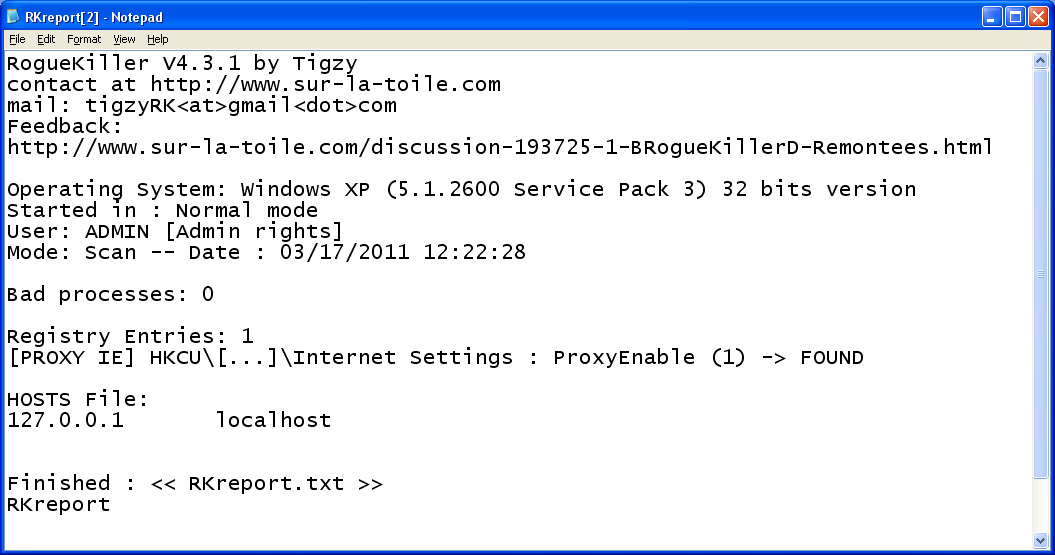
To continue, install a security program that recognizes highly malicious programs, typically MalwareBytes, along with a quick update support file. After scanning the entire system (it is recommended to use the Full Scan option after the update), destroy the malware, fix the infected files and problems with the operating system vulnerability, You should restart the computer. With only 3 simple steps, the probability of our success is about 90%. And to ensure the computer system is absolutely safe, you should equip yourself with security measures based on the 'top' software in the world today such as PC Tools Spyware Doctor, Avira Antivir Premium, Kaspersky Internet Security, ESET Smart Security. Wish you success!
FAQ
What is Instructions: Basic Operations to Remove Fake Security Software about?
It provides a structured overview of instructions, explains the main context, and highlights practical takeaways for readers.
Why does this topic matter?
Understanding the main concepts helps readers evaluate the issue, avoid common mistakes, and make better-informed decisions.
How should readers use this information?
Use the guidance as a practical starting point, confirm details that may have changed, and follow current product, safety, or security recommendations.
Related Articles
 Instructions to Remove the Fake Desktop Security 2010 Application6 minutes read
 Instructions to Remove Fake Antivirus Pro 2010 Security Software3 minutes read
 Instructions to Remove Fake Security Program Cyber Security3 minutes read
 How to Remove Fake Apple Security Alerts on iPhone: Step-by-Step Guide5 minutes read
 Engineering: Some Popular Fake Security Software -- Part 313 minutes read
 How Fake IP: The Best Way to Fake IP Computer, Best8 minutes read
Reader Comments 0
Sign in with email or Google to join the discussion.