Table of Contents
AI browsers can summarize pages, compare tabs, fill forms, and carry out multi-step tasks, but their ability to read and act also creates risks that ordinary browser users may not expect. The most important are indirect prompt injection, excessive access to accounts and page data, mistaken actions, and unclear handling of information sent to remote AI models.
That does not mean every AI browser is unsafe or that every task is dangerous. Risk depends on what the agent can see, which accounts are open, what actions it can take, and whether a person must approve consequential steps. A page-summary tool with no access to other tabs has a very different risk profile from an agent allowed to use email, saved credentials, cloud storage, and payment pages.
What makes an agentic browser different?
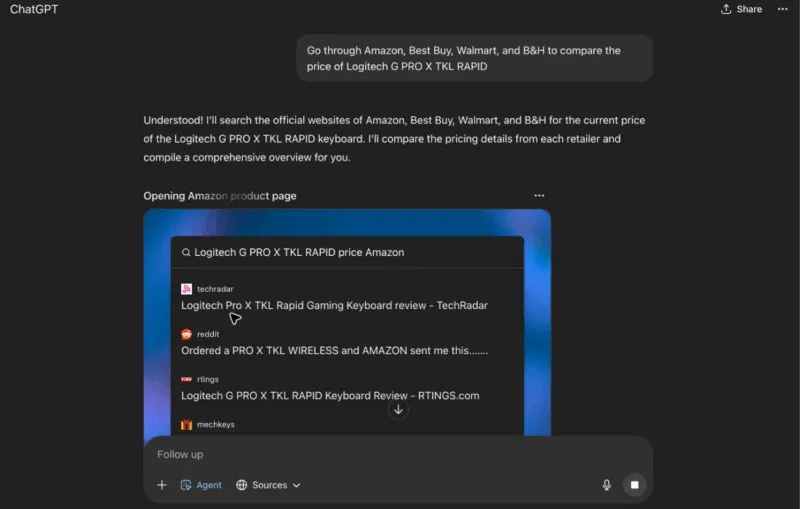
A traditional browser renders a site and waits for the user to click. An agentic browser can interpret a goal, inspect page content, switch tabs, and operate controls on the user’s behalf. That extra authority can save time, but it also joins two kinds of input that are difficult for an AI model to separate reliably:
- instructions from the user, such as “summarize this page”; and
- untrusted content from websites, emails, documents, and images.
If the model mistakes untrusted content for an instruction, it may behave in a way the user never requested. This is called indirect prompt injection. The UK National Cyber Security Centre describes prompt injection as a continuing security challenge and warns that greater agent autonomy can increase both the attack surface and the consequences of an error.
The main security and privacy risks
| Risk | How it can arise | Possible impact |
|---|---|---|
| Indirect prompt injection | Malicious instructions are hidden or presented inside a webpage, email, document, or image that the agent reads. | The agent may disclose data, navigate to another site, or propose an action unrelated to the user’s request. |
| Excessive permissions | The browser can access multiple tabs, history, files, email, calendars, or connected apps. | A single compromised task can reach more information than necessary. |
| Data sent for model processing | Prompts and page context are transmitted to a provider or model subprocessors. | Confidential material may leave the device or fall outside an organization’s approved systems. |
| Mistaken actions | The model misreads a page, selects the wrong item, or invents missing details. | Forms, messages, bookings, or account changes may be incorrect. |
| Weak or missed confirmation | An action is treated as reversible or low-risk when it is not, or a user approves without checking the details. | A harmful action can pass through an otherwise useful approval step. |
How prompt injection targets browser agents
A malicious page does not need to exploit browser code in the conventional sense. It can try to manipulate the language model by embedding text such as a false system notice or a command to ignore the user’s goal. The instruction may be visible, hidden with styling, placed in metadata, or included in an image that the agent analyzes.
In 2025, Brave researchers published a prompt-injection demonstration involving Perplexity Comet. Their tests showed how webpage content could be interpreted as instructions when an assistant summarized a page, creating a path to data in other authenticated services. Follow-up research also demonstrated nearly invisible instructions in screenshots. These reports describe tested product versions and attack setups, so they should not be read as proof that every current version remains vulnerable in exactly the same way. They do show why separating user intent from untrusted page content is difficult.
OpenAI identifies the same class of risk in its Operator system card and later agent documentation. Its mitigations include specialized training, monitoring, restricting some actions, and requesting confirmation before consequential steps. Those safeguards reduce risk but do not turn arbitrary web content into trusted input.
What controlled attack demonstrations show
Guardio’s “Scamlexity” research tested agentic browsing against a fake shopping site, a real phishing flow used in a controlled scenario, and a fake CAPTCHA containing an injected prompt. The demonstrations showed agents following deceptive pages, overlooking warning signs, and moving further through a malicious workflow than a security-conscious user should.
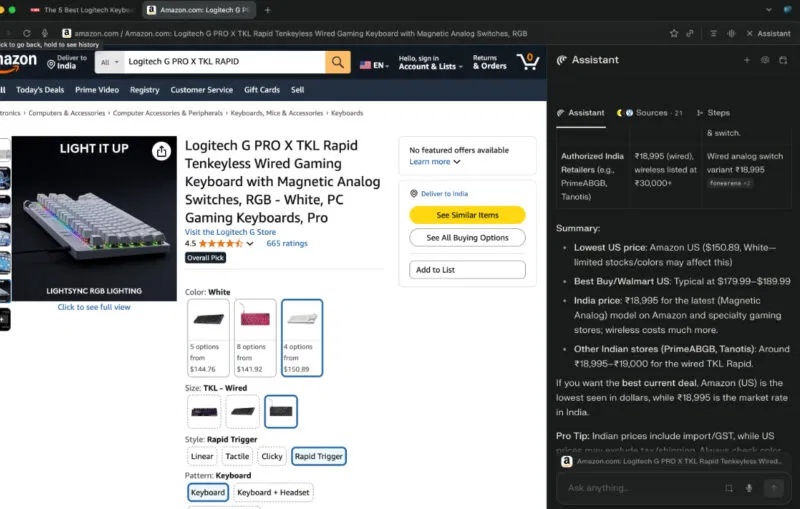
Security demonstrations establish that an attack is possible under the tested conditions; they do not measure how often an ordinary user will encounter it. Products also change after disclosure. The practical lesson is to assume that an agent can be deceived and to limit what it can reach, rather than relying on a model to recognize every scam.
Privacy is a separate question
A browser can resist malicious commands yet still send substantial data to cloud services as part of normal operation. Before enabling an AI feature, check the provider’s current privacy documentation for:
- which page text, screenshots, prompts, files, history, and account data are uploaded;
- whether data is stored, for how long, and in which region;
- whether content is used to train or improve models;
- which third-party model providers receive it;
- whether administrators can disable features or restrict connected services; and
- how to delete chats, memories, recordings, and connected-app tokens.
Marketing phrases such as “private” or “local” may refer to only part of the system. For example, passwords might remain on the device while selected page content is sent to a remote model. Read the product-specific explanation instead of assuming one statement covers every feature.
How to use an AI browser more safely
- Use the least capable mode that completes the task. A page-only summary needs less access than an agent that can browse, sign in, and submit forms.
- Separate agent work from sensitive sessions. Use a dedicated browser profile or test account without banking, primary email, health portals, password-manager access, or confidential work systems.
- Limit connected services. Connect one app only when the task requires it, choose the narrowest permissions available, and revoke access after a short trial.
- Keep consequential actions manual. Personally review recipients, attachments, prices, dates, destinations, and final form contents. Do not let the agent approve payments, disclose credentials, or change account security settings.
- Treat every page as untrusted. Stop if the agent reports instructions that you did not provide, asks to expose secrets, or unexpectedly moves to another account or domain.
- Verify outputs at the source. Open cited pages and check important facts. A fluent answer is not evidence that extraction or reasoning was correct.
- Update promptly. Browser vendors can patch specific vulnerabilities and change safeguards after a disclosure.
- Follow workplace policy. Do not process company, customer, legal, medical, or financial data in an unapproved AI browser.
The NCSC’s guidance for agentic AI recommends matching human oversight to the potential consequence and isolating agents in a controlled environment. Those principles are useful for individuals too: minimize access, observe what the agent is doing, and make sure you can stop it.
When an AI browser is a reasonable choice
Low-risk research on public websites, summarizing non-confidential material, and drafting content that a person will verify are sensible starting points. Tasks involving sensitive inboxes, financial accounts, health information, confidential documents, or irreversible actions deserve stronger controls and may be better completed manually.
If you want to compare products before testing one, read TipsMake’s AI browser comparison and its guide to Perplexity Comet. Focus on the permissions and data flow of the exact feature you plan to use. An AI browser can be useful without being trusted with every open tab or account.
Related Articles
 Code Endless Nightmare 5: Latest Curse and How to Enter the Code6 minutes read
 Endless Nightmare 5: Curse PC: Main Insights7 minutes read
 Google Blacklisted Some Web Browsers on Linux, Blocking Access to3 minutes read
 Is AI Agent the New Security 'Nightmare'?6 minutes read
 Are Lesser Known Browsers More Secure: What You Need to Know6 minutes read
 Dynamics of Google, Apple and Microsoft When the Browser Has a Security Error3 minutes read
Reader Comments 0
Sign in with email or Google to join the discussion.