Article on the subject of "word usage tips"
-

Control formatting when pasting text in Word
in word, you can select one of these options every time you paste text. if you often use one of the options, you can set it as the default option for pasted text.
-
3 ways to insert non-marginal text in Word
usually you think that adding marginal text is a function for publishing software, but word itself can do this.
-
Create a Word document shortcut that is unfinished on the Desktop
instead of having to open the word application, and then go to the file, you can automatically open the final session documents you are working more quickly with a single click.
-
Create a Word document shortcut that is unfinished on the Desktop
instead of having to open the word application, and then go to the file, you can automatically open the final session documents you are working more quickly with a single click.
-
How to keep Word format when sharing documents
when sharing a microsoft word document, if the recipient device does not have the font installed in the document, the text may be changed in a format such as layout, font, ...
-
Fix word sticking errors in Word 2007
word errors in word will affect the content and layout of the entire document. the reason is because it is not compatible with the office suite you are using. so how to handle this situation?
-
Create a quick dot (……………) line in Microsoft Word
tipsmake.com will guide you how to create a 3-dot line in microsoft word 2016, word 2013, word 2010 and older word such as word 2007, 2003 quickly by using keyboard shortcuts.
-
How to repeat the title bar in the Word list table
when adding titles in columns in the list table on word, viewers can easily follow the content. the repeat header rows feature in word will help you do that.
-
Control formatting when pasting text in Word
in word, you can select one of these options every time you paste text. if you often use one of the options, you can set it as the default option for pasted text.
-
Instructions for deleting the recently opened file list in Word 2013
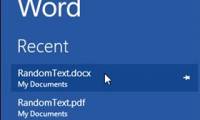
every time you open the word 2013 editing application, the list of recently opened files is displayed in the left pane of the interface. this list also appears when you click the open option in word 2013.
-
11 tips and tricks to use Microsoft Word Online you should know
with microsoft word online, you can use the features needed to create word documents anywhere without worrying about losing files. however, you can take advantage of the tips and tricks below to enhance its power.
-
How to create text inverted, reverse the word in Word
the reversed text and word feature on word will help the content in the article add a more unique, increased effect to the content.
-
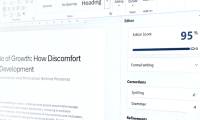
Proofread twice as fast with these 11 helpful Word tips!
editing your own writing is hard enough, but editing quickly is even harder. these built-in features in microsoft word will change the way you proofread.
-
3 ways to insert non-marginal text in Word
usually you think that adding marginal text is a function for publishing software, but word itself can do this.
-
Useful Word tips you should not miss
the tips or shortcuts in word will help users to manipulate faster when editing documents, handling content more easily that you do not have to perform manually as before.
-
Useful tips on Microsoft Word 2016
with word 2016 updated with many new features, some tips will help you to work more effectively in the process of writing text content.
-
How does the word in Microsoft Word jump?
when you enter the content in word, there is a spelling error, although we do not press enter or adjust the vietnamese typing tool on the machine. this may be due to problematic auto-spacing in word.
-
Turn off text input on Word 2013
with word 2013, microsoft has added effects when you enter text that looks very eye-catching. however, if you are a slow typist, this effect is very interesting, but if you are a professional typist then that effect will slow your progress, the display effect will be slower. compared to your
-
Instructions for using the Screenshot Tool in Microsoft Word 2013
it can be said that microsoft word 2013 added a lot of useful features to users, and one of them is the feature of publishing blog posts that has also been introduced to readers beforehand. and today will show you how to use the screenshot tool in word 2013.
-
Tips for using Microsoft Word to edit essays faster
want to edit assignments quickly? here are some helpful microsoft word tips to speed up the editing process and save time.
-
Basic tasks in Word 2013
word 2013 is a word processing application that allows you to create a variety of documents including letters, flyers, reports and many other document documents.
-
7 great Microsoft Word tricks should not be ignored
microsoft word is a powerful tool not only for office workers but also for many other industries.
-
Instructions for using Navigation Pane in Word 2010
in the article below, tipsmake.com will introduce you to the navigation pane in word 2010 - a feature that allows you to jump around your documents. you can search for text, word objects such as tables and graphics, or jump to specific sections and pages.
 Home
Home Tech info
 Technology
 Science
 Life
Life Application
 Electric
 Program
 Mobile
 System