Article on the subject of "quick settings menu windows 11"
-

7 features of Windows 11 that users should experience
after nearly 3 months of official launch, up to now, windows 11 can be considered a relatively successful project of microsoft. although there are still problems and problems that are inevitable, but overall, the new version of windows still offers a positive experience and is increasingly popular.
-
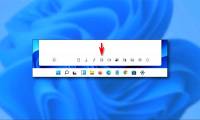
How to use the new 'Quick Settings' menu on Windows 11
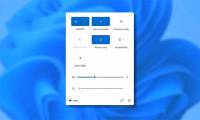
besides the new changes and improvements in interface and features, windows 11 also includes an extremely handy new 'quick settings' quick-access menu menu, replacing the action center on windows 10.
-
How to use the new 'Quick Settings' menu on Windows 11
besides the new changes and improvements in interface and features, windows 11 also includes an extremely handy new 'quick settings' quick-access menu menu, replacing the action center on windows 10.
-
How to customize Quick Access menus in Windows 10 and 8
the following article will guide you to customize quick access menu in win 10 and win 8, making it easier for you to use your computer.
-
How to add and remove folders in the Windows 11 Start menu
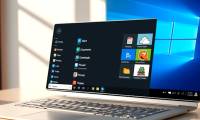
the windows 11 start menu displays all applications, settings, and files. you can also select folders you want quick access to within the start menu.
-
5 ways to fix lost UEFI Firmware Settings menu error in Windows 10
when trying to open the uefi bios menu, you may find that you cannot access uefi firmware settings. this may prevent you from fixing some system problems.
-
Back up Start Menu settings on Windows 10
start menu on windows 10 is one of the useful and customizable tools. you can arrange a new layout on the left to access settings and other locations. in the middle you can quickly access the list of applications you have installed and on the right side you can set live tiles to continuously
-
How is Control Panel and Settings menu on Windows 10 different?
if you just look, you can see that the control panel and the settings menu on windows 10 are quite similar. so you are often confused between these two menus.
-
How to use Bottom Quick Settings to change the location to open Quick Settings
the bottom quick settings application changes the location to open quick settings, not opening from the top as default, but at other positions of your choice.
-
How to add more customizations to Quick Settings on Android
from android 7.0 nougat version to android 8.0 oreo, users can intervene in the quick settings area to add more options for the device.
-
How to search for settings options in the Settings menu on Android
like other operating systems, android possesses 'countless' different settings options. these settings help optimize the user experience, but they also make the settings menu look like a 'mess' at times.
-
How to Get to the Boot Menu on Windows
this wikihow teaches you how to reboot your windows pc to the boot menu. in windows 8 and 10, the boot menu is called startup settings. click the button. it's usually at the bottom-left corner of the screen.
-
How to quickly find specific system settings on Windows 10
are you looking for a specific system setting on windows 10 but don't know where it is located? there are a few quick ways to find the exact setting you need to change. here's how to do it!
-
Microsoft is improving the 'ugly' sound settings interface of Windows 11
there have been many opinions that the first release of windows 11 is a setback compared to windows 10 in many aspects, especially in terms of interface design of some settings areas, such as sound settings menu.
-
Instructions to lock Quick Settings on Android
to prevent others from being able to adjust quick settings on android, you should lock quick settings, following the instructions below.
-
How to Bring Mac Quick Look to Windows
quick look is a feature that helps users preview files without opening the application on mac, for example you can click on a word file and press space to see the content.
-
How to add folder shortcuts to the Start Menu on Windows 11
in windows 11, you can set up shortcuts that correspond to special system folders (such as music, pictures, downloads, and others) to appear in the start menu for quick access. when needed.
-
Instructions to remove the All apps option on Windows 10 Start Menu
on windows 10, start menu is designed quite modern and friendly. in the left pane, users will see some useful programs and quick access options and all apps options. when you click on the all apps option on the start menu, will display all the programs you have installed on the system.
-
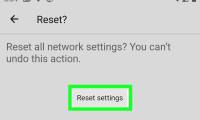
How to Reset Network Settings on Android
today's tipsmake will show you how to delete bluetooth, mobile data, and wi-fi network settings on your android device at the same time. you can reset network settings from the settings menu. however, the settings menu will vary depending on the manufacturer and phone model you are using.
-
Guide to speeding up the context menu on Windows
the windows context menu often becomes sluggish over time, causing frustration and reducing your productivity. here are some settings to speed up the windows context menu.
-
7 features of Windows 11 that users should experience
after nearly 3 months of official launch, up to now, windows 11 can be considered a relatively successful project of microsoft. although there are still problems and problems that are inevitable, but overall, the new version of windows still offers a positive experience and is increasingly popular.
-
How to fix errors that cannot open Start Menu, hang Taskbar and Settings on Windows 11
microsoft has just rolled out a new windows 11 update for both the dev channel and the beta channel. this time, the two updates have been separated into 22449 for the dev channel and 22000.176 for the beta channel.
 Home
Home Tech info
 Technology
 Science
 Life
Life Application
 Electric
 Program
 Mobile
 System