Article on the subject of "desktop"
-

Hard to force 'desktop'
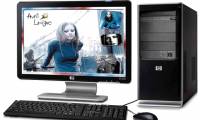
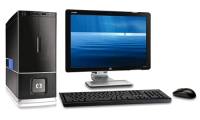
traditional desktop computers have become subdued in the market. but to take a closer look, this type of product still has features that make users consider.
-
The best desktop chip today
when buying a new computer, it is impossible to ignore the processor speed information. choosing cpu is an important decision with many speed options, product line makes you quite hesitant.
-
How to buy a desktop computer
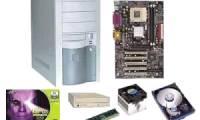
does your computer boot long every time you use it? you tried to install a new game but found out that your graphics card is outdated? or you simply want to test the speed and reliability of the new operating system windows 7 and snow leopard.
-
Overclock CPU, GPU and RAM easily and safely
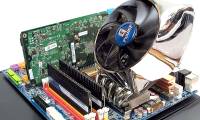
you want to increase the performance of your desktop but don't have much money to upgrade your hardware? the simplest way is to overclock key components such as cpu, gpu and ram so that they work at the highest possible level, of course, ensuring their lifespan.
-
Should you buy a gaming laptop or build your own desktop PC?
if you are interested in the laptop market, it can be seen that in the last few years, gaming laptops have encountered a lot of mockery and ridicule from users, especially the hands play professionally, why is that?
-
Top best gaming desktops
although we can see a clear trend of the gaming world in recent times, the fact that compact gaming machines and portable gaming devices are much more popular, however pc gaming still lives well and even has quite stable sales.
-
Things to know about LCD panel technology
choosing an lcd monitor is one of the most difficult steps in the selection process for desktops. if other components such as ram, cpu, hdd have clear and transparent parameters ...
-
Compare speed of connection standards
your computer (including desktop and laptop) has many different types of connectors. these connections could be usb 2.0, usb 3.0, esata, thunderbolt, firewire and ethernet ...
-
Find desktop computers for Windows 7
in this article, i will show you the desktop models that can run windows 7 but are best suited to your needs and capabilities.
-
CPU: Speed is not all
cpu is the first component you care about when buying a new pc. but to get the right processor, you need to care about many things, not just speed.
-
How to buy a laptop: Choose the right laptop for you
whether it's a compact netbook, a laptop with a healthy configuration like a desktop or a multi-purpose laptop, our advice will help you make the best choice for you.
-
Control the Mac remotely with Apple Remote Desktop
in the following tutorial, tipsmake.com will introduce you to a simple way to control your mac via apple remote desktop
-
Firefox 18 beta for desktop and Android
mozilla has just released a new beta version for its firefox browser, with significant improvements in javascript for better desktop support, retina display support for mac computers, and additional content upgrades. search tuning for android version.
-
Opera launched a new version that supports touch on Windows 8
opera has just officially released version 12.10 of their opera browser with many new features. first of all, the touch support feature on windows 8 operating system is in desktop mode.
-
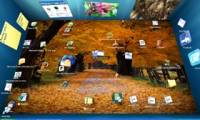
Create 3D images for Desktop with BumpTop
bumptop (provided under two copies, free version and $ 29 pro version) can make windows two-way desktop, turned into a 3-dimensional room. it can help you organize your files and desktop icons, but if you want to get these cool and catchy images you have to spend a lot of your system resources.
-
Watch YouTube videos directly on the Desktop
many of us like to watch youtube videos for entertainment or relaxation, but we don't want to launch the browser to do this, because there are a number of browsers that consume a lot of system resources.
-
Create email filters with Kmail
kmail is a feature-rich email client for desktop users. in this article we will introduce you to kmail's complex email filtering system.
-
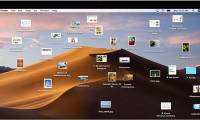
Desktop screens are 'extremely messy' which makes you feel dizzy
join us to check out the extremely messy desktop screens that make you dizzy in the article below!
-
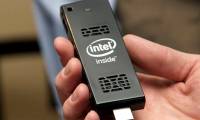
Intel Compute Stick CS125: The Windows 10 computer is just as small as a USB drive
intel compute stick cs125 is a desktop computer that is more portable than any laptop on the planet because it is about the size of a usb drive.
-
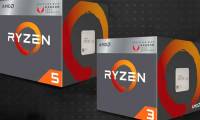
AMD released the first Ryzen-Vega chip combo for desktop computers
advanced micro devices has released the first ryzen chips that incorporate graphics with a desktop processor (cpu).
-
Top 5 best desktops in 2020
if you are looking for a home entertainment system or a high-end gaming system, then desktop is still the best choice.
-
Small tip to help delete 90% of desktop shortcuts
instead of rearranging icons, try a different approach: stop relying on the desktop to open everything and install flow launcher.
-
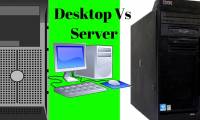
The difference between desktop and server
is the desktop and server the same? if the computer is different from the server, what is the difference? how to distinguish desktop and server? tipsmake.com has summarized some of the main ideas for you to know the desktop and server.
-
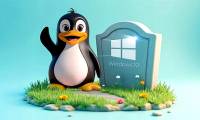
Linux on the Desktop: Still Not Booming Despite Continuous Wins
linux is one of the most popular operating systems in the world — except when it comes to desktop environments.
-
Difference between desktop GPU and laptop GPU
the smaller space inside a laptop shouldn't be the reason your games run slower. the main reason is because desktop gpus and laptop gpus are fundamentally different things.
-
Does Desktop or Laptop Really Save You Money Over Time?
you intend to buy a computer but do not know whether to choose a laptop or a desktop. let's look at the pros and cons of these two types of computers and choose a suitable computer for yourself.
-
Hard to force 'desktop'
traditional desktop computers have become subdued in the market. but to take a closer look, this type of product still has features that make users consider.
-
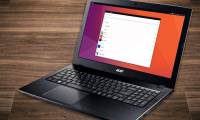
5 major developments in Linux desktop in 2022
linux is the dominant operating system on servers, but it is less known as a desktop operating system. however, the linux desktop has come a long way in the past decade and the momentum is not slowing down.
-
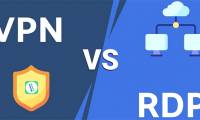
The difference between Remote Desktop (RDP) and VPN
while people are constantly connecting to remote servers to browse the web, talk to friends, and play games, gaining uncontrolled access comes from one of two ways: remote desktop and virtual private network, also known as vpn.
-
5 reasons why Linux distros create their own desktop environment
most of us don't think of the desktop as separate from the operating system. the desktop is what you see on the screen - as with windows or macos. on linux, desktop options are extremely diverse.
-
How to hide and unhide all desktop icons on Windows
many programs installed on windows automatically add icons to the desktop, causing your desktop to become tangled and often have to be removed. if you prefer a clean desktop, you can hide all icons on your computer screen.
-
5 ways to 'Show desktop' super fast for Windows
many people don't know how to display a desktop screen quickly and have to minimize each window. this is very time consuming and frustrating for users. so, this article will show you five super fast 'desktop shows' in windows.
-
Desktop (Desktop)
help you learn about the parts of the desktop (desktop)
-
How to Completely Customize Your Windows Desktop Using Rainmeter
are you bored with the default windows desktop? don't worry, tipsmake.com will bring you a series of instructions to refresh and beautify your desktop.
-
How to 'Show Desktop' very fast on Mac
if you have a habit of storing files off the desktop or when you want to move back to the desktop quickly. macs have lots of ways to help you.
-
Find desktop computers for Windows 7
in this article, i will show you the desktop models that can run windows 7 but are best suited to your needs and capabilities.
-
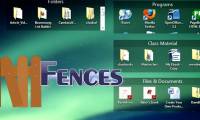
Manage more compact Desktop monitors with Fences
fences software has the function of supporting windows computer users to rearrange desktop screen more neatly, bar different items according to user arrangement. if your computer screen looks messy, you can do it ...
-
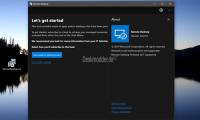
Leaks information about Microsoft's new Remote Desktop application
microsoft is actively deploying the new remote desktop client, optimized for their windows virtual desktop ...
-
How to Make Desktop Icons Bigger
this wikihow teaches you how to increase the size of the icons on your computer's desktop so you can view them more clearly. click on your desktop background image. this will ensure finder is the active app.
-
How to Change Your Desktop Background in Windows
this wikihow teaches you how to alter the image displayed on your pc's desktop background (also known as wallpaper). right-click an empty space on the desktop. doing so will prompt a drop-down menu.
 Home
Home Tech info
 Technology
 Science
 Life
Life Application
 Electric
 Program
 Mobile
 System