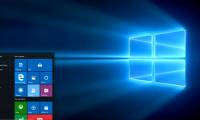
Article on the subject of "customize start menu"
-
How to Customize the Start Menu to Better Navigate Windows 11
you can easily customize the start menu to make accessing the apps and files you use much simpler.
-
How to add tile column on Windows Start menu
by default, windows 10 displays three tile columns in the start menu. it has a hidden fourth column that users don't know.
-
How to fix Pin to Start error on Windows 10
to pin any file to the start menu bar, you'll use the pin to start option. thus, we can access files and programs on the computer faster. but, what if i lost pin to start?
-
Instructions to customize your Start Menu bar on Windows 10
did you know that the windows 10 start menu can be easily customized to make it easier to use for your needs? if you are still wondering how to edit the start menu interface then follow this article. tipsmake.com will guide you to customize the menu in the simplest and easiest way.
-
Personalize the Start Menu of Windows 10
finally, with windows 10 version, microsoft also brought back the familiar start menu button. and of course it also allows users to customize more than before. here are ways you can personalize the start menu the way you want.
-
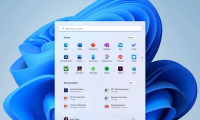
6 tips to customize the Start Menu on Windows 11
windows 11 is an operating system completely redesigned by microsoft, with an interface of soft curved corners combined with a new start menu, bringing a more modern and beautiful look to your laptop.
-
How to Customize the Start Menu to Better Navigate Windows 11
you can easily customize the start menu to make accessing the apps and files you use much simpler.
-
What is Classic Shell? How to use Classic Shell to customize Menu on Windows 10, 8, 7
classic shell is a popular start menu custom application with stability and ease of use and operation. if you're fed up with the default start menu on windows, we can use and change the wind and customize the start menu to make your desktop fresher.
-
Tips to customize the transparency of the Start Menu in Windows 10
windows 10 will definitely run better than windows 8, however, you may still want to change the look of the desktop as you like. simple! you can quickly customize and even change the transparency of the start menu bar in win 10. read on to learn how to do it!
-
How to add tile column on Windows Start menu
by default, windows 10 displays three tile columns in the start menu. it has a hidden fourth column that users don't know.
-
How to fix Pin to Start error on Windows 10
to pin any file to the start menu bar, you'll use the pin to start option. thus, we can access files and programs on the computer faster. but, what if i lost pin to start?
-
How to Customize Windows 10
this wikihow will teach you how to customize windows 10 so you can make it better fit your personality. you can change the desktop background, system colors, the lock screen, themes, start menu, and taskbar. click the start menu icon and...
-
Power user optimization guide Windows 10 menu
when we press the windows + x key combination, there will be an advanced menu, called power user menu, with control tasks on the computer. and you can completely shorten that menu with extremely simple tricks.
-
Customize and restore Start Menu Windows 10 by default
windows 10 has been around for a long time, but not all users know all the functions of this operating system. in this article, tipsmake.com will guide you how to delete the most used applications so that they no longer appear in start menu.
-
3 ways to fix Start Menu on Windows 10 stopped working
start menu is probably the most popular feature of windows 10. however, for some pc versions, this feature may be corrupted. in this article, tipsmake.com will guide you how to fix start menu errors on windows 10.
-
6 ways to customize the Start Screen screen in Windows 8
start screen - the current start menu on windows 8, with many changes has created a lot of excitement for users. if on the start menu of previous windows versions you don't have many options to personalize it, then with windows 8 start sreen, you can completely change your personal preferences.
-
How to Move Windows 11 Start Menu to the Left
if you don't like windows 11's start button in the middle of the taskbar, you can move the start menu and application icons back to the left corner in just a few quick steps. although there is no longer a vertical taskbar, you can still customize the taskbar in other ways, such as auto-hide and
-
How to Customize the Windows 10 Start Menu
windows 10 offers the most customizable start menu in the entire history of the windows operating system. from changing the color to choosing side folders and configuring tiles, there's so much that can be done to make it look less...
-
How to use PowerToys Run as a Start menu replacement
powertoys run, part of microsoft's hidden toolset, turns out to be the perfect start menu replacement.
-
Instructions to remove the All apps option on Windows 10 Start Menu
on windows 10, start menu is designed quite modern and friendly. in the left pane, users will see some useful programs and quick access options and all apps options. when you click on the all apps option on the start menu, will display all the programs you have installed on the system.
-
How to add and remove folders in the Windows 11 Start menu
the windows 11 start menu displays all applications, settings, and files. you can also select folders you want quick access to within the start menu.
-
Windows 11 is hiding a second Start menu: Why should you use it?
most windows 11 users know about the regular start menu with its colorful tiles and suggested apps. but microsoft has hidden a second start menu that you should definitely use.
-
How to pin any file to Start Menu on Windows 10
on windows 10 you can easily pin an any file on the start menu. to do this, please refer to the following article of network administrator.