How to Remove a Device from Your Apple Account
Review the devices signed in to your Apple Account and remove an old or unfamiliar iPhone, iPad, Mac, or other device safely from Settings or the web.
Fix Windows problems, troubleshoot devices, understand AI, secure your accounts and get more from your technology with tested step-by-step guides.
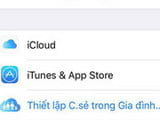
Review the devices signed in to your Apple Account and remove an old or unfamiliar iPhone, iPad, Mac, or other device safely from Settings or the web.
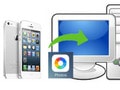
Import iPhone or iPad photos to Windows with the Photos app or File Explorer, transfer them to a Mac with Photos, and fix common cable and format problems.

Move local music, compatible videos, and photo folders from a computer to an iPhone or iPad with Apple Devices on Windows, Finder on Mac, or legacy iTunes.

Install iTunes safely from the Microsoft Store or Apple, update either edition correctly, check the installed version, and troubleshoot a failed update.

Remove either the Microsoft Store or classic desktop edition of iTunes safely, preserve your media library, and clean up related Apple components only when necessary.

Troubleshoot iTools connection and compatibility errors by checking the cable, trust prompt, Apple device drivers, software versions, and safer alternatives.

Diagnose an iTools detection error, verify Apple's Windows components, use the app's repair option cautiously, and avoid removing required device drivers too early.

Create a custom iPhone ringtone from an audio file using GarageBand on the phone or the legacy iTunes M4R workflow on a Windows PC.

Delete a credit or debit card from your Apple Account on iPhone, Mac, or Windows, and resolve subscriptions, balances, or Family Sharing issues that block removal.

Install iTunes safely on Windows 11, understand Apple's newer Music, TV, and Devices apps, sign in, import media, sync an iPhone, and create an encrypted backup.

Install 3uTools from its official source, connect and trust an iPhone or iPad, review its management tools, and avoid risky flashing, jailbreak, and account actions.

Install iTunes safely on Windows 10, understand the limits of Windows 7 and 8.1, use the classic Apple installer, and fix common setup or device-detection problems.
Transfer local songs from a Windows PC to an iPhone without iTunes syncing, then create playlists, edit track details, and avoid accidental deletions.
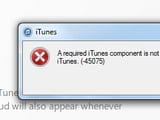
Resolve iTunes error 45075 with current Windows updates, a clean Apple or Microsoft Store installer, safe component cleanup, and security-software checks.

Send photos, videos, audio, and documents between a computer and iPhone with a one-time key, then save each file in the correct iOS app.

Download jetAudio from its official site, verify and run the Windows installer, review the licence and options, and complete a safe first-time setup.

Understand why this legacy Windows TV player and its outdated media dependencies should not be installed on a current PC, and choose safer streaming options.

Choose a maintained codec pack, avoid bundled offers, select only the playback components you need, and troubleshoot unsupported video or audio on Windows 7.

Install the correct KMPlayer edition for Windows, open local videos, use playback and capture controls, and fix stuttering or black-screen problems.

Find the official broadcaster for a match, stream it on a computer or phone, cast it to a TV, and fix buffering without relying on unsafe pirate links.