Table of Contents
If iTools cannot see an iPhone or iPad, first check whether Windows and Apple's own software can detect the device. A working data cable, an unlocked device, the Trust This Computer prompt, and current Apple device drivers are all required. Reinstalling or removing components should come later.
1. Check the physical connection
- Unlock the iPhone or iPad before connecting it.
- Use a USB cable that supports data, not a charge-only cable.
- Connect directly to another USB port rather than through a hub.
- Check the device's charging port for debris.
- Tap Trust on the device and enter its passcode if prompted.
2. Test with Apple Devices or iTunes
Open Apple Devices or iTunes and reconnect the phone. If Apple's app also cannot see it, the problem is probably the cable, trust relationship, Windows driver, or Apple software—not iTools alone. Apple's device-recognition checklist covers the supported diagnostic sequence.
If Apple Devices detects the phone but iTools does not, update iTools from its official publisher or contact its support team. A third-party device manager may lag behind a new iOS release.
3. Update the software and drivers
- Install current Windows updates and restart the PC.
- Update Apple Devices or iTunes from the Microsoft Store. For an older direct-download edition, use Apple Software Update.
- Update iOS or iPadOS if a compatible update is available.
- Open Device Manager and check for a warning symbol beside the connected iPhone or Apple Mobile Device USB driver. Let Windows search for an updated driver.
See how to update iTunes if the PC still uses the classic app.
4. Restart the connection software
Close iTools and Apple apps, disconnect the device, and restart both the iPhone and PC. Reconnect after Windows loads, approve the trust prompt, wait until Apple Devices or iTunes detects the phone, and then open iTools.
5. Repair or reinstall before removing drivers
The original instructions opened Control Panel and removed Apple Mobile Device Support. That should not be the first fix: iTools may rely on that component to communicate with iOS devices.
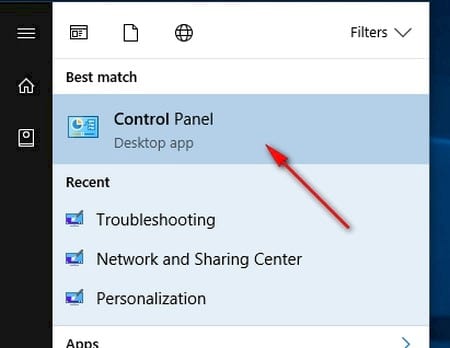
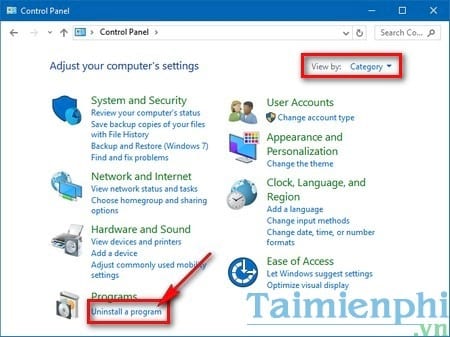
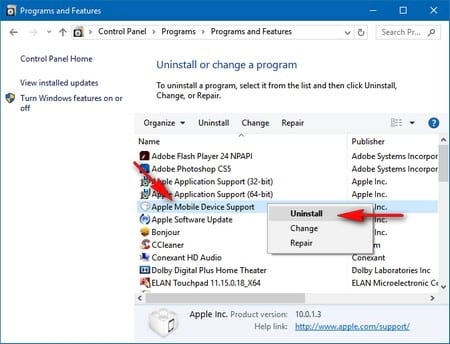
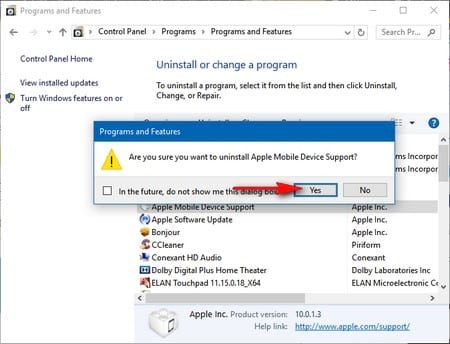
Use those legacy screens only if you are intentionally performing a clean reinstall. Back up important data, uninstall iTunes or Apple Devices through Windows, restart, and reinstall the current software from Apple or Microsoft. Removing Apple components can also affect iCloud for Windows and other Apple apps.
When to stop troubleshooting iTools
iTools is a third-party product, not an Apple utility. Do not use unofficial installers, cracked builds, or tools that ask you to disable device security. If the official current release still does not support your iOS version, use Apple Devices, Finder, iCloud, or another well-supported transfer method instead.
For photos, follow the built-in method to copy iPhone photos to a computer. For other media, the guide to transfer music, videos, and photos explains Apple's current and legacy workflows.
Related Articles
 How to Fix ITools Error Not Receiving iPhone3 minutes read
 How to Fix the iTools Error Where It Doesn't Recognize iTunes4 minutes read
 Are There Ways to Delete Music on iPhone?7 minutes read
 How to Prevent iTunes from Automatically Syncing When Connecting iPhone4 minutes read
 Copy the Image to Your iPhone Using Send Anywhere4 minutes read
 How to Fix ITunes Error Not Getting Connected to iPhone6 minutes read
Reader Comments 0
Sign in with email or Google to join the discussion.