Table of Contents
To watch a football match online, first identify the official broadcaster for your country and competition, then use that broadcaster's website or verified app. Broadcast rights change by tournament, season, and location, so an old “free stream” list is not a reliable guide.
The Euro 2024 link referenced in the original article is obsolete and has been removed.

Find the legal stream for the match
- Check the competition, league, club, or national team's official website for broadcast information.
- Confirm your country or region. The same match may use different broadcasters elsewhere.
- Open the broadcaster's official site or follow its App Store or Google Play link.
- Check whether an account, subscription, TV-provider login, or one-off payment is required.
- Verify the kickoff time and time zone in the official schedule.
In Vietnam, VTVgo is Vietnam Television's official online platform for live channels, catch-up programmes, news, entertainment, and sports. A match appears there only when VTV holds or is authorized to provide the relevant rights; do not assume every league is included.
Watch on a computer
- Use a current Chrome, Edge, Firefox, or Safari release.
- Sign in to the official service and open its live schedule or channel guide.
- Select the match and choose Auto quality initially. Switch to a lower resolution if the connection is unstable.
- Use full-screen mode, or connect the laptop to a TV with HDMI.
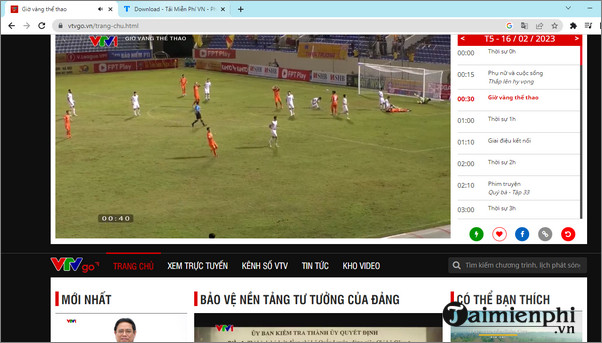
VTVgo and similar broadcaster sites show the currently airing channel and programme schedule.
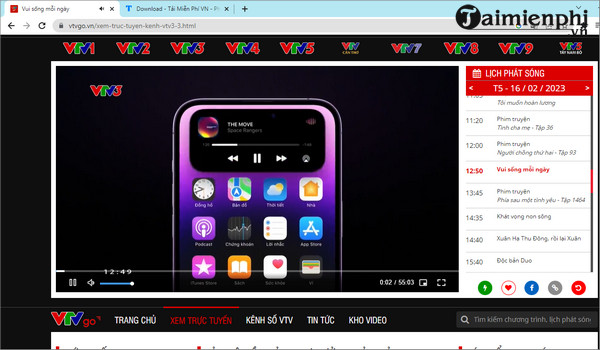
Catch-up availability varies by programme and licensing; an old match may be unavailable even if ordinary shows remain in the archive.
Watch on a phone or tablet
- Install the broadcaster's verified app from the device's official app store.
- Sign in and allow only the permissions needed for playback.
- Open Sports, Live, or Schedule and select the match.
- Use Wi-Fi when possible, or set a data-quality limit before streaming on mobile data.
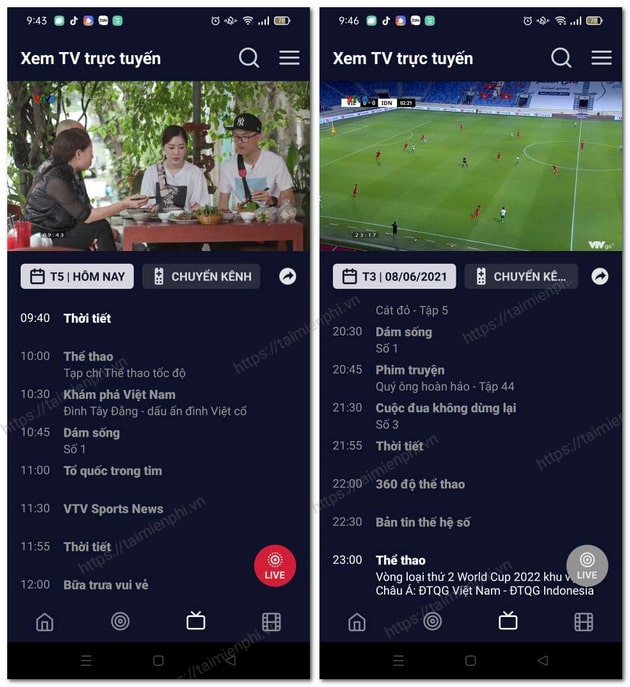
To watch on a larger screen, use the app's built-in Cast or AirPlay button, a compatible smart-TV app, or an HDMI adapter. Screen mirroring may be blocked for rights-protected video, so use the official TV app when available.
Why SopCast and random Ace Stream links are not recommended
The original guide suggested peer-to-peer stream links without establishing whether those links were authorized. Such sources can expose the viewer's IP address to peers, install unwanted software, redirect to scams, and infringe broadcast rights. Ace Stream is a transport technology, not proof that a channel is licensed.
Avoid pages that ask you to disable antivirus software, install a browser extension, enable notifications, or enter payment details outside the official service. Close fake play buttons and do not download “special codecs” from a streaming page.
Fix buffering or poor picture quality
- Run a connection test and stop large downloads on the same network.
- Move closer to the Wi-Fi router or use Ethernet on a computer or TV.
- Choose a lower resolution rather than repeatedly refreshing the stream.
- Close extra browser tabs and restart the app or device.
- Disable a VPN if it conflicts with the broadcaster's regional rights checks.
- Try the service's official app if the browser player fails.
If the stream is down for everyone, use the broadcaster's status or support page; a faster internet connection cannot fix a source outage.
For other legitimate viewing options, compare free TV streaming services and TV apps for phones. Always re-check availability, pricing, and regional rights on the provider's current page.
Related Articles
 Guide to Watching Football Online Using Sopcast on Smart TV6 minutes read
 How to Watch Live Football with Ace Stream7 minutes read
 Guide to Watching Football on Sopcast Android5 minutes read
 How to Watch Live Football on Android with Ace Stream8 minutes read
 Guide to Watching the AFF Suzuki Cup 2016 Live Online4 minutes read
 How to Use Sport Streaming to Watch Football on Windows 103 minutes read
Reader Comments 0
Sign in with email or Google to join the discussion.