Table of Contents
The Windows 10 May 2020 Update is version 2004, an obsolete release whose original ISO links are no longer current. This article now serves as a feature archive and explains what to consider if you encounter old 32-bit or 64-bit installation media.
ISO availability and architecture
Microsoft-generated ISO links expire, and Media Creation Tool changes which release it provides. Do not use an unofficial mirror simply because it labels a file “May 2020 Update.” For an actively used PC, use the current Windows 10 update instructions or a newer supported Windows release.
A 64-bit image is appropriate for a compatible 64-bit processor and is the practical choice for most PCs. A 32-bit image exists for legacy hardware and applications but cannot run 64-bit software and has significant memory limitations. Check Settings > System > About before choosing media for an existing installation.
Optional updates in one place
Version 2004 continued Windows Update’s clearer separation of feature, quality, and optional driver updates. In its Settings layout, optional items appeared under Settings > Update & Security > Windows Update > View optional updates. A driver should not be installed merely because it appears there; prefer the PC manufacturer’s package when it addresses a known problem.
Cortana became a movable app
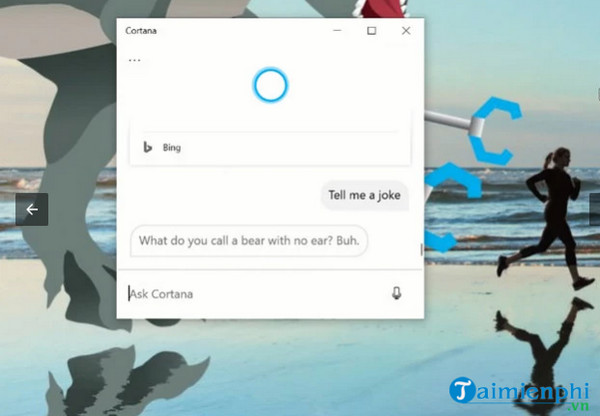
Cortana moved toward a separate, chat-style application that could accept typed questions and be resized or moved like other windows. Availability and capabilities depended on the language, region, account, and later Microsoft changes.
Cloud download for Reset this PC
The recovery interface added Cloud download, allowing Reset this PC to obtain a fresh Windows image instead of relying only on local recovery files. Resetting can remove applications and, depending on the selected option, personal files. Back up first and review the final summary before continuing.
Search and Task Manager improvements
Windows Search indexing was adjusted to reduce heavy disk activity under certain conditions. Task Manager also identified each disk as an SSD or HDD and could show GPU temperature on supported graphics hardware and drivers.
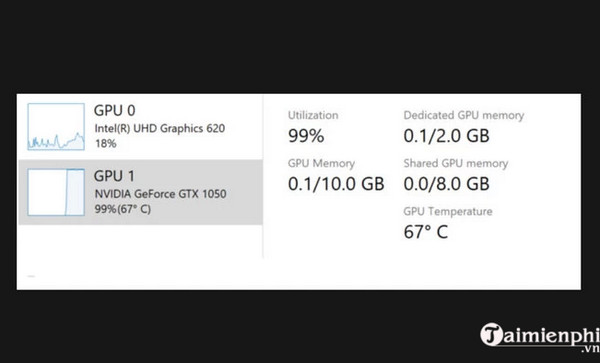
Press Ctrl + Shift + Esc and open the Performance tab to view available hardware data. GPU temperature is not the same as CPU temperature and may be absent on unsupported devices.
Sign-in and passwordless options
Compatible devices could rely more heavily on Windows Hello methods such as a PIN, fingerprint, or face recognition. A Windows Hello PIN is device-specific; it is not simply a shorter replacement for a Microsoft account password.
Virtual desktops and application restart controls
Task View allowed virtual desktops to be renamed, making workspaces such as “Work,” “Study,” or “Testing” easier to identify.
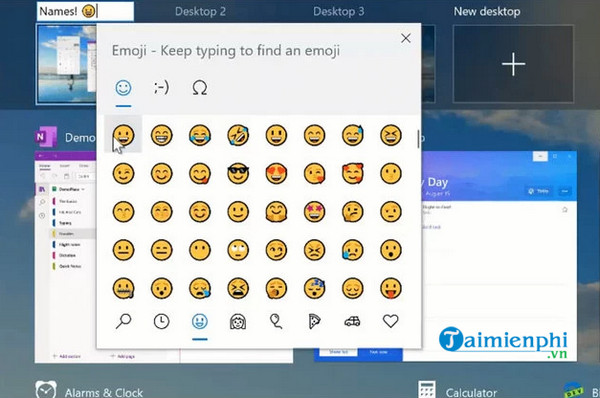
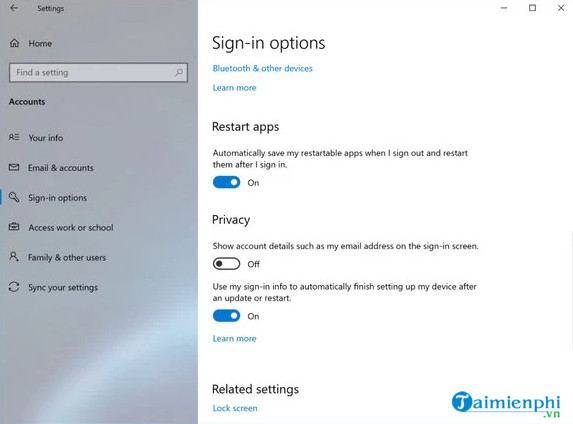
Settings also added clearer control over whether registered applications could save their state and reopen after sign-in. This did not apply to every program.
Other notable changes
- Windows Subsystem for Linux 2 introduced a real Linux kernel architecture and improved file-system performance for many workflows.
- Xbox Game Bar could display an FPS counter on supported games.
- The Network Status page presented active connections and data usage more clearly.
- Supported network cameras could be discovered and associated with Windows camera applications.
- Paint and WordPad were listed as optional Windows features that could be removed and restored.
Installing Windows safely
Version 2004 should not be newly deployed on a normal internet-connected PC. If an isolated legacy environment requires it, use verified organizational media, confirm the edition and architecture, and avoid sensitive accounts. For bootable media, backups, and clean-install preparation, consult the Windows installation and recovery guides.
Related Articles
 Difference Between 32-bit and 64-bit Windows?7 minutes read
 Link to Download Windows 10 32bit and 64bit Iso File Without4 minutes read
 6 Things to Know When Choosing 32-bit or 64-bit Windows 7?6 minutes read
 Discussion - Can I Run a 64-bit Application on a 32-bit Operating5 minutes read
 Download Ghost Win 10 32bit - 64bit Light, Get Self Full Driver4 minutes read
 Download Link for Adobe After Effects 32bit, 64bit FULL Standard Free: Explained6 minutes read
Reader Comments 0
Sign in with email or Google to join the discussion.