Table of Contents
Windows 10 version 1903 is an obsolete release. Microsoft’s current download tools no longer provide it as the latest Windows 10 image. This page preserves the Media Creation Tool workflow used when version 1903 was available, but it should not be treated as a source of working 1903 download links.
For an actively used PC, follow the current Windows 10 update guide. If you need installation or recovery media, also review the Windows installation and recovery guides.
What changed in Windows 10 version 1903
Version 1903, also known as the May 2019 Update, introduced a light visual theme, separated Windows Search from Cortana, revised the Start menu and Action Center, expanded update controls such as Active Hours, and added Vietnamese Telex and Number-key based input methods. These details are historical; they are not reasons to install an unsupported build today.
Why the old download links no longer work
Feature-update ISO links are not permanent archives. Media Creation Tool normally downloads the release Microsoft currently offers, and direct links generated by Microsoft expire. A third-party file named like an official ISO is not proof that it is genuine.
Archived Media Creation Tool steps
The screenshots below show the tool as it appeared when Windows 10 version 1903 was current. The wording and available release may differ in a current copy.
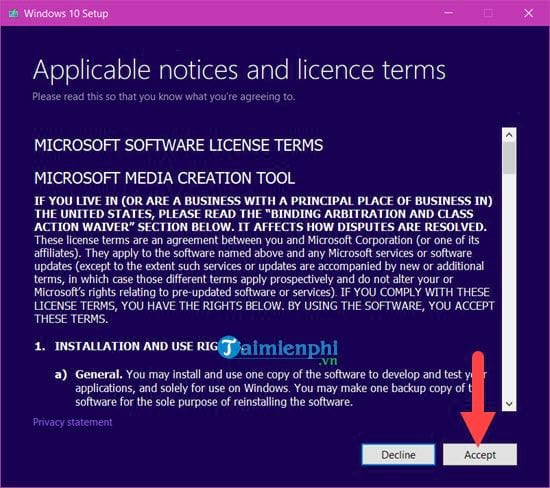
Step 1: Open Media Creation Tool and wait for setup to initialize. Read the license terms, then select Accept if you agree.
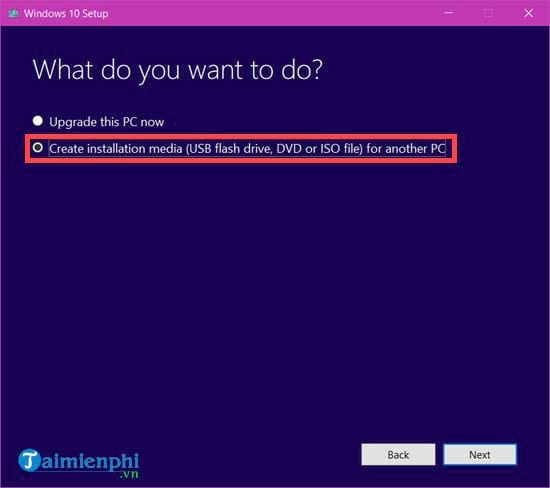
Step 2: Choose Create installation media (USB flash drive, DVD, or ISO file) for another PC, then select Next.
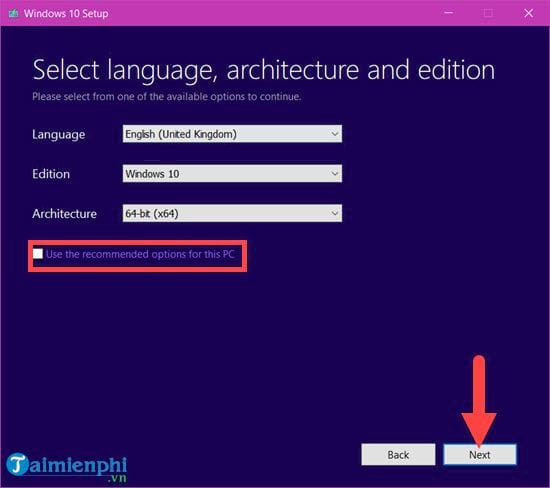
Step 3: To change the language, edition, or architecture, clear Use the recommended options for this PC. Select settings that match the target computer and its license.
Step 4: Select ISO file. This saves an image that can later be mounted, written to a DVD, or used to create a bootable USB.
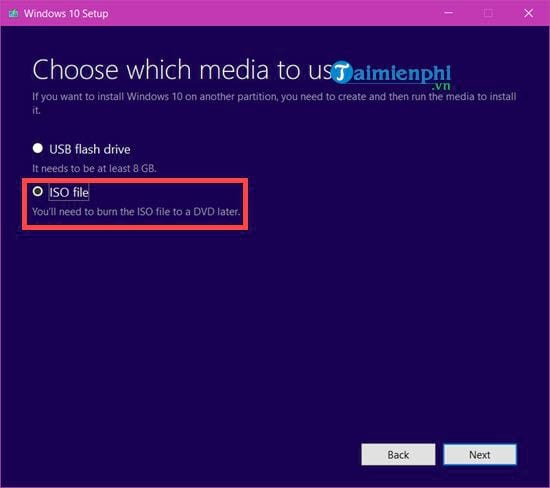
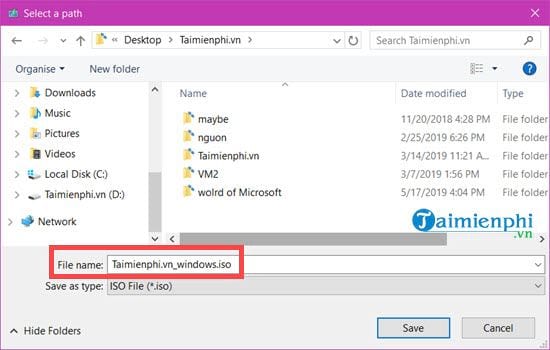
Choose a filename and a location with enough free space. The tool downloads and verifies the image before it reports completion.
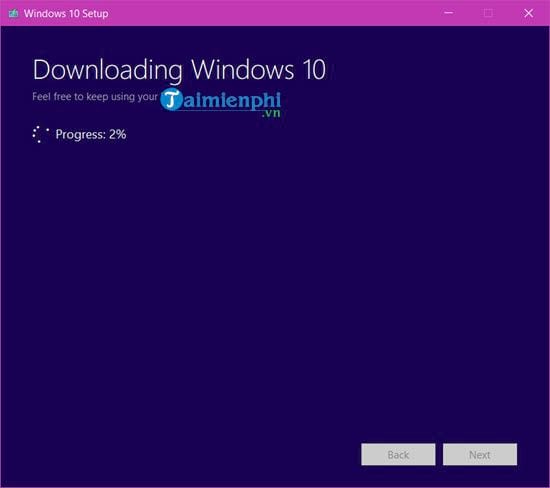
The download time depends on the connection and Microsoft’s servers. Keep the computer awake and connected until verification finishes.
32-bit or 64-bit?
Use 64-bit Windows on a compatible modern PC unless a documented legacy requirement calls for 32-bit. The architecture must be supported by the processor and should match the applications and drivers required on the target device. If you are repairing an existing installation, check Settings > System > About before downloading media.
If version 1903 is required for a legacy system
- Use media supplied by your organization, the device manufacturer, or another source whose integrity you can independently verify.
- Confirm the exact edition, language, architecture, and file hash against trusted records.
- Do not enter personal credentials or sensitive data on an unsupported, internet-connected installation.
- Plan to migrate the application or device to a supported operating system.
Related Articles
 How to Use Download Manager Gold to Download Files on Windows 103 minutes read
 How to Download Windows 10, Download Windows 10 ISO File from12 minutes read
 Link to Download Windows 10 20H1 ISO File, Latest Windows 103 minutes read
 Link to Download the ISO File Windows 10 20H1 Directly from4 minutes read
 Microsoft Launched Windows File Manager on Windows 103 minutes read
 ISO Win 7: How to Download Windows 7 ISO File5 minutes read
Reader Comments 0
Sign in with email or Google to join the discussion.