Table of Contents
Windows 10 version 1809 is no longer a current or supported release. This page is retained as an archive of the download process used in 2018. The temporary ISO links described below have expired, and Microsoft’s current download page does not normally offer version 1809.
For a computer you actively use, follow the current Windows 10 update instructions or browse the Windows installation and recovery guides. Avoid ISO files from unknown mirrors: an altered installer can compromise the computer before Windows even starts.
What this archived method did
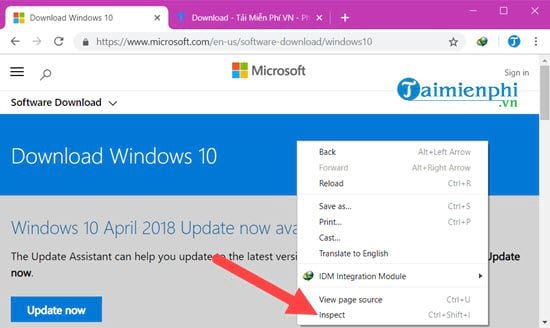
When version 1809 was current, Microsoft’s website displayed Media Creation Tool instructions to Windows visitors but offered direct ISO choices to some non-Windows browsers. Changing the browser’s user-agent setting made the ISO selection page appear. This changed only how the page was presented; it did not unlock private files or make the links permanent.
Microsoft-generated download URLs were temporary. Even if an old screenshot or copied URL still exists, it should not be expected to work today.
Archived Microsoft Edge procedure
The following steps describe the original Edge developer tools and are preserved for historical reference. Current Edge versions use a different interface.
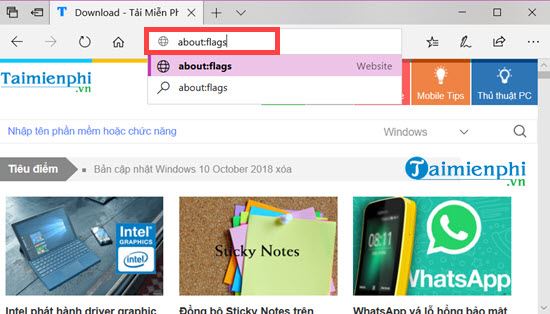
Step 1: The old procedure began by entering about:flags in Edge.
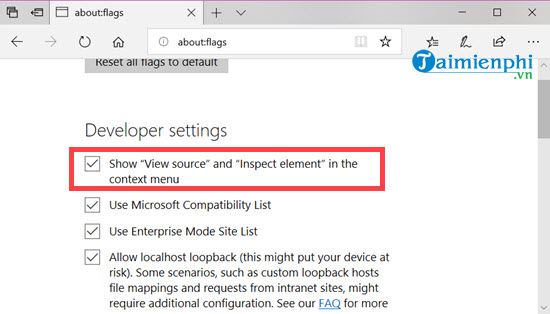
Step 2: The developer options for View source and Inspect element were enabled.
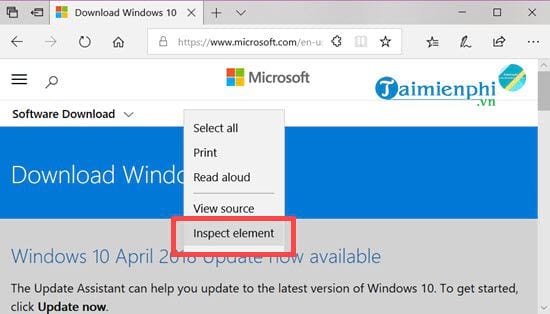
Step 3: On Microsoft’s Windows 10 download page, the user opened Inspect element.
Step 4: The developer-tools panel was opened and the emulation section selected.
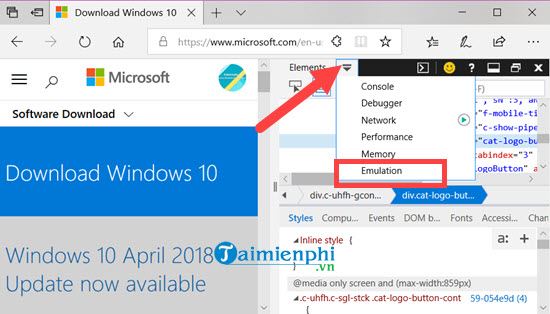
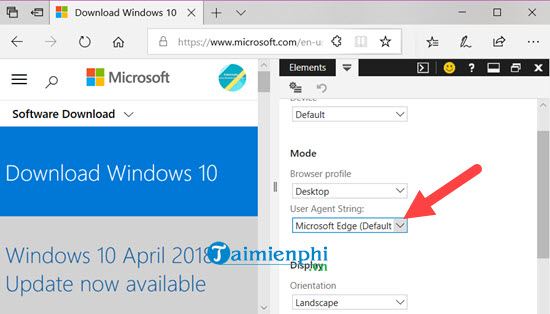
Step 5: The user-agent string was changed to a non-Windows browser such as Safari on iPad.
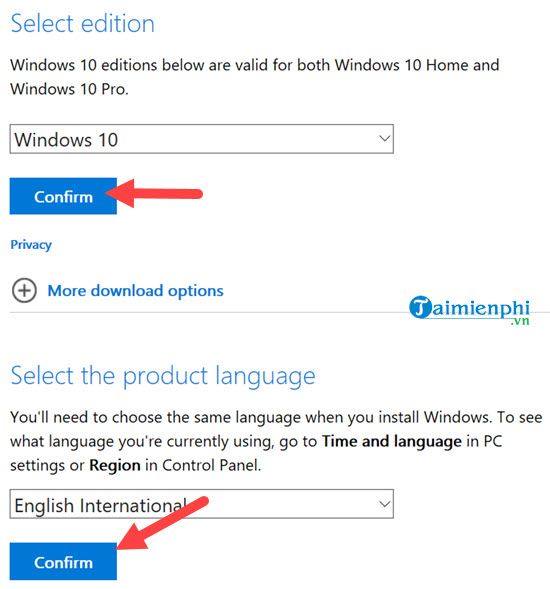
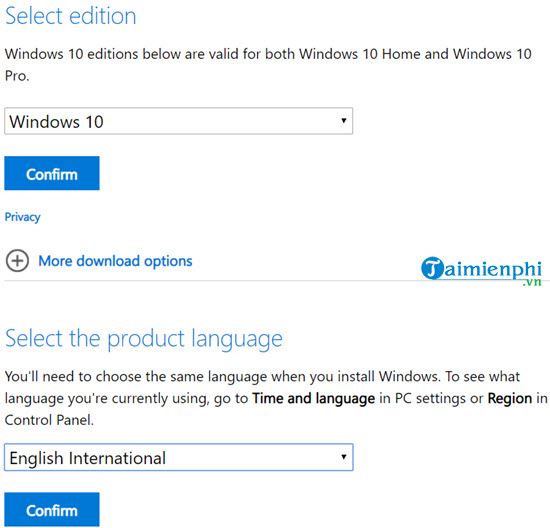
Step 6: After the page reloaded, Microsoft displayed edition and language selectors.
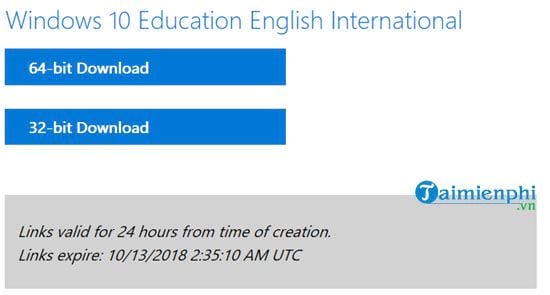
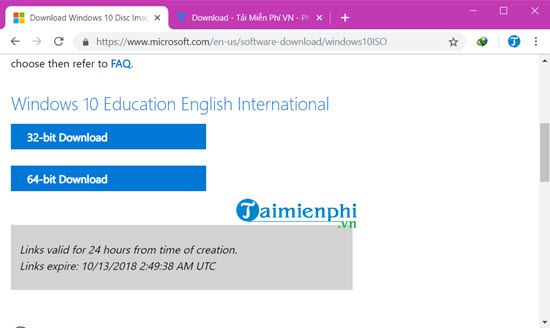
Step 7: The page generated time-limited 32-bit and 64-bit download links for the selected release.
Archived Google Chrome procedure
Chrome offered the same page-display change through its developer tools. Menu names and available user agents may differ in current versions.
Step 1: Right-click the Microsoft download page and choose Inspect.
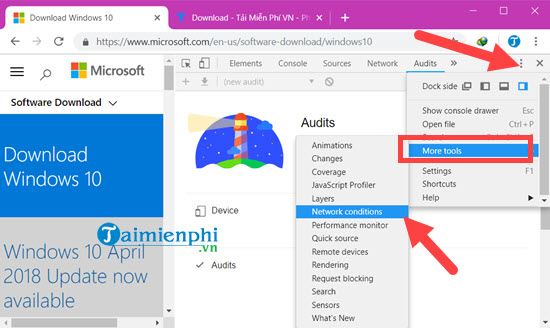
Step 2: From the developer-tools menu, open More tools > Network conditions.
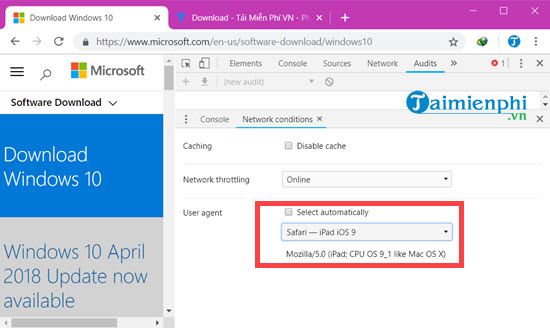
Step 3: Clear the automatic user-agent option, select a non-Windows user agent, and reload while developer tools remain open.
Step 4: Choose the Windows edition and product language offered on the page.
Step 5: Choose the correct architecture and download the ISO before Microsoft’s temporary link expires.
Safer options for an old system
- Use installation media supplied by your organization or device manufacturer when maintaining a controlled legacy system.
- Verify the source and file hash through documentation you already trust; do not rely on a filename alone.
- Keep unsupported systems isolated from untrusted networks and do not use them for sensitive accounts.
- Prefer migrating the application or hardware to a supported Windows release.
Related Articles
 The Official ISO Windows 10 October (1809) Is Available from Microsoft, Please Download4 minutes read
 Fix IDM Error Without Downloading Download Link4 minutes read
 How to Update Windows 10 to October 2018 Version 18095 minutes read
 Download Links for Canon Printer Drivers: Complete List3 minutes read
 Fixed IDM Does Not Catch Links on Firefox and Chrome4 minutes read
 Experience New Features of Windows 10 October (1809)7 minutes read
Reader Comments 0
Sign in with email or Google to join the discussion.