Table of Contents
Windows 10 Build 19603 was a pre-release Insider Preview build, not a stable consumer version. The original download links were temporary and are no longer a dependable way to obtain this build. This page preserves the 2020 browser procedure for historical reference.
Do not install an old Insider build on a production PC. Preview builds can contain unfinished features, compatibility problems, and bugs, and build 19603 no longer receives current security fixes.
What the original method did
Microsoft’s Windows download page presented different options according to the visitor’s browser. Chrome’s device-emulation toolbar could make the page render its direct-ISO interface. It did not provide private access or guarantee that a particular Insider build would be listed.
The screenshots below show the interface at the time. Current Chrome and Microsoft pages may look different, and any generated ISO link would be time-limited.
Archived Chrome device-emulation steps
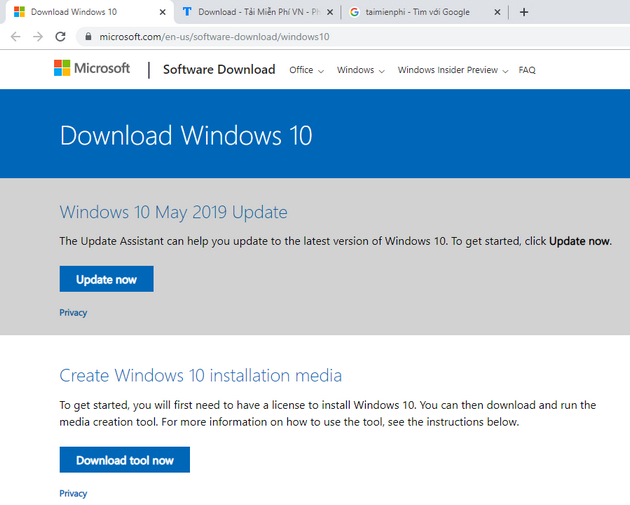
Step 1: Open the Microsoft Windows download page in Chrome. The original Build 19603 URL should be considered expired.
Step 2: Press F12 to open Developer Tools. On some keyboards, use Fn + F12, or open developer tools from Chrome’s menu.
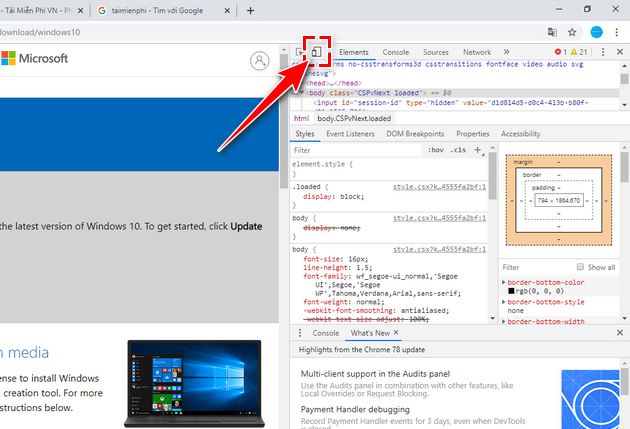
Step 3: Select Toggle device toolbar, or press Ctrl + Shift + M.
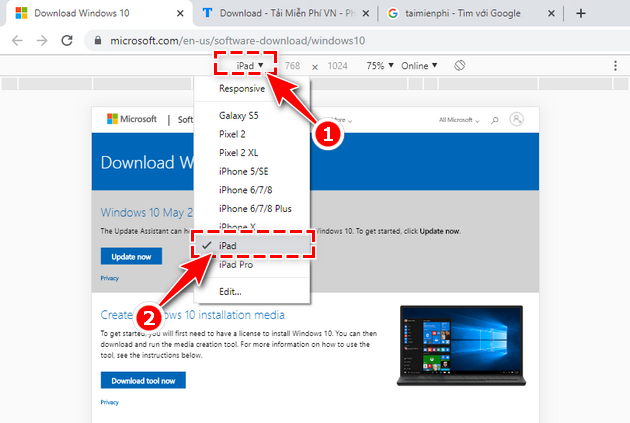
Step 4: Choose an iPad or another non-Windows device profile from the responsive-design toolbar.
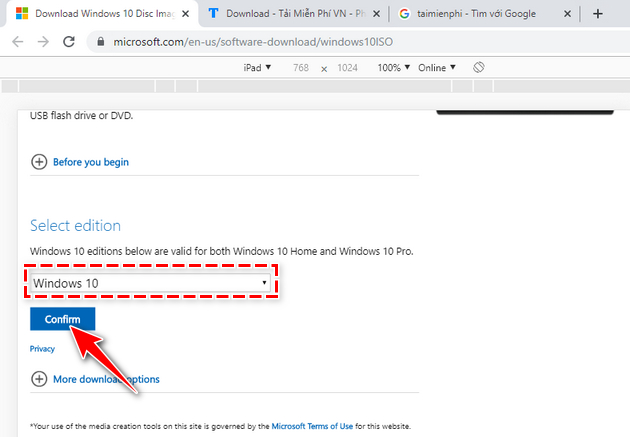
Step 5: Reload the page while emulation remains active. When this method worked, an edition selector appeared. Only editions currently offered by Microsoft could be selected.
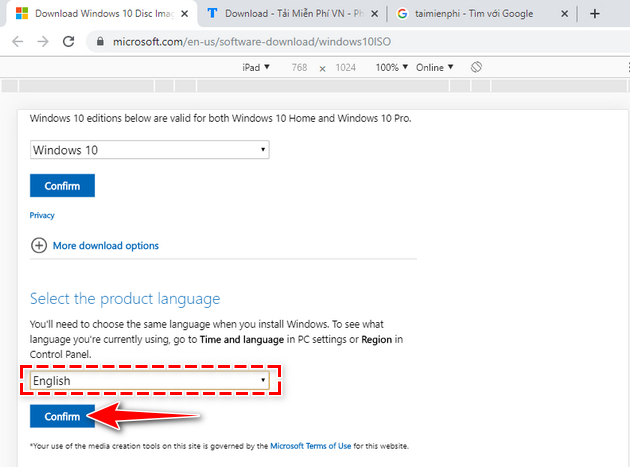
Step 6: Select the product language and confirm the choice.
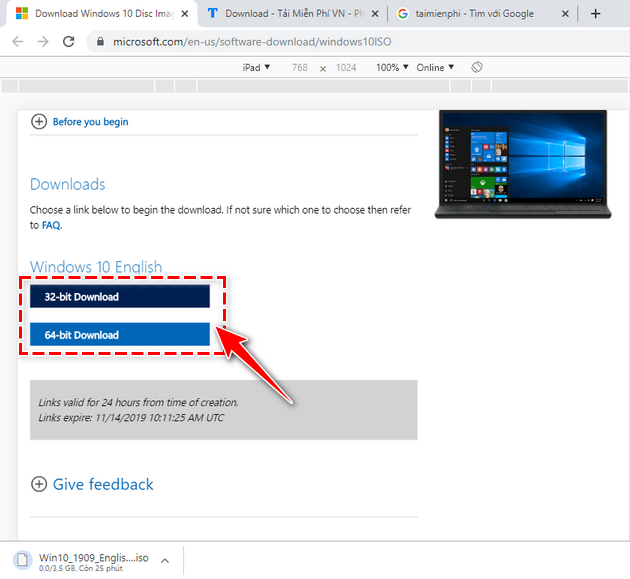
Step 7: Choose the required architecture. A 64-bit image is appropriate only for a compatible 64-bit system; the link generated by Microsoft expires after a limited period.
Why Build 19603 should not be used now
- It was designed for Windows Insider testing, not long-term deployment.
- Old preview builds can expire or stop booting normally.
- Drivers and applications may not support the build.
- Unofficial mirrors can distribute modified ISO files under a plausible filename.
Use a supported alternative
For an everyday computer, use the current Windows 10 update instructions or a newer supported Windows release. For bootable media, backup, and clean-install planning, see the Windows installation and recovery guides.
If a historical test lab truly requires Build 19603, use media retained and verified by your organization, keep the system isolated, and do not use it for personal accounts or sensitive data.
Related Articles
 Link to Download Windows 10 20H1 ISO File, Latest Windows 103 minutes read
 Link to Download the ISO File Windows 10 20H1 Directly from4 minutes read
 Why Does the Windows 11 ISO Download Link Disappear?6 minutes read
 How to Know for Sure a Safe File Before Downloading?: Download Link6 minutes read
 Please Download the ISO File Windows 10 Build 16232 Directly from3 minutes read
 Link to Download ISO File Windows 10 Ver 19098 minutes read
Reader Comments 0
Sign in with email or Google to join the discussion.