Table of Contents
Installing Windows 10 on an SSD makes the system feel much more responsive than running it from a mechanical hard drive. The biggest gains come from faster access to many small files: startup, sign-in, application launches, updates, search, and multitasking all depend on that workload.
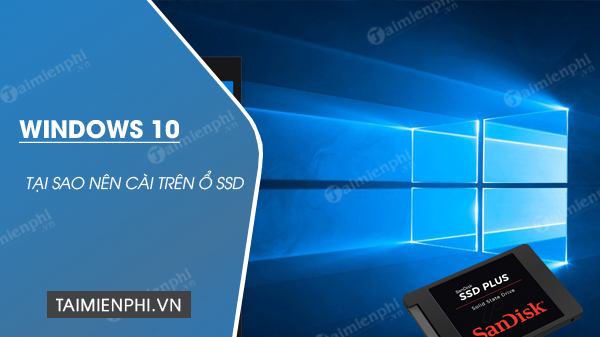
Faster startup and everyday response
An SSD has no read/write head that must move to a physical location on a platter. Its much lower access latency is especially noticeable when Windows loads thousands of small system and application files.
- Windows generally boots and resumes faster.
- Applications and large projects open sooner.
- Updates, antivirus scans, and file searches spend less time waiting on storage.
- Copying data is faster when both the source and destination can keep up.
- Games installed on the SSD usually load levels and assets faster, though frame rate is primarily determined by the CPU and GPU.
Less noise and vibration
An SSD is silent because it has no motor or moving head. It also produces no drive vibration. Fans and other components may still make noise, so replacing the system disk will not make every PC silent.

Power use and battery life
Many SSDs use less power than mechanical laptop drives, particularly during active storage work, but the difference varies by model and workload. It is not accurate to promise a fixed percentage or hundreds of extra minutes for every laptop. Screen brightness, processor load, battery health, and background applications often have a larger effect on runtime.
Better resistance to movement
Because an SSD has no spinning platters, it is less vulnerable to mechanical damage from normal movement or a minor bump while operating. It can still fail electrically or wear out, so it is not a backup. Keep important files in at least one separate location.
What an SSD will not fix
- Insufficient RAM or a slow processor;
- malware, damaged system files, or faulty drivers;
- poor network speed;
- low gaming frame rates caused by the CPU or graphics processor;
- an unsupported operating system or incompatible hardware.
Choosing the right SSD
First identify what the computer supports. A 2.5-inch SATA SSD and an M.2 drive are different form factors; an M.2 slot may support SATA, NVMe, or both. The guide to SATA, M.2, and NVMe laptop SSDs explains the compatibility checks.
Choose enough capacity for Windows, applications, updates, temporary files, and future growth. A nearly full SSD can be difficult to update and manage. Also consider warranty and endurance rather than buying on peak speed alone.
After moving Windows to an SSD
Use a clean installation or a carefully verified disk clone, then confirm that the PC boots from the SSD before erasing the old drive. Windows normally handles SSD optimization automatically. You can check TRIM support in Windows, but avoid old “SSD optimization” tweaks that disable useful services without evidence.
For backup and installation preparation, see the Windows installation and recovery guides.
Related Articles
 How to Install Windows 8.1 from USB7 minutes read
 How to Install Windows 10 from USB with ISO File8 minutes read
 Install Windows 10 with a Super Fast USB in Just a Few Simple Steps5 minutes read
 Install Windows 10: Install Win 10 for Android Tablet4 minutes read
 How to Install Windows 7 Using USB - Create a Bootable USB to Install Windows 78 minutes read
 Install Win Xp from Usb: Install Windows XP from a USB Flash6 minutes read
Reader Comments 0
Sign in with email or Google to join the discussion.