Table of Contents
Explore most children don't learn about online safety in school –– here are 5 ways.
According to Keeper's Cybersecurity in Schools 2024 report, only 21% of parents said their children's schools provide guidance on creating secure passwords. At the same time, 19% admitted to reusing passwords for both personal and school accounts — a sign that a lack of cybersecurity knowledge isn't limited to schools .
Children are very quick to adopt technology, but that doesn't mean they know how to use it safely without guidance. Online criminals can target children through gaming platforms, while AI-generated misinformation spreads rapidly on social media. To protect their children, parents must equip them with the skills, tools, and mindset to avoid malicious actors and scammers, while also developing their ability to identify information and avoid being swayed by harmful content or sophisticated advertising.
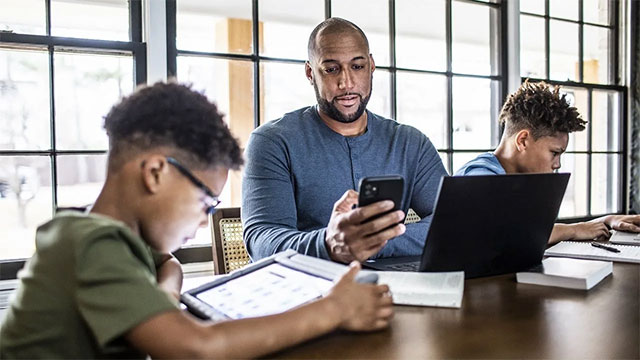
Many parents don't know where to start. The good news is you don't need technical expertise or a computer science degree. Here are some simple yet effective ways to build a 'home online safety curriculum' for your children.
1. Find online safety learning resources suitable for children
Take the time to search for reliable sources. There is a lot of security advice online, but much of it is outdated or unsuitable for children .
One reliable resource is cyber.org , which offers many free activities and courses for parents and teachers who want to teach children about cybersecurity.
2. Stop sharing too much personal information
If you don't want your children to share their private lives with strangers online, you need to set a good example .
Personal information posted on social media can be exploited by malicious actors to steal your identity . Let's start by:
- Provide only minimal information when making online purchases.
- Do not post photos of your child on public social media accounts.
- Do not import sensitive images or information into ChatGPT or other AI models.
Over time, these habits help to form a safer lifestyle.
3. Create a cybersecurity 'toolbox' for children
Help your child get familiar with password managers , then create their own password "treasure trove." This tool helps store strong passwords without the need to memorize them.
Once your child has mastered it, you can add more:
- Two-factor authentication application (authenticator)
- Secure messaging app
These tools help children develop protective barriers when using the internet.
4. Monitor your child's social media habits
It's not easy to control all of a child's online activity, but social media is where parents should pay the most attention.
Children often use the internet to play games, chat, or watch content. By simply observing their child's behavior, parents can detect unusual signs such as scams or inappropriate messages.
Free monitoring tools like Google Family Link or Apple Screen Time can help you keep track of your child's overall activity.
For young children, it's best to keep their computer or online device in a common area of the house for easy communication and supervision.
5. Teach children the skills to distinguish between true and false information
Children cannot trust everyone online, and they cannot trust everything they see.
Today, photos, videos, and voices can all be faked using AI technology. Text content can also be copied and edited using chatbots. Parents should show their children how to:
- Check if the media has been edited.
- Verify the source before believing or sharing.
- Compare the information with reputable websites.
These are essential life skills in the digital age.
When children get their first internet-connected device, parents should establish clear rules and maintain regular communication. Some suggested rules include:
- Avoid storing sensitive information such as credit card details on online accounts.
- Always read the privacy policy before downloading an app.
- Save all your passwords in your password manager.
- Keep your antivirus software running.
- Do not download apps outside of Google Play or the App Store.
- Do not click on strange links from strangers.
Control software can help restrict access to adult content, but it can't teach children to recognize scams , phishing , or how to deal with bad actors on Discord or social media .
Until schools provide systematic cybersecurity education, this responsibility will remain with adults , especially parents.
Final Thoughts
Understanding most children don't learn about online safety in school –– here are 5 ways parents can teach their children at home makes it easier to evaluate the information and apply the most relevant recommendations. Focus on the key points above and verify details that may change over time.
FAQ
What is most children don't learn about online safety in school –– here are 5 ways parents can teach their children at home?
Explore most children don't learn about online safety in school –– here are 5 ways.
What key points does this article cover?
The article focuses on 1. Find online safety learning resources suitable for children, 2. Stop sharing too much personal information, 3. Create a cybersecurity 'toolbox' for children, with practical explanations and examples.
How can you use this information in practice?
Use the explanations to compare options, verify important details, and make a more informed decision. Apply the recommendations that best match your goals and situation.
Related Articles
 What Parents Need to Do to Help Children Confidently Enter Grade 16 minutes read
 4 Ways for Parents to Teach Their Children to Use the Internet4 minutes read
 How to Choose a School: Step-by-Step Guide9 minutes read
 Parents: Help Children Browse Safely1 minutes read
 Things Parents Should Not Do for Their Children4 minutes read
 6 Ways to Prevent Children's Risks from the Momo Movement on YouTube4 minutes read
Reader Comments 0
Sign in with email or Google to join the discussion.