Table of Contents
Learn how to learn about nobara: a Linux distribution for gamers with clear steps, practical tips, and troubleshooting guidance for a reliable result.
Many people have been using CachyOS as their primary operating system for several months without any problems, but recently some saw Nobara mentioned in a social media comment. They decided to try it and found that it's a pretty good option.
Nobara was developed by the same people who created Proton-GE
Created by gamers, for gamers
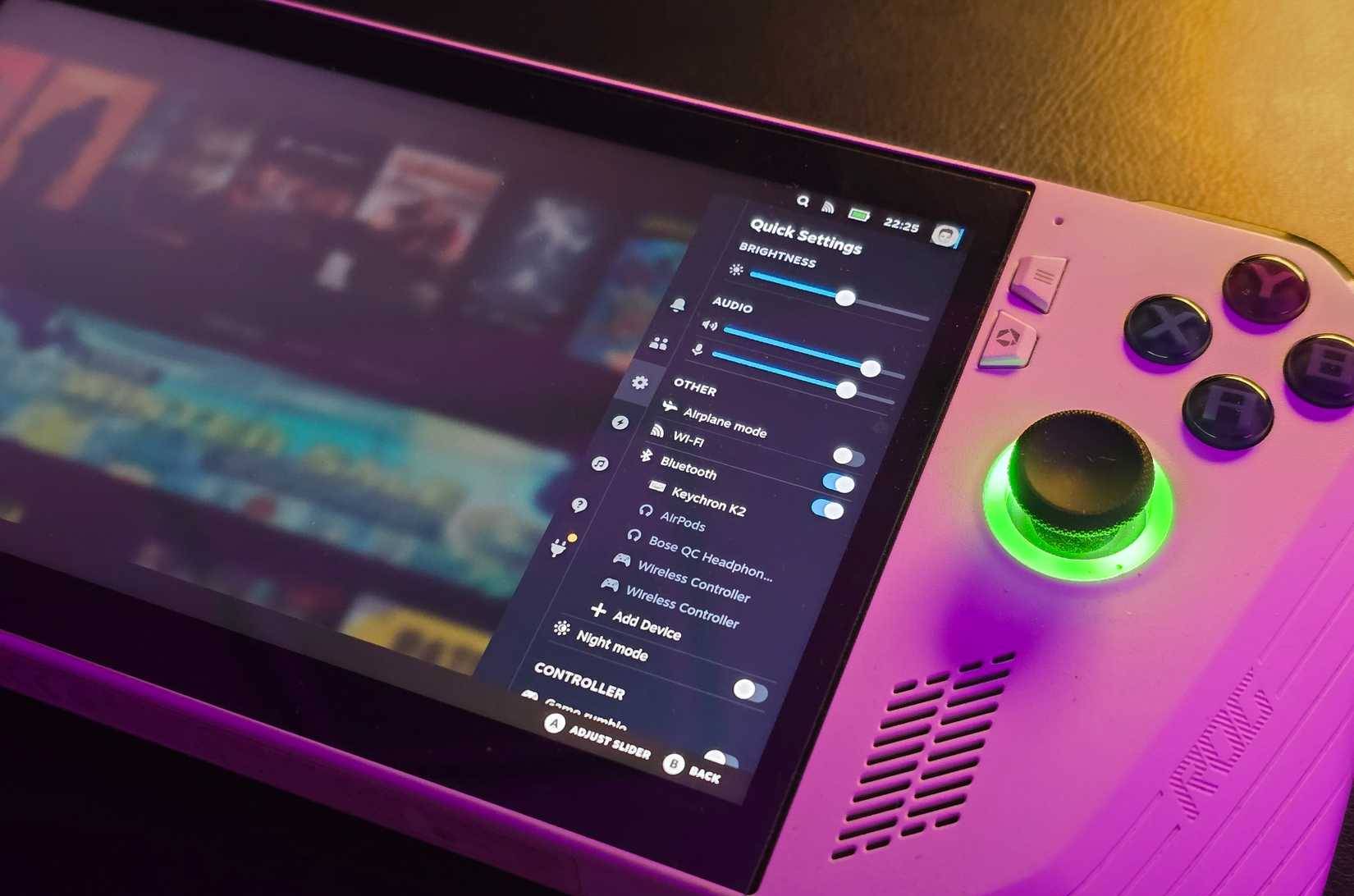
Nobara is one of the oldest "gaming-focused" Linux distributions built on the Fedora platform. While it's not an official version of Fedora, it's quite feature-rich and actively maintained, so you don't need to worry about it feeling incomplete.
The distribution is currently maintained by GloriousEggroll, best known for Proton-GE, a community fork of Proton. You may have used Proton-GE before without realizing it! While standard Proton is developed by Valve and prioritizes stability, Proton-GE is much more robust. It pulls on the latest Wine versions, meaning you can often find patches specifically for the game long before Proton officially releases.
This is a passion project created by gamers, for gamers. Nobara was originally started by GloriousEggroll (Thomas Crider) and his father wanted a better alternative to Windows for gaming.
Today, Nobara is maintained by many developers, but it retains its original philosophy. With the minds behind the largest Proton branch, along with a fantastic team, those working on Nobara clearly know what they're doing.
If you want an alternative to something like Bazzite, which is also based on Fedora, then try Nobara. In fact, many people prefer it over Bazzite because Nobara has a consistent release cycle, which is essential for game-focused distributions.
You will have everything you need as soon as the installation is complete
The main purpose should be playing games, not tweaking the configuration
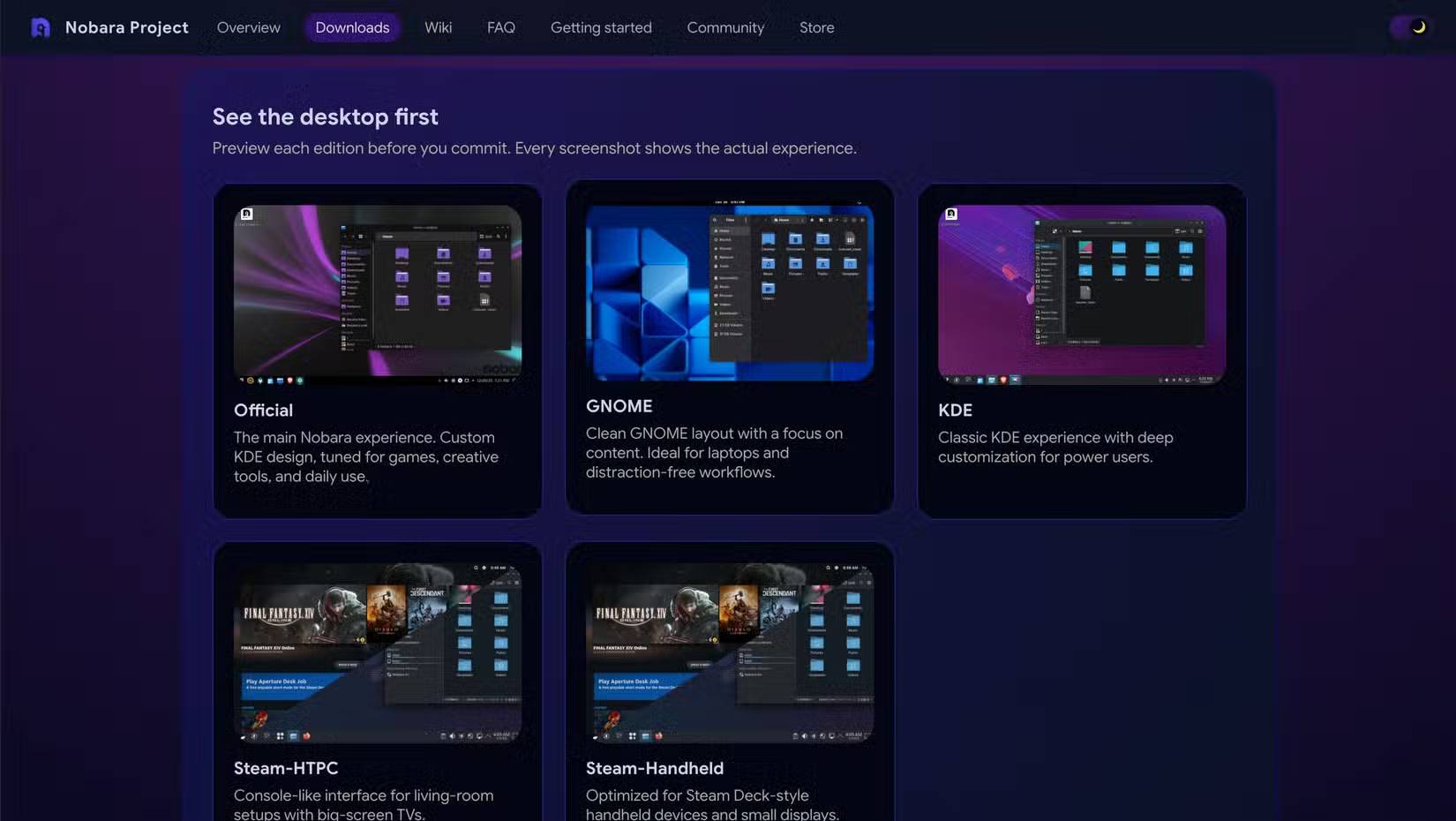
Let's start with the download page, as you have many options there. You can download ISO files that come with different desktop environments. If you're unfamiliar with the term, this is basically the layer that determines the desktop interface and how you interact with it.
Note : If you are using an Nvidia GPU, be sure to download the Nvidia-specific ISO image from the Nobara website. This button is quite easy to miss.
The default build comes with KDE Plasma, along with some tweaks and custom themes. If that's not your preference, you can also download GNOME-based builds, or even opt for a SteamOS-style interface if you're setting up a desktop PC or handheld gaming console.
Additionally, you'll have everything you need right from the start. CachyOS is disappointing in its lack of Flatpak support – plus the CachyOS app installer isn't very good either. Users can't even properly install Discord there and have to set up Flatpak themselves.
And because it's based on Fedora, you also have dnf to install any system packages.
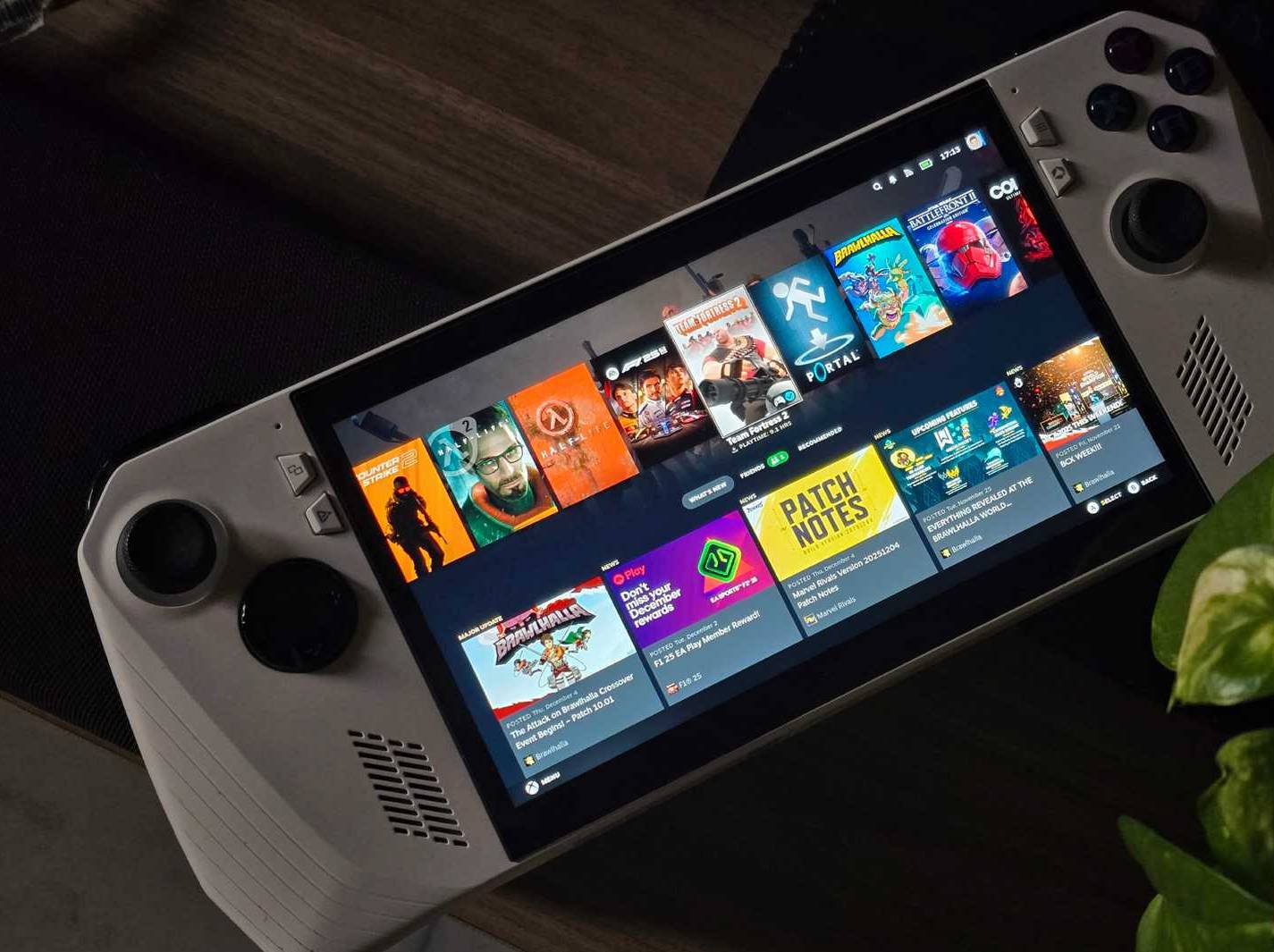
Additionally, because this distribution is specifically designed for gaming, you'll have Steam, Lutris, and even an overlay tool pre-installed. That's pretty much all you need, and you can play most games without having to adjust any settings.
Another surprising point is that Nobara comes with Brave pre-installed as the default browser, which is certainly a first. But of course, there's nothing preventing you from installing Firefox if you want.
Aside from these applications, you'll have all the codecs and drivers right out of the box, and whether you're using an Nvidia GPU or not doesn't really matter. You'll be fine as soon as your computer boots up.
Performance is among the best
The best of CachyOS, on Fedora
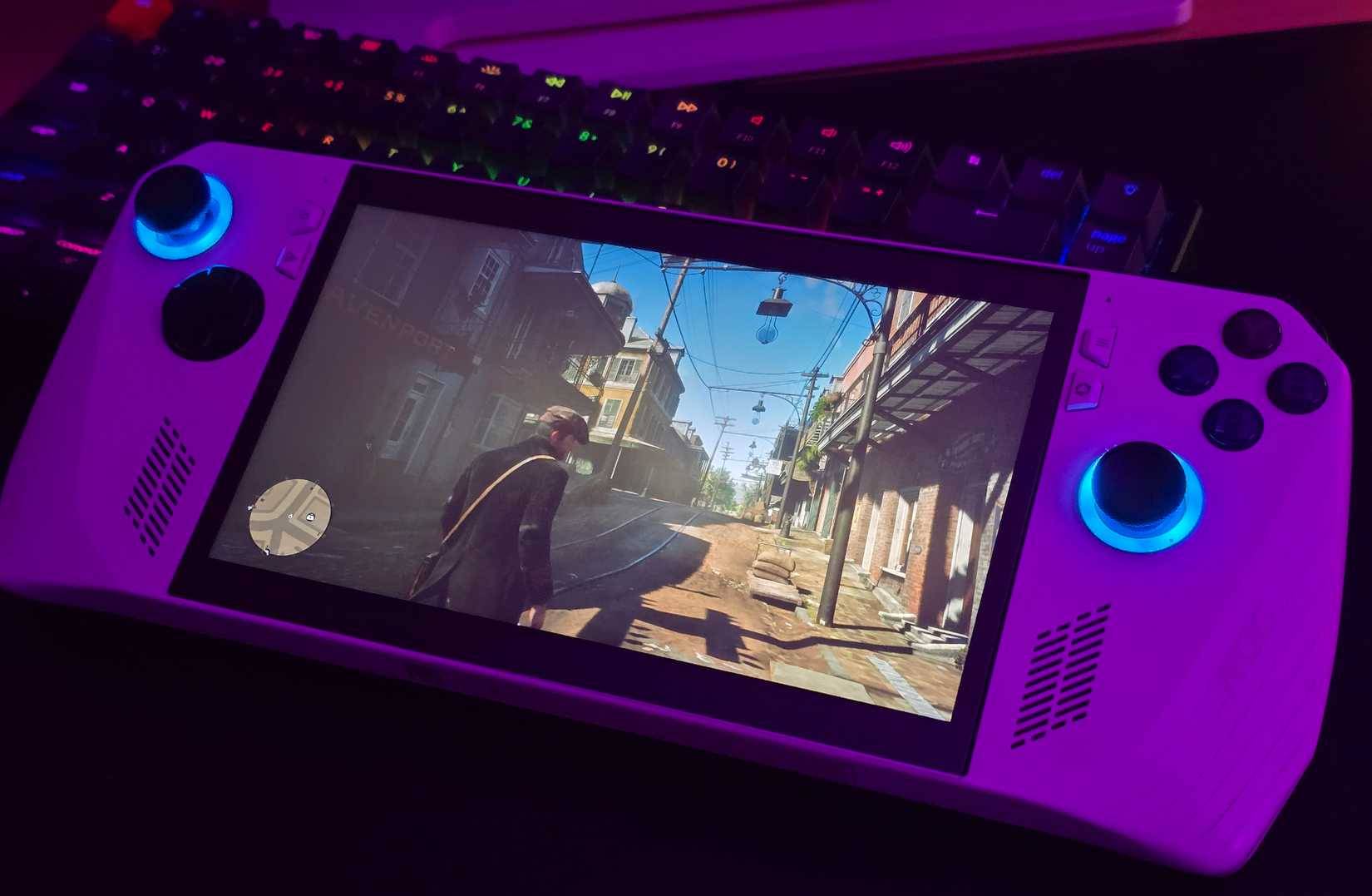
Since this is a distribution aimed at gamers, performance is clearly the top priority. That's the main reason Nobara exists. Many people previously switched from Bazzite to CachyOS, primarily because they experienced lower frame rates on Bazzite.
The CachyOS team invested heavily in CPU optimization, and even the kernel was fine-tuned for maximum performance. When they switched to Nobara, they somewhat expected it to have performance comparable to Bazzite, as both are based on Fedora.
The reality is quite different. Nobara actually uses the same CachyOS kernel with its own tweaks and modifications. Through testing, both are fairly evenly matched in most games.
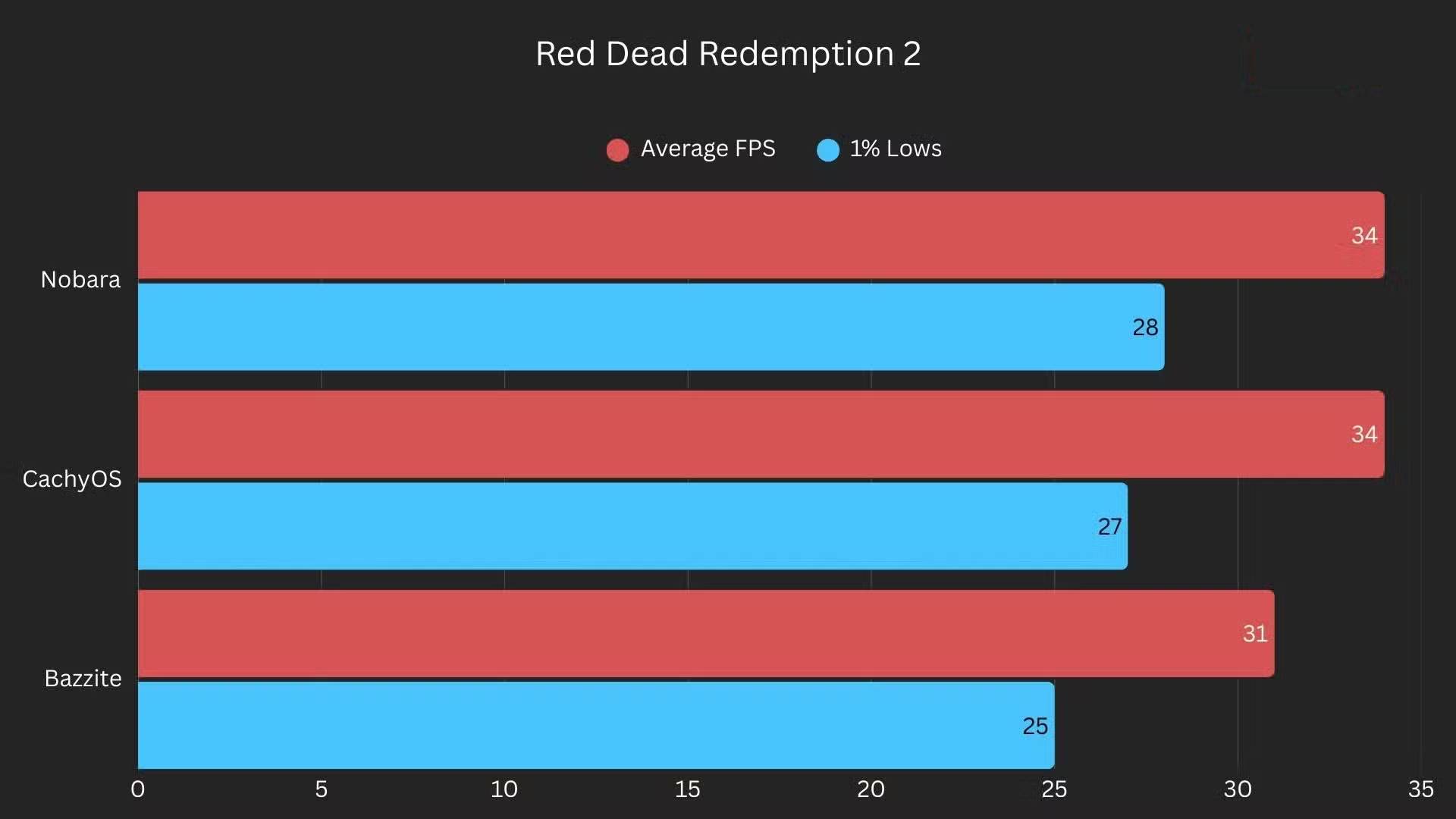
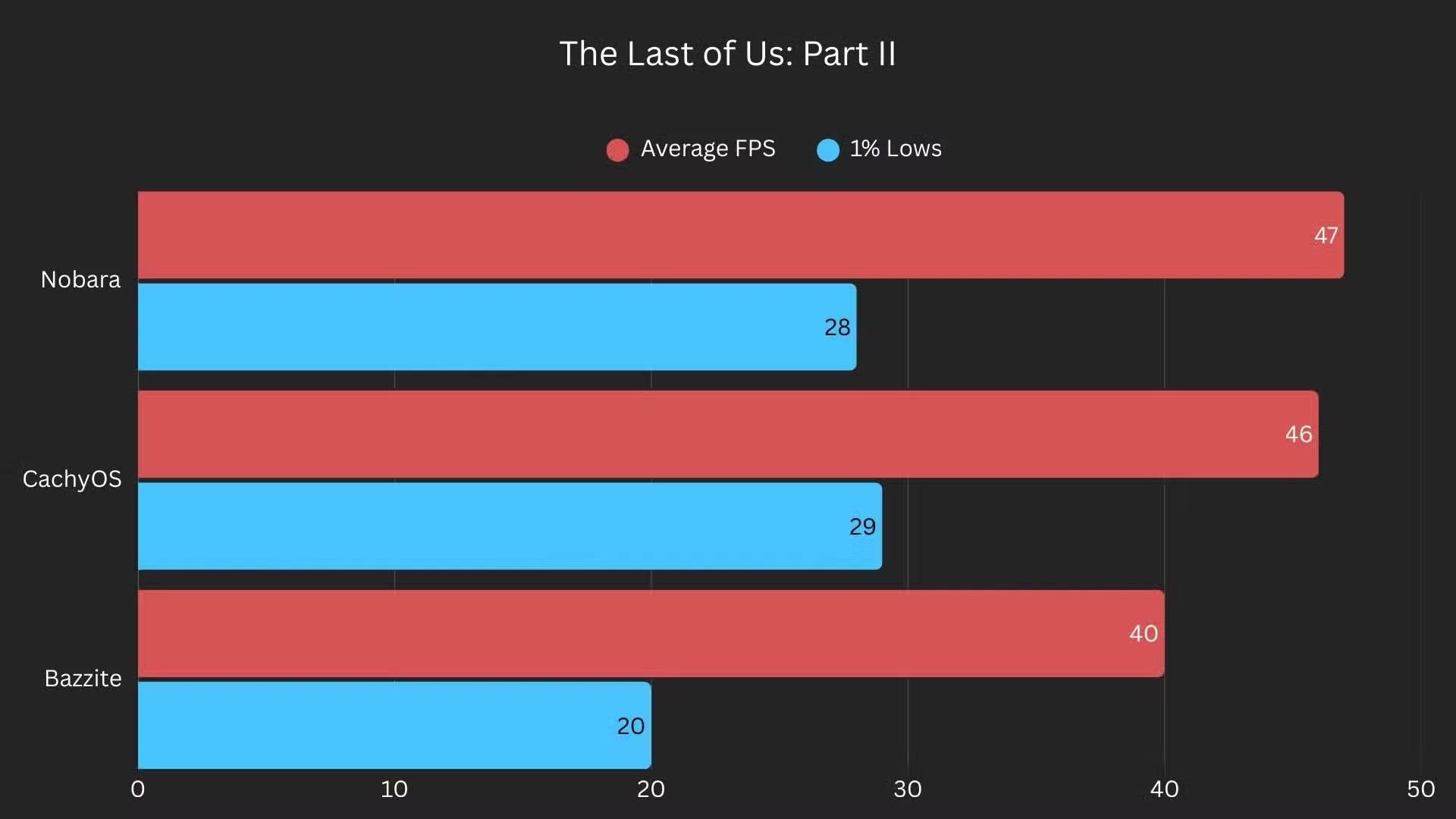
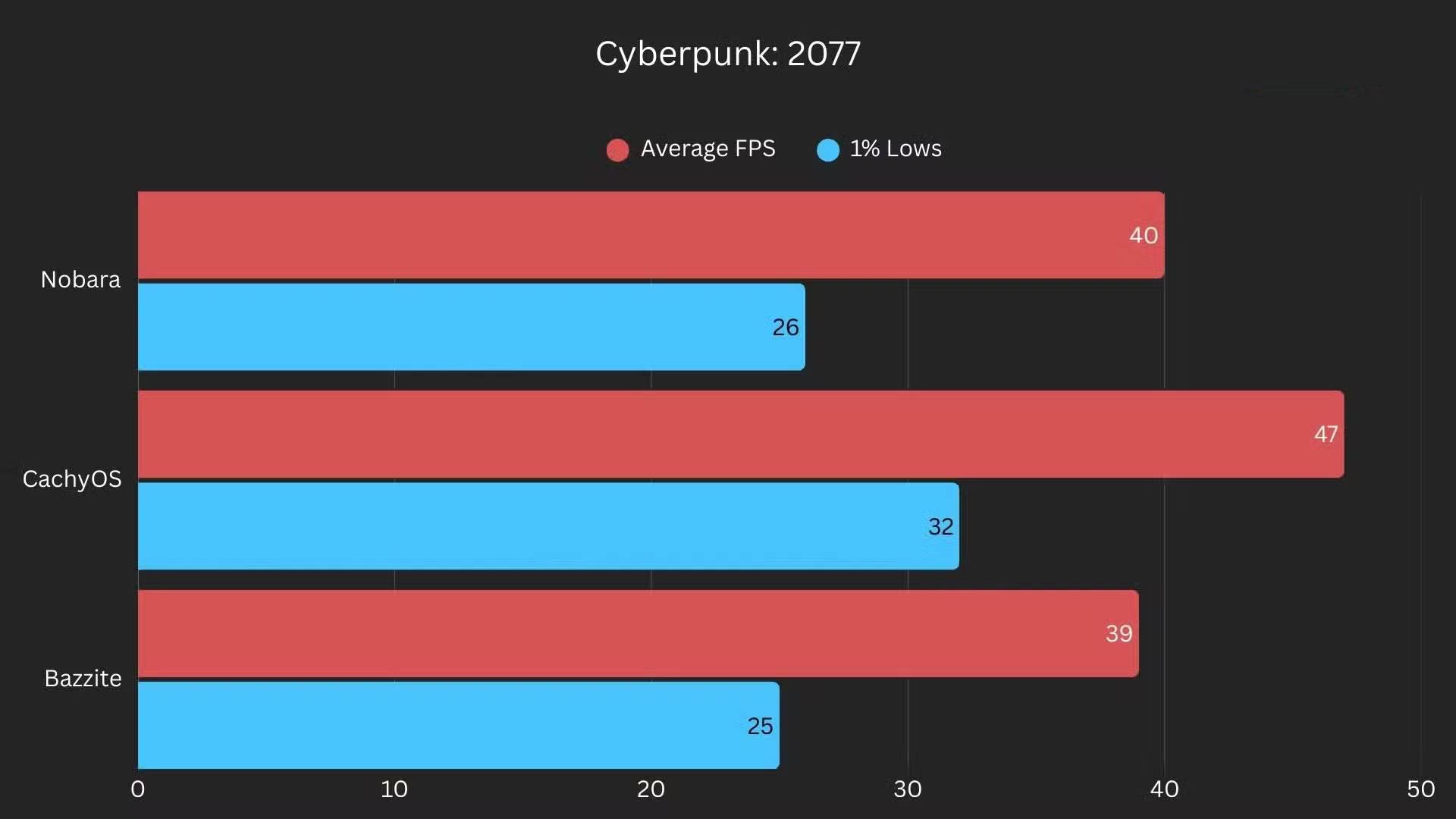
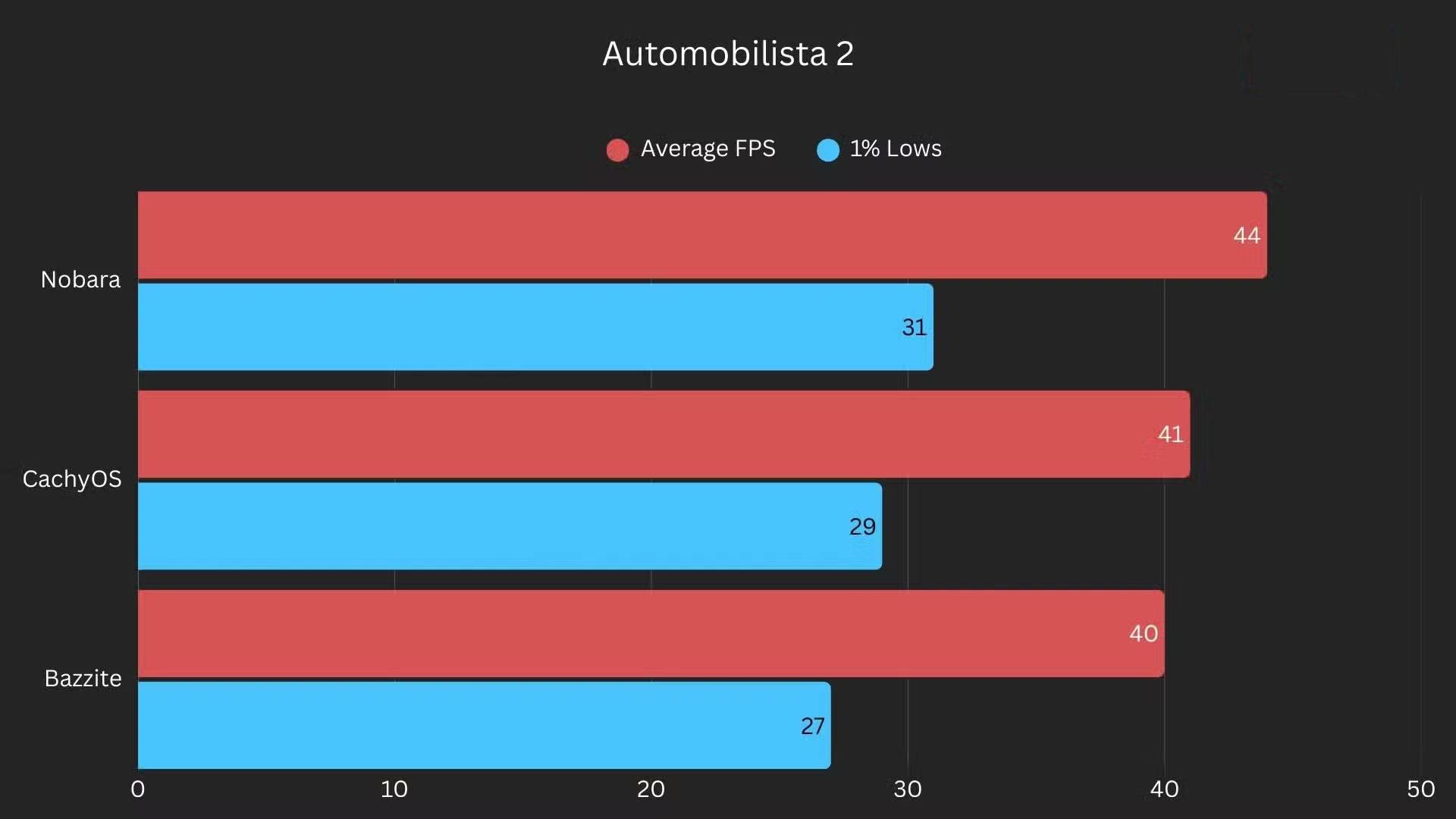
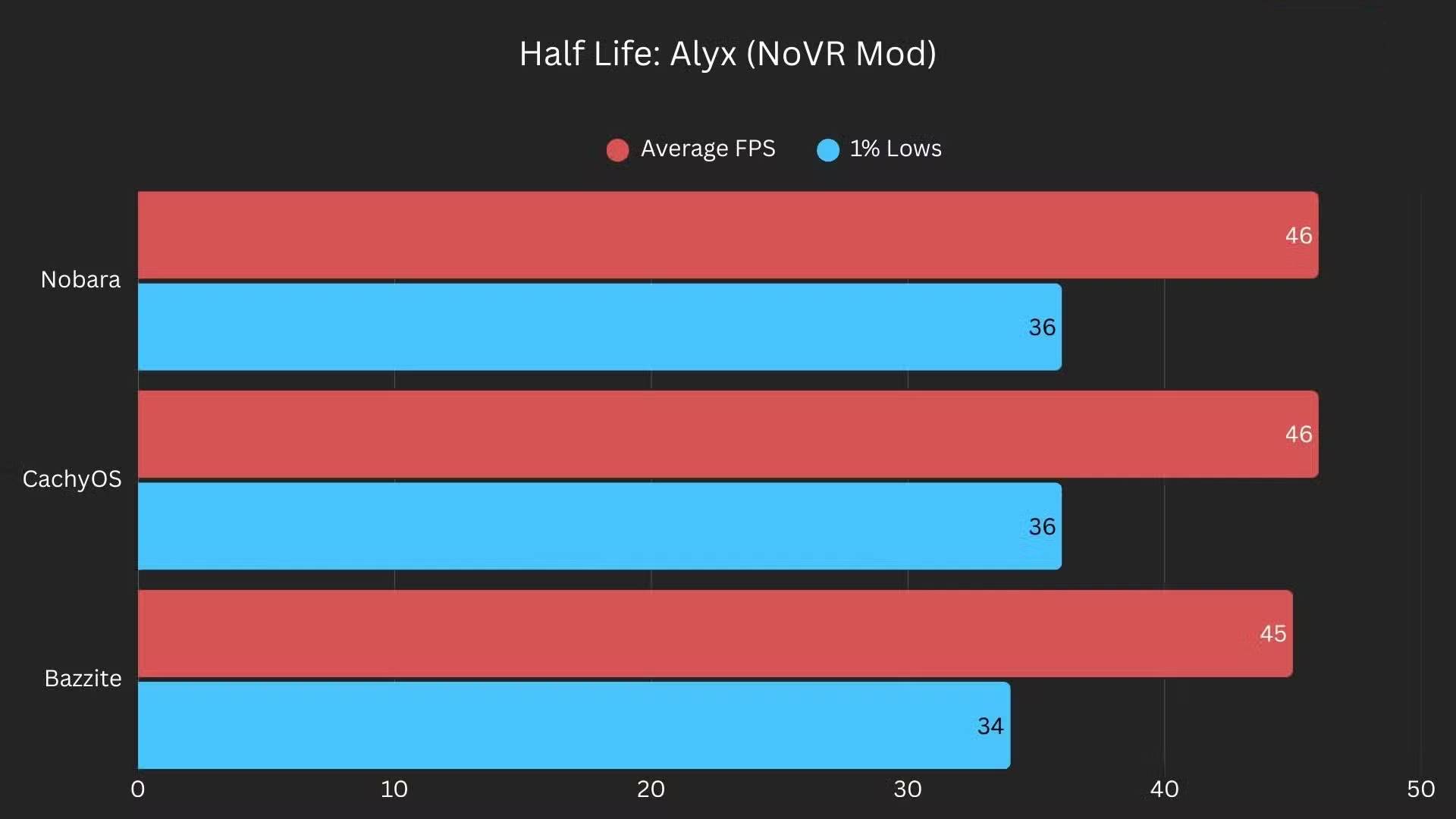
It also easily beats Bazzite, just like CachyOS. So, if you're only looking for performance, Nobara is actually quite good. However, it's clear that Bazzite also has its own strengths – the main advantage being that it's an immutable distribution.
This means the core system is read-only and much less prone to errors. You don't get that "safety net" with Nobara, so if you start tweaking options without knowing what you're doing, you're more likely to mess something up.
Final Thoughts
Use this guide as a practical checklist for how to learn about nobara. Work through the steps in order, verify each result, and adjust the options to match your needs.
FAQ
What do you need before following this How to Learn About Nobara guide?
Review the required tools, accounts, settings, or materials mentioned in the article. Learn how to learn about nobara: a Linux distribution for gamers with clear steps, practical tips, and troubleshooting guidance for a reliable result.
What are the main steps for how to learn about nobara?
Follow the sections in order, especially Nobara was developed by the same people who created Proton-GE, Created by gamers, for gamers, You will have everything you need as soon as the installation is complete. Complete each step before continuing and verify the result as you go.
What should you do if the process does not work as expected?
Recheck the prerequisites, update the relevant app or service, review the settings, and repeat the step that caused the issue. Use any troubleshooting notes included in the guide.
Related Articles
 7 Reasons to Choose Nobara Linux Instead of Fedora: Best Options Compared7 minutes read
 4 Fedora-based Linux Distributions That Are Even Better Than Fedora8 minutes read
 8 Easy Tools to Create Your Own Linux Distro6 minutes read
 Reasons to Try the Bodhi Linux Distribution: Explained8 minutes read
 Create Your Own Linux Distribution with Ubuntu Imager7 minutes read
 These 4 Linux Distributions Are a Bad Idea: Avoid Them at All Costs7 minutes read
Reader Comments 0
Sign in with email or Google to join the discussion.