Table of Contents
After tinkering with a few distros, some people choose CachyOS, and think they'll stick with it for gaming, even with all their low-end hardware.
Lately, many people are looking to replace the operating system on their old laptops, and while there are plenty of lightweight options, they still want something that isn't too simple.
Linux was the obvious choice, and this time they wanted to try an Arch-based OS with a consistent release. After tinkering with a few distros, some of them settled on CachyOS, thinking they'd stick with it for gaming, even with all their low-end hardware.
What is CachyOS?
CachyOS is a speed-focused Linux distribution built on Arch, offering fine-tuned packages, performance-oriented kernels, and a flexible installer. It aims to deliver smoother gaming and broad hardware support while keeping configuration simple. It's a good choice for users who want Arch-level control without having to start from scratch.
CachyOS offers a great installation experience
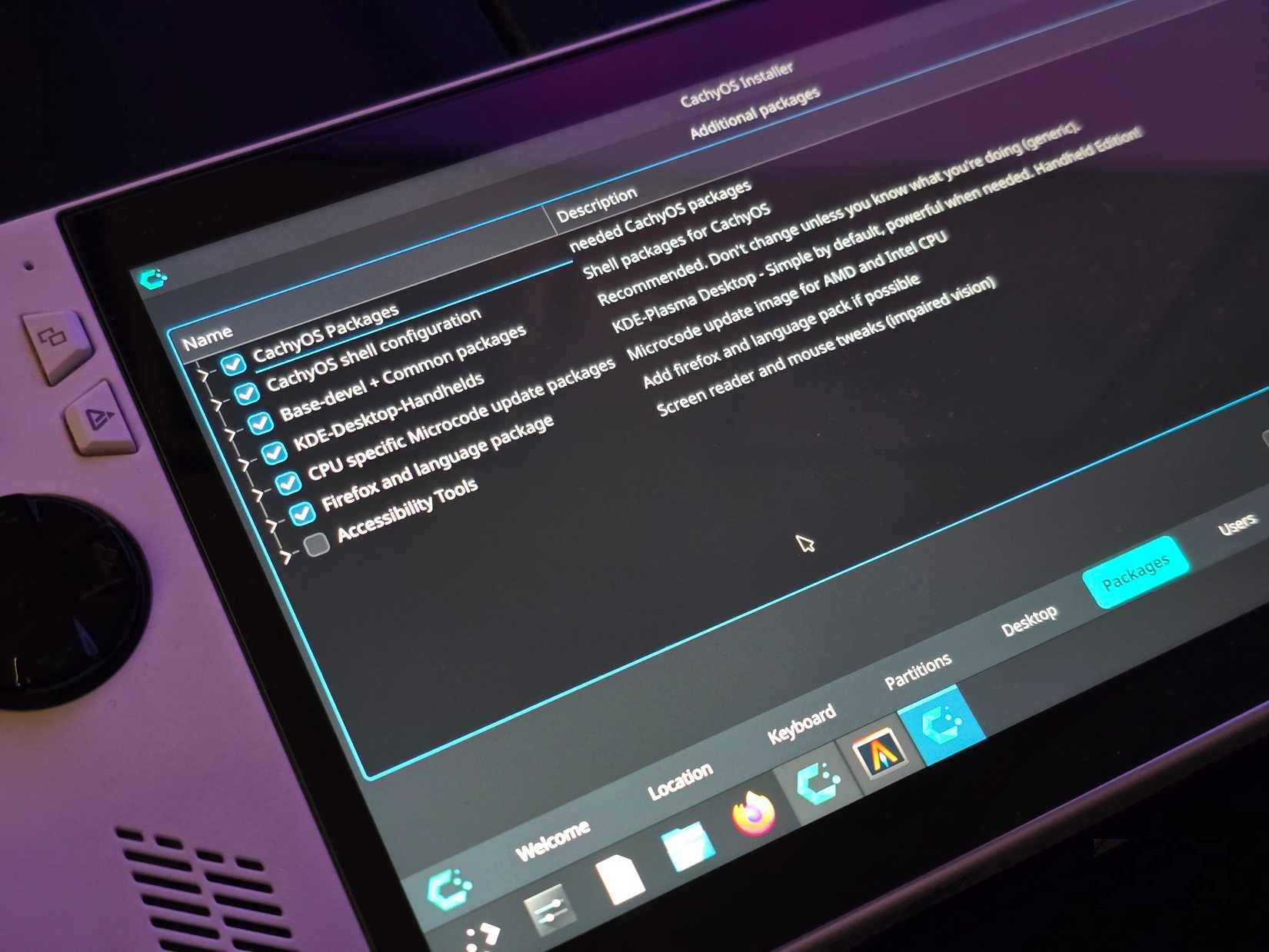
CachyOS is probably the best Linux installer out there. Most distros install whatever desktop environment they like with their own tweaks. People care about how their system looks, and if they don't like the default layout or workflow, there's no point in trying to convince them otherwise.
Sure, you can technically install any DE on any distro, but you should never ask someone who has never touched a terminal window to completely change their desktop from day one. CachyOS avoids that mess by letting users choose their DE right in the installer. And you don't get to choose between GNOME or KDE. You really have many choice here, and you'd be surprised to see Cosmic, Pop!_OS's original desktop environment.
This will be the fastest Linux distribution you've ever tried!
You get the best SteamOS on any hardware you own.
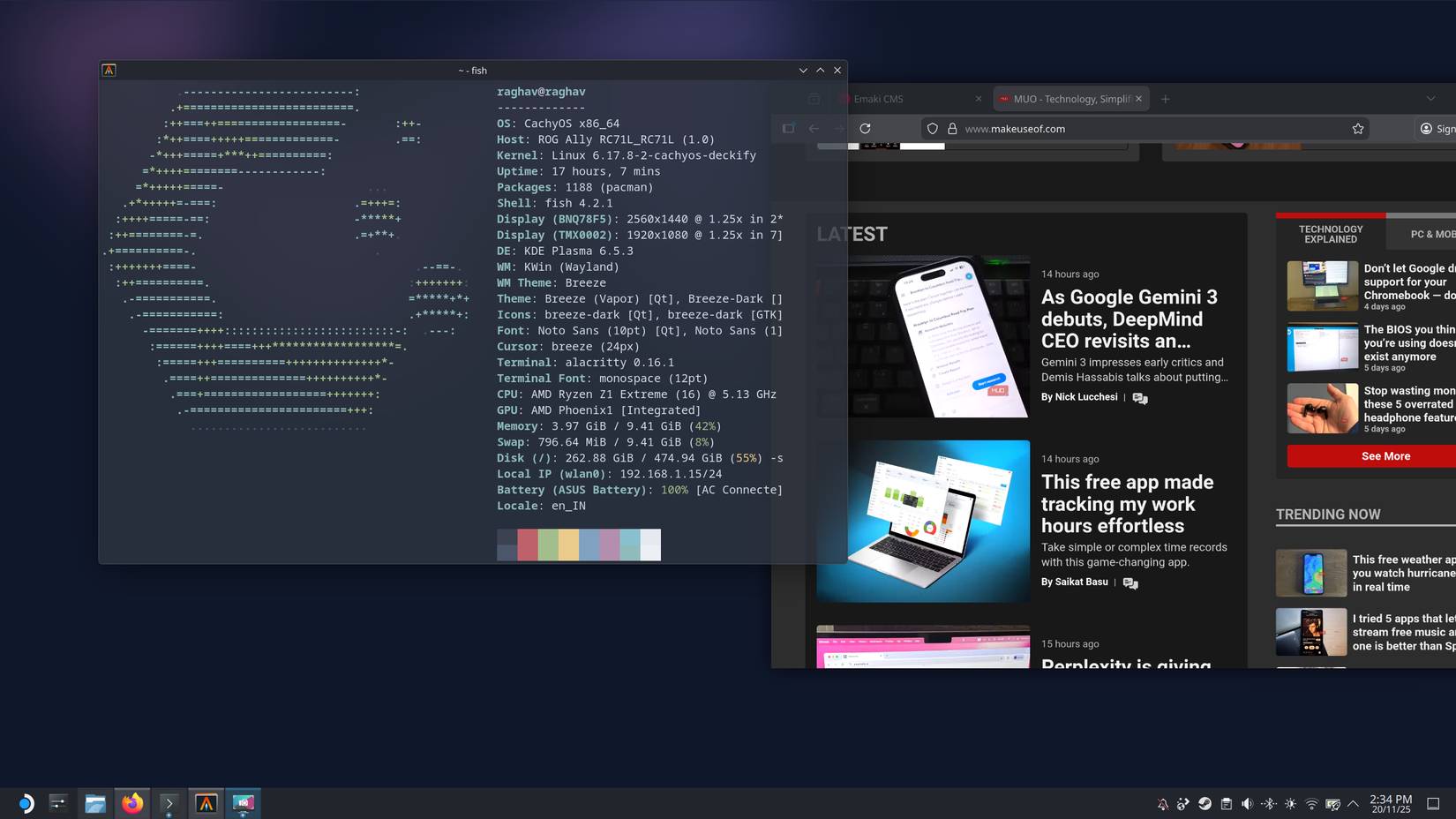
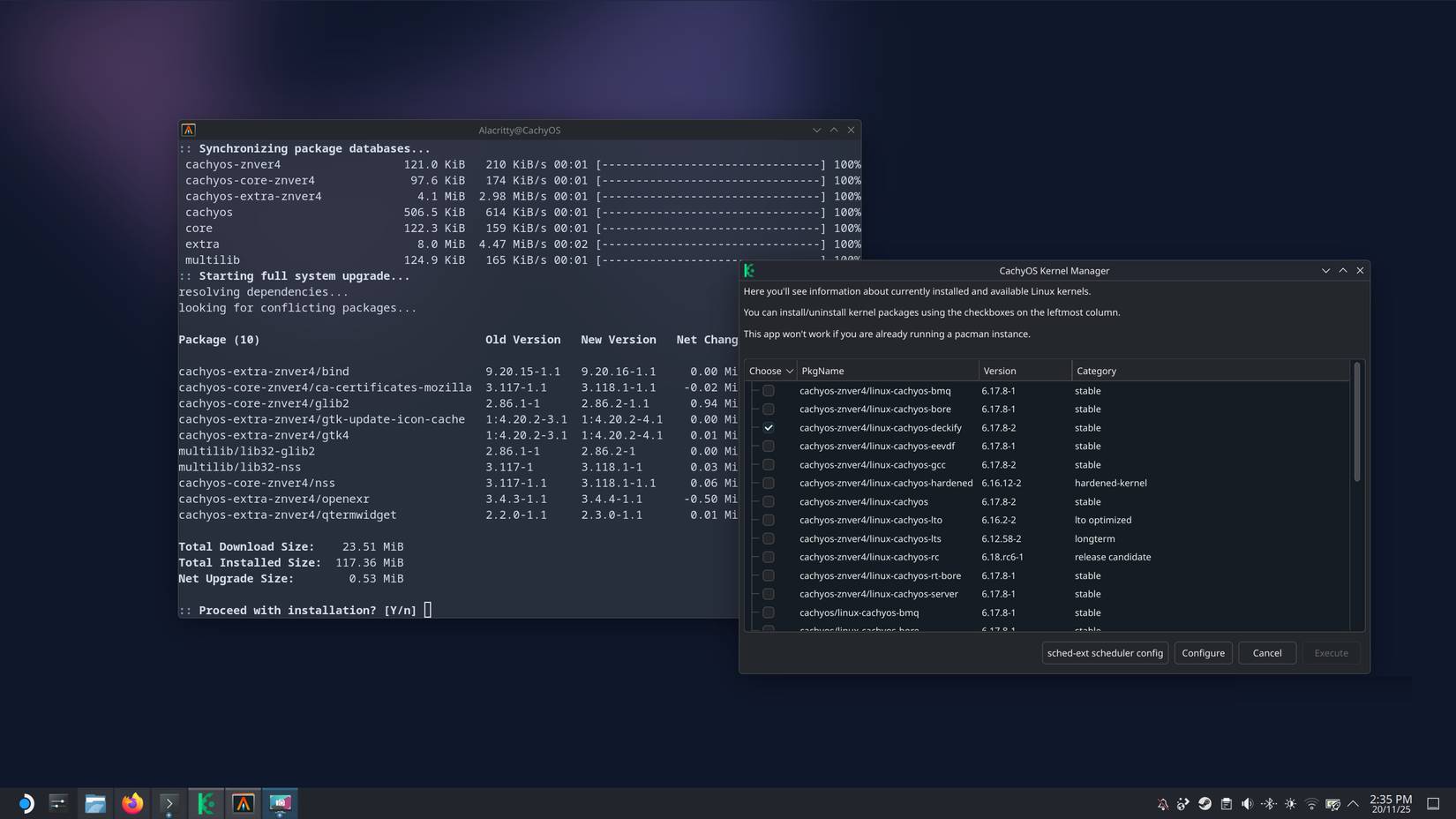
CachyOS does all the behind-the-scenes optimizations you can do on a Linux installation right out of the box. In general, CachyOS builds itself in a way that is truly tailored to your CPU architecture. You get packages that are tuned for your hardware rather than a generic approach. Even the kernel and scheduler are tuned to get the most performance out of your system.
But instead of just taking the developer's claims at face value, let's see what In practice, in real-world use. So let's compare CachyOS to two of the big 'gaming' Linux distributions out there: SteamOS and Bazzite, and even throw in Windows 11 for a more accurate comparison.
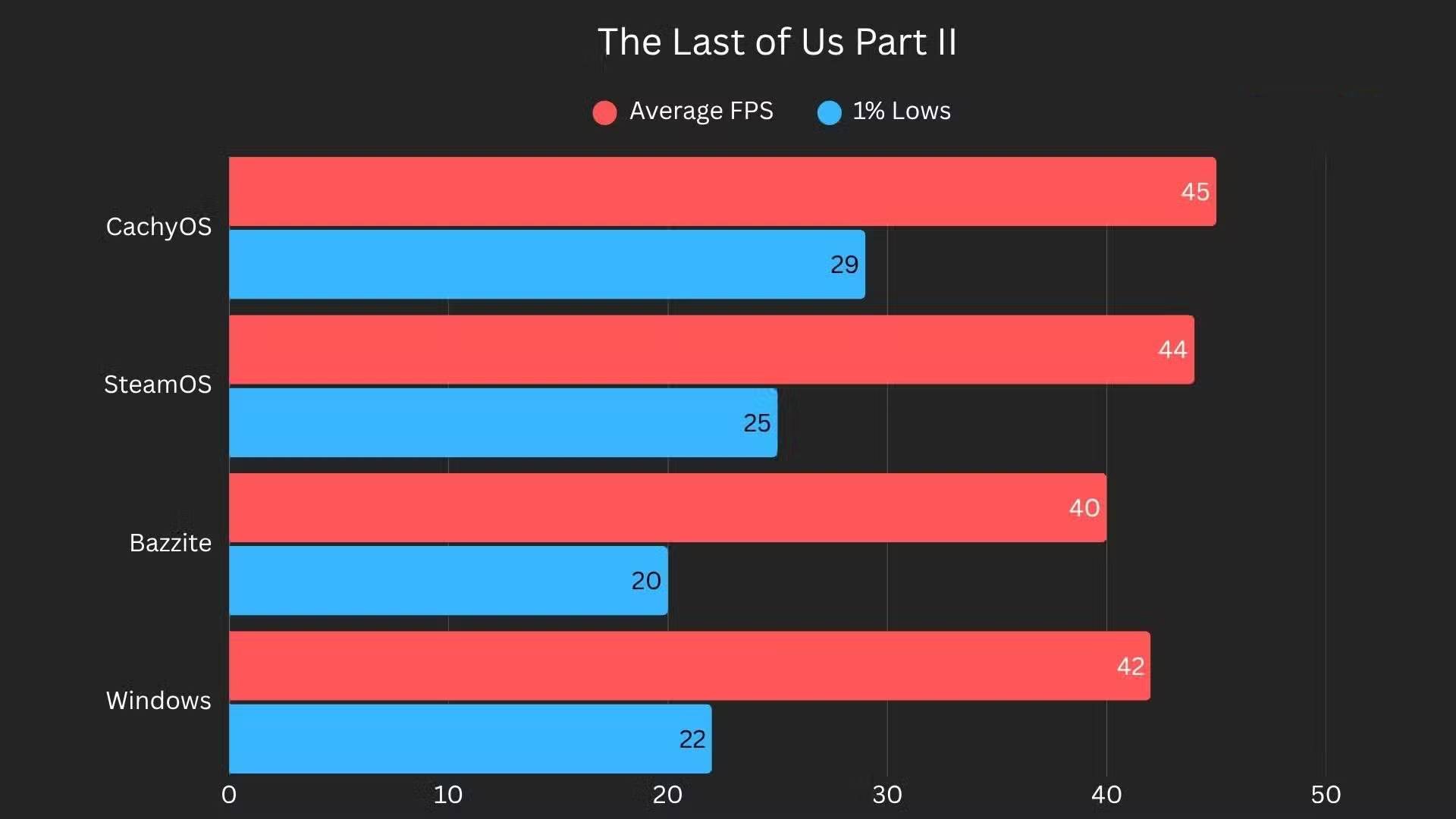
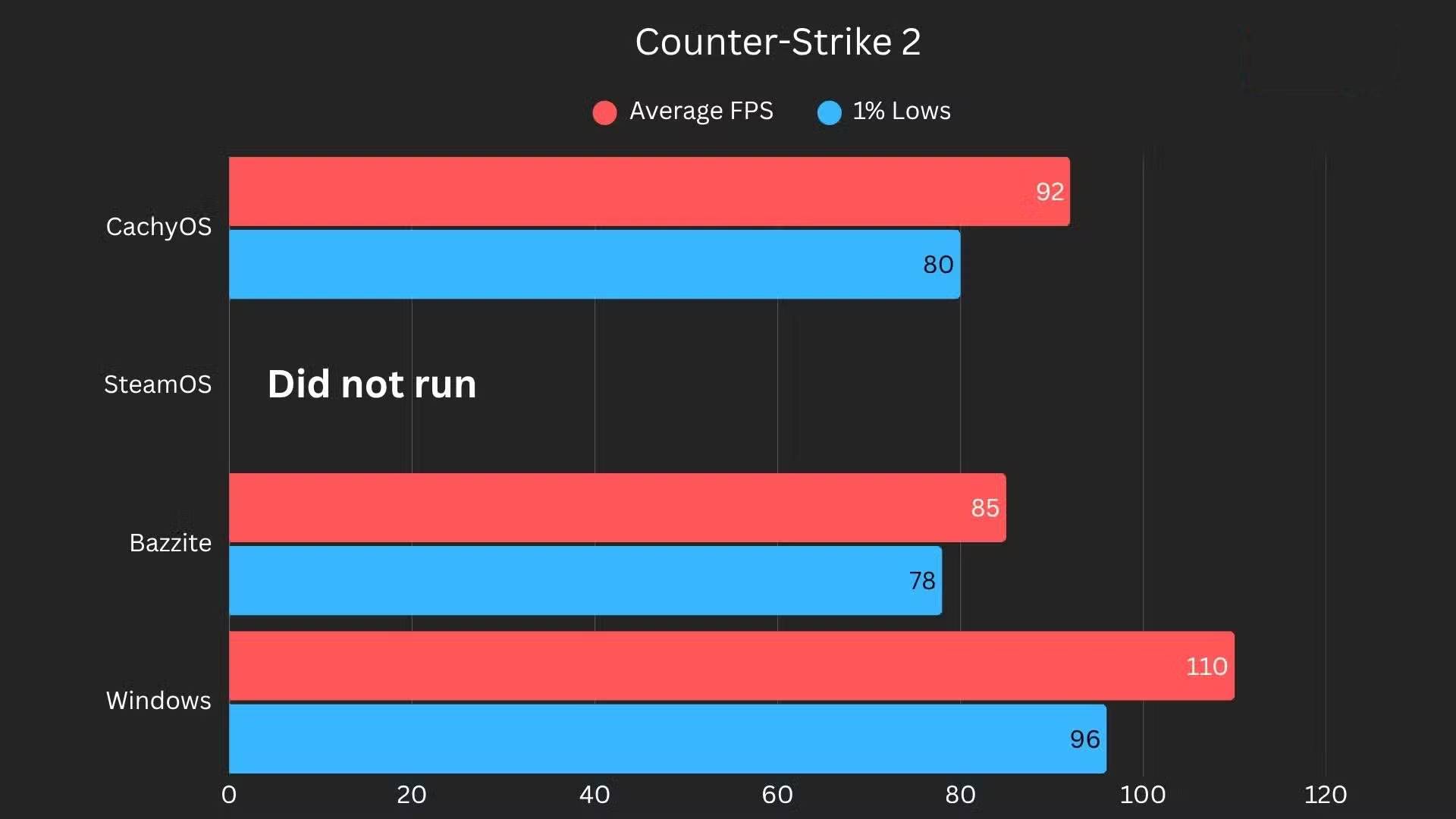
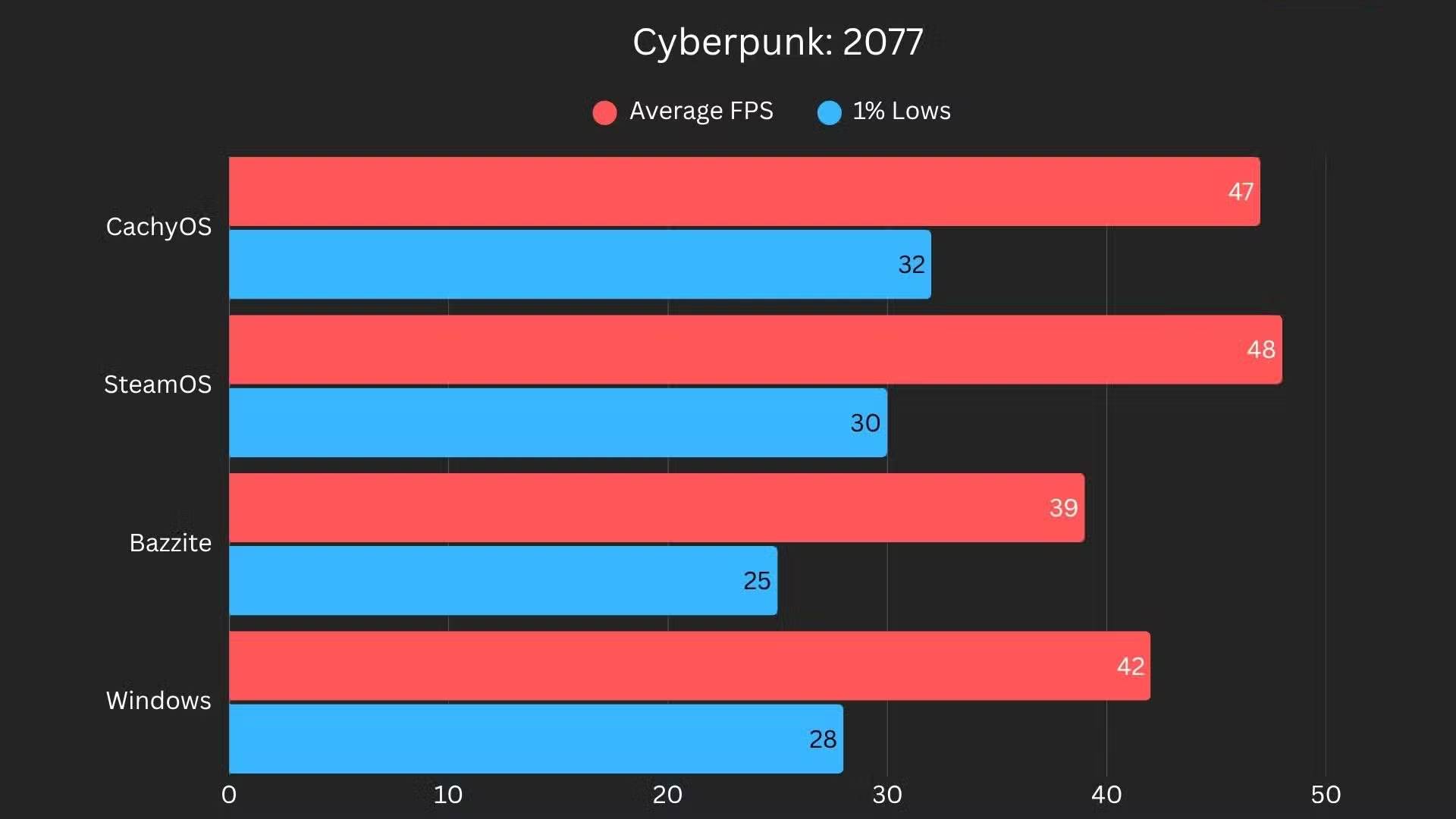
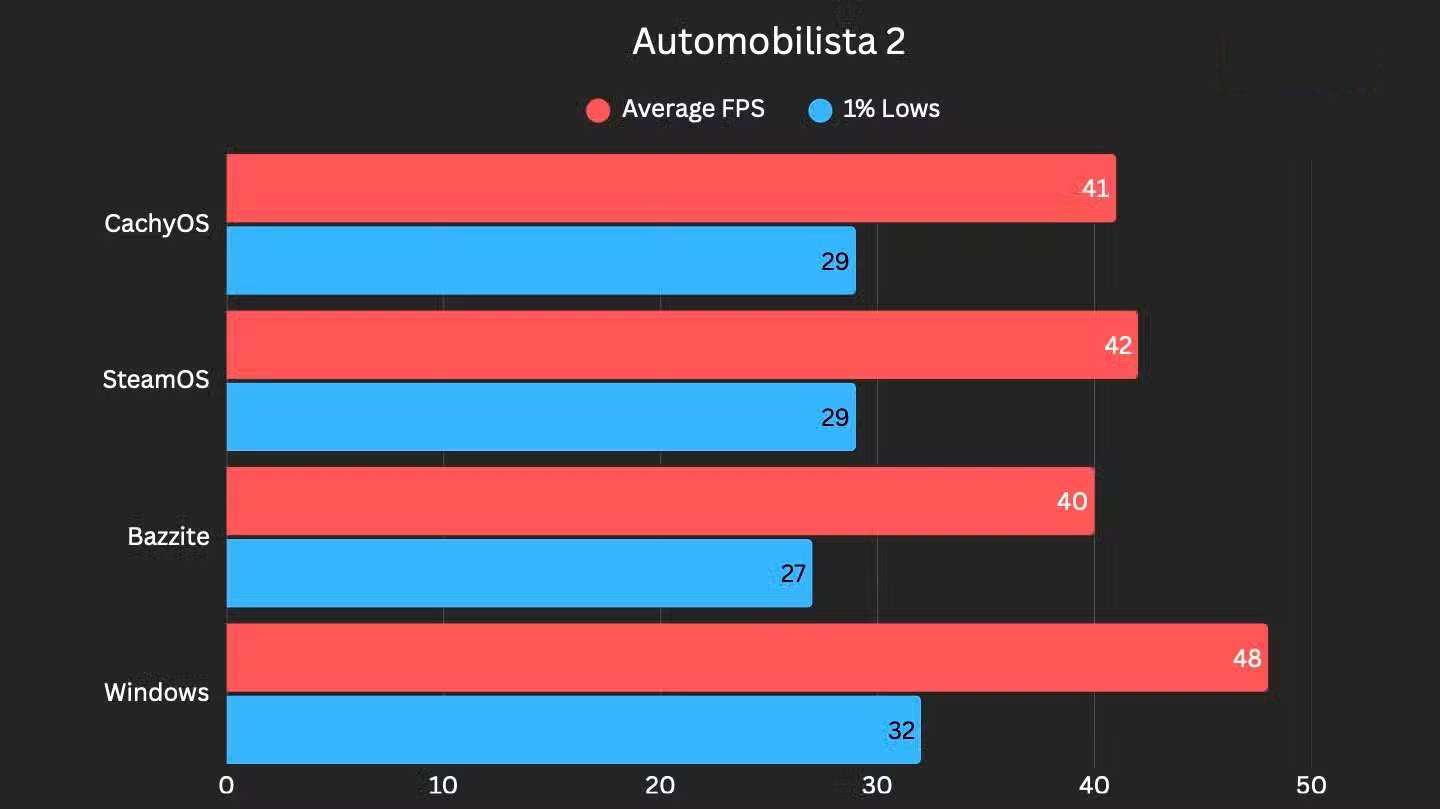
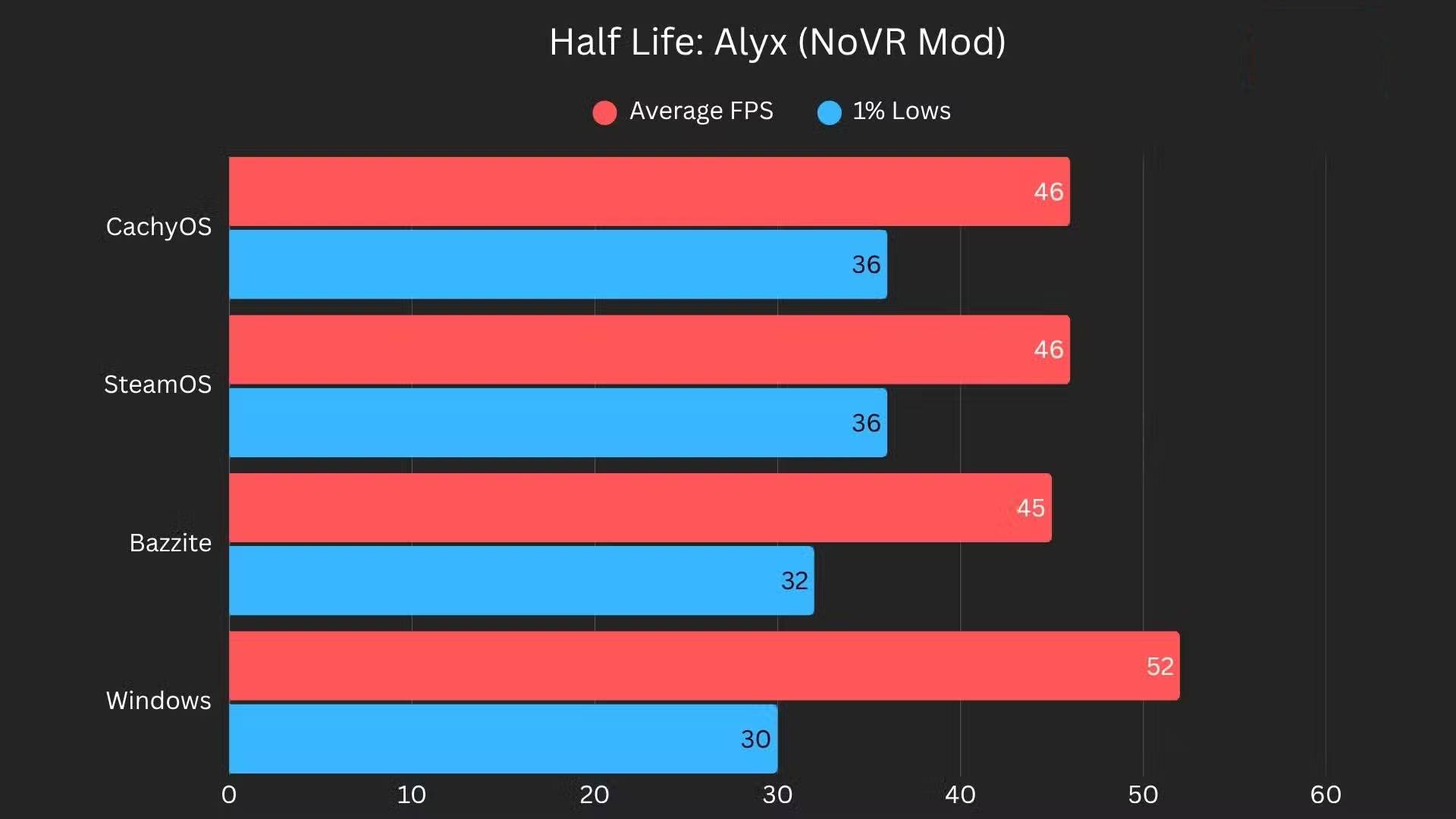
All tests were performed at the same power consumption (TDP) and graphics settings. In most games, CachyOS was on par or slightly ahead of SteamOS in average FPS. But the real difference was in overall frame rates.
Note : Games without benchmark modes are tested with identical scripted sections to ensure consistency.
The framerate graph is noticeably smoother in heavy games (hovering around 40–50 FPS). While it may not seem like a big deal, smoother framerate graphs mean less stuttering, and that's something you'll definitely notice with the naked eye.
In addition to gaming, I ran the KDE version and even installed it on a very old laptop with 4GB of RAM and a 4th generation i5-4350U processor. It was still faster than Ubuntu on the same machine, a huge leap over my previous Windows 10 installation. Of course, it's not magic. Once you have more than 5 tabs open, that hardware will hit its limits. But for the most part, the system is fast and usable in ways you wouldn't expect from such an old machine.
Very good hardware support
Don't worry if you have an Nvidia GPU!

Some people switched to SteamOS on their ASUS ROG Ally, but due to an issue, they started looking for something else. They still wanted to stick with Linux, but needed something that offered the convenience of SteamOS while taking full advantage of the hardware.
CachyOS basically does exactly that. It has its own build for handheld devices and comes with a full-screen gaming interface similar to SteamOS. When you first boot up, you won't really be able to tell if you're running SteamOS or CachyOS.
The problem is that SteamOS only supports AMD hardware, and hasn't been tested on anything other than the Steam Deck. If you want a similar sofa PC setup, on most devices, SteamOS isn't an option simply because of the different hardware.
Many people really like the Rolling Release model
Faster updates mean you can play your favorite games
The reason some people started looking for SteamOS alternatives was because of one game. Counter-Strike 2, ironically a Valve game, was completely broken on SteamOS for over a month due to outdated Mesa drivers. SteamOS uses its own custom build of Mesa, and since the update hasn't been released yet, the game loads with missing textures.
And since SteamOS is an immutable distro, meaning you can't freely modify system files, manually installing new drivers is a real headache. Games work perfectly on other distros, but on Valve's platform, everything is completely dead.
Then, many people gradually realized that they actually liked the Rolling Release setup. Rolling Release is essentially a distribution that gives you updates as soon as they are ready, instead of holding everything back for major 'version upgrades.' In practice, newer drivers and kernel versions come out much faster.
Don't recommend this product to anyone who just wants something super stable and never wants to touch anything. But for the tinkerer who always wants the latest improvements, it really works.
FAQ
What should you know about learn about cachyos?
In practical terms, after tinkering with a few distros, some people choose CachyOS, and think they'll stick with it for gaming, even with all their low-end hardware.
Why does learn about cachyos matter?
The article highlights that cachyOS is a speed-focused Linux distribution built on Arch, offering fine-tuned packages, performance-oriented kernels, and a flexible installer.
What is the main takeaway?
The main takeaway is that cachyOS offers a great installation experience CachyOS is probably the best Linux installer out there.
Related Articles
 Why Is CachyOS the Best Choice for Gaming on Linux: Key Reasons Explained8 minutes read
 How to Learn About Nobara: a Linux Distribution for Gamers9 minutes read
 4 Linux Distributions You Can Trust to Install on Your Primary Computer7 minutes read
 Reasons to Try the Bodhi Linux Distribution: Explained8 minutes read
 6 Top Linux Distributions for Windows Users: Expert Selection Guide9 minutes read
 17 Lightweight Linux Distributions Bring New Life to Old14 minutes read
Reader Comments 0
Sign in with email or Google to join the discussion.