Table of Contents
Some legendary GPU lines like GTX 1080 Ti, RX 580 or RTX 2060 are officially 'out of date'. If you own them, now is the time to consider upgrading so you don't fall behind.
You can find some graphics cards that are so powerful that you can use them for years without any problems. For example, I used to stick with my NVIDIA 8800GT for years without changing, thanks in large part to the longevity of the Xbox 360 and PlayStation 3, and the good cross-platform support.
That said, no matter how powerful a GPU is, there will come a point where it's no longer worth keeping around – unless you have no need for new games. If you're still running one of these cards, it might be time to get a new one.
Maxwell architecture GPU
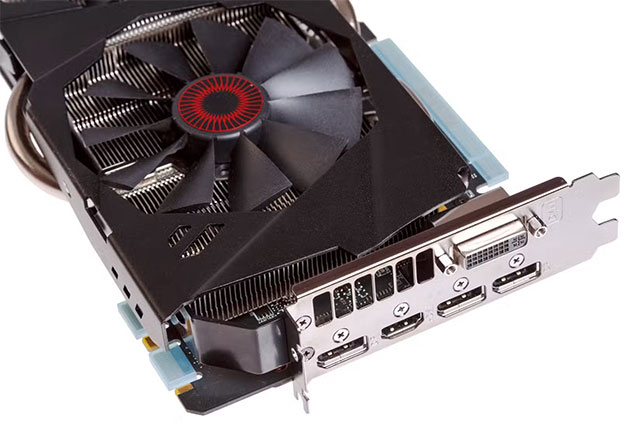
To put that in perspective, NVIDIA's Maxwell architecture was the basis for the SoC in the original Nintendo Switch – which was already quite old at the time. In terms of graphics cards, it was the GeForce 900-series, with the legendary GTX 980 once dominating the scene.
While older games still run fine on Maxwell, the limited VRAM (typically just 4GB) and the lack of driver updates from NVIDIA means these cards start to struggle, even at 720p or 1080p. It's hard to play modern games smoothly on a GTX 980, even if the raw performance is on par with the Xbox Series S or GTX 1660.
Pascal architecture GPU
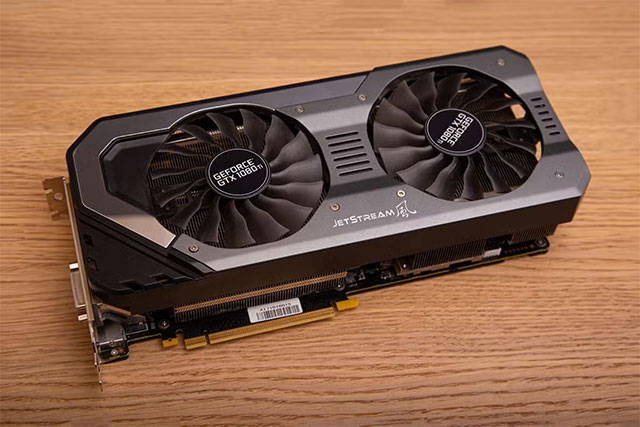
The Pascal line – especially the GeForce 10 series – was a milestone. It brought a huge leap in both performance and power efficiency, marking the beginning of the era when gaming laptops really took off. I used an Alienware GTX 1070 Ti, and it was as powerful as many previous generation PCs.
The GTX 1060, 1070, and 1080 models are still popular in the Steam hardware survey, and are still usable today. However, NVIDIA stopped supporting Game Ready drivers for Pascal in October 2025 (according to Tom's Hardware), meaning they are slowly being phased out.
The GTX 1080/1080 Ti released in 2016–2017 had a great run, but it will be difficult for any new graphics card to maintain the same power and durability for nearly 10 years.
Radeon RX 500 Series
Not only NVIDIA, AMD also had a generation of 'buffalo' GPUs - that is the RX 500 series, including RX 570 and RX 580. These cards still have quite good performance for 1080p games, but because they only support basic drivers and lack performance optimization features that modern games take advantage of (on RDNA architecture), the gaming experience is no longer good. Especially when AMD is now also starting to stop supporting RDNA and RDNA 2, it can be said that the RX 500 series is officially 'out of date'.
Card with 8GB VRAM or less
If you have a GPU with 8GB of VRAM, you can still play smoothly at 1080p or 1440p (with moderate graphics settings). But cards below that threshold are almost unplayable for modern games.
That's a shame, because 8GB GPUs like the RTX 3070 Ti or RX 6700 are still very powerful in terms of performance. However, with VRAM-hungry engines like Unreal Engine 5, their actual lifespan will not be as long as the 10-series or RX 500 generation.
RTX 20-series – Ray Tracing is no longer 'powerful'
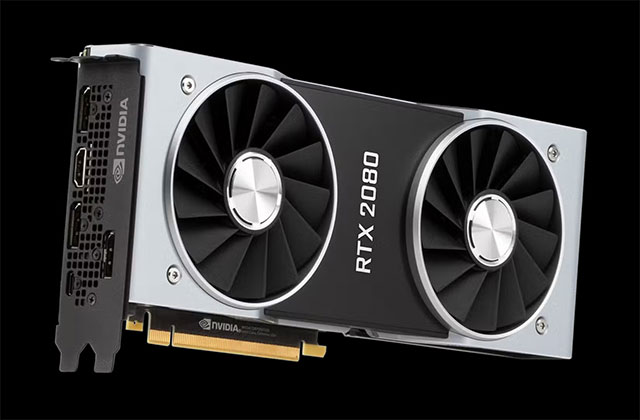
The RTX 20-series is the first generation to support real-time ray tracing and AI upscaling, putting PCs far ahead of contemporary consoles like the PlayStation 5 or Xbox Series X/S, and ushering in a new era for the GPU industry.
If you have a 20-series card with enough VRAM, it will still work fine for games without ray tracing enabled. However, many games today require RT to display properly, and the RTX 2060 or 2070 are not powerful enough to run smoothly in this mode. Even the RTX 2080 Ti is on par with the raw performance of a mid-range 40-50 generation card, but falls far behind when RT is enabled.
In fact, it's only now that NVIDIA and AMD GPUs are considered fully capable of ray tracing, so if you bought a 20-series card for the feature, now's a good time to upgrade.
Of course, you don't necessarily have to upgrade just because I say so—or because the manufacturer or game developer tells you to. If your GPU is still up to the task, it's fine to keep using it until the fans stop spinning and the solder joints crack. After all, getting your money's worth is the smartest thing to do.
FAQ
What should you know about if you're using one of these gpus, it's time to upgrade?
In practical terms, some legendary GPU lines like GTX 1080 Ti, RX 580 or RTX 2060 are officially 'out of date'. If you own them, now is the time to consider upgrading so you don't fall behind.
Why does if you're using one of these gpus, it's time to upgrade matter?
The article highlights that if you're still running one of these cards, it might be time to get a new one.
What is the main takeaway?
The main takeaway is that in fact, it's only now that NVIDIA and AMD GPUs are considered fully capable of ray tracing, so if you bought a 20-series card for the feature, now's a good time to upgrade.
Related Articles
 NVIDIA Launches RTX 4060 and 4060 Ti: Is It Time to Upgrade?8 minutes read
 A Few Notes When Upgrading for Computers6 minutes read
 Cannot Activate iPad After iOS 9.3 Upgrade. This Is How to Fix It4 minutes read
 5 Signs It's Time to Upgrade Your iPad: Complete Guide8 minutes read
 8 Signs That It's Time to Upgrade Your iPhone9 minutes read
 Upgrade MacBook Air SSD 20154 minutes read
Reader Comments 0
Sign in with email or Google to join the discussion.