Table of Contents
This guide provides a clear, practical overview of "NVIDIA Stops Supporting Driver Updates for Some GPU Lines". It organizes the most useful details, explains important considerations, and highlights the steps or choices that matter most.
Specifically, according to the latest update on GPU driver support policy, NVIDIA will provide the final driver updates for card models of the GTX 700 (Maxwell), 900 (Maxwell), 1000 (Pascal) series and Volta architecture in the 580 driver series. This is a predicted move after the Fermi and Kepler GPU series (ie GTX 500 and GTX 600 cards) also stopped receiving the latest driver updates from NVIDIA.
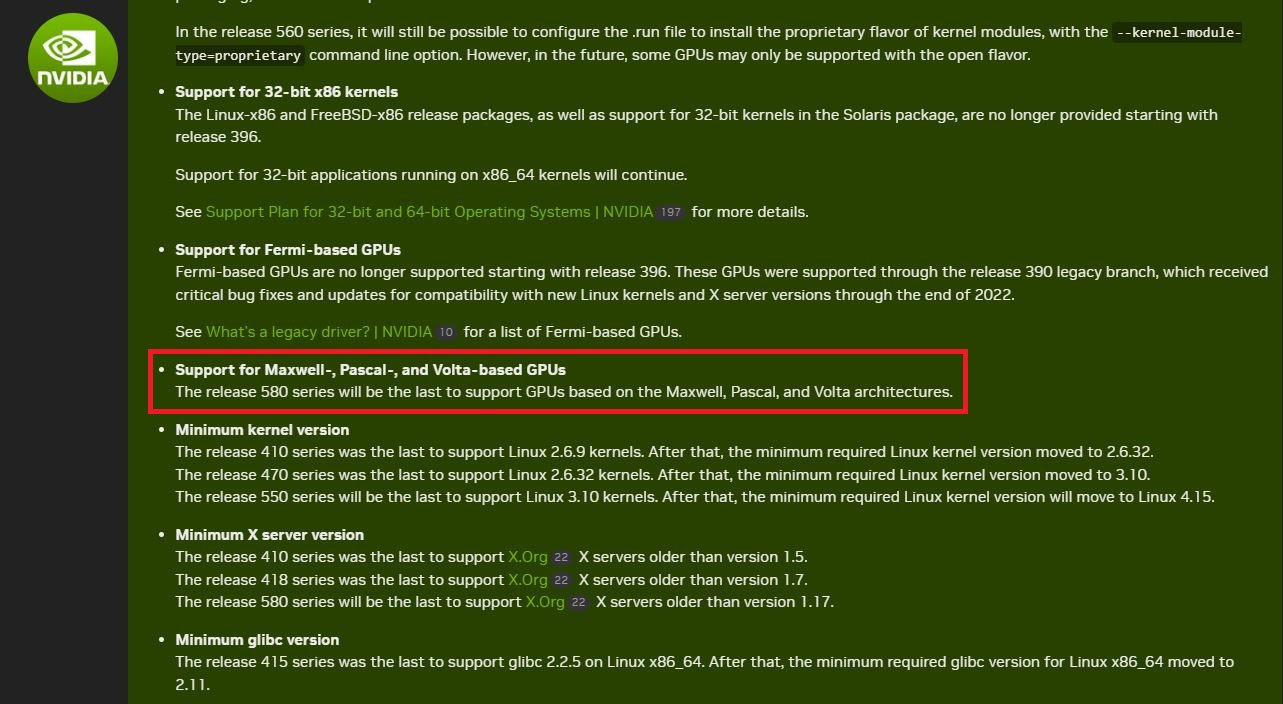
According to NVIDIA, the company will provide the final driver updates for cards in the GTX 700 (Maxwell), 900 (Maxwell), 1000 (Pascal), and Volta architectures in the 580 driver series. Currently, NVIDIA is on the 570 driver series (starting with the GeForce RTX 50 series GPUs), and with one of the upcoming major updates, GPUs in the above mentioned series will receive the final official driver update. This is a common practice for hardware manufacturers when they stop supporting drivers for older components, and the above mentioned GPUs are about 8–11 years old.
The release date for the NVIDIA 580 driver series has not been revealed yet, but it is not far off. It is likely that the update package will be released before the end of the year, and given that the 580 driver series will continue to receive new updates within the same branch for several weeks or even months, Maxwell, Pascal, and Volta GPU owners can expect regular updates over the next few months.
FAQ
What does this guide cover?
This guide explains nvidia stops supporting driver updates for some GPU lines, including the main steps, important details, and practical considerations.
Who is this guide for?
It is designed for readers who want a clear, practical overview and a reliable process they can follow without unnecessary complexity.
What should you check before getting started?
Review the requirements, confirm that your software or device is up to date, and save any important data before changing settings.
Related Articles
 NVIDIA Introduces New Driver Packages for Kepler GPU Lines and Many Unsupported4 minutes read
 Nvidia Stopped Producing Drivers for 32-bit Systems4 minutes read
 Disable the NVIDIA Component to Speed Up the Computer4 minutes read
 NVIDIA Will Stop Supporting Drivers for 32-bit Operating Systems from 4/20183 minutes read
 Nvidia Geforce Experience - a Guide to Downloading, Installing, and Using It3 minutes read
 NVIDIA Releases Game Ready and Studio Drivers for Windows 114 minutes read
Reader Comments 0
Sign in with email or Google to join the discussion.