Table of Contents
Use nature apps to find promising places, recognize the wildlife around you, and keep track of what you photograph. These five apps have free features. Choose the one that answers your next question: where to go, what you heard, or what appears in your photo.
Seek: Identify a plant or animal in the field
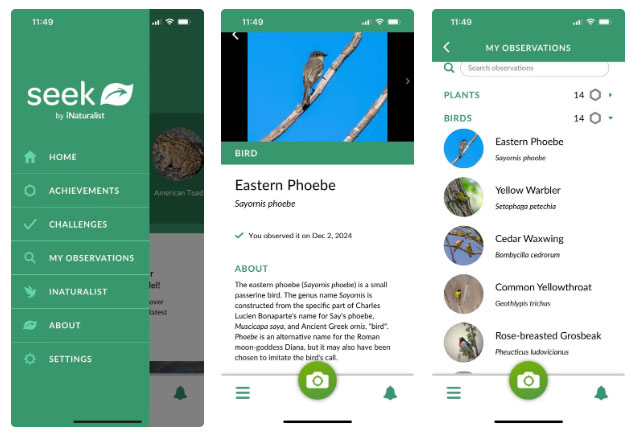
Point Seek’s camera at a plant, insect, or other organism and move slowly until the app can see useful features. If it only suggests a broad group, photograph another angle and keep that provisional label. Seek can be used without an account. For an existing image, reverse image search can give you additional leads. Never rely on an image match to decide whether something is safe to eat.
Merlin Bird ID: Tell which birds you may be hearing
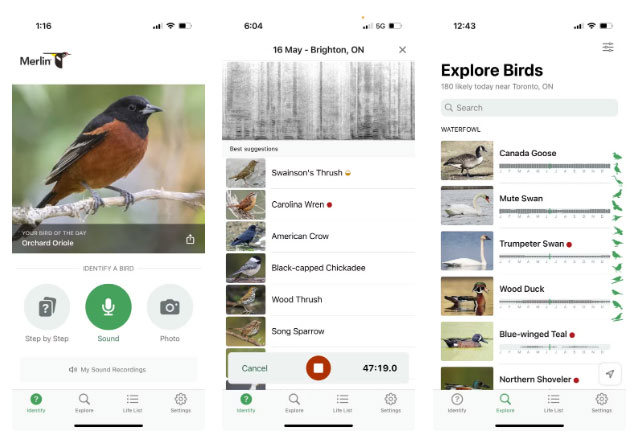
Use Sound ID while standing quietly. Treat suggested birds as leads and try to confirm them by sight or by comparing a recording of the call. Download the relevant Merlin bird pack before heading somewhere without good reception.
AllTrails: Plan a route with time for photo stops
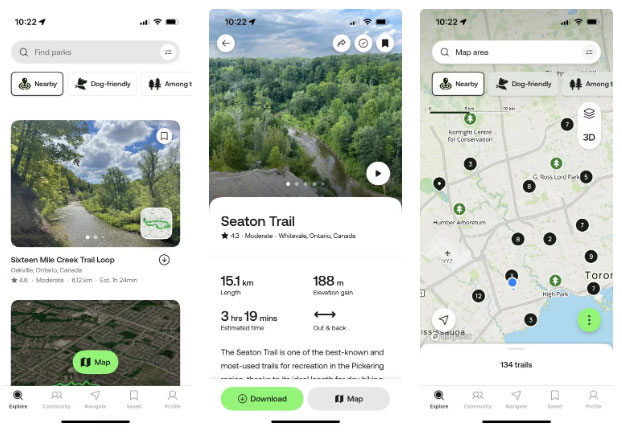
Compare trail length and elevation before you leave, and build in time to stop at an overlook or sit quietly near habitat you can see from the trail. AllTrails offers free trail browsing, while offline map downloads are part of paid plans. Carry a backup navigation option where there is poor reception.
eBird: Find places to look for birds
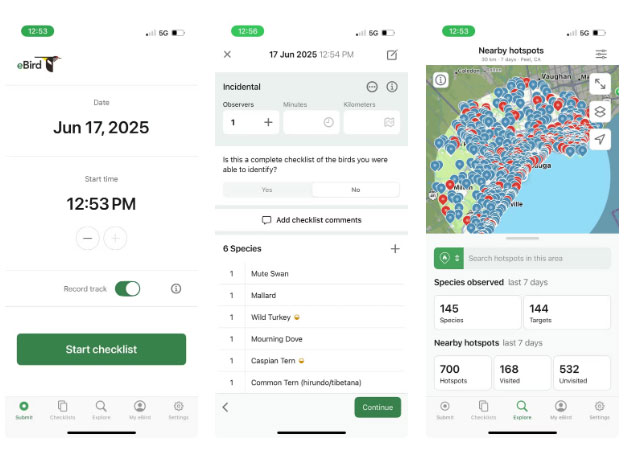
Open eBird Hotspots and look at recent observations for sites you can legally access. Use the records to choose where to look, then give birds space and stay on permitted routes. Checklists report what someone saw at a particular time, so a bird appearing in one does not guarantee a sighting.
iNaturalist: Ask for help with an identification
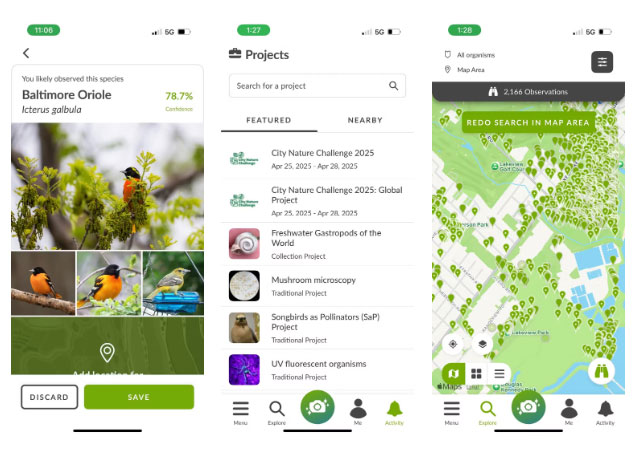
Take both a wider photo and a close-up that shows identifying features. Upload them as one observation if they show the same organism. Review any suggested identification and ask the community to help when you are unsure. Check location privacy settings before sharing observations from a sensitive site. If you need to pull matching shots from a long camera roll, use Google Photos search and Lens to narrow the set.
Related Articles
 Why do beautiful natural photos make people feel happy?
 National Geographic: 19 wonderful natural photos 2016
 Marvel at the beauty of nature through the series of National Geographic
 Download Nature Illusion Studio, a stunning natural effects app for $ 25, free
 The series of photos proving the world has so many strange things that we have never known
 The series of pictures revealing the wonders of nature not everyone has the opportunity to admire
Reader Comments 0
Sign in with email or Google to join the discussion.