Article on the subject of "peripheral devices"
-
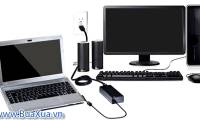
Installing a computer
most computers are set up the same no matter what brand of computer you have
-
Connect your computer to the Internet
you want internet access at home so you can send and receive email, browse the web, find information
-
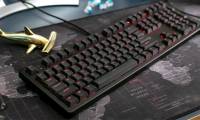
Mechanical keyboards using a new switch mechanism can provide durability up to 1 billion clicks
input club said that silo switches can have durability up to about one billion clicks.
-
6 best uses of Thunderbolt 3
a thunderbolt 3 port can be used to connect a wide range of peripheral devices to a computer. thunderbolt is fast, flexible, and uses a common usb-c connector to connect to most devices.
-
How to fix Bluetooth peripheral device driver not found on Windows
bluetooth devices that are first connected on a computer are often not found with a bluetooth peripheral device driver error.
-
How to Stop Printer Spooler on Windows Computer
printers are quite boring devices. this article will cover one of the most common printer errors: spooling. spool (short for simultaneous peripheral operations on-line: simultaneous peripheral operations online) is the term given to the system that receives and issues print commands on a computer.
-
To buy a computer like that
when you need a new computer, there are too many factors to consider from configuration to software and peripheral devices. therefore, deciding which computer to buy can be a real challenge.
-
Add Bluetooth devices in Windows 7
in this article we will show you the process of connecting bluetooth devices in windows 7 as well as giving you precautions for unexpected problems that may occur.
-
How to fix the Bluetooth peripheral device driver not found error on Windows
how to fix bluetooth peripheral device driver not found error on windows. what causes bluetooth peripheral device driver not found error click view now!
-
Fix USB error does not show capacity
peripheral storage devices often encounter errors when we use them to connect to many different devices, usb drives are no exception when they encounter a variety of different errors. most of the time, users often encounter usb errors that do not show capacity and cannot open on computers
-
Installing a computer
most computers are set up the same no matter what brand of computer you have
-
Common connection ports found on computers and their functions
a connection port on a computer acts as an interface or simply a communication point between the computer and other peripheral devices.
-
Connect your computer to the Internet
you want internet access at home so you can send and receive email, browse the web, find information
-
Learn to use lesson 9 computer - Set up a computer
you just bought a new computer, the first thing you have to do is set up your computer to suit your purpose.
-
How to Network Computers
a computer network is a group of 2 or more computers connected by a common communications link so that data, resources and peripheral devices can be shared between them. although there are different methods for creating a computer network,...
-
Why do some modern computers still have Serial ports?
a connection port on a computer acts as an interface or simply a communication point between the computer and other peripheral devices through which data can be transferred to and from the device.
-
How to fix USB device not recognized error on Windows
when using peripheral devices we often encounter unexpected errors. one of them is usb device not recognized, this is an error arising from many different reasons.
-
Test on computer network with answer P7
computer network is a group of computers and peripheral devices connected together through transmission media such as twisted cable, optical cable, electromagnetic wave, infrared ray ... to share data with each other. if you are a lover of this topic, please read your knowledge through the multiple
-
How to open Device Manager Windows 11
opening device manager on windows 11 allows users to check peripheral devices connected to the computer. here is a simple way to open device manager windows 11.
-
The smart bracelet controls the computer with your finger like a science fiction movie
this is a wireless connection tool, it tracks the gestures of the fingers along with the direction of the hand allowing users to use their fingers to control peripheral devices such as computers and drones. .
-
What is special about connecting Windows 10 with Microsoft's iPhone?
the us patent office (uspto) has published a microsoft patent application, showing the company is designing an iphone-specific dock, making it easier to connect windows 10 and iphone devices. .
-
Mechanical keyboards using a new switch mechanism can provide durability up to 1 billion clicks
input club said that silo switches can have durability up to about one billion clicks.
-
How to buy a motherboard
creating a computer in your own way is much easier than guessing which computer manufacturer provides you with a set of features that will satisfy your needs.