linux commands
-
 5 quick commands to fix broken packages in Linux
although it's sometimes possible to use a linux graphical interface like synaptic to troubleshoot many issues, people often use terminal commands first.
5 quick commands to fix broken packages in Linux
although it's sometimes possible to use a linux graphical interface like synaptic to troubleshoot many issues, people often use terminal commands first.
-
Memorize these 5 commands so you won't be afraid of Linux Terminal anymore!
these commands will help you work faster, be more efficient, and eventually become a real linux power user.
-
4 Extremely Useful 'Hidden' Linux Commands
every power user should know at least the basics. there are also some lesser-known commands that are rarely mentioned, yet are surprisingly useful.
-
Basic Linux commands everyone needs to know - Operations on Linux are much faster
when using linux, you should also learn basic linux commands to perform operations more quickly and easily. below are some basic linux commands you should know.
-
5 Linux commands every sysadmin needs to know
in a world full of new tools and diverse development environments, learning some basic sysadmin commands is practically essential for any developer or engineer.
-
Top 10 examples of Netstat commands on Linux
netstat is a command line utility that can be used to list all network connections (sockets), allowing comparison with network connections, routing tables, interface records, connection spoofing.
-
15 Tar commands should try in Linux
on * nix operating systems, such as linux, the commonly used utility is tar. the name of this command comes from archive tape, because it was originally designed to back up data on tape.
-
Guide to network operation for Linux users: 11 commands to know
linux supports commands to download files, diagnose network problems, manage network interfaces or view network statistics on the terminal. here are some common linux commands to work with, please consult.
-
10 most useful Linux commands
for those who are new to linux, administration will face many difficulties. here are the 10 most useful linux commands that make your administration a lot easier.
-
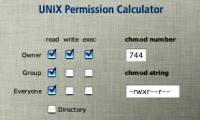
Manage the default UNIX license with adduser and umask
the most important point of the file-level security process on unix systems is to limit the file access license as much as possible.
 Home
Home
 Wifi Tips
 Fix Computer
 Windows 10
 Windows 11
 Artificial Intelligence
 Space Science
 Strange story