Article on the subject of "internet explorer 8"
-
7 layers of security every computer should have
every time you connect to the network, you are placing the computer and the information stored on your computer facing the dangers lurking online.
-
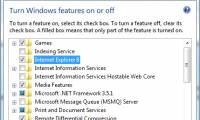
Ways to uninstall Internet Explorer 8 on Windows XP / Vista / 7
internet explorer 8 has many new and useful features. however, in some cases, upgrading to internet explorer 8 can still cause problems. to resolve these problems, you can uninstall internet explorer 8 from the operating system.
-
Introducing the acceleration feature of Internet Explorer 8
the following article will introduce you to ie8's accelerators feature, and help you make the most of it.
-
Internet Explorer 8 enhances privacy and security
in this article we will discuss some of the key features included in ie8 and discuss why companies should use ie8 instead of other browsers.
-
Some changes in Internet Explorer 8
microsoft's new browser is prepared to be widely distributed and users can anticipate what will be equipped in this product through some rc1 version images.
-
Firefox 3.1 Beta 2 launches private browsing mode
integrates the latest version of javascript engine and adds a private browsing feature (private browsing) which is most noticeable in firefox 3.1 beta 2
-
IE 8 running on Windows XP is supported until 2016
microsoft has just announced a roadmap to support security updates for its web browsers. notably, internet explorer 8 (ie 8) web browser is only supported by microsoft security packages until early 2016.
-
Microsoft has not patched security issues in IE8 for 7 months
according to security company zero day initiative, internet explorer 8 browser has appeared a security hole for more than half a year, but microsoft almost never bothered to fix this error.
-
Google stopped supporting IE8 from November 15
this decision will have a significant impact on windows xp - the operating system cannot run ie9 and the upcoming ie10.
-
Windows 7 allows users to delete IE8
windows 7 users will be able to completely remove internet explorer (ie) from the operating system.
-
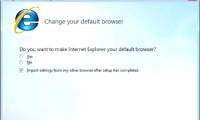
The option to set Internet Explorer 8 as the default browser
by mid-august, internet explorer 8's new update package (ie8) will be applied to microsoft software, allowing users to accept or reject the default installation.
-
Access session security in IE 8
internet explorer 8 integrates many new security features that make the browser process much more secure than previous versions.
-
8 safe ways to use IE8 for online purchases
here are 8 tips, simple but very effective, to help online 'followers' protect themselves against hackers and viruses, along with internet explorer 8's web browser.
-
The 7 most common problems in Internet Explorer
sometimes you may find yourself in situations where you must use internet explorer. let's take a look at quick fixes for common internet explorer issues so you don't have trouble experimenting with this old browser.
-
Ways to uninstall Internet Explorer 8 on Windows XP / Vista / 7
internet explorer 8 has many new and useful features. however, in some cases, upgrading to internet explorer 8 can still cause problems. to resolve these problems, you can uninstall internet explorer 8 from the operating system.
-
Instructions to remove Internet Explorer 10 in Windows 8
although internet explorer 10 has improved a lot compared to previous versions, it seems to be a secondary choice when users want to surf the web. if you also do not want to use and want to remove, you can refer to the instructions below of tipsmake.com.
-
How to enable Internet Explorer mode on Microsoft Edge
although the internet explorer browser has been discontinued, there are still some old websites that are not suitable for modern browsers, so users cannot open and read content.
-
How to Uninstall Internet Explorer 11 on Windows 7
internet explorer 11 is the latest version of microsoft's web browser, but not everyone likes to use it. if you prefer to use an older version, or internet explorer 11 doesn't work well, you can return to the original version by uninstalling internet explorer updates. you can do it on windows or
-
How to Completely Uninstall Internet Explorer
this article explains how to prevent your computer from using internet explorer. windows 10 computers let you uninstall internet explorer as an optional feature; besides, you can disable internet explorer from control panel on all windows 10, 7 and 8 computers. note, you cannot remove internet
-
How to Fix Internet Explorer Windows Not Responding
today's tipsmake will show you how to fix internet explorer web browser not responding. there are several reasons why internet explorer crashes, such as too many toolbars, corrupted installations, and outdated software.
-
Instructions on how to remove Internet Explorer on Windows 10
the following article will show you how to remove internet explorer from the system to return the disk space.
-
How to Update Microsoft Internet Explorer
this article shows you how to update microsoft's internet explorer browser. after the release of internet explorer 11, microsoft stopped supporting internet explorer and did not continue to create any other updates. internet explorer browser is only available on windows 7, windows 8.1, and windows
-
How to Uninstall Internet Explorer 11 for Windows 7
internet explorer 11 is the newest version of microsoft's web browser, but not everyone is a fan. if you prefer an older version, or internet explorer 11 isn't working properly, you can revert to your original version by uninstalling the...
-
Instructions on how to install Internet Explorer
microsoft still provides the latest versions of internet explorer through their homepage. software tips will guide you how to install internet explorer quickly and simply on all windows operating systems.
-
How to use IE Mode to replace the recently discontinued Internet Explorer
from windows 11, internet explorer will be removed. in this article, tipsmake.com will show you how to use internet explorer on windows 11.
-
How to display the menu bar in Internet Explorer 7
in older versions of the browser, the menu bar is displayed by default. you can set up ie7 to display the menu bar with just a few simple steps.
-
Microsoft urges Windows users to upgrade to Internet Explorer 11 browser
microsoft has decided to create an opportunity for users to upgrade to ie11 when releasing an update of this operating system version via windows update.
-
IE 8 running on Windows XP is supported until 2016
microsoft has just announced a roadmap to support security updates for its web browsers. notably, internet explorer 8 (ie 8) web browser is only supported by microsoft security packages until early 2016.
-
Uninstall Internet Explorer 8 in Windows 7
according to statistics, internet explorer is the most popular and largest browser on the internet. of course, all of us here find that statistics are not always true or even funny.
-
Detecting zero-day vulnerabilities in Internet Explorer helps hackers gain control of the computer
the research team from qihoo 360's security unit discovered a zero-day vulnerability (the term refers to unpublished or unresolved vulnerabilities) on internet explorer.
-
YouTube itself is the 'culprit' that has caused Internet Explorer 6 to 'die early' despite its large market share
recently, chris zacharias - a former youtube web developer has revealed the reason why internet explorer 6 users (ie6) dropped dramatically in 2009 (from 25% to less than 10% in just 1 year ).
-
Microsoft 'killed' Internet Explorer from June 15, 2022
on may 20, the leading us technology company microsoft officially announced its plan to permanently close internet explorer (ie) browser after more than 25 years.
-
Internet Explorer has been mourned in Korea, but it's very strange
to express his infinite regret for internet explorer, kiyoung jung, a software engineer in korea, built a tomb, or a memorial, for this browser.