Table of Contents
An online PDF merger can combine several documents without installing software. Smallpdf lets you upload files, arrange their pages, and download one PDF, but the documents are processed on a remote service. Use an approved offline tool for confidential, regulated, or highly sensitive files.
Before uploading PDFs
- Make a copy of every source file.
- Rename the files in the intended order, such as 01-cover.pdf and 02-report.pdf.
- Remove pages that should not be shared.
- Check whether digital signatures, forms, bookmarks, attachments, or accessibility tags must be preserved; merging can alter or invalidate them.
- Review the service's current limits, privacy policy, and retention period.
Online services often include other PDF tools, but each additional conversion can change document structure or quality.
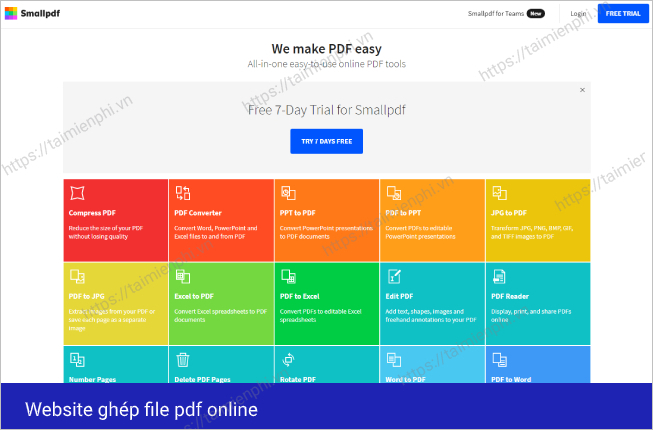
Merge PDFs with Smallpdf
The current Smallpdf workflow may use labels such as Choose Files, Finish, or Merge. The screenshots below show an earlier interface, but the sequence is the same.
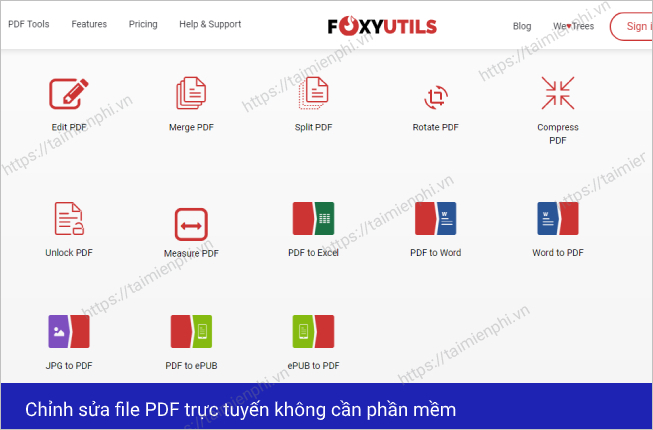
- Open the Smallpdf Merge PDF tool.
- Select the merge feature if the homepage displays a list of tools.
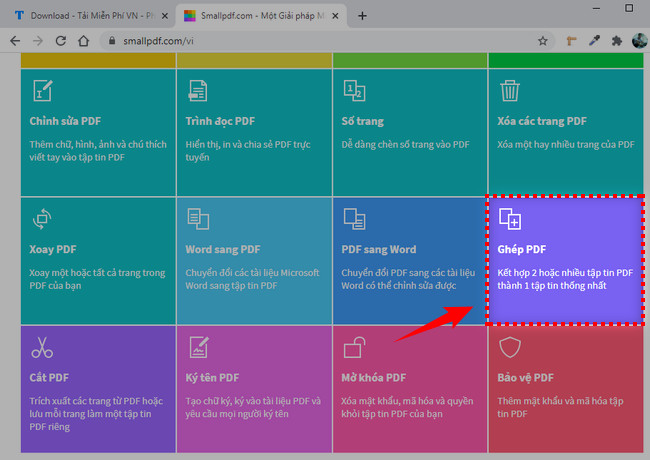
- Choose the source files from your device or an available cloud-storage option.
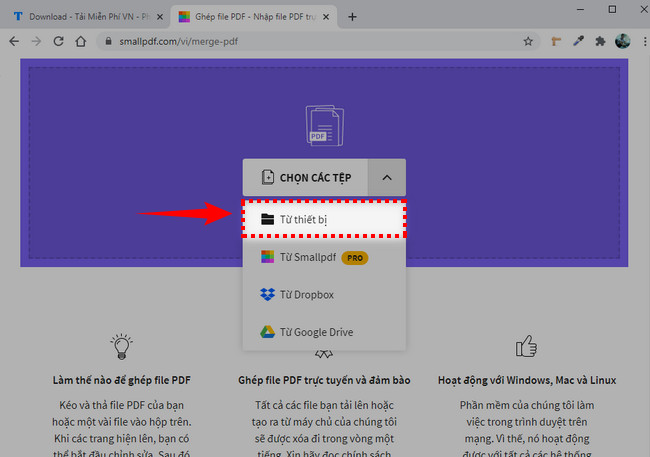
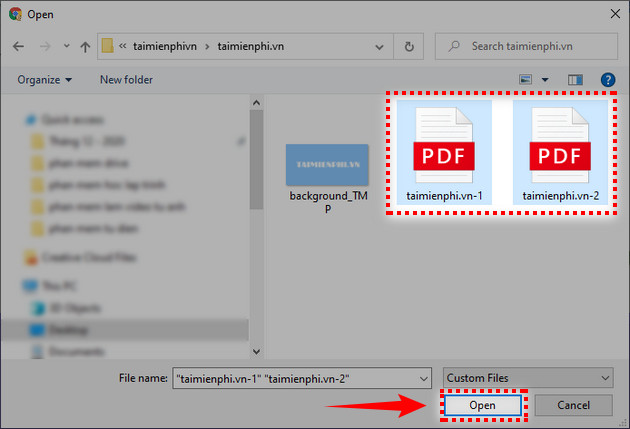
- In the file picker, select the PDFs and choose Open.
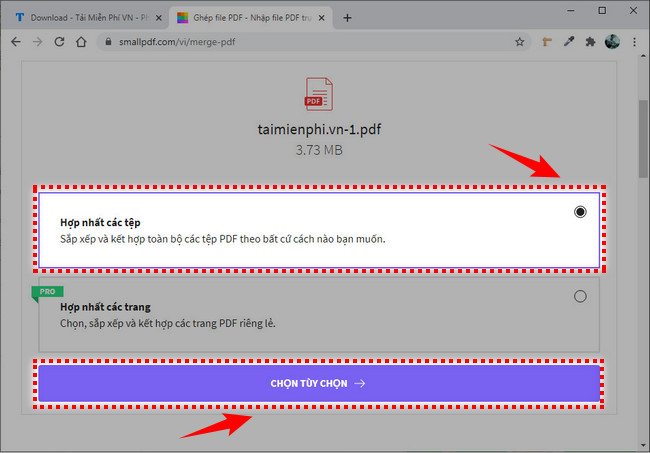
- If the service asks for a mode, choose the option that combines files into one PDF.
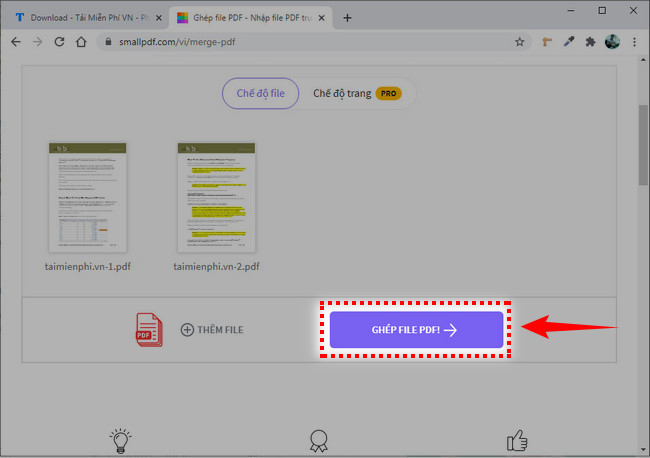
- Add any missing files. Drag files or page thumbnails into the exact required order, rotate pages if necessary, and remove unwanted pages.
- Select Finish, Merge, or the equivalent command.
- Download the merged PDF to your computer or save it to an approved cloud location.
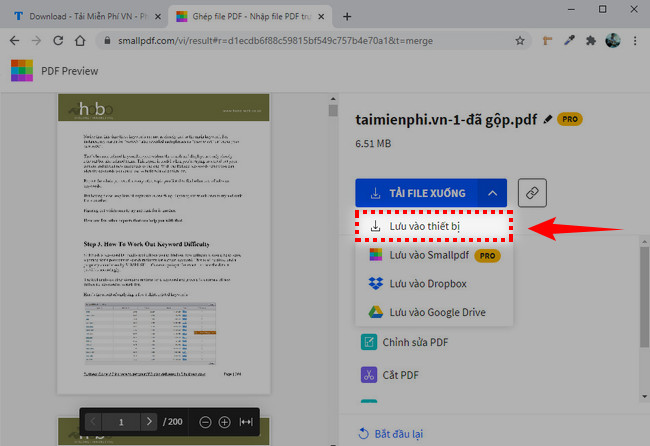
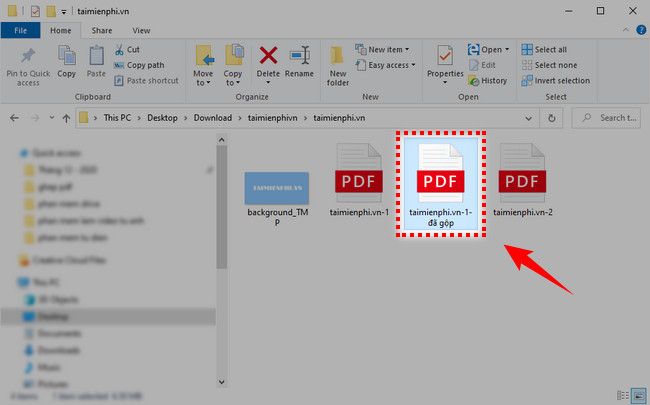
Open the finished file rather than assuming the merge succeeded.
Verify the merged PDF
- Check that the first and last pages are correct.
- Confirm the full page count and file order.
- Look for sideways, blank, duplicated, or missing pages.
- Test bookmarks, links, forms, comments, and attachments if they matter.
- Confirm that text remains selectable and images are readable.
- Check the final file size before attaching it to email or a form.
TipsMake's PDF-opening guide lists readers for checking the result on different devices.
Privacy and document integrity
Smallpdf states that its web merger uses encrypted transfer and automatically deletes uploaded files after a limited period. Treat that as a service policy, not as permission to upload any document. Workplace, legal, medical, financial, or client data may still require local processing or an approved provider.
Do not merge a signed PDF without understanding the effect. Adding, removing, or reordering pages can invalidate a digital signature. Keep the signed originals and consult the document owner or compliance process when signature validity matters.
Offline alternatives
A desktop PDF editor avoids uploading files and can be preferable for large or sensitive batches. TipsMake's PDFgear overview describes local merge, split, and page-organization features. Use software obtained from its verified publisher and keep it updated.
If the source material is a set of JPG or PNG pages rather than PDFs, follow the guide to converting images to PDF before or instead of merging documents.
If you need only selected pages
Use page-organization controls to remove unnecessary pages before merging, or extract the required pages into copies first. Cropping is different from extracting: it hides content outside a rectangle but does not remove other pages. TipsMake's PDF cropping guide explains that distinction.
Common problems
- Upload fails: confirm the file is a valid, complete PDF and check the service's current size limits.
- Pages are out of order: drag thumbnails into place and repeat the merge from the original files.
- Output is too large: remove unnecessary pages first; compress only if acceptable quality can be maintained.
- Password-protected file will not merge: ask the owner for the password or an authorized unprotected copy.
- Forms or signatures break: preserve the originals and use a workflow designed for those document features.
Related Articles
 How to Merge PDF Files, Merge and Join Multiple PDF Files Into19 minutes read
 How to Merge PDF Files Quickly and Simply5 minutes read
 Instructions to Merge Multiple PDF Files into One PDF File8 minutes read
 How to Merge Videos Online on Your Computer Quickly, without4 minutes read
 How to Merge PDF Files, Merge Multiple PDF Files4 minutes read
 How to Join PDF Files Simply and Quickly6 minutes read
Reader Comments 0
Sign in with email or Google to join the discussion.